Base44 Review (2026): Pricing, Features & Pros & Cons
Before you choose Base44, read this. This Base44 review highlights some important things to consider about its strengths, weaknesses, pricing and when a different tool might be a better fit.
Compare the 8 best AI wireframe generators in 2026. From text-to-wireframe AI tools to full high-fidelity UI generators with Figma export and code output.

The blank canvas is a productivity killer. You have product ideas in your head, stakeholders waiting for visuals, and a deadline that was yesterday. Traditional wireframing tools like Balsamiq and Axure expect you to drag boxes and arrange elements pixel by pixel. By the time you've built three screens, the meeting's over, and you've lost momentum.
AI wireframe generators have changed this entirely. Describe what you want in plain text, and the best AI wireframe tools create wireframes in seconds - complete layouts, UI elements, navigation, icons and content. According to Figma's 2025 AI report, the AI design market is projected to grow from $5.5 billion in 2024 to $40 billion by 2034, and Figma's own community poll found that 54% of designers say AI already improves the quality of their work.
But not all these tools are equal. Some stop at basic structure - low-fi boxes with placeholder text. Others generate high-fidelity wireframes you can refine, test with users and ship. The best ones go beyond wireframes entirely, producing clickable prototypes and production-ready code. In this article, we compare the eight best AI wireframing tools for 2026 to help you find the right wireframe generator for your team.
For a broader look at the AI design landscape, see our roundups of the best AI UI design tools and AI tools for designers.
Traditional wireframing tools require you to manually create wireframes by dragging UI elements onto a canvas, choosing layouts and connecting screens one at a time. It's slow, it's tedious, and it demands design skills that product managers, business analysts and developers don't always have.
For a deeper look at what wireframes are and where they fit in the design process, see our guide.
An AI wireframe generator flips this. Describe your app or website in natural language - "a SaaS dashboard with user analytics and a settings page" - and the tool generates wireframes instantly. You get a starting point with the layout already in place: components, navigation and content. Here's why teams are switching:
For tips on getting better results, check our guide on writing effective wireframe AI prompts.
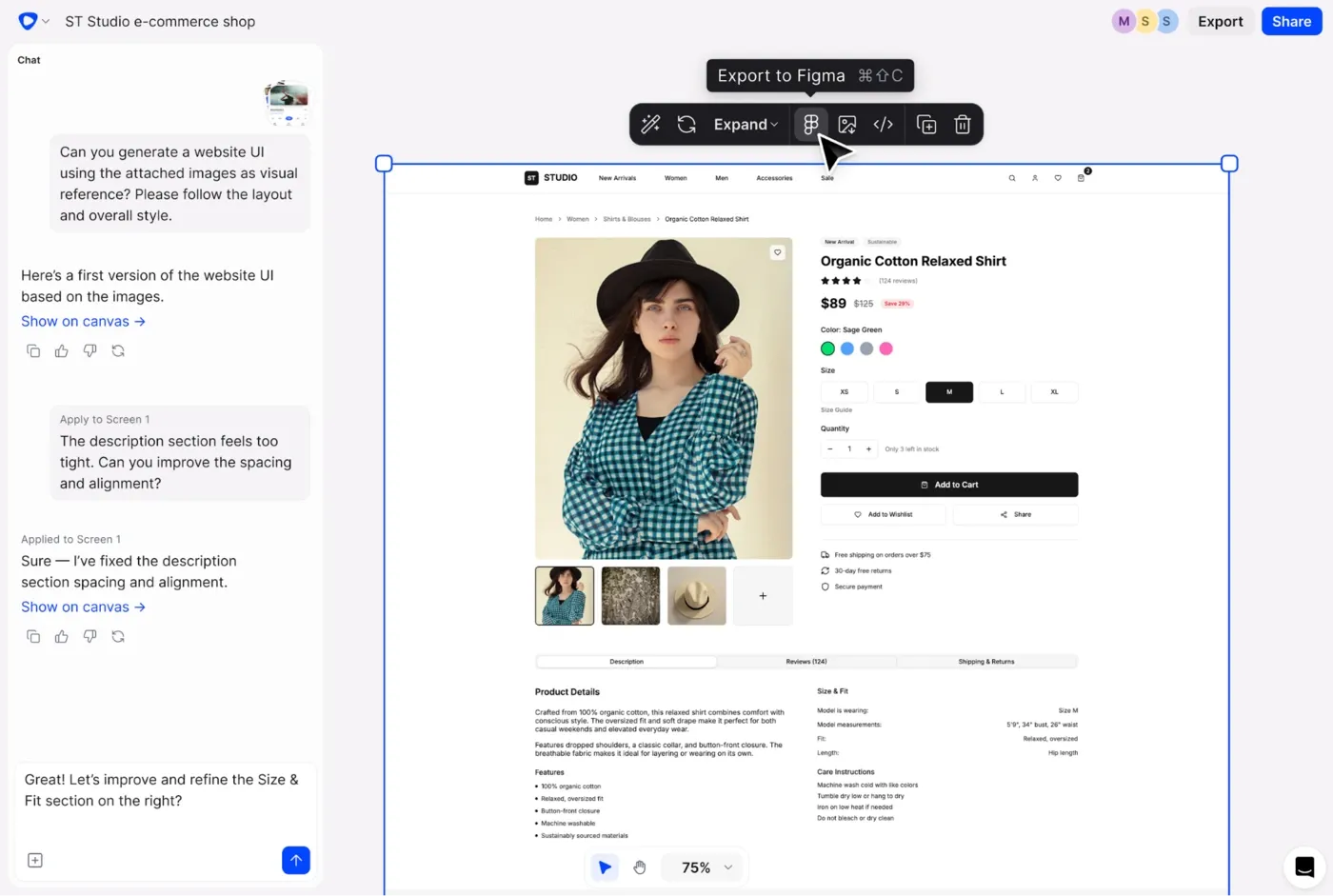
Flowstep is the best AI wireframe generator for teams that don't want to stop at wireframes. Most tools generate a basic structure and leave you to fill in the gaps. Flowstep goes further: describe your app or website, and it generates complete, high-fidelity screens on an infinite canvas - not just wireframes, but polished UI with real components, content and visual hierarchy. Generate multiple screens from a single prompt (login, dashboard, settings, profile) and explore the full flow in one view.
What sets Flowstep apart is what happens after generation. Edit any screen with AI or manually - refine layouts, swap components, adjust UI elements - without burning credits on every small change. Real-time collaboration with live cursors lets your team work on the same canvas, leave comments and iterate together. When you're ready, copy any design straight into Figma with ⌘C/⌘V (no plugin needed) or export production-ready code in React, TypeScript and Tailwind CSS.
Learn more about creating better AI wireframes and step-by-step wireframing with AI.
Key features
Pricing
Start generating wireframes free at Flowstep
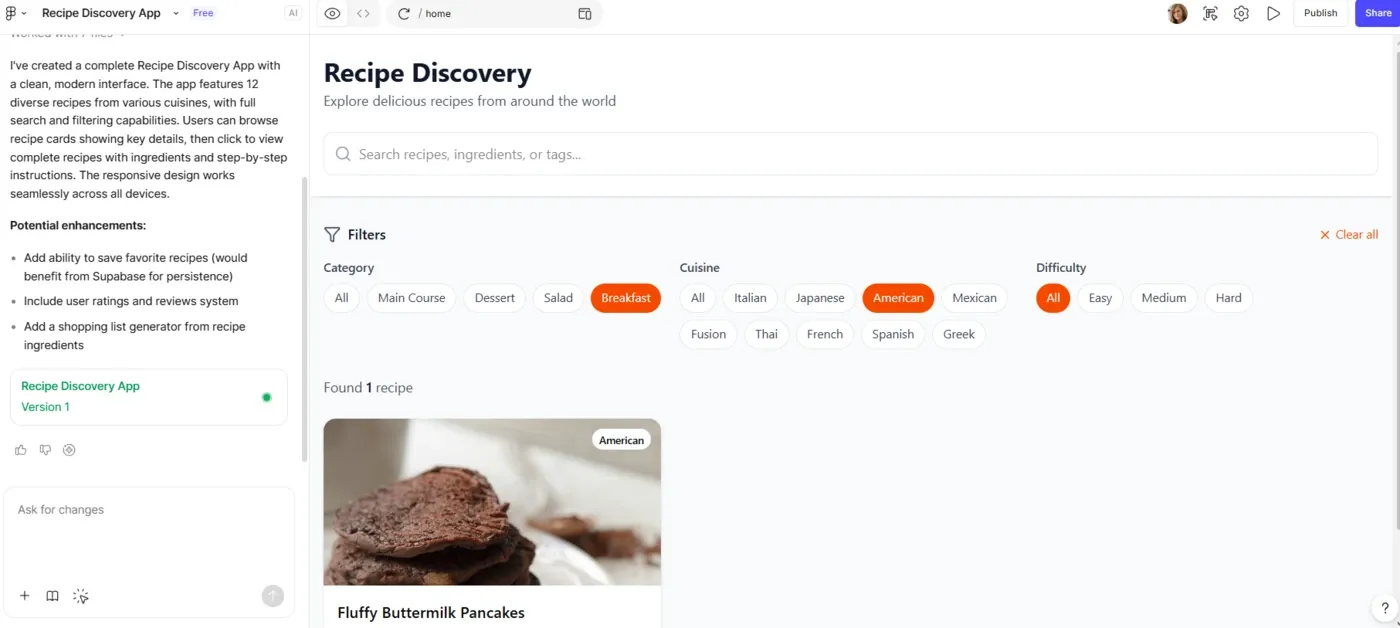
Figma Make is Figma's native wireframe generation feature. It creates wireframes and layouts directly inside the Figma canvas from text prompts - no plugins, no context switching. For teams already in the Figma ecosystem, it's the most frictionless way to create wireframes with AI. The tool includes both visual editing and a code editor for fine-tuning.
The limitation: Figma Make is still evolving. Results are inconsistent on complex screens, generated layouts often need significant manual cleanup, and functionality is limited compared to dedicated wireframing tools. Teams looking for Figma alternatives will need a different solution. But for quick ideation inside Figma, it's a useful starting point.
Key features
Pricing: Included with all Figma plans (Free, Professional, Organization, Enterprise) with different credit limits. See our Figma Make pricing breakdown for a full comparison of what's included at each tier.
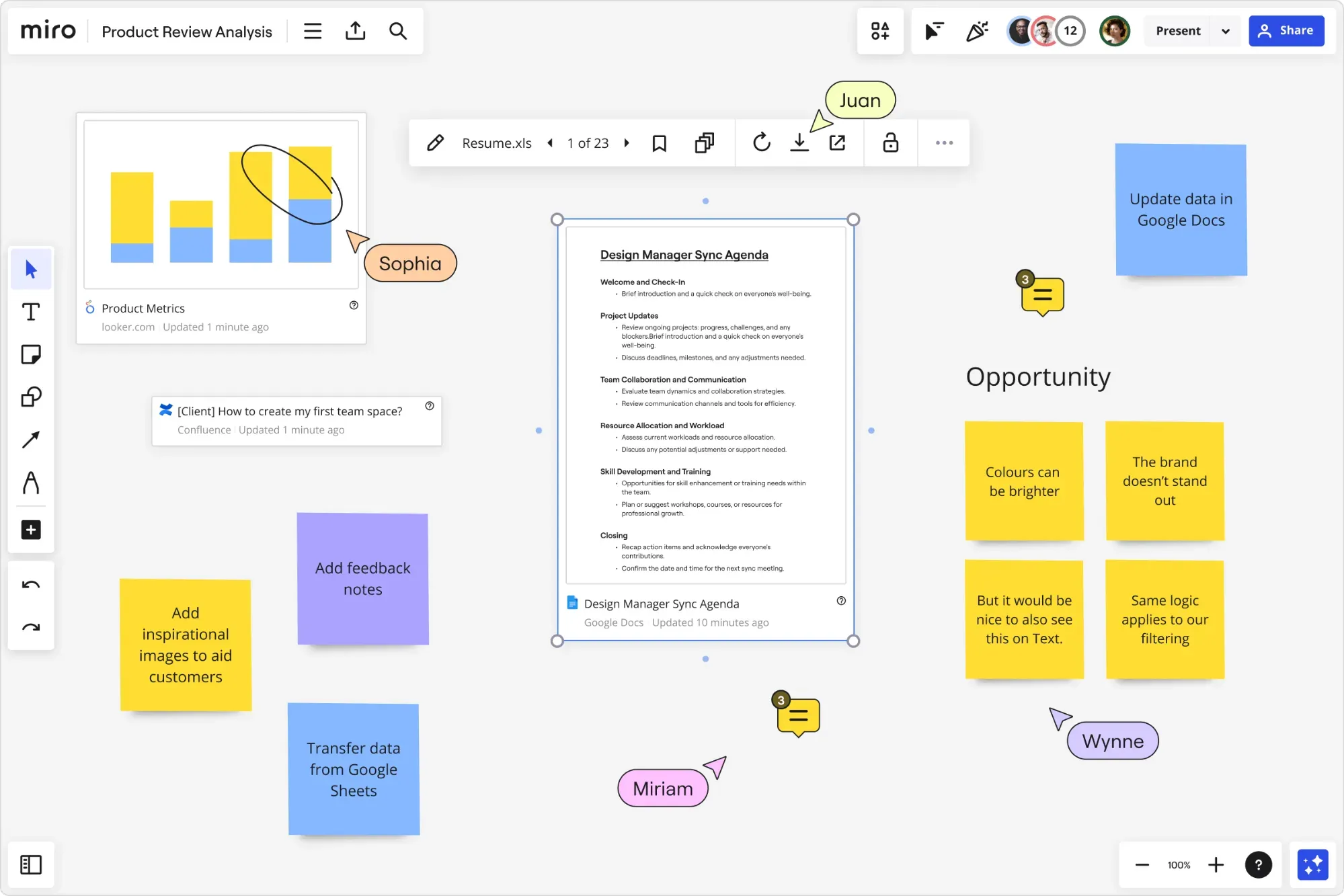
Miro AI Wireframe brings wireframe generation into Miro's collaborative whiteboard. If your team already uses Miro for planning, brainstorming and product discovery, adding wireframes to the same board is a natural fit. Create wireframes from text descriptions, screenshots, or by selecting other elements on your board - sticky notes, user stories, flow diagrams - and the AI shapes them into wireframes.
Miro's strength is team collaboration: multiple users can generate, edit and discuss wireframes in the same space with real-time visibility. The limitation: wireframes are basic fidelity only (no high-fidelity wireframes, no mockups), there's no code export, and wireframes live inside Miro's ecosystem. Best for early-stage ideation where the life of a wireframe is short.
Key features
Pricing: Included with Miro plans (Free, Business, Enterprise)
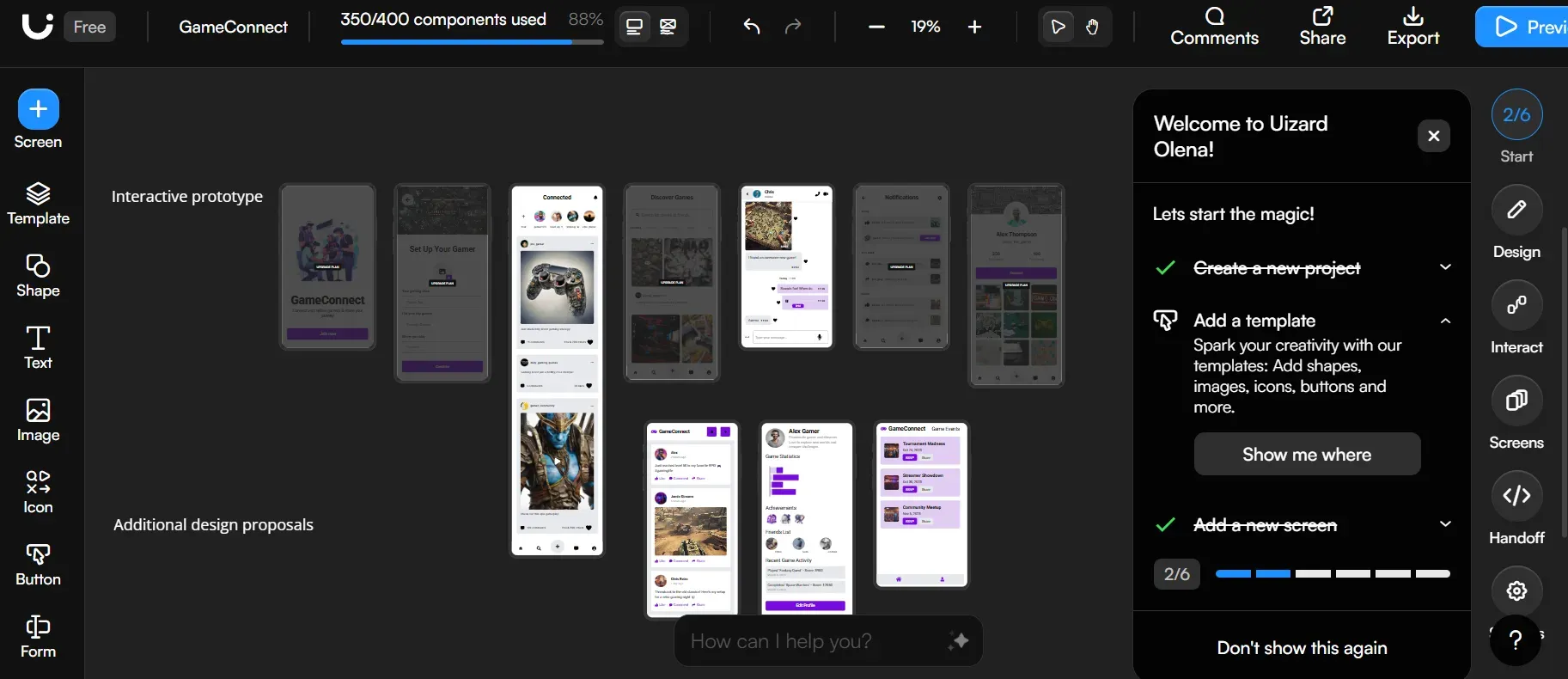
Uizard is a wireframe tool aimed at beginners and non-designers. Its Autodesigner 2.0 creates wireframes from text prompts, and the sketch-to-wireframe feature lets you draw rough shapes on paper, take a photo and convert that image into digital wireframes with real UI elements. The wireframe/hi-fi toggle is useful - generate wireframes first, then switch to high fidelity when you're ready to explore the visual design. Uizard includes 1,500+ templates and a component library for customization. For a full comparison, see our Uizard alternatives guide.
The limitation: no direct Figma export (you can only import from Figma, not export to it). Performance slows on larger projects, and AI-generated wireframes can feel generic - the same layouts appear repeatedly. For teams exploring web design concepts quickly, Uizard is a solid starting point.
Key features
Pricing:
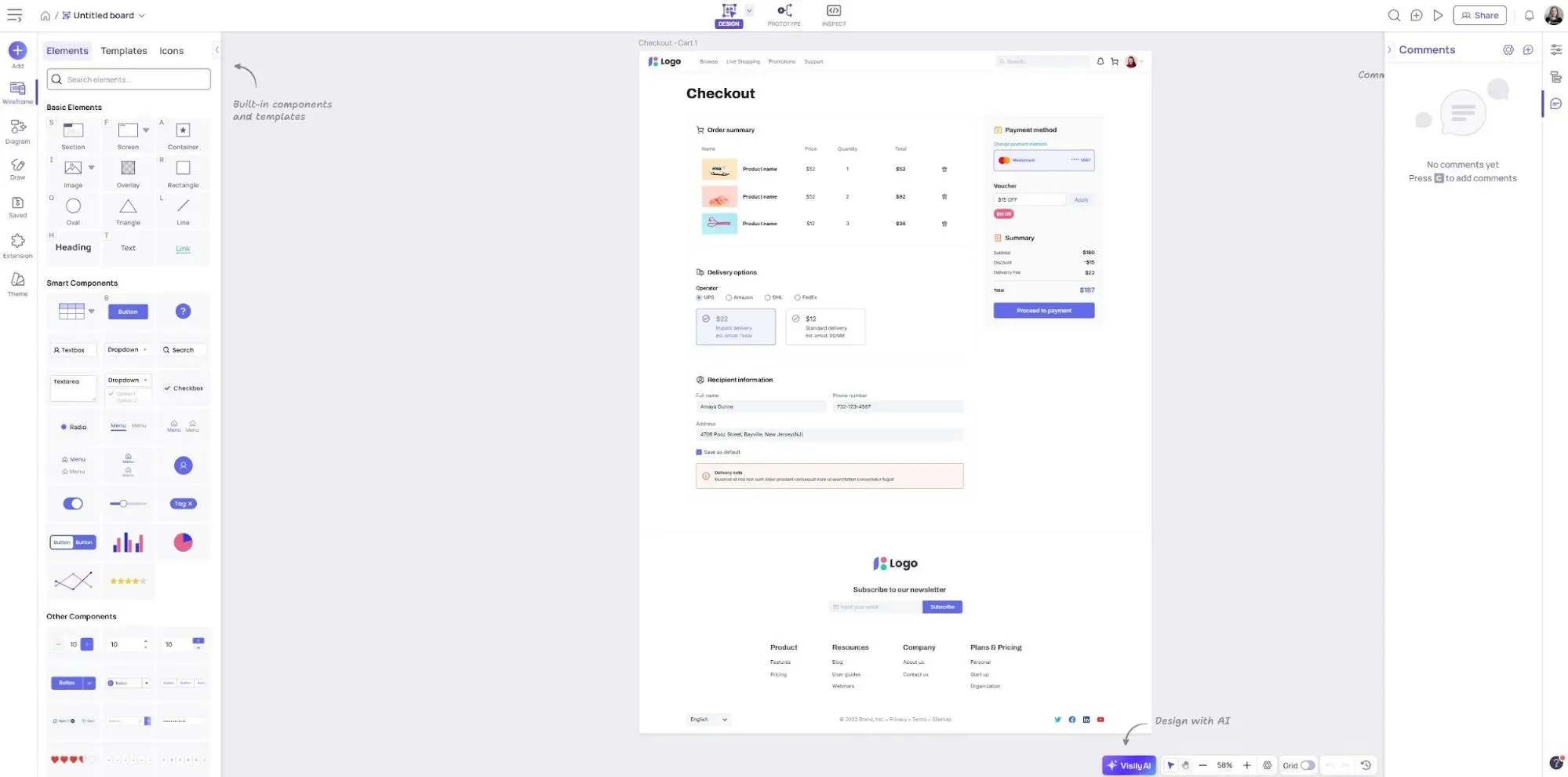
Visily is a wireframe tool built for non-designers who need to create wireframes quickly. Its standout feature is Screenshot-to-Design: upload a screenshot of any app or website, and Visily's AI models convert it into editable wireframes with real UI elements you can customize. Text-to-Design lets you describe what you want and generate wireframes from a prompt. The platform includes 1,500+ templates covering common app flows, which speed up the wireframing process significantly.
Visily supports Figma export and real-time collaboration, making it easy to share designs with your team. The free plan is generous. The limitation: AI-generated wireframes can be slow (~2 minutes per generation vs. seconds for other tools), and you can't toggle between wireframe-only and high-fidelity views. You can explore a detailed Review of Visily: Pricing Breakdown + An Alternative You Should Try, or check out 6 Visily Alternative Options for Faster, Smarter UI Design.
Key features
Pricing:
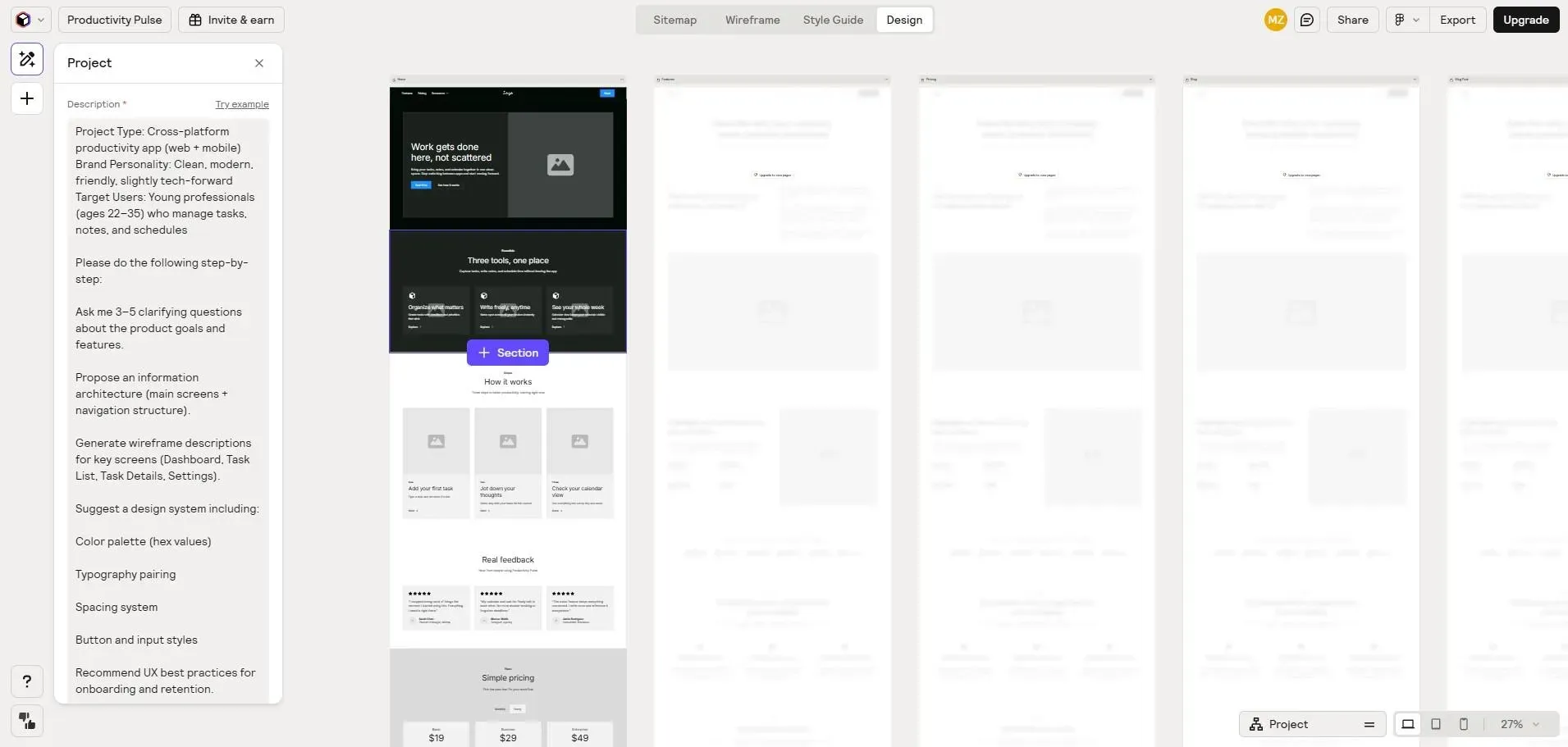
Relume is a wireframe generator built specifically for website wireframes and web design. Unlike other wireframing tools that handle both app and website flows, Relume focuses on marketing websites and landing pages. Its unique approach: you describe your website, the AI generates a full sitemap first, then creates wireframes for each page using a library of 1,000+ pre-built components.
Relume exports to Figma and Webflow, and its Style Guide Builder helps you maintain design system consistency. The limitation: Relume is website-only. No support for app wireframes, user flows or other elements of product design. If you're building a website, Relume is excellent. If you're building an app, look elsewhere. For inspiration on app-focused wireframing, see our essential wireframing tools roundup.
Key features
Pricing:
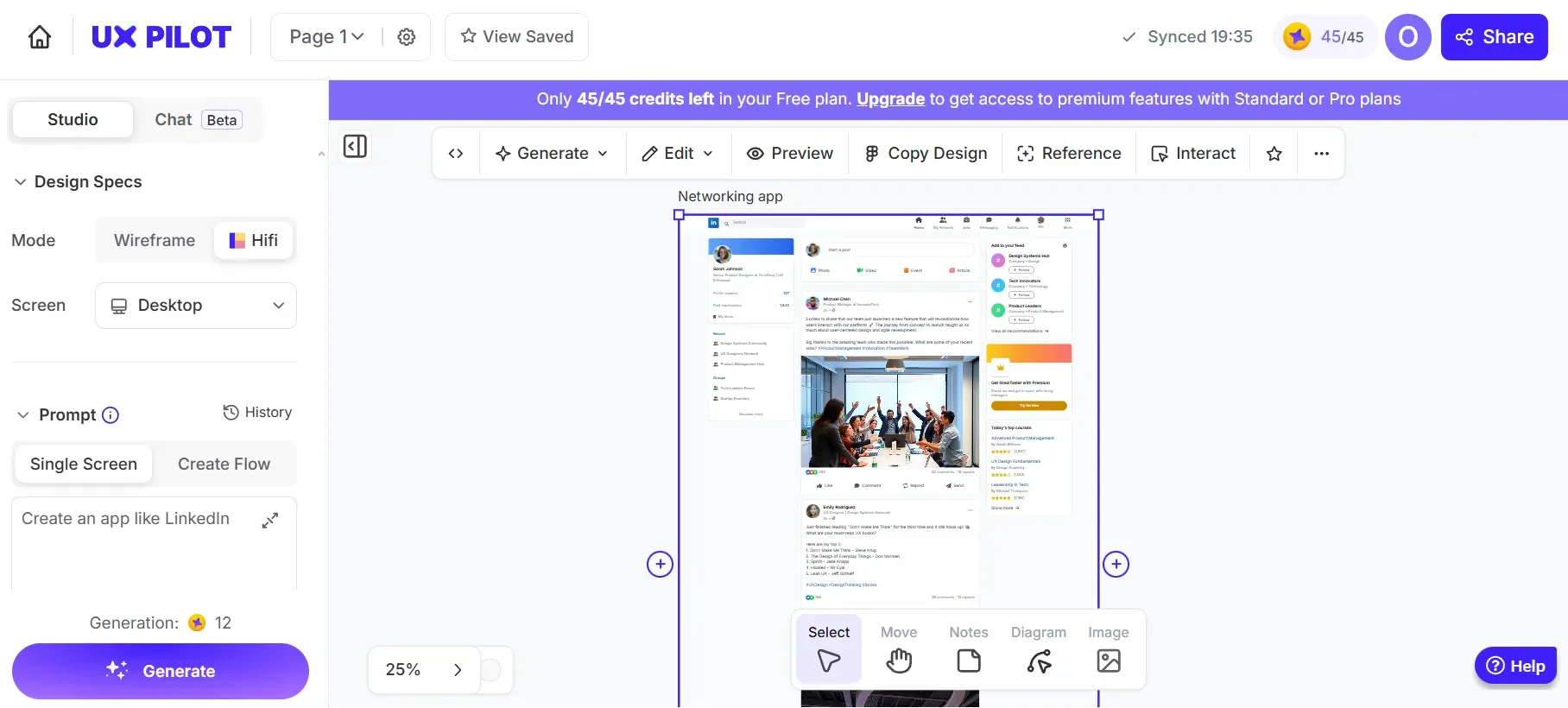
UX Pilot is an AI wireframing tool that lives inside Figma as a plugin. If your designers already work in Figma, UX Pilot adds wireframe generation directly into their existing workflow - no context switching. The tool uses multimodal AI (text + image input) to generate wireframes, and its lo-fi/hi-fi toggle lets you switch between basic wireframe layouts and polished UI with one click. UX Pilot has generated over 1 million designs since launch. For a full comparison of options, see our UX Pilot alternatives guide.
UX Pilot's predictive heatmaps are a unique feature - they estimate where users will look on your wireframes, helping you refine layout before testing with real users. The limitation: UX Pilot uses a credit system that can burn fast during exploration, and editing functionality is limited compared to dedicated design tools.
Key features
Pricing:
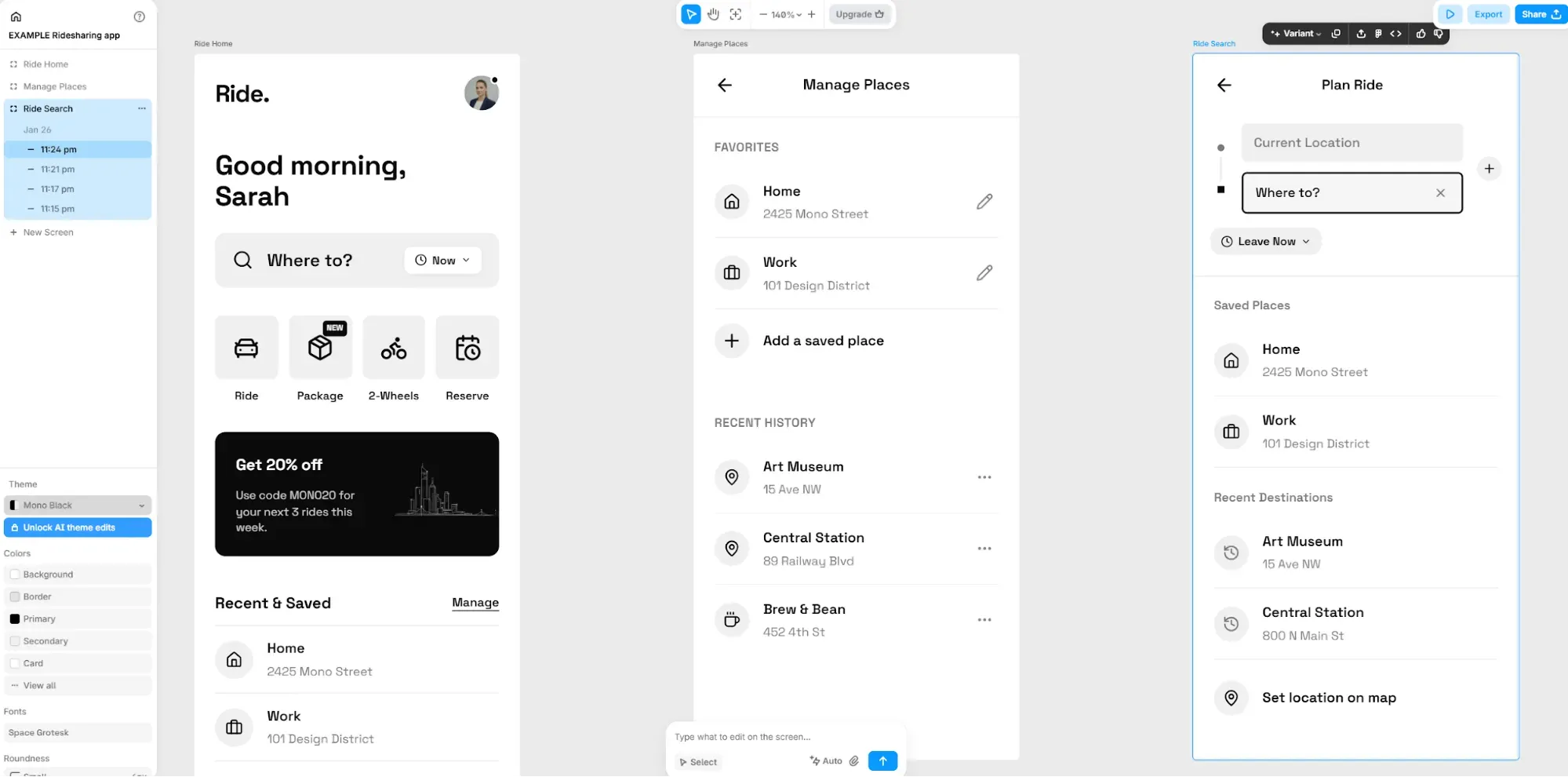
Banani is a speed-focused wireframe tool that generates wireframes from text prompts. Its key differentiator is auto prototype linking: when you generate new screens, Banani automatically connects them into a clickable flow so you can test prototypes without manual wiring. You can copy wireframes to Figma with copy-paste, similar to Flowstep. For a detailed comparison of options, see our Banani alternatives guide.
The limitation: Banani generates wireframes only - no high-fidelity wireframes, no polished UI. Each screen is generated one at a time (no multi-screen generation). This makes it useful for quick exploration but limited for teams that need to visualize complete user flows or create prototypes with real visual design.
Key features
Pricing
Every tool on this list helps you create wireframes faster. The difference is what happens next. If you need wireframes inside Figma, UX Pilot keeps you in that ecosystem. If you're building a website, Relume's sitemap-first approach saves time. If you're exploring concepts with your team on a whiteboard, Miro fits the workflow.
But if you want to go beyond wireframes - generate high-fidelity wireframes and polished UI, collaborate in real time, copy to Figma instantly, and export production-ready code - Flowstep covers the full design life cycle in one tool. It's the fastest way to turn ideas into designs your team can test, iterate on and ship.
An AI wireframe generator uses AI models to create wireframes from text descriptions, images or sketches. You describe your app or website - "a project management dashboard with a sidebar and Kanban board" - and the AI generates wireframes with appropriate layouts, UI elements, navigation and content. Most tools let you edit and refine the output, and the best ones produce interactive prototypes, not just static wireframes.
Yes. These tools are designed exactly for this: product managers, business analysts, founders and developers who need to visualize ideas without professional UI design skills. Tools like Visily, Uizard and Flowstep are built so anyone can describe what they want and get usable wireframes in seconds. The AI handles the structure; you refine and customize from there.
Flowstep and Banani support direct Figma copy-paste (⌘C/⌘V) with no plugin required. Visily exports to Figma as a design file. UX Pilot runs as a Figma plugin, so wireframes are generated natively inside Figma. Figma Make is built into Figma. Relume also exports to Figma. Uizard does not support Figma export (only import from Figma). Miro wireframes stay inside Miro's ecosystem.
Some can. Flowstep exports clean React, TypeScript and Tailwind CSS code directly from your designs. Uizard offers React code output. Relume can push wireframes to Webflow. Most other tools - Visily, Banani, Miro, UX Pilot - focus on design output rather than code export. If code is important to your workflow, Flowstep is the strongest option.
Speed of generation is only half the equation - the layout decisions you make matter too. Our guides on the psychology behind effective UX and inclusive design principles are worth reviewing before you hand wireframes off to developers.