16 Best AI Tools for Designers: 2026 Top Picks
Discover the best AI tools for designers [2026], including Flowstep, Figma Make and more top picks to speed up your UI/UX workflow and create better designs faster.
Figma Make pricing explained: features, plans, AI credits, and limits. Discover also another alternative that might better fit your needs.
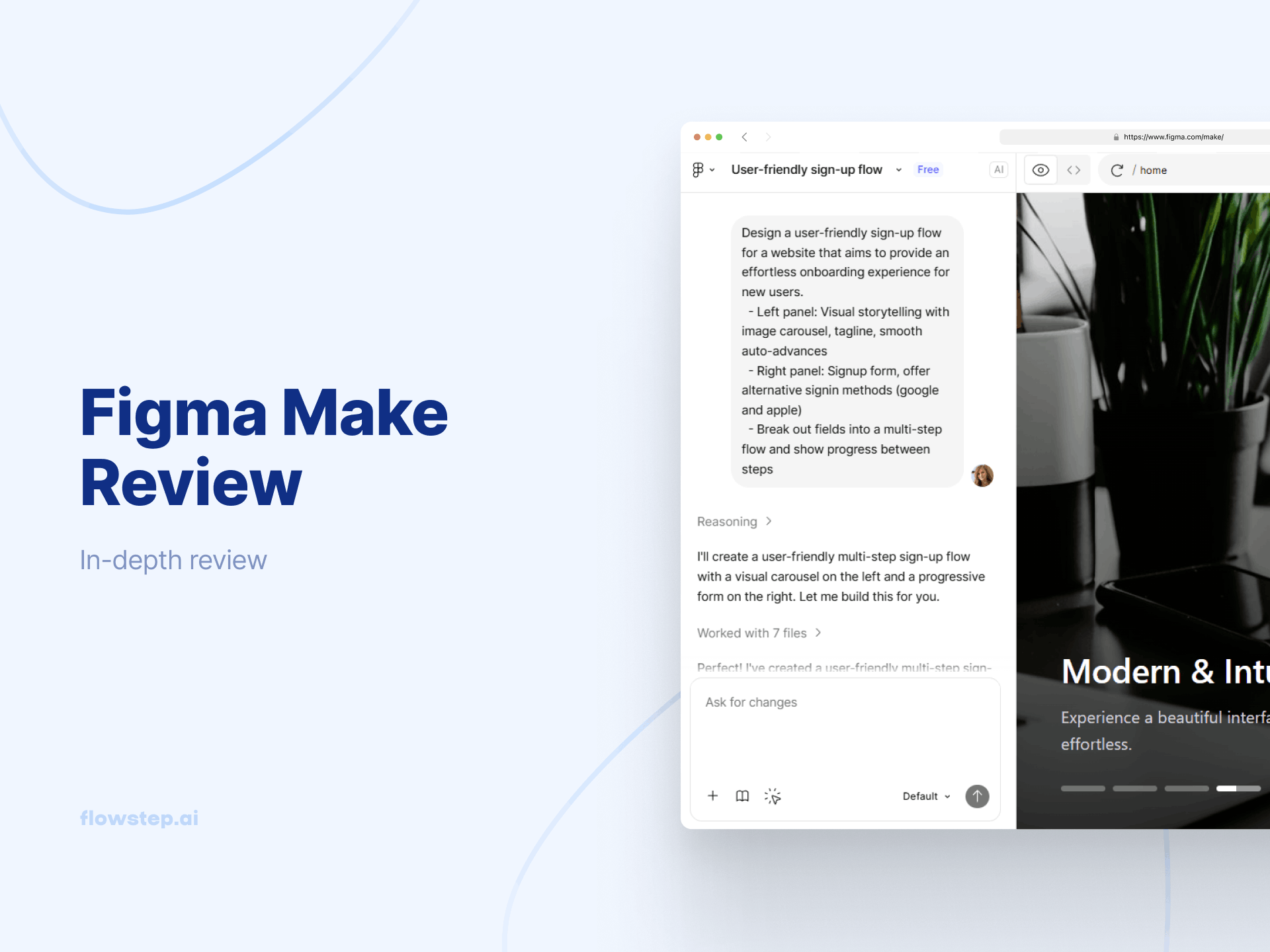
You're sitting at your desk, late in the afternoon, needing something real to show your product team. You have the idea in your head, but no screens or prototypes to show for it, so you reach for Figma Make. After typing a short prompt, you finally get clickable app screens.
That’s what tools like Figma Make are meant to do: turn rough ideas into simple UI layouts quickly, moving you closer to a working product. Yet, as projects grow and deadlines tighten, multiple teams begin to ask practical questions—how flexible the tool is, how well the designs hold up, and how easily they can move toward development.
In this review, we look at Figma Make pricing, features and user feedback to see where it works well, and where it falls short, making you need a simpler, more practical alternative.
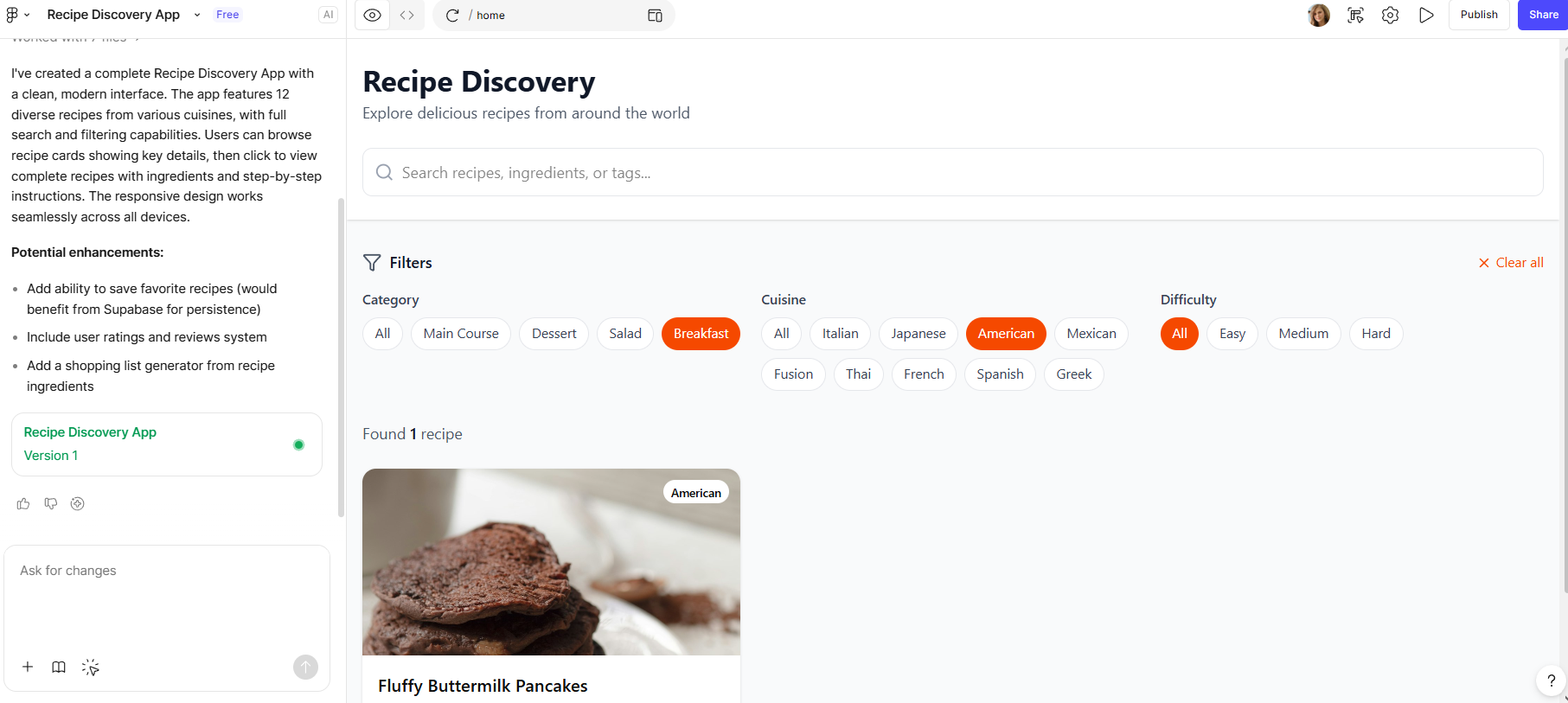
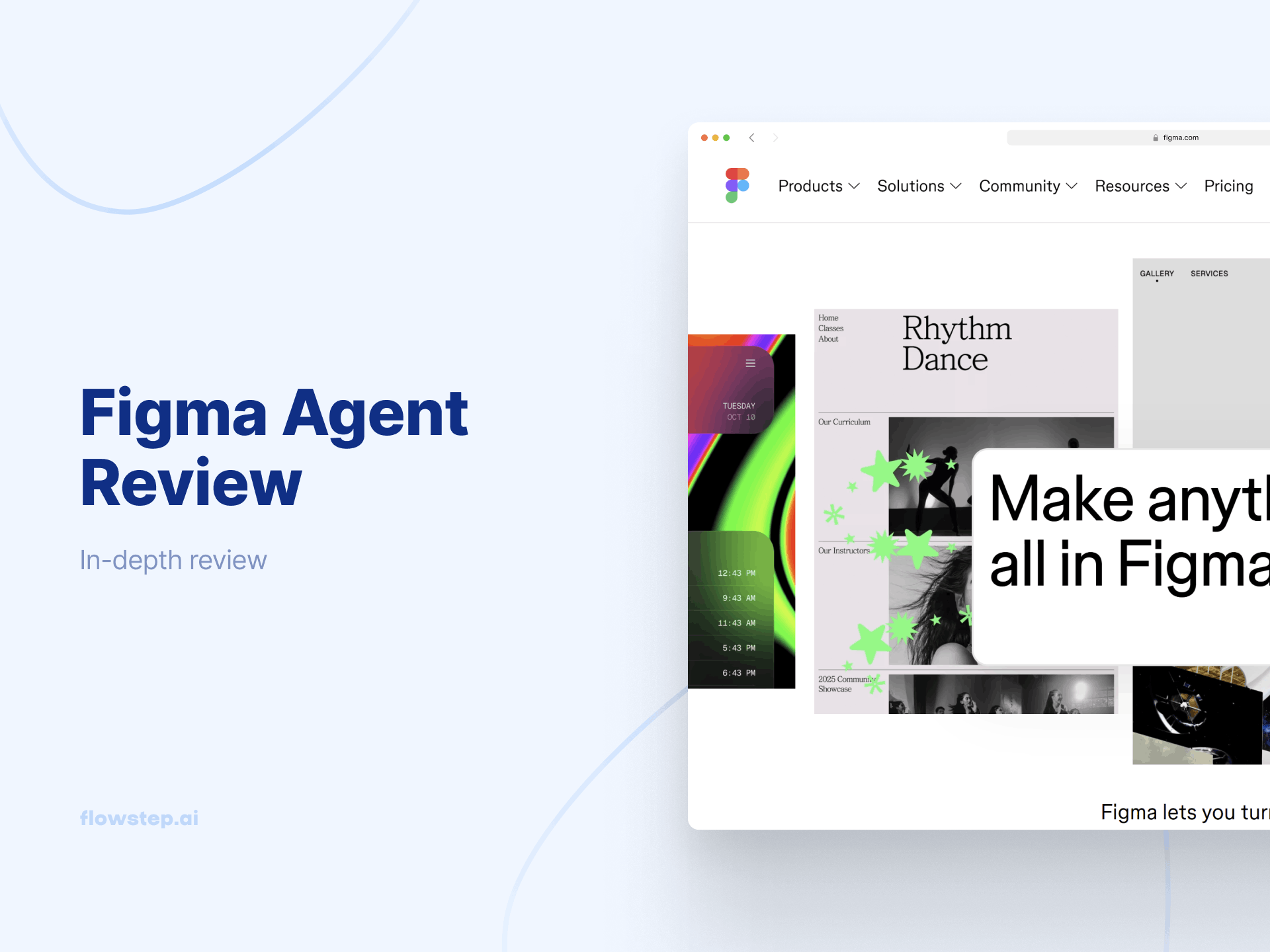
Figma Make is an AI tool that turns text prompts into UI screens. It’s used for quick exploration and early prototyping, with access to your Figma team libraries.
Describe your app, screen or feature, and the AI generates layouts based on common UI patterns and pre-made templates. You can copy and paste the Make design to your Figma editor file. From there, you can edit the design—move elements, change text, adjust spacing, or do anything else you need with Figma's advanced creative tools.
This is how Figma Make turns ideas into usable layouts:
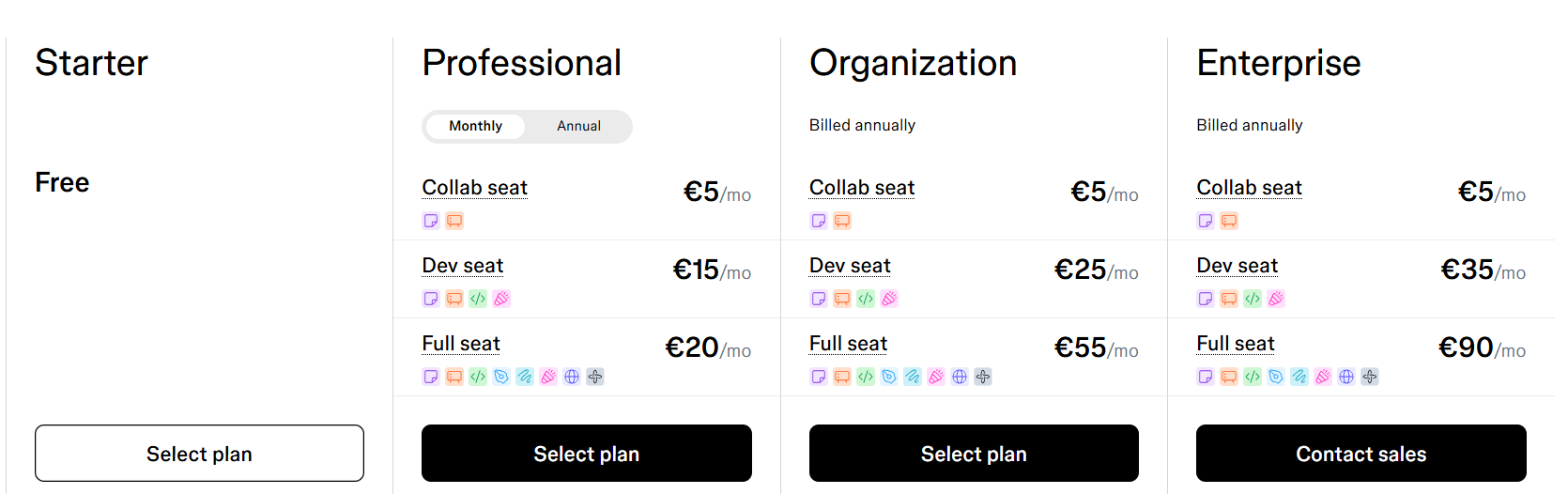
Figma Make pricing is a part of standard Figma cost plans.
Figma Make pricing is included in standard Figma costs. Choosing the right Figma plan depends on how you use Figma Make, plus how many collaborators and AI usage you need.
The pricing is seat-based, with Collab, Dev or Full choices. Each seat type includes different Figma products, which determine what a user can do inside Figma.
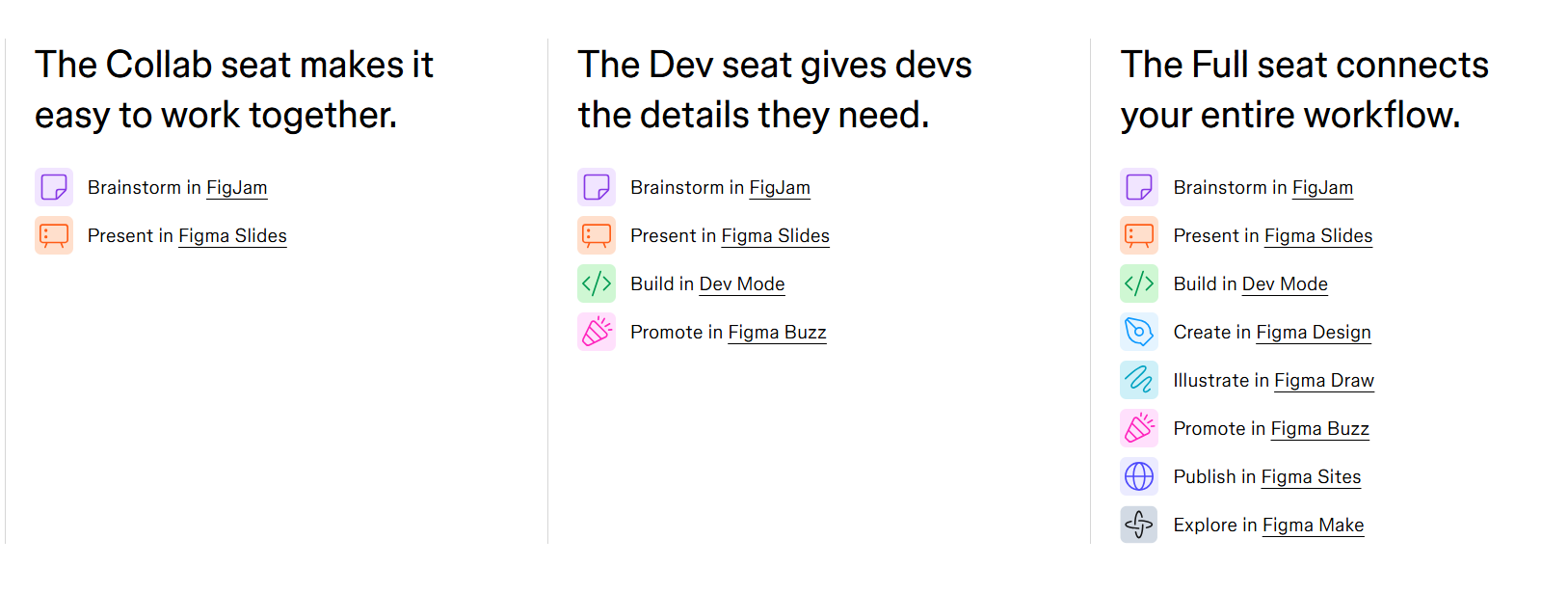
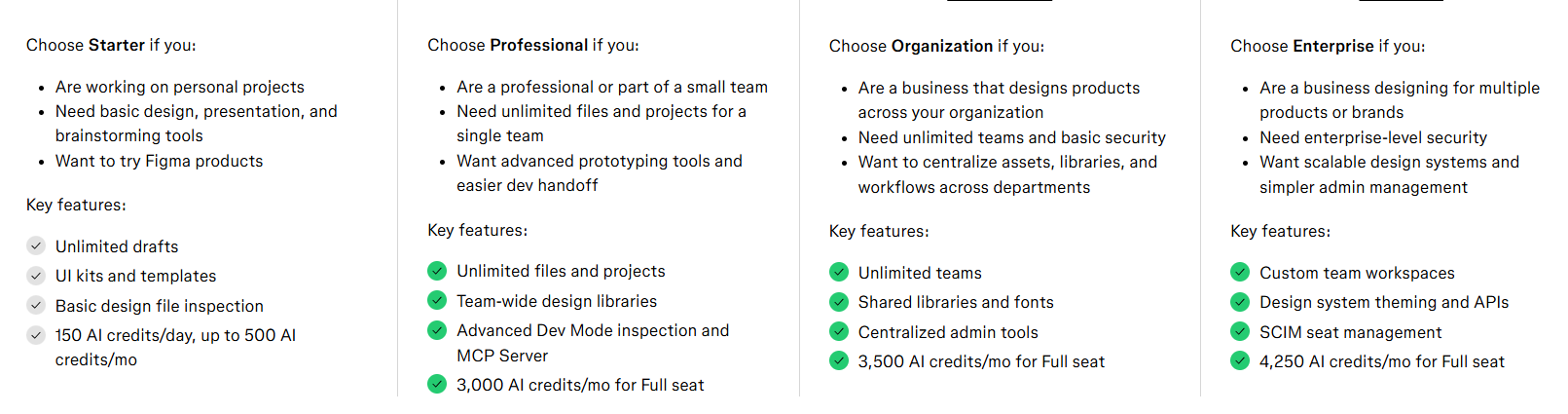
Each Figma pricing plan includes different workspace administration controls, file limits, collaboration features, priority support and usage limits. Higher-paid plans unlock admin collaboration, extended functionalities, single sign-on and enterprise-level security features across the Figma app. You can choose from:
Here's a more detailed breakdown of the main features:
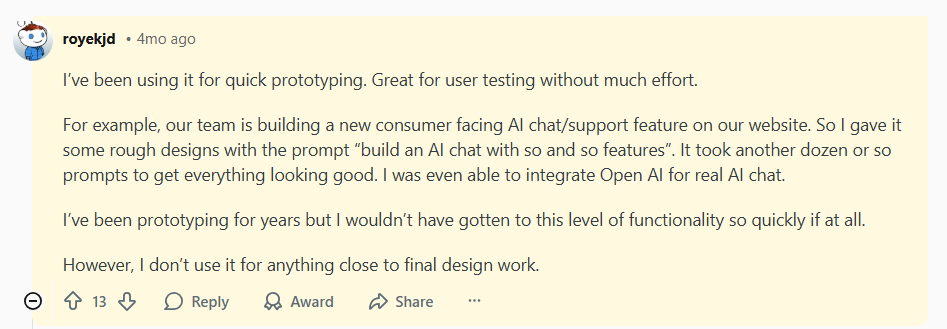
Overall sentiment is mixed but generally positive. Users highlight Figma's speed and usefulness for quick prototyping, noting that even with years of experience, achieving similar functionality so quickly would be difficult.
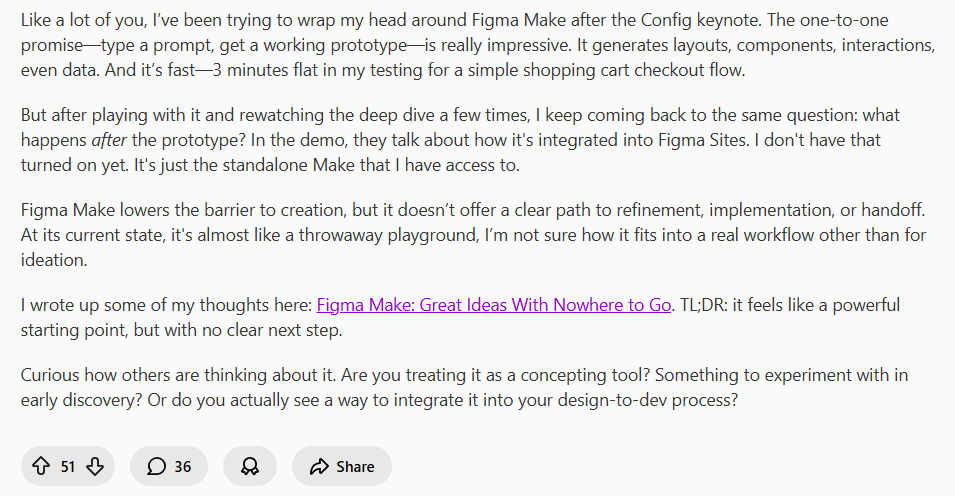
On the other hand, others point out reliability and production limitations, noting that it doesn’t always provide a clear path to refinement, implementation or developer handoff.
If Figma Make's slower performance with complex projects, inconsistent results, and forced extra manual effort are starting to get to you, you're in the right place.
We have a simpler AI-powered design tool that gets you from idea to usable UI faster.
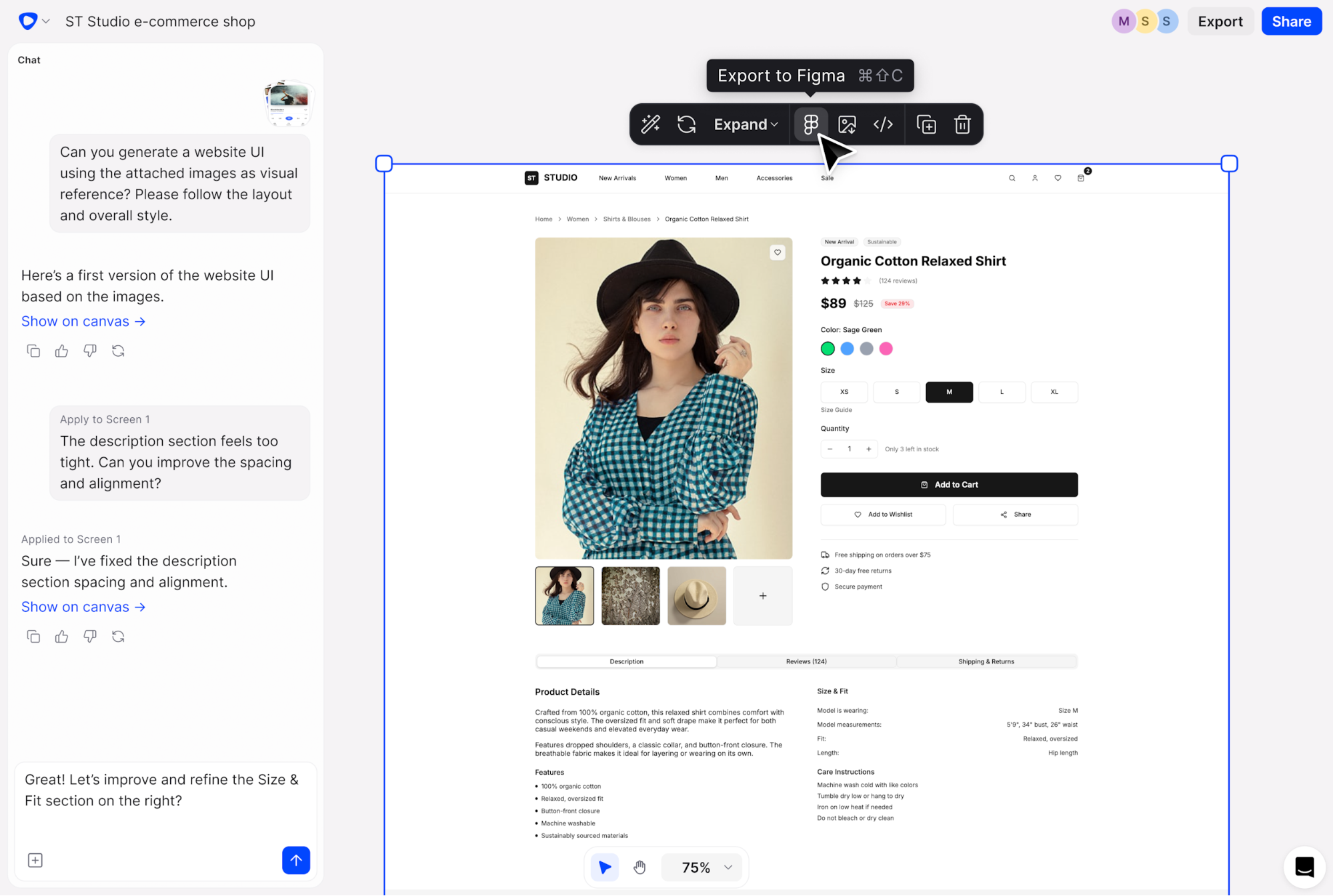
Flowstep is an AI-powered Figma Make alternative that creates complete, professional-looking UI/UX designs on an infinite canvas based on a single prompt. It’s perfect for design professionals, product managers, engineers and even non-designers alike. Compared to Figma Make, Flowstep has a more direct path from idea to usable product, with fine-tuned design and more consistent visual output.
Pricing is transparent and usage-based, with unlimited collaborators on every plan, so teams can work together without per-seat costs. And if you ever thought, “If I don’t use Figma Make, I lose Figma,” think again. With Flowstep, designs can be copied directly into Figma’s editor with a simple ⌘C and ⌘V—preserving structure and components without any integration setups.
Watch your product idea come to life with Flowstep
Flowstep offers a Free plan that gives you access to all core features (AI credits included) and simple pricing tiers.
The paid Starter plan starts at $15/month and includes unlimited screens, projects, exports, direct Figma copy-paste, plus 80 AI messages.
Additional message tiers are available: 240 credits for $29/month or 1000 credits for $99/month—all with unlimited users.
Annual billing includes a 20% discount, and a custom Enterprise plan is available for larger product teams.
Unlike Figma Make’s seat-based, complex pricing that forces you to pay per-user and per-tool, Flowstep keeps things simple, only usage-based, and independent of team size.
Flowstep and Figma Make both generate UI layouts from prompts. Figma Make is for early prototyping, while Flowstep allows easier collaboration, and a more direct path from idea to usable product—while still connecting easily with Figma with just two clicks.
To see more alternatives, explore our articles on AI tools for designers and the best AI tools for product managers.
Choosing between Figma Make and Flowstep depends on how you prefer to work. Figma Make is good enough for fast ideation and personal projects. However, if you need a direct path from idea to structured, on-brand, usable product with unlimited team collaboration options, Flowstep may be the better option.
It helps you generate connected multi-screen flows, keep layouts stable as you refine them, and move toward real products with fewer manual fixes. Collaboration is easier, with unlimited users and transparent usage-based pricing instead of per-seat costs. And there’s a seamless workflow with Figma—designs copy-paste with all layers intact.
Figma Make is usually a natural fit if you already live in Figma. If you’re comfortable with frames and components, it's familiar to stay within that environment. That said, some teams switch to tools like Flowstep when they want a simpler path from idea to structured flows, less setup, and easier (and more affordable) collaboration across mixed teams. You can still bring everything into Figma with a quick copy-paste when you need deeper design work.
Most teams use Figma Make for early concepts and quick prototypes. However, as teams move closer to implementation, many choose Flowstep because it offers a simpler, more direct path from an idea to product, transparent and more affordable pricing without seat limits, unlimited collaboration, and output that typically requires less cleanup.
Figma Make is part of Figma’s seat-based pricing, included in the Full tier, with AI usage limited by credits, depending on your plan. Figma alternative—Flowstep—has transparent, usage-based pricing with unlimited teammates and features on every plan. This makes it easier to save money while quickly moving from idea to structured, usable products.
Figma Make lets you adjust layouts, spacing, content and styles. However, maintaining consistent structure across multiple screens often requires manual effort or regeneration that can lose your edits. Flowstep generates connected multi-screen flows with a more stable structure and editing control—so you can focus on advanced prototyping and shaping the product rather than fixing layouts.