12 Best AI Tools for Designers: 2026 Top Picks
Discover the best AI tools for designers [2026], including Flowstep, Figma Make and more top picks to speed up your UI/UX workflow and create better designs faster.
Looking for a Visily alternative? Compare 6 top tools—Flowstep, Figma Make, Uizard, Framer, Motiff, and Bubble—to find the one that actually fits how your team works.
Visily is a solid tool for turning ideas into UI quickly—but it’s not the only option, and it’s not always the best fit once you start pushing beyond simple use cases.
Between credit limits, export quirks and workflow gaps, many teams eventually find themselves exploring alternatives.
This article breaks down six Visily alternatives worth your time: Flowstep, Figma Make, Uizard, Framer AI, Motiff AI and Bubble. Some are AI UI design tools that generate interfaces from prompts, some help you ship real products, and some sit somewhere in between. Each has its strengths—and its trade-offs.
Visily AI lets non-designers take a screenshot of a competitor's app, drop it in, and have something of their own based on the inspiration within seconds. The template library is broad enough to cover most early-stage projects, and real-time collaboration works across all plans. For a product manager who just needs to show stakeholders something, it removes much friction from the design process.
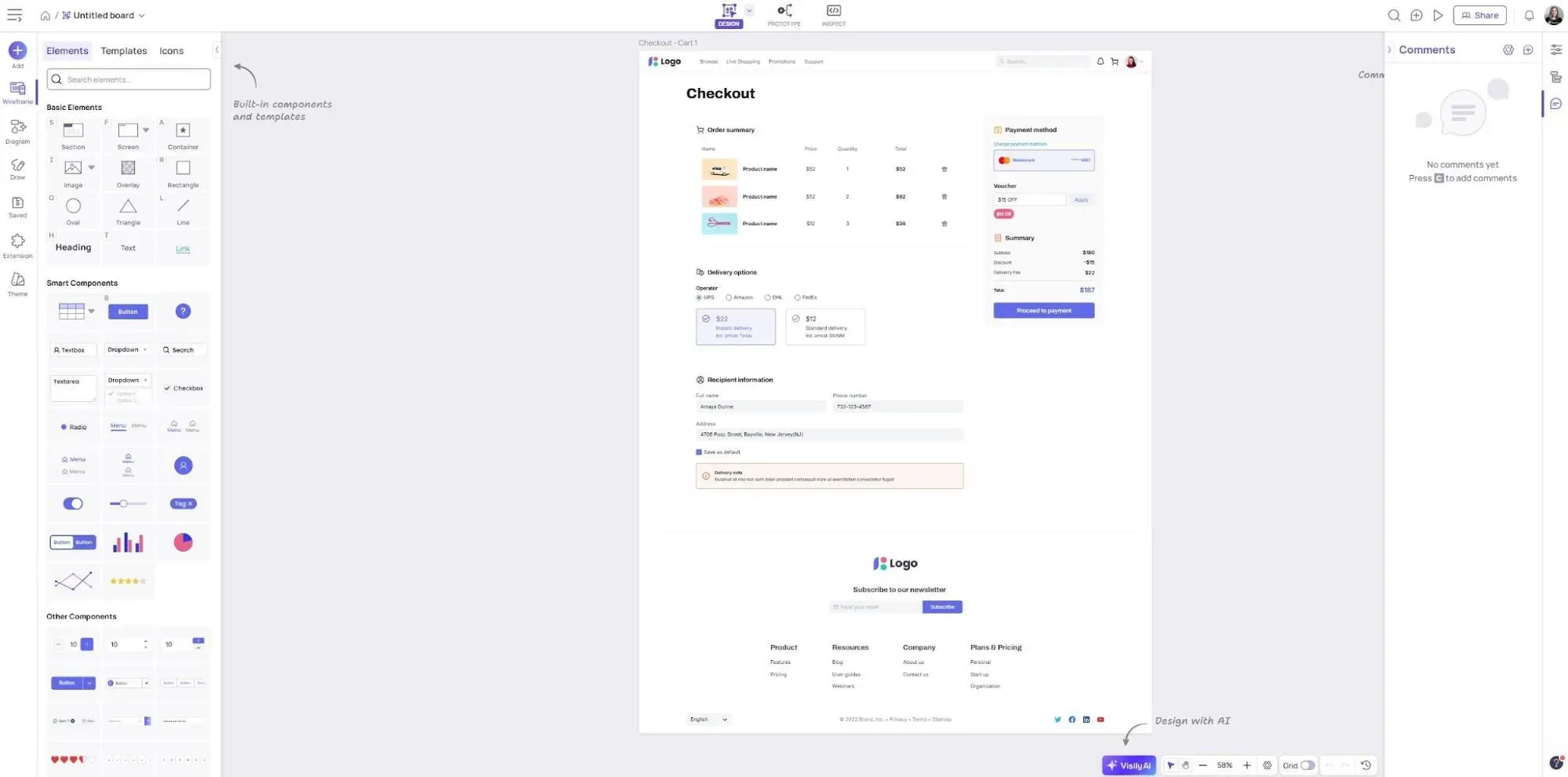
The Visily credit system is the first thing users complain about. Visily has two pools: AI credits for generating screens and template credits for using pre-built layouts. They deplete at different rates, and the free Starter plan's 300 monthly AI credits per workspace run out faster than you'd expect. Plus, you never know how much something will cost. Generating a screen uses up more than filling in a text placeholder. Most teams doing daily design work hit the ceiling within the first week.
Then there are the board limits—just two editable boards per workspace on the free plan, capped at 2,500 elements each. That's fine for a solo founder sketching one feature, not quite for a team running multiple projects simultaneously. And if you want to upgrade, you have to pay per editor, so the costs scale faster than you'd expect.
The smart components issue comes up frequently. Unlike tools like Figma, where you can adjust nearly every component property, Visily’s options are constrained. It can be limiting for users who want more control over layouts after generation. Some reviewers note that the tool can feel restrictive for pixel-perfect design, advanced animations or complex prototyping.
Stability has also been flagged. Some Product Hunt users reported the app freezing or crashing.
If you've hit any of those limits, here's where to look next.
Let's see these options compared in more detail.
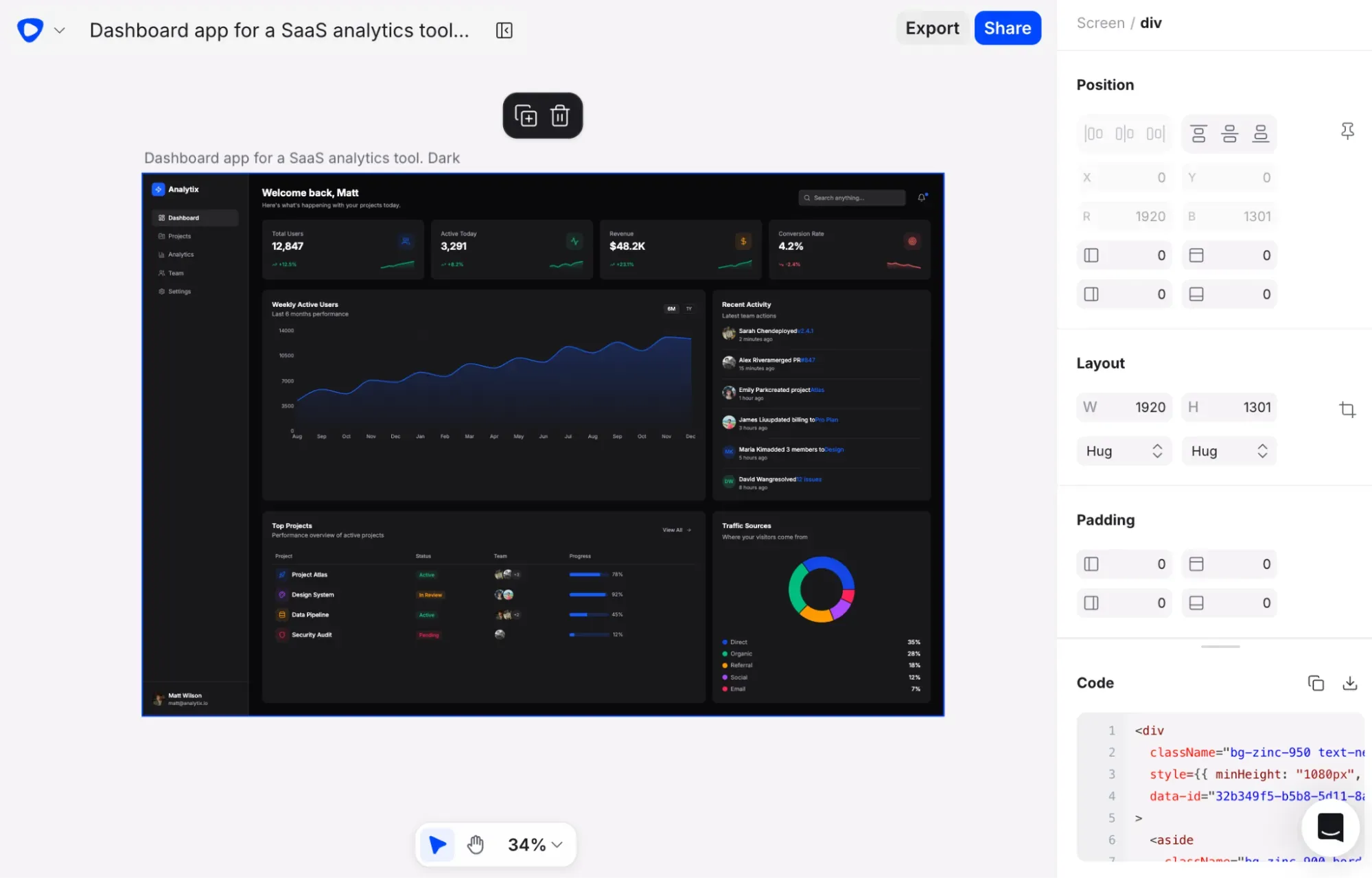
Flowstep is the most complete AI-powered option for UI design on this list. It generates real, high-fidelity UI from simple text prompts across an infinite canvas, handles the full design process from first concept to production-ready code, and integrates with Figma through native copy-paste that requires zero plugins. The layers land with proper auto-layout. Editable components stay editable.
What sets Flowstep apart is the quality and scope of the generated content. Describe a full onboarding flow with logically connected screens. Upload PRDs, reference images and pasted links as context before generating, which means the output actually reflects your brand. Built-in suggestions like "next screen" or "error state" mean you can build out an entire user journey without re-prompting from scratch. Edit with AI or manually (without using up credits).
The pricing is also refreshingly transparent for anyone tired of doing credit math. Flowstep counts messages, not action-specific credits. One prompt equals one message, whether you're generating a screen, editing a component, or describing a full flow. Hit an error? That doesn't count.
20% discount on annual billing. Enterprise available. Try Flowstep for free.
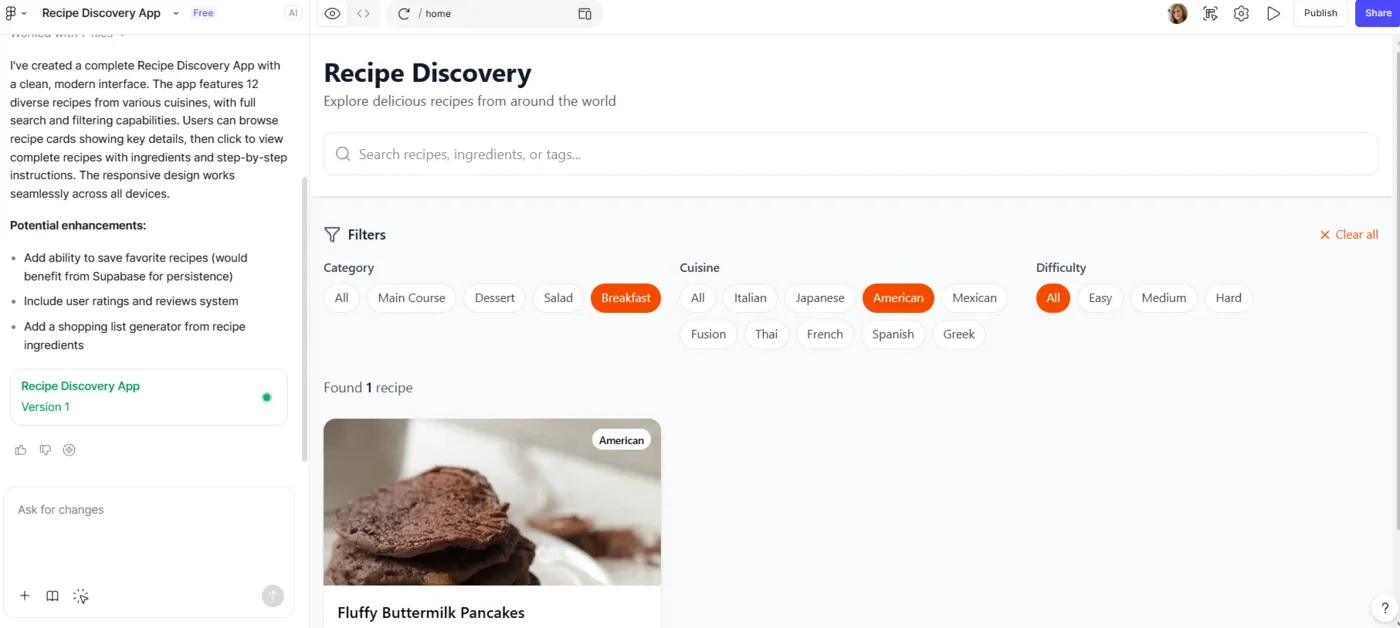
Figma Make is Figma's native prompt-to-prototype tool that lets you type what you need and get interactive screens based on your existing Figma library.
The tradeoff is that it's not a standalone product in terms of pricing—it's a feature within a larger subscription—and the AI credit system is one of the more opaque in this category. Credit usage for Figma Make varies based on model choice, task complexity and how much context you provide. More complex prompts consume significantly more credits. At the same time, it works separately from the actual Figma editor, so you still have to switch tools.
A full breakdown of Figma Make pricing and Figma Make alternatives is worth reading before committing.
Figma Make can be tried for free, and otherwise is included in the Full packages:
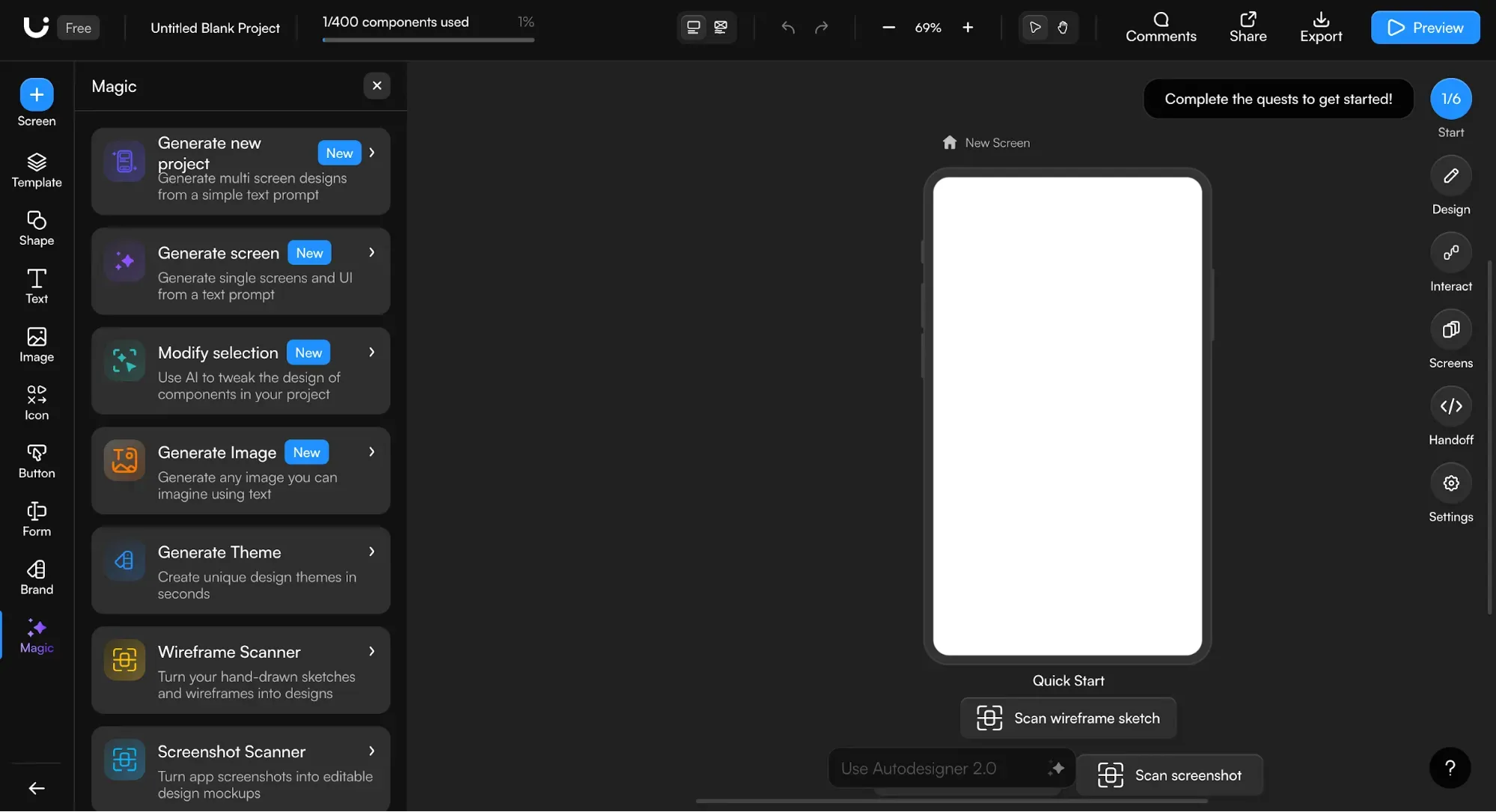
Uizard does AI-powered wireframing. Its Autodesigner feature—now on version 2.0 in paid plans—takes text prompts, screenshots or hand-drawn sketches and turns them into editable multi-screen prototypes. The interface is simple, the learning curve is minimal, and for non-designers who need to prototype faster without touching anything that looks like a design tool, it works.
The output is more template-adjacent—it doesn't always match the nuance of your prompt the way some other tools do—but if you need something on screen quickly in the early stages of a project, its speed is worth it.
You can import from Figma into Uizard, but the reverse requires exporting as SVG and reimporting manually. The Uizard pricing structure is also per-user, which means costs compound as your team grows. A full exploration of Uizard alternatives is worth diving into.
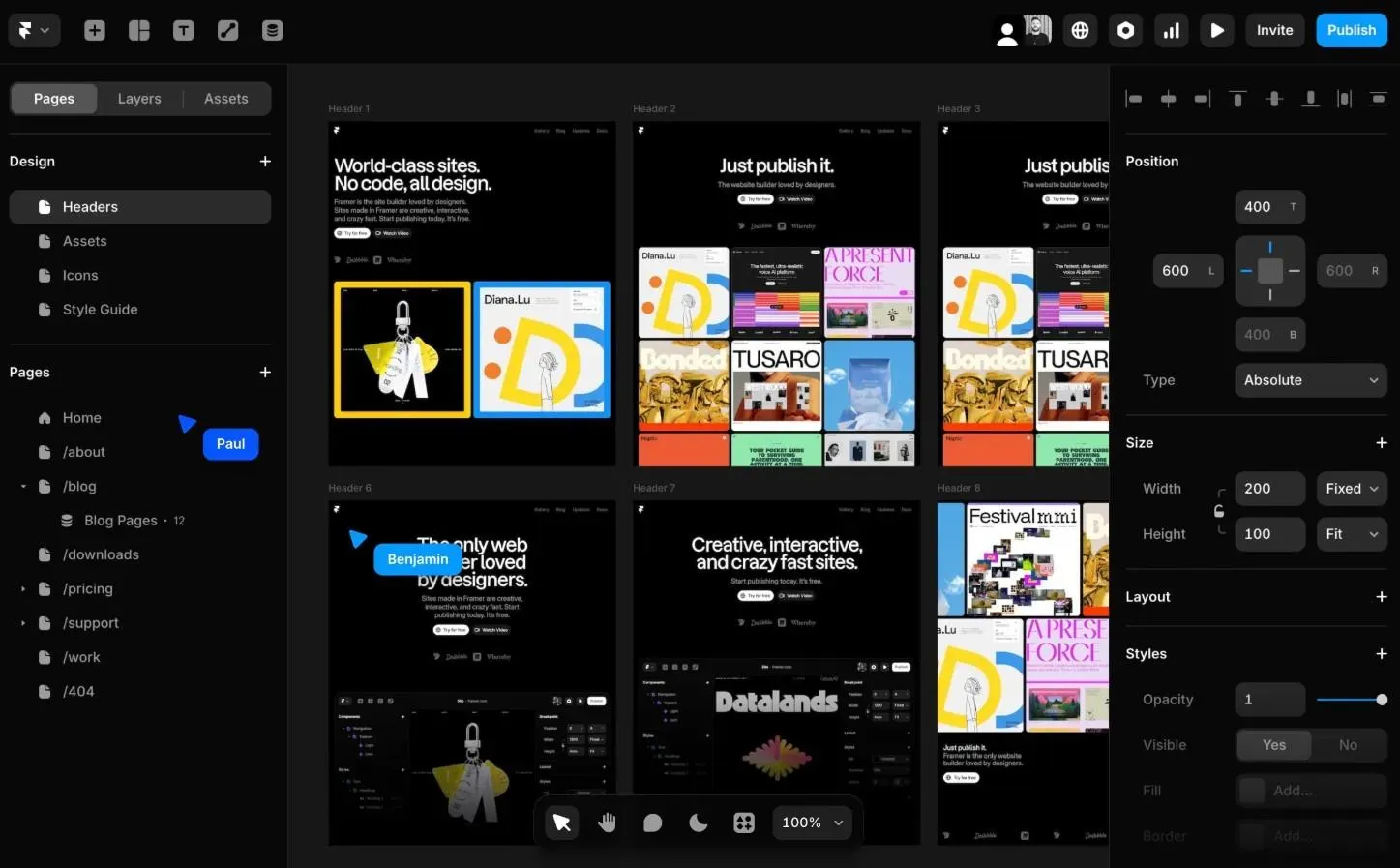
Framer AI is a website builder, not a wireframing tool. Describe a page, get a website and publish it directly from the same interface.
If you're a founder, marketer or designer who needs a fast, polished marketing site or landing page and would rather not touch Webflow with its learning curve, Framer is solid. The AI generation produces clean, responsive layouts with animations, CMS integration and built-in hosting—displayed exactly as designed, on a real domain. Reviewers consistently highlight fast, mobile-friendly output with strong design customization options post-generation.
If you're building landing pages and marketing sites rather than app UI, it's worth considering alongside other tools for prototyping.
Additional editors are paid extra.
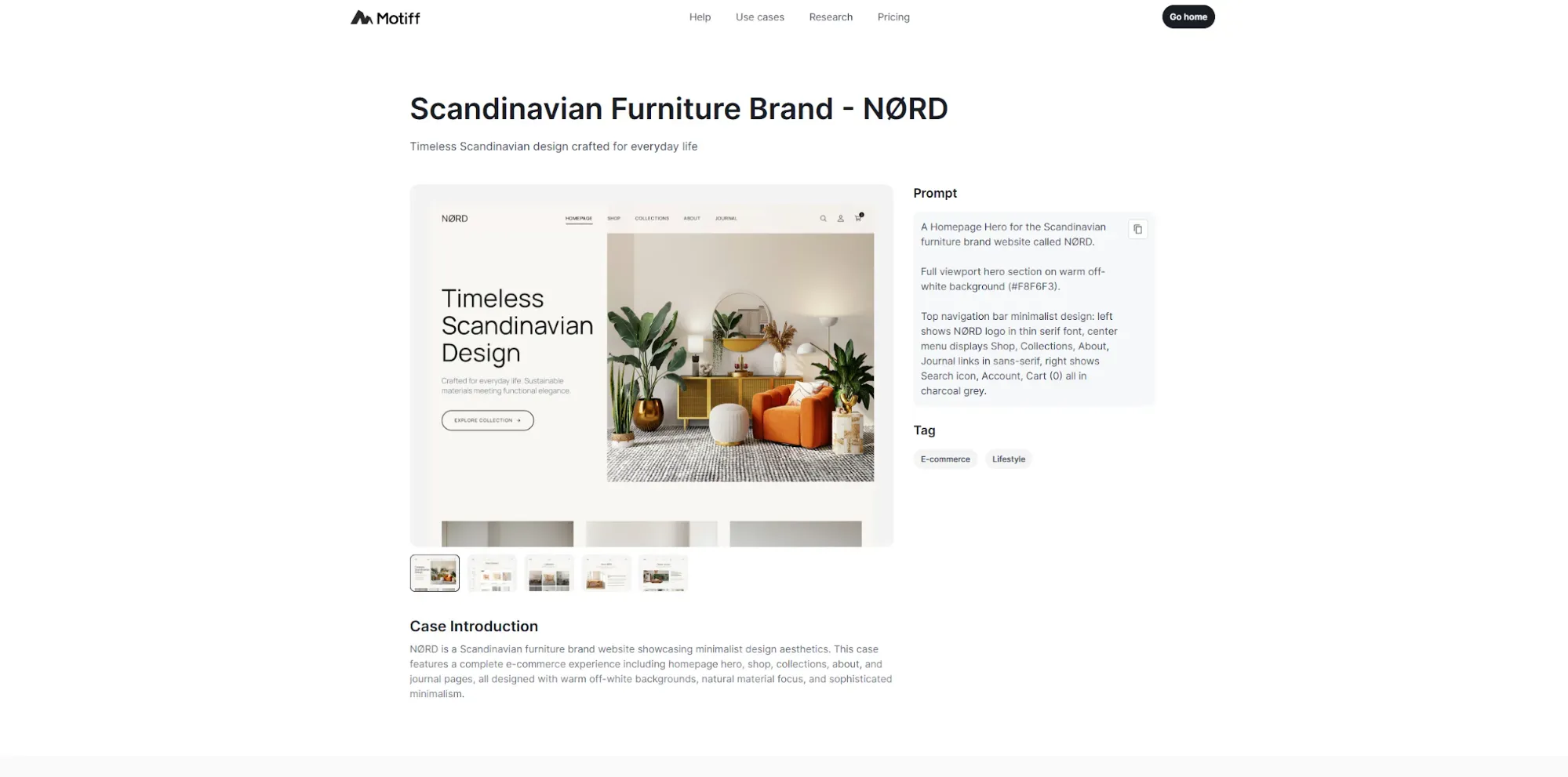
Motiff AI is a mix of an ideation and code handoff tool, with production-ready HTML and React code, IDE-ready project ZIPs you can drop straight into Cursor or VS Code, and the ability to copy generated UI directly to Figma.
You can upload multiple inputs—text prompts, wireframes, screenshots, even PRDs—and use preset design systems to ensure the output has visual consistency. Select any element post-generation, describe the change you want, and Motiff AI applies it without re-generating the whole screen.
Compared to Visily, Motiff AI is less focused on the early brainstorming and wireframe phase and more on generating interface designs. It won't replace a full design process for complex projects, but for teams where the design-to-development team handoff is the main bottleneck, it works. Worth looking at alongside other AI tools for designers for context.
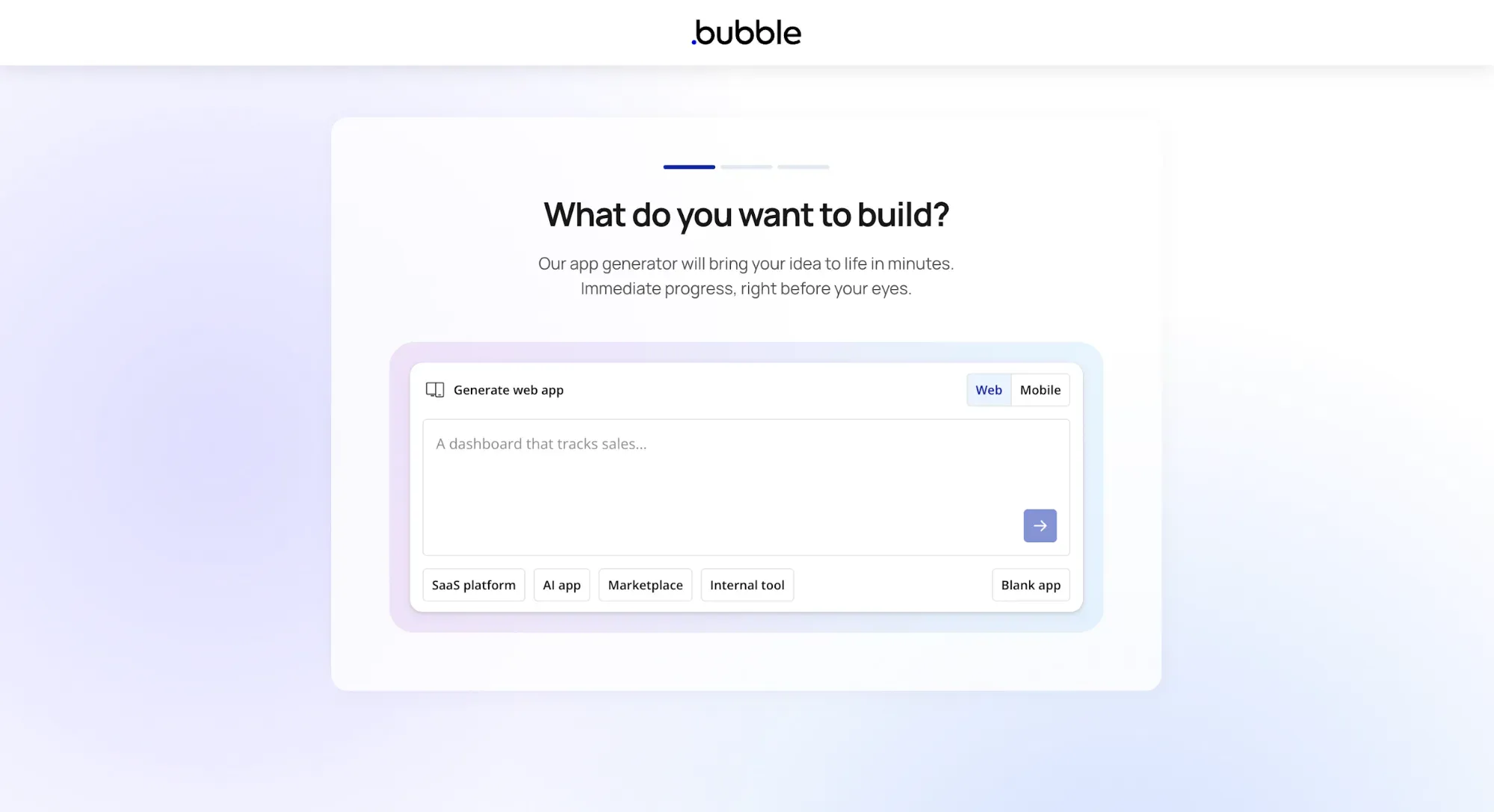
While Visily helps you create editable wireframes and mockups to communicate ideas, Bubble builds a working application.
Many teams that outgrow AI-powered wireframing tools are eventually asking the same question: How do we actually build this thing? Bubble is one of the no-code answers if you're a small team, a founder without engineering resources, or a startup trying to ship an MVP. It supports full app logic, a real database, user authentication, API integrations and native mobile builds for iOS and Android.
The catch is the learning curve. Many teams combine Bubble with tools like Xano to improve performance. The pricing model is pretty steep as your app scales. For teams just wanting to move fast and test a concept, tools like Flowstep or even Lovable alternatives may serve better.
Pricing is different for web, mobile or combined sites. Here are the web plans compared (monthly billing):
If you're in a product team trying to go from idea to testable, shareable, visually credible UI as fast as possible, Flowstep is the right choice. It handles full flows with editable designs, not just single screens, produces clean production-ready code, and fits directly into existing workflows with native Figma copy-paste. Pricing stays predictable, collaboration is unlimited, and you don’t have to think in credits.
The other tools each solve narrower parts of the process. Some focus on working inside existing design systems, others on quick early-stage mockups, marketing sites or developer handoff. Depending on what you're optimizing for, they can be useful—but they all introduce trade-offs somewhere in the workflow.
Try Flowstep free—no credit card, no setup
The dual credit system (AI credits and template credits deplete separately and faster than users expect), the two-board limit on the free plan, restricted smart component customization, and stability issues some users encounter on first use. Experienced designers also find the tool limiting for anything beyond wireframes and low-fidelity mockups.
Yes—Flowstep exports React, TypeScript and Tailwind CSS, clean enough for direct engineering handoff. Motiff AI outputs HTML and React with IDE-ready project files. Figma Make also generates code aligned with your Figma design system.
Visily is for non-designers who need fast wireframes and AI-assisted mockups without a learning curve. Figma is a professional design tool with full auto-layout controls, advanced component libraries, dev inspect mode, version history and a plugin ecosystem. Most teams use both at different stages—Visily for ideation, Figma for refinement.
Yes. Flowstep lets you attach PRDs, paste reference links or upload inspiration images directly to your prompt before generating, so the AI produces UI that reflects your actual product requirements rather than generic patterns. Motiff AI also accepts PRD inputs.