

14 Best Mockup Tools in 2026 (Expert-Tested and Compared)
The 14 best mockup tools for designers in 2026, compared by pricing and use case, from Flowstep and Figma to Canva, Placeit, and more.
Looking for a UXPin alternative? These tools are faster, simpler and built for product teams—compared by AI design, Figma export and pricing.
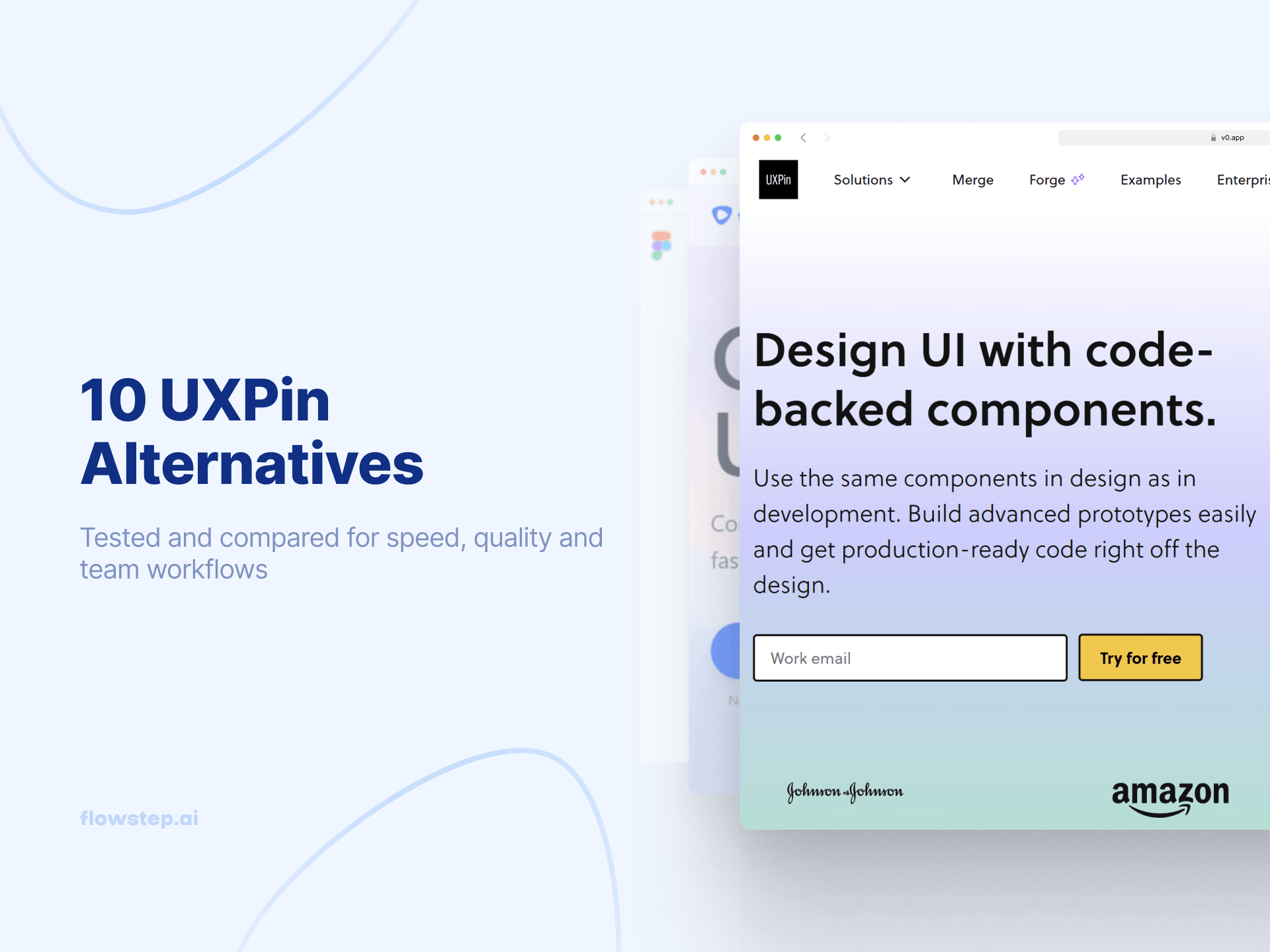
Open UXPin for the first time, and you can see the promise: prototypes that behave like the product. UXPin runs on real code underneath the canvas, supports variables, conditional logic, expressions and component states, and with Merge, lets teams design using the same React components developers use in production. Add Forge, UXPin’s AI design assistant, and the tool becomes compelling for teams with mature design systems and close designer-engineer collaboration.
But that value comes with setup, a learning curve and cost. UXPin is not the fastest tool for a PM who needs visuals for tomorrow’s stakeholder meeting, a founder testing a concept before writing a spec, or an engineer looking for a quick design reference before sprint planning. Its real strengths show up when a team has the time and technical support to configure libraries, work with advanced interactions, and connect production components through Merge. Custom library setup often needs engineering help, and custom library AI sits behind the Enterprise plan.
Pricing adds another layer of friction. UXPin has a free plan, but it's limited to 2 prototypes. Paid plans start at $49/month for Core, while Growth costs $69/month. For a five-person team that needs design systems access, that comes to $345/month.
This article covers 10 UXPin alternatives built for different workflows and levels of fidelity. We look at Flowstep, v0 by Vercel, Figma, Sketch, Penpot, Framer, Axure RP, Zeplin, Balsamiq and ProtoPie, exploring where each tool fits, what it does better than UXPin and which teams should consider it.
Here's what we considered when choosing the top UXPin alternatives, so you don't have to waste time on weeks of testing:
Here's the comparison table before we go tool by tool.
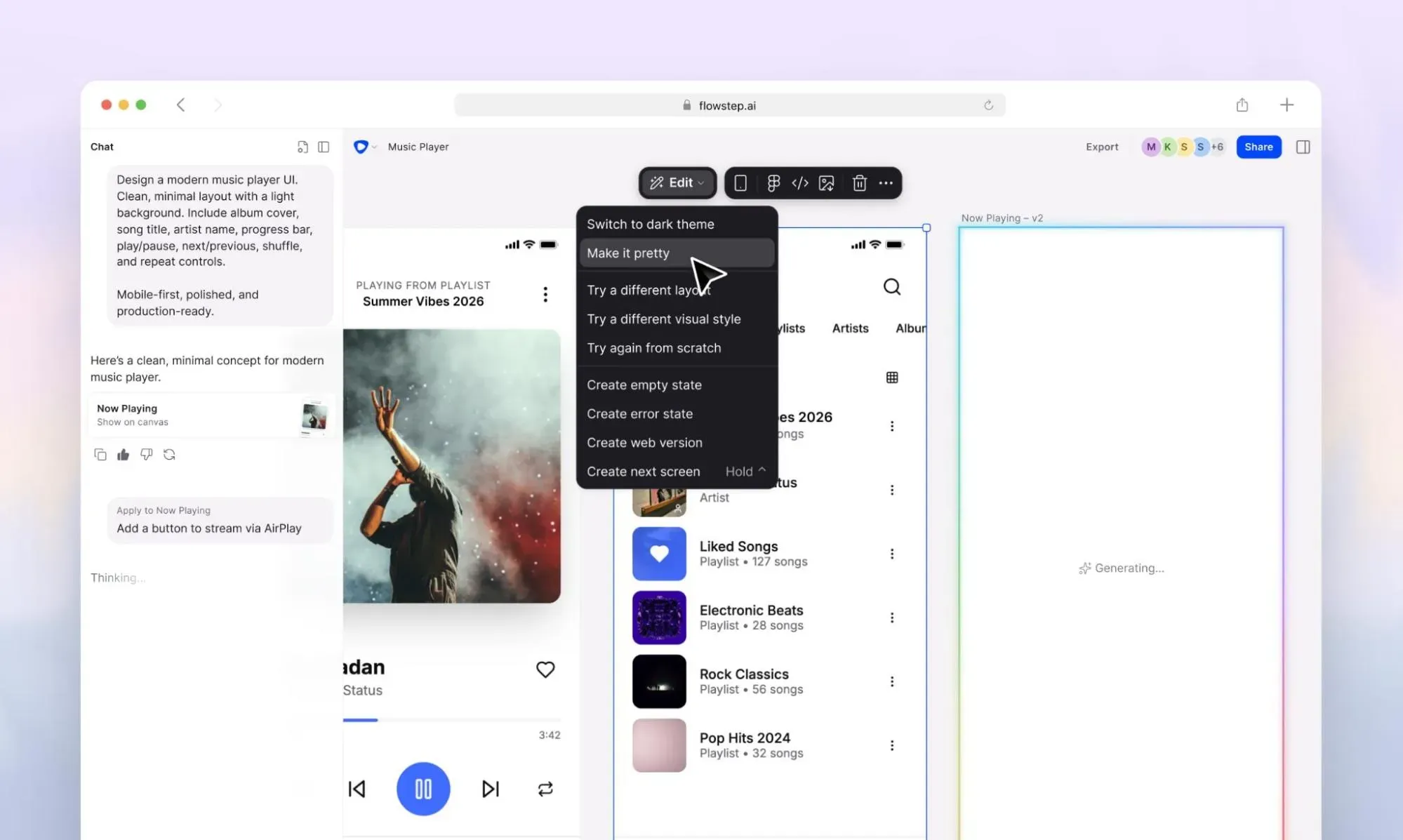
Flowstep is a game-changer AI design tool that generates full product UI from plain text descriptions. It's the fastest way to turn an idea into something usable, and the easiest way to get high-fidelity designs without a design background or a week of onboarding.
The design canvas is infinite. You describe the layout you need, and Flowstep generates multiple screens simultaneously. Attach a PRD, paste a reference URL or upload screenshots as context before generating—Flowstep reads those inputs and reflects them in the output rather than defaulting to generic layouts. Voice input is available for hands-free iteration. DESIGN.md lets you define design guidelines that carry across projects. You can also get several visual directions for the same idea from a single prompt, which makes early-stage exploration much faster than the usual back-and-forth. The output lands on the canvas as a fully editable UI, not a static image. Change something with a conversational prompt ("move the navigation to the left, increase the CTA contrast") or edit elements manually directly on the canvas without using up AI messages.
Once you're done, select any design on the canvas, hit ⌘C, open Figma and paste. Layers are intact. No plugin installation. The designs integrate seamlessly with your existing Figma workflow. The collaborative design process with live cursors, shared editing and comments across the whole team is included with no seat restrictions for collaborators.
When your engineer is ready, export production-ready React, TypeScript and Tailwind CSS code that maps 1:1 with the design. Connect to Cursor, Claude Code or Windsurf via MCP for direct code handoff into your development environment.
UXPin is useful after a significant investment of time and technical setup. Flowstep is useful on day one. UXPin's AI outputs components you still have to wire together manually into a flow. Flowstep generates the whole flow—and it's editable and export-ready from the start.
Pricing:
No weekly token limits, no separate credit pools, no overage surprises. Manual edits and errors don't count against your message quota.
Who it's for: Product teams who need to move fast—PMs communicating requirements visually, founders validating ideas before development begins, and engineers who need a design reference without learning a design tool.
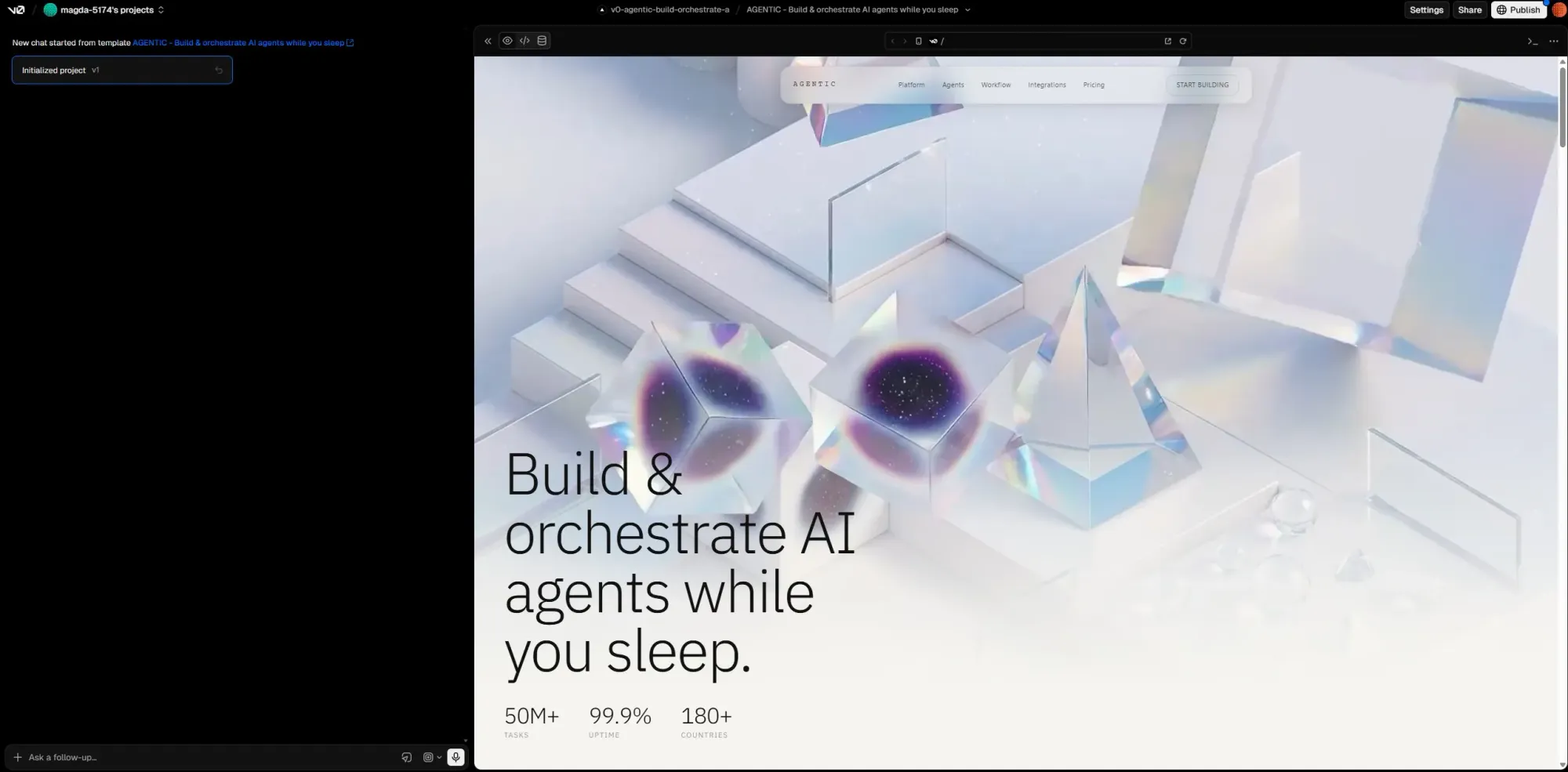
v0 by Vercel generates React components using Tailwind CSS and shadcn/ui from plain-English prompts. If your primary deliverable is frontend code rather than a design file, it’s worth a look.
The output quality is strong for a developer-first product. Components follow modern React and Next.js conventions, use accessible defaults, and generate scaffolding that developers can build on. The February 2026 update pushed v0 further into full-stack territory with GitHub imports, sandboxed previews, API routes, database connections, and deployment through Vercel. A VS Code-style browser editor and pull-request workflow make it feel closer to a lightweight development environment than a traditional design tool.
Compared to UXPin, v0 solves a different problem. UXPin is built around interactive prototyping, design systems, and designer-developer alignment using production components. v0 skips the design workflow almost entirely and focuses on generating working frontend code as quickly as possible. If UXPin is trying to close the gap between design and engineering, v0 starts directly inside engineering.
The limitation is that v0 is still fundamentally code-first. There’s no way to export polished screens back into Figma. The previews look polished, but the output is still React code. That makes the workflow awkward for PMs, founders or non-technical stakeholders who want to explore product ideas visually before involving engineering. The token-based pricing model can also become unpredictable during long iterative sessions, especially when chat history and larger outputs increase token usage over time.
Pricing starts with a limited free tier that includes $5 worth of monthly credits and a seven-message daily cap. Paid plans include Team at $30/user/month, Business at $100/user/month, and custom Enterprise pricing. Additional credits can be purchased on paid plans.
Best for: Frontend developers, startup engineering teams and React/Next.js workflows that want to move from prompt to working UI fast. Less suited to collaborative product discovery, visual prototyping or non-designer workflows where editable screens and stakeholder feedback matter more than deployable code.
See also: v0 alternative options.
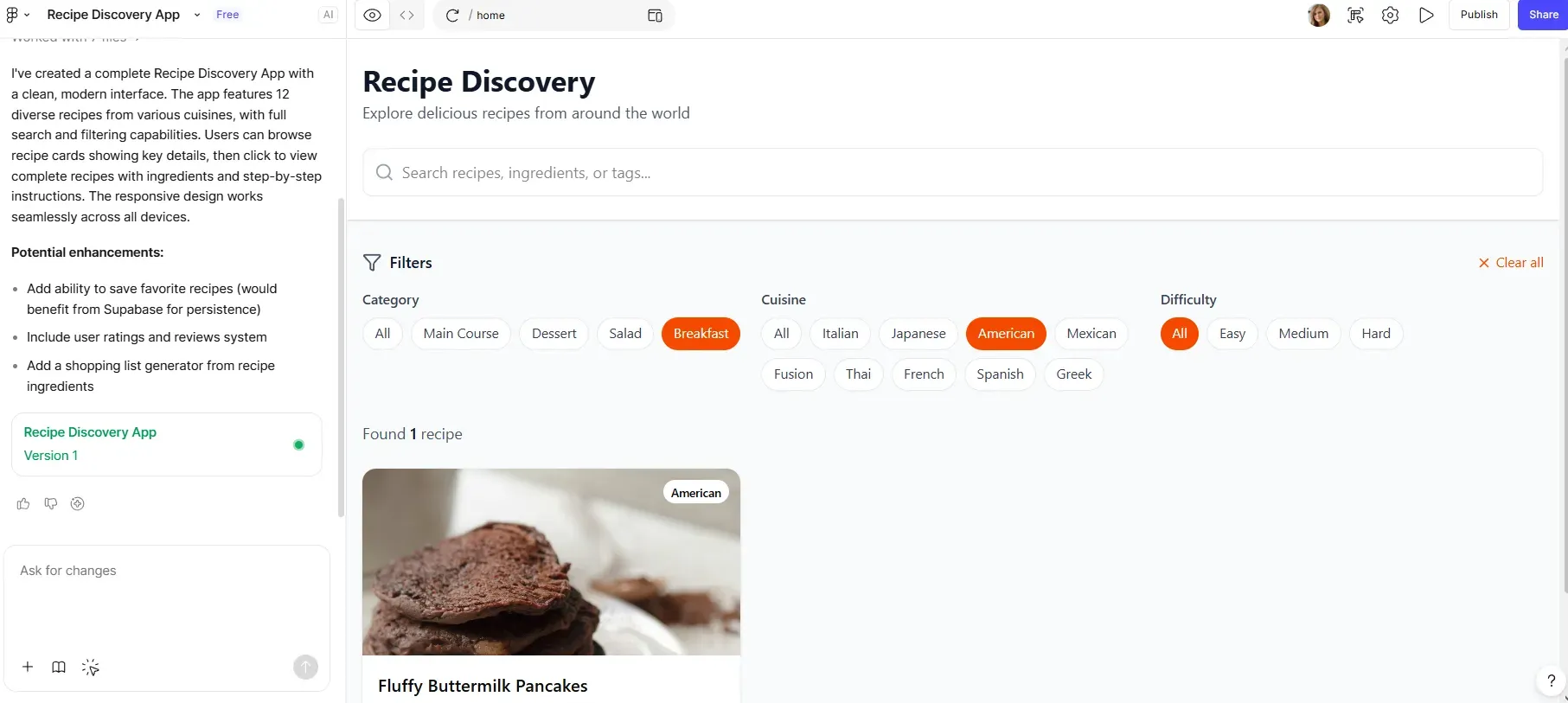
Figma is a collaborative design platform that gives product teams a browser-based design workspace with real-time collaboration, live cursors, inline comments, shared fonts, design systems, team libraries, prototyping, Dev Mode and a plugin ecosystem that covers most workflow gaps.
Figma’s AI tools include Figma Make, which lets teams generate interactive prototypes from text prompts or existing designs, connect outputs to existing Figma libraries, fine-tune results on the canvas, and connect to Supabase for authentication and data storage. It can also flow into Figma Sites for publishing. Just note that the results depend heavily on the quality of your existing workspace, components and design system. Plus, Figma assumes design literacy. Performance can also suffer in very large files or complex design systems, and pricing gets harder to predict once you factor in Full, Dev, and Collab seats, bundled tools, AI credit limits, and seat management overhead.
Compared to UXPin, Figma is broader, more collaborative, and more widely adopted, but it doesn't offer the same code-backed prototyping model. UXPin is stronger when a team needs advanced interactive prototypes with variables, conditional logic, expressions, states and production React components. Figma is stronger when the priority is collaborative design systems, design file management, visual iteration, and handoff across a larger product organization. UXPin is more specialized around high-fidelity code-backed prototyping; Figma is the more complete design operating system.
See also: Figma alternative tools.
Pricing:
Who it’s best for: Professional designers, UX/UI teams, product organizations with established design systems, and companies that need collaborative design files, structured handoff, and scalable team libraries.
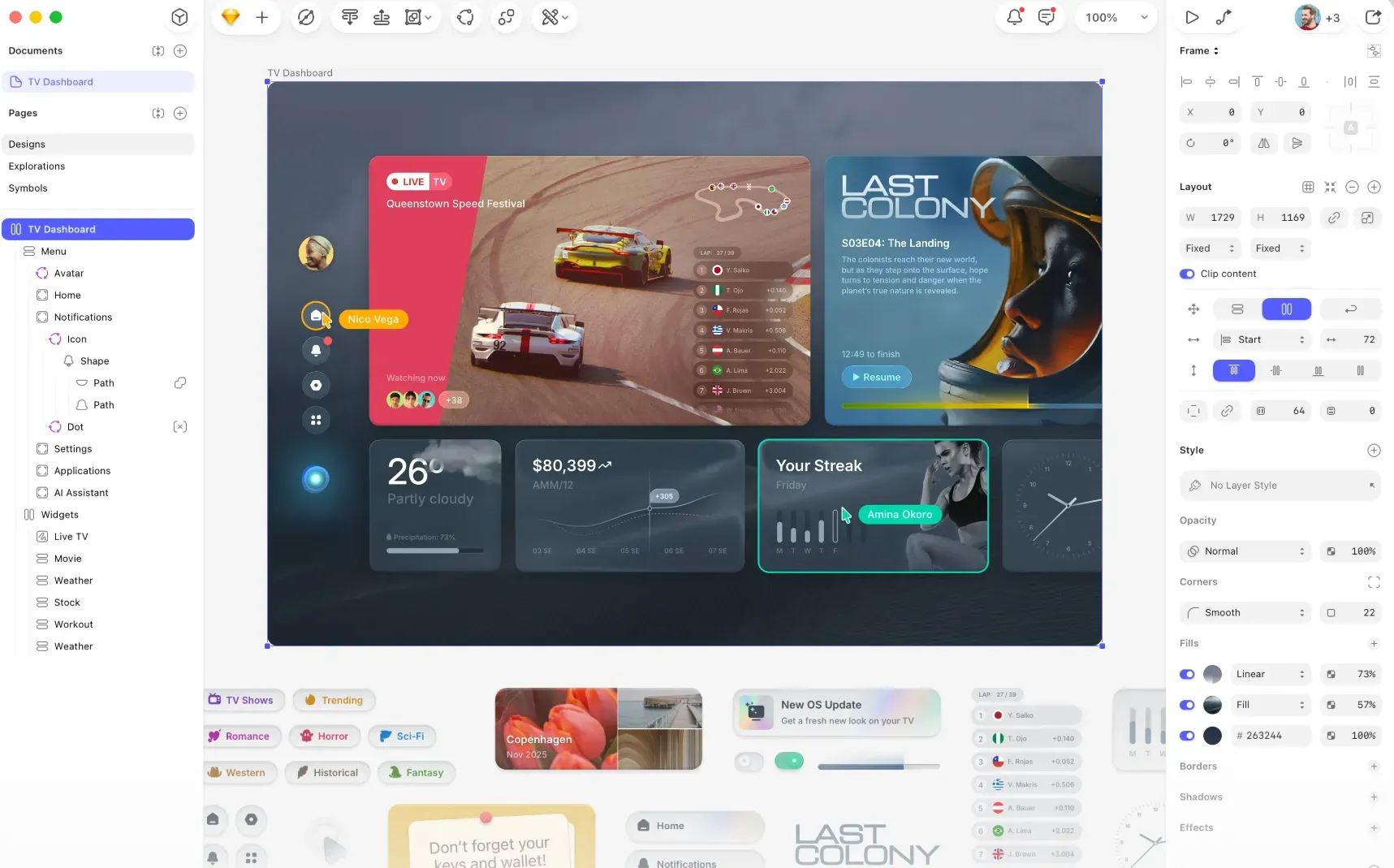
Sketch is a Mac-based UI design tool with a native editor and a browser layer for review, comments, inspect mode and asset downloads. Designers work in the Mac app; teammates can view and inspect files in the browser. It also has iPhone and iPad apps for previewing prototypes on different devices.
Compared with UXPin, Sketch is more traditional. It focuses on vector UI design, reusable Symbols, Shared Libraries, prototyping and developer handoff. UXPin goes deeper on code-backed prototypes, variables, conditional logic and production component workflows. Sketch is easier to place in a classic design-file workflow, but it's less suited to teams looking for advanced coded interactions or AI-first UI generation.
The main limitation is platform access. Editing requires a Mac running macOS 14.0 or newer, so Windows and Linux teammates can only view, comment, inspect and download assets through the web app. Real-time collaboration is available in the Mac app, but web collaborators have limited editing options. Sketch also expects design experience: there's no built-in “describe a screen and generate it” workflow.
Pricing: no free plan, but there is a 30-day trial. Standard costs $14/editor/month, or $12/editor/month annually. Professional is $24/editor/month annually. Enterprise is $44/editor/month annually. A Mac-only license is available for $120/seat with one year of updates, but it doesn't include collaboration features.
Who it’s best for: Mac-based designers and teams already comfortable with Sketch, Symbols, Shared Libraries and plugin-based workflows.
See also: Sketch alternatives.
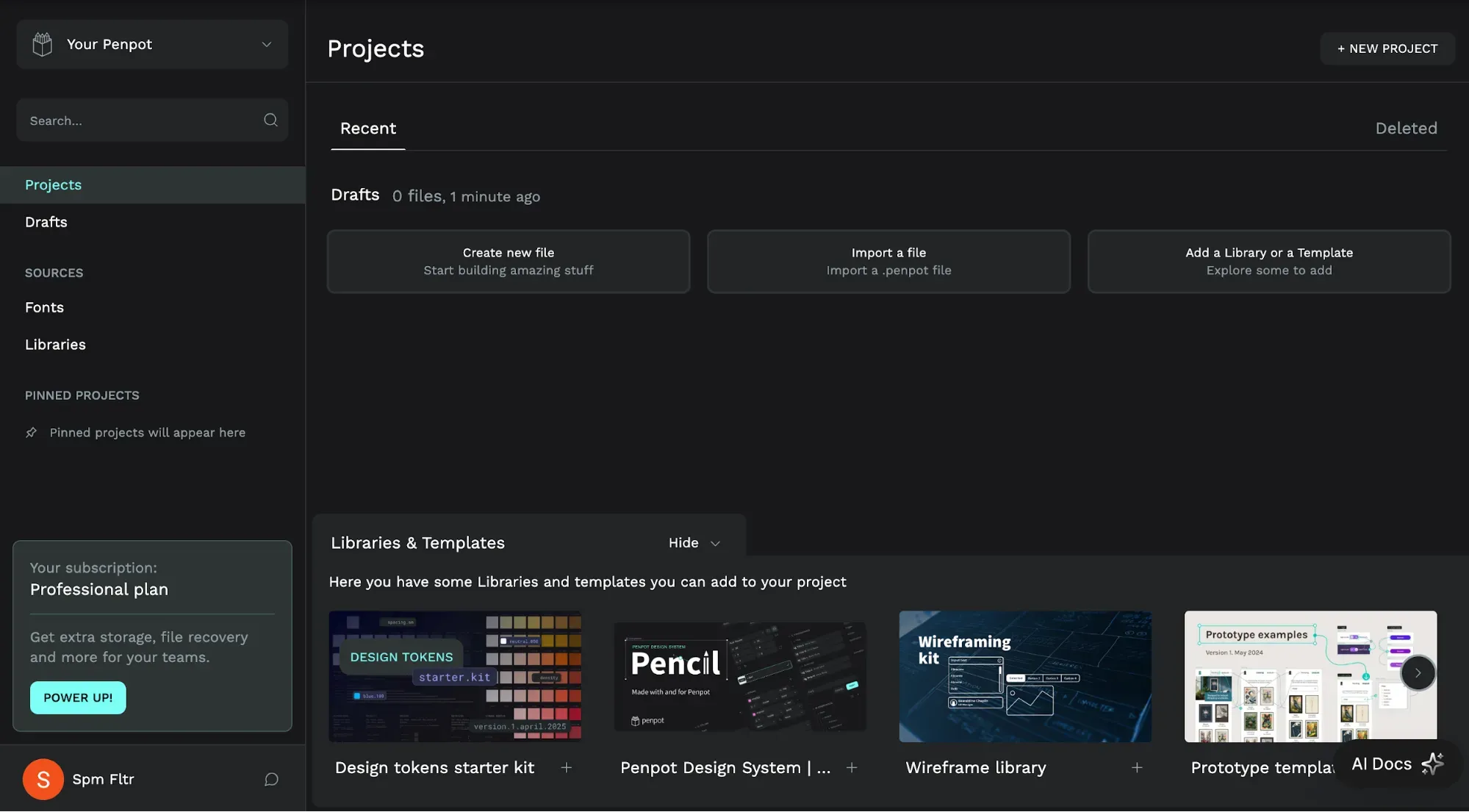
The UXPin alternative Penpot is an open-source, browser-based design tool for teams that want more control over their design infrastructure. You can use Penpot Cloud or self-host it on your own servers. The self-hosted option is useful for teams with data privacy, compliance or infrastructure requirements.
The tool covers the main UI design workflow functionalities: components, variants, design tokens, shared libraries, interactive prototypes, comments, real-time collaboration and developer inspection. Penpot also uses web standards like CSS Grid and Flex Layout, and developers can inspect CSS, SVG and HTML snippets directly from designs.
Penpot is more open and infrastructure-friendly than UXPin. UXPin goes deeper on code-backed prototyping, conditional logic, variables and React component workflows. Penpot is a better fit when open source, self-hosting, design tokens and design-code collaboration matter more than advanced coded prototype behavior.
The main limitation is that Penpot is not as plug-and-play as a fully hosted SaaS tool if you self-host it. Your team needs a Linux server and Docker knowledge to deploy and maintain it. Its plugin ecosystem is also smaller than Figma’s, and its AI runs through MCP workflows rather than a simple built-in “type a prompt, get a full UI” experience.
Pricing: Penpot Cloud has a free Professional plan. Unlimited is $7/user/month, capped at $175/month. Enterprise is $25/user/month, starting at $950/month. Private Server is $50k/year. Self-hosted Professional is free; self-hosted Enterprise starts at $950/month.
Who it’s best for: Teams that want an open-source design tool, self-hosting options, design tokens, developer inspection and more control over where design data lives.
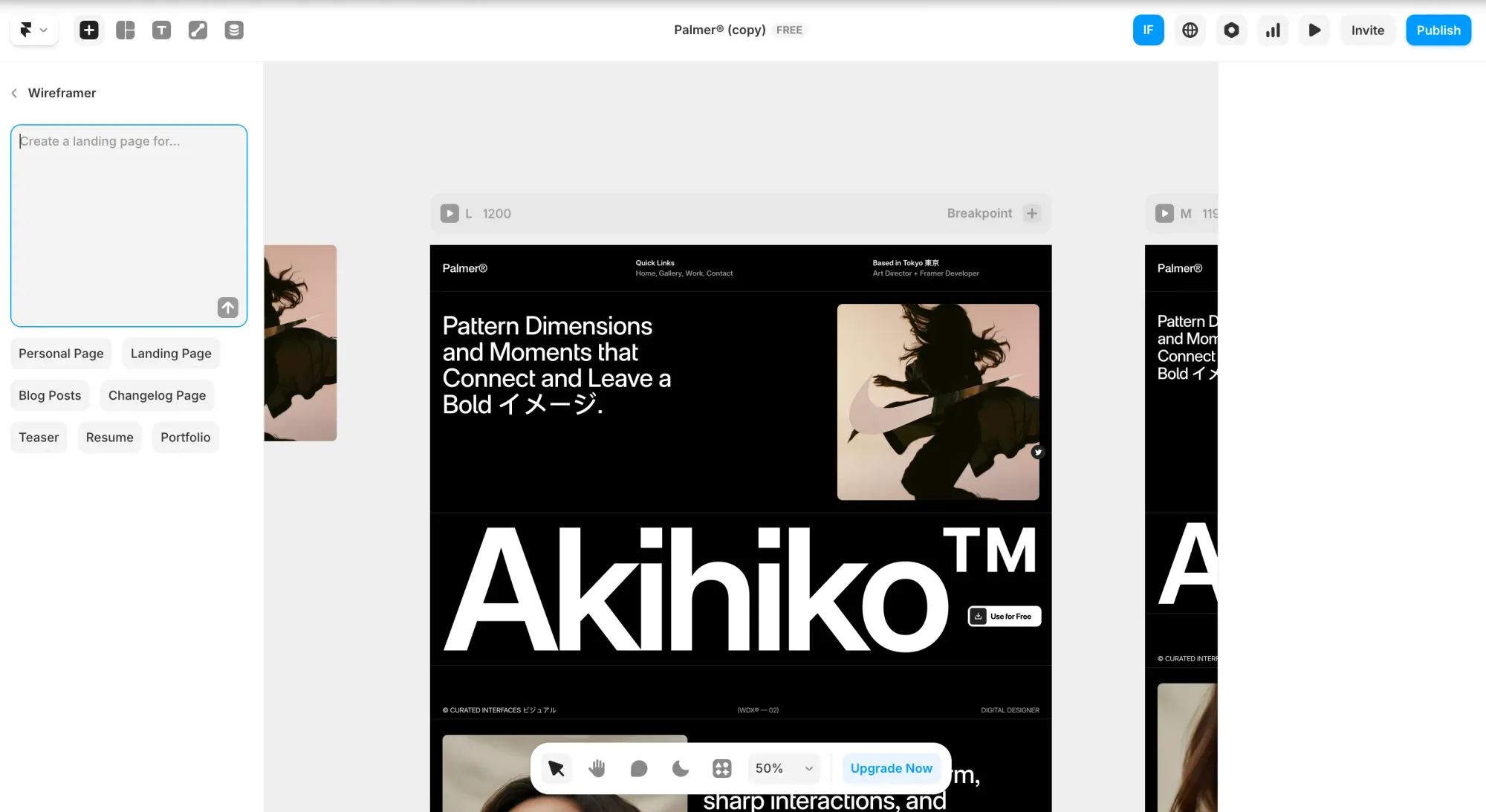
Framer is a website builder with a visual design canvas. It's mainly used for marketing sites, portfolios, agency client sites and SaaS landing pages. You can design, add animations, manage CMS content, handle SEO basics and publish from the same tool.
Its AI feature, Wireframer, can generate ready-to-edit responsive pages from prompts. Framer also includes hosting, CMS, staging, version history, SEO settings, analytics integrations and custom-domain publishing. That makes it useful when the deliverable is a live website.
UXPin is built around interactive product prototypes, code-backed components, variables, conditional logic and design-to-development workflows. Framer is for designing and publishing websites. It works better for landing pages and marketing sites than for app screens, dashboards or multi-screen SaaS product flows.
The main limitation is that Framer is not really a product UI tool. There's no production code export you can take into a React or TypeScript codebase, and the platform isn't meant for designing app flows or dashboards. It also assumes some design knowledge, especially around responsive layout, spacing and breakpoints.
Pricing: designing in Framer is free. Paid plans start when you publish on a custom domain. Basic is $10/month annually or $15/month monthly. Pro is $30/month annually or $45/month monthly. Scale is $100/month and annual-only. Enterprise is custom.
Who it’s best for: Designers, agencies, founders and marketing teams building landing pages, portfolios, client websites or campaign pages. It's less suitable for product teams that need editable app UI, multi-screen product flows, Figma-ready design files or code export for a product codebase.
See also: Framer alternative options.
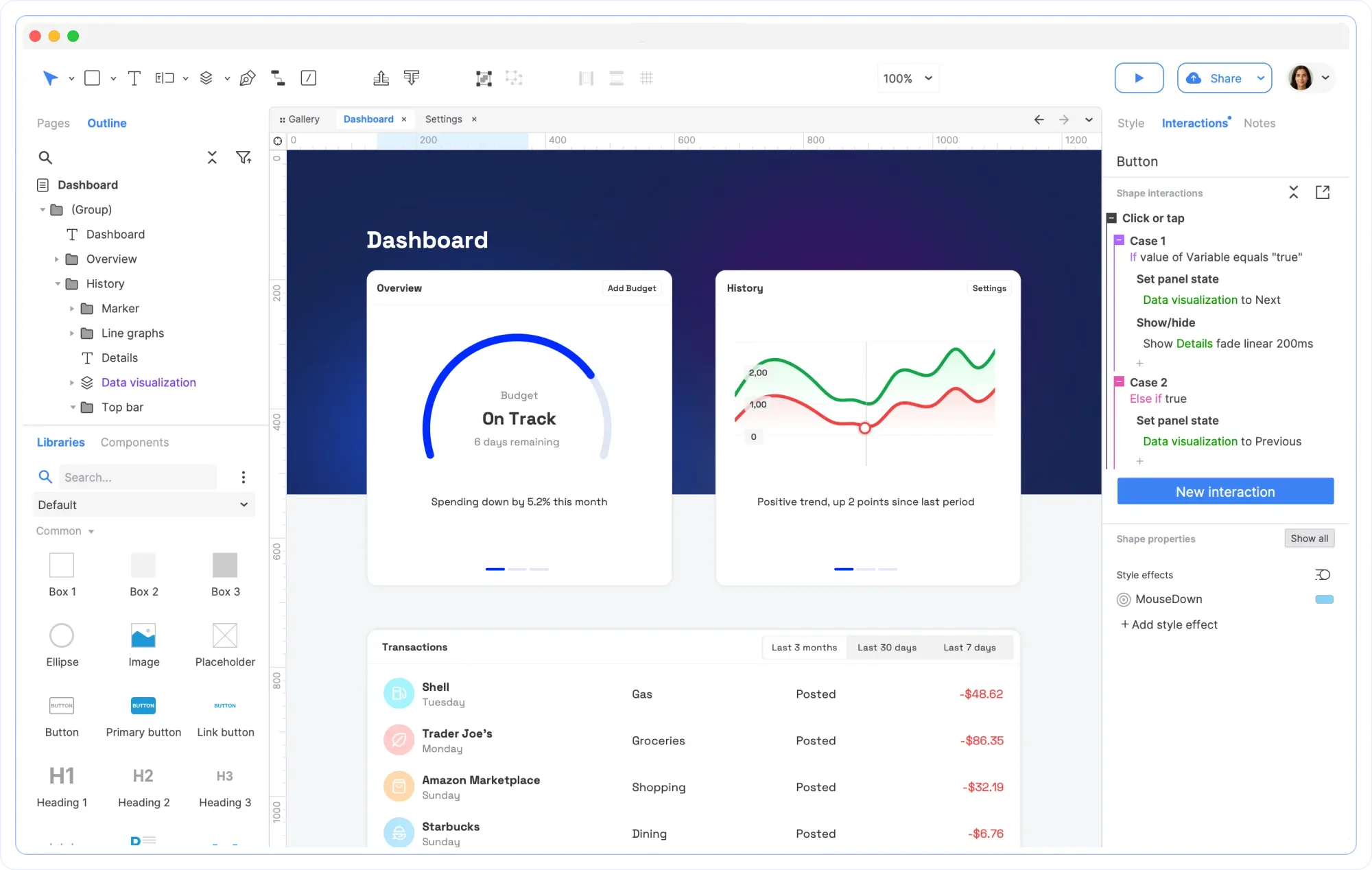
Axure RP is for building realistic, functional, fully interactive prototypes. It supports event triggers, conditional logic, variables, working forms, dynamic panels, sortable grids, adaptive views and data-driven interfaces. You can also create diagrams, user journeys, wireframes and documentation in the same tool.
Both UXPin and Axure focus on high-fidelity prototyping and advanced interactions. UXPin is more tied to code-backed design systems and React component workflows, while Axure is more focused on no-code prototype logic, documentation and detailed interaction modeling.
The Axure prototyping tool is useful when your prototype needs to behave like a real product, but that depth comes with a learning curve. It's less practical for quick visual exploration, non-designers who want to generate screens from prompts, or teams that mainly need simple product mockups. Axure can import designs from Figma, Sketch and Adobe XD, but it's not an AI UI generation tool, and it doesn't turn prototypes into editable Figma files.
Pricing: Axure RP Pro costs $34/user/month. Team costs $57/user/month and adds co-authoring, revision history and team project hosting. Enterprise is custom. A free 30-day trial is available.
Who it’s best for: UX designers, researchers, business analysts and enterprise teams building complex prototypes with conditions, forms, dynamic content and detailed specifications.
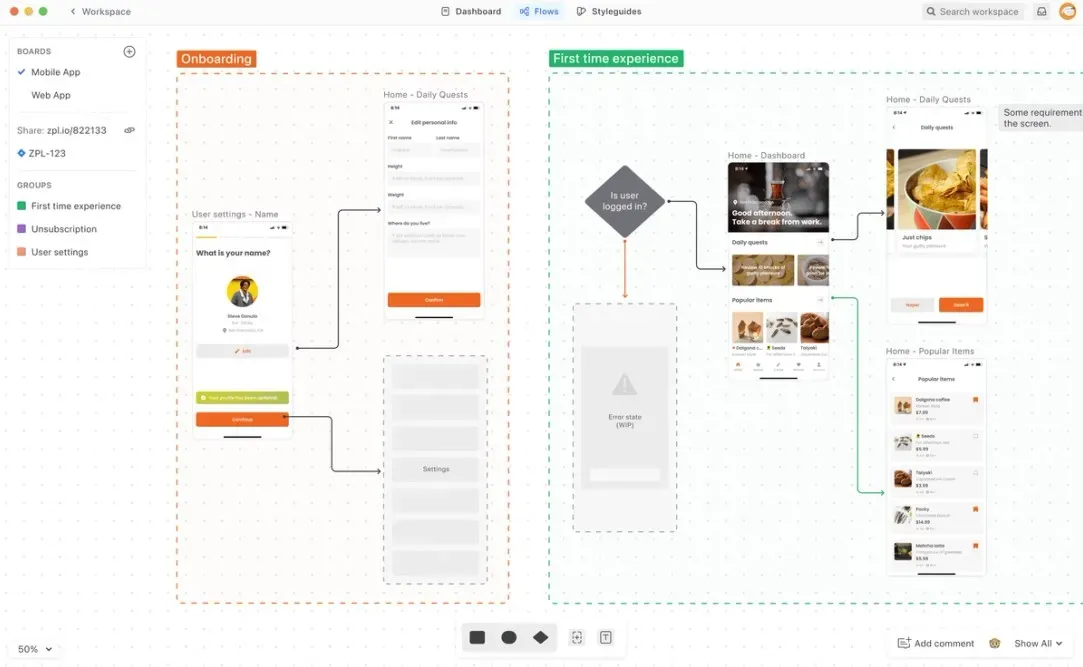
Zeplin and UXPin solve different parts of the workflow. UXPin is for building interactive prototypes with advanced logic and code-backed components. Zeplin comes later, once designs are ready for dev and helps teams document, organize and track the build.
That’s useful when the same questions keep slowing delivery down: which screen is final, what changed, where are the requirements, which component should devs use, and what assets need exporting. Zeplin supports screen versioning, version compare, annotations, approvals, user flows, code snippets, design tokens and integrations with Jira, Azure DevOps, Storybook, VS Code, Slack and MS Teams.
Zeplin is a design delivery tool. Designers publish ready-to-build screens in other tools, and Zeplin turns them into a structured workspace for devs, PMs and stakeholders. Specs, assets, annotations, flows, versions and styleguides live outside the messy design file.
The tradeoff is scope. Zeplin doesn’t create UI from scratch, generate product flows from prompts or replace a design canvas. Its AI features are currently focused on design review and organization, not prompt-to-design generation. And if your team already handles specs, comments and version history inside something like Figma Dev Mode, Zeplin may be an extra process rather than a necessary layer.
Pricing: Free includes 1 project, 100 screens and limited AI beta usage. Basic starts at $15/month for 1 project, with project packs available up to 12 projects. Advanced is $15/seat/month or $12/seat/month annually, with 50 projects, Flow Boards, advanced permissions and unlimited reviewers. Enterprise is custom.
Who it’s best for: Teams with a separate design and dev workflow, multiple design sources, detailed specs, approvals, annotations or version tracking needs.
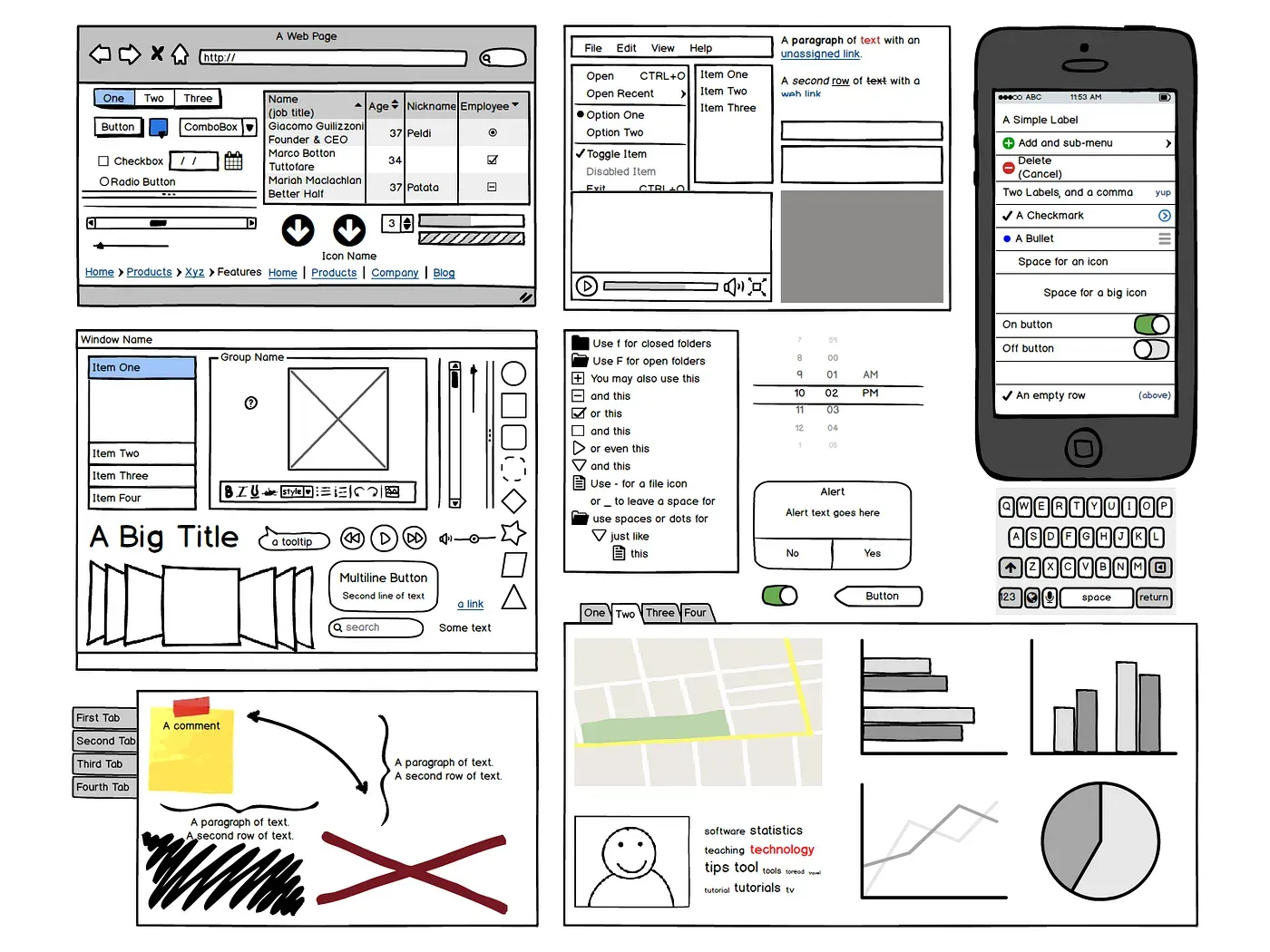
Balsamiq sits much earlier in the process than UXPin. It's low-fi, fast and deliberately limited. Use UXPin when you need to test realistic product behavior. Use Balsamiq when you need alignment before investing in detailed design.
Balsamiq gets rough ideas out of people's heads and into a shared visual format before anyone debates colors or button radii. The intentionally lo-fi wireframe aesthetic addresses the problem of stakeholders picking at unnecessary details when a wireframe looks finished. When it looks rough, the conversation stays on the concept.
The drag-and-drop component library covers standard UI patterns well enough that a PM or founder with zero design training can produce a screen layout in minutes. New users genuinely don't need a tutorial. Balsamiq AI, available on all Cloud plans, lets you describe a screen or upload a screenshot and get an editable wireframe. You can also convert hand-drawn sketches or whiteboard photos into editable components, which is useful when a team has already whiteboarded something and wants to move it forward without starting from scratch.
The trade-off is scope: Balsamiq produces wireframes only; there's no Figma export, no production code, and no path from Balsamiq output to developer handoff without rebuilding the screens elsewhere. It lives at the front of the design process, and stops there. Trying to use it as a full UI design tool is the wrong expectation.
Pricing: Starter $23/editor/month (up to 10 projects, 500 AI credits per editor); Teams $34/editor/month (up to 100 projects, 1,000 AI credits per editor); Enterprise annual-only with SSO and premium support. 14-day free trial, no credit card required.
Who it's for: Product managers who need to align teams before sprint planning, founders testing concepts before engaging a designer, and any cross-functional team that needs a shared visual starting point without the overhead of a full design tool. Read more in our best tools for prototyping roundup.
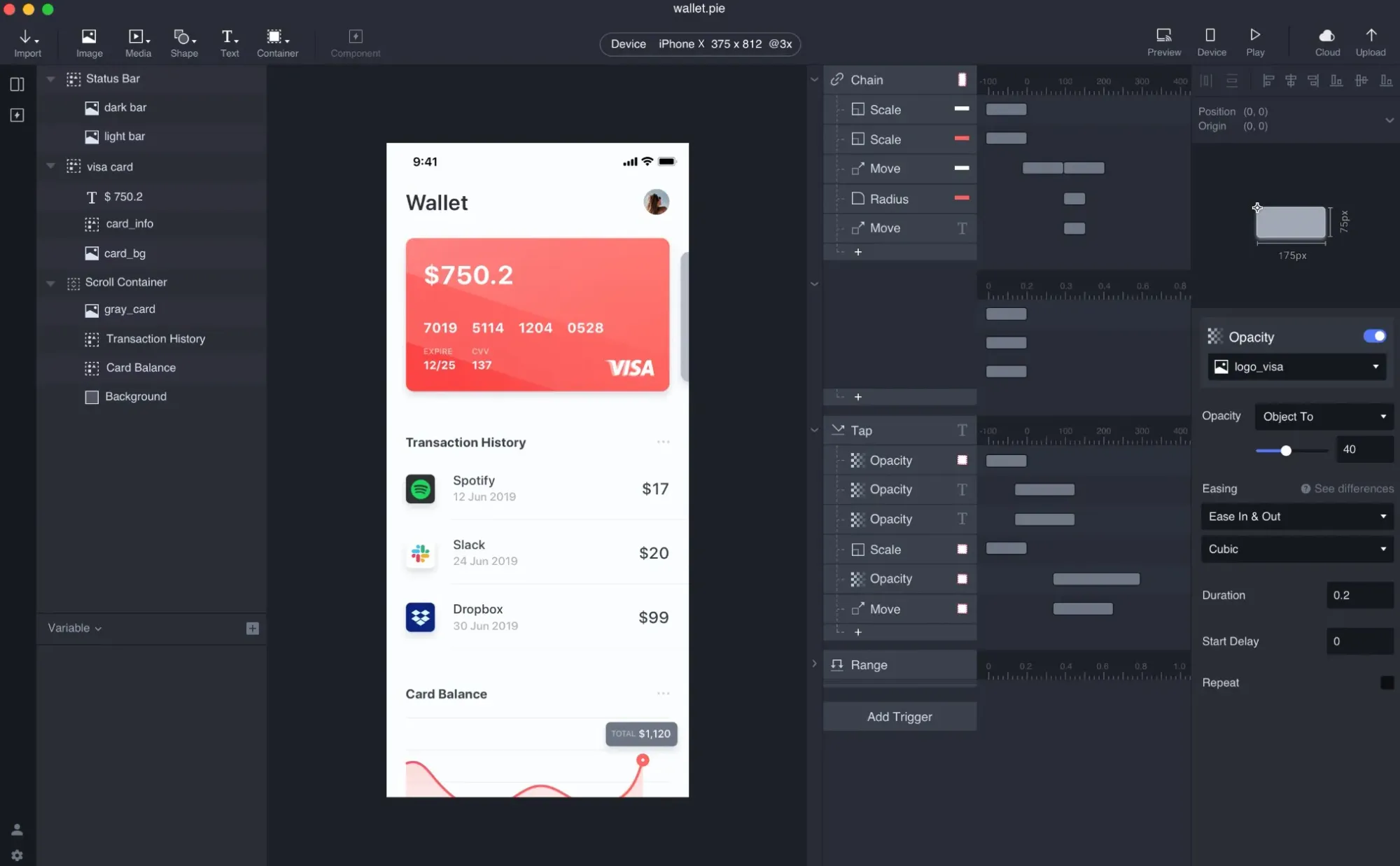
ProtoPie is for advanced interaction prototyping. It’s useful when a click-through prototype is not enough, and the team needs to test conditional logic, variables, voice input, real API data, device sensors or multi-device experiences.
The workflow usually starts in Figma, Sketch or Adobe XD. You import designs into ProtoPie Studio, then add interaction logic on top. Its interaction model is based on objects, triggers and responses, which keeps it visual while still supporting complex prototype behavior. ProtoPie AI can generate interaction logic from plain-language prompts, but the result still needs review and manual refinement.
ProtoPie and UXPin overlap around high-fidelity prototyping, but they approach it differently. UXPin is more tied to product design workflows, design systems and code-backed components through Merge. ProtoPie is more focused on interaction realism after the visual design already exists. Use UXPin when you want to design and prototype in one environment with reusable components. Use ProtoPie when the main challenge is testing realistic behavior, sensors, APIs or multi-device interactions.
The main limitation is that ProtoPie is not a UI design tool. It doesn't generate product screens from scratch, replace Flowstep, Figma or Sketch, or export production code for developers. It adds behavior to existing designs.
Pricing: Free plan with 2 prototypes and 2 scenes per prototype. Basic is $29/month for 1 seat and 20 prototypes. Pro is $59/editor/month with unlimited prototypes, team libraries and local saving. Enterprise is custom. Paid plans include a 14-day free trial.
Who it’s best for: Senior UX designers, interaction designers and product teams testing behavior that needs to feel close to the final product.
See more in our best AI UI design tools comparison.
The right choice depends on where your workflow slows down.
If you need to turn ideas into editable UI with clean code fast, start with Flowstep. It generates multi-screen designs from prompts, PRDs, screenshots or links, then lets you paste into Figma or export React, TypeScript and Tailwind CSS.
For developer-first frontend work, use v0. For mature Figma teams, Figma Make may be enough. For open-source control, choose Penpot. For marketing sites, use Framer. For complex prototype logic, look at Axure RP or ProtoPie. For handoff, use Zeplin. For early wireframes, Balsamiq is the simplest fit.
UXPin still works for teams that need code-backed prototypes and have time to configure Merge. But if speed, collaboration and fast UI generation matter most, Flowstep is the better starting point.
Flowstep is the clearest fit for AI-generated product UI. It turns text prompts, PRDs, screenshots or reference URLs into editable multi-screen flows, then lets you paste designs into Figma or export React, TypeScript and Tailwind CSS code.
Figma Make supports AI generation inside Figma, especially for teams with existing component libraries. v0 by Vercel generates React and Tailwind components for developers. Google Stitch can generate a multi-screen UI with Figma export. Penpot supports AI workflows through MCP, while Axure, Sketch and Zeplin are not primarily AI UI generation tools.
For traditional design, Figma Starter and Penpot Cloud are useful free options. Penpot self-hosting is also free if your team can manage the infrastructure.
For AI UI generation, Flowstep is a better starting point. Its free tier lets you generate editable product screens without a credit card, and the workflow includes Figma paste, team collaboration and code export when you’re ready to build.
Teams usually switch because UXPin takes time to set up, has a learning curve and becomes expensive when you need its strongest features, like design systems, Merge and advanced prototyping.
Flowstep solves a different problem: getting from idea to usable UI quickly. A PM, founder or engineer can describe a screen or flow, edit the result, share it with the team, paste it into Figma and export production-ready React, TypeScript and Tailwind code.
UXPin is stronger for advanced, code-backed prototypes with variables, conditional logic and React component workflows through Merge. Figma is better for everyday collaborative design and design system work.
Flowstep fits earlier in the workflow. It helps teams generate editable UI from prompts, explore ideas faster, move designs into Figma, and hand off React, TypeScript and Tailwind code when needed.