14 Best Mockup Tools in 2026 (Expert-Tested and Compared)
The 14 best mockup tools for designers in 2026, compared by pricing and use case, from Flowstep and Figma to Canva, Placeit, and more.
This Framer review covers everything you need to know about its features, Framer pricing, and who it's a best fit for—read before you commit.
Framer has earned its reputation in the web design niche, but also some frustration from people who paid for it, expecting something it was never built to be. This Framer review details the features, Framer pricing, and the use cases where it delivers on its promises, so you can decide if it's right for you without wasting time to test it out yourself. Stick around for an alternative UI builder option that doesn't require you to know anything about design.
Framer is a website builder with design DNA. You work on a visual canvas (closer to Figma than WordPress) and publish from the same interface. Hosting, CDN, SEO and CMS are all built in. There's no separate deploy step and no dev handoff.
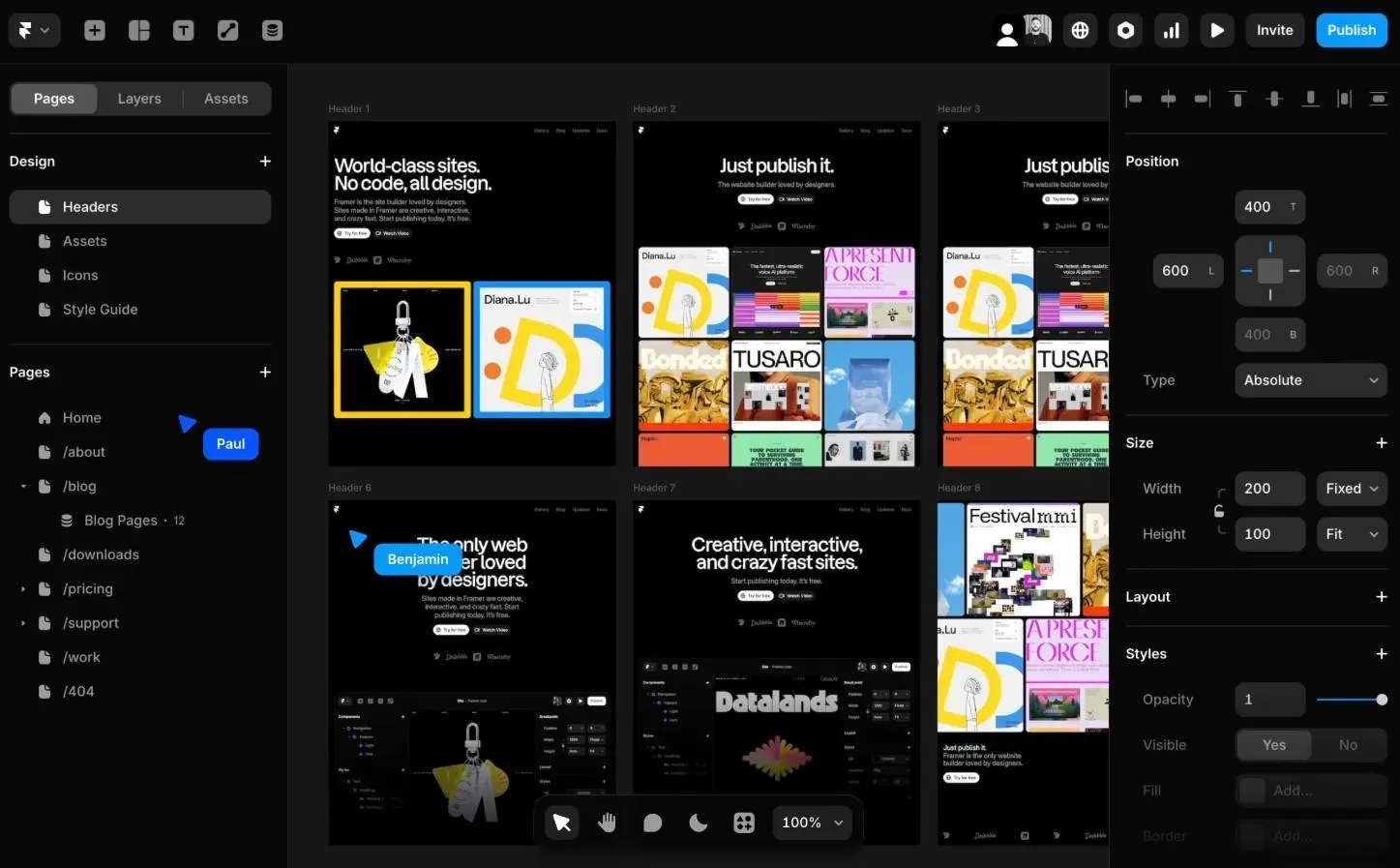
It is a prototyping tool for interaction designers. Then it pivoted into website publishing, to give it its current form: something between a design tool and a publishing platform.
The pitch is: build a Framer website the way you'd design in Figma, then publish your modern website without a single line of code in the process.
Framer's target audience is designers, agencies and creative studios.
Framer is a website tool. Full stop.
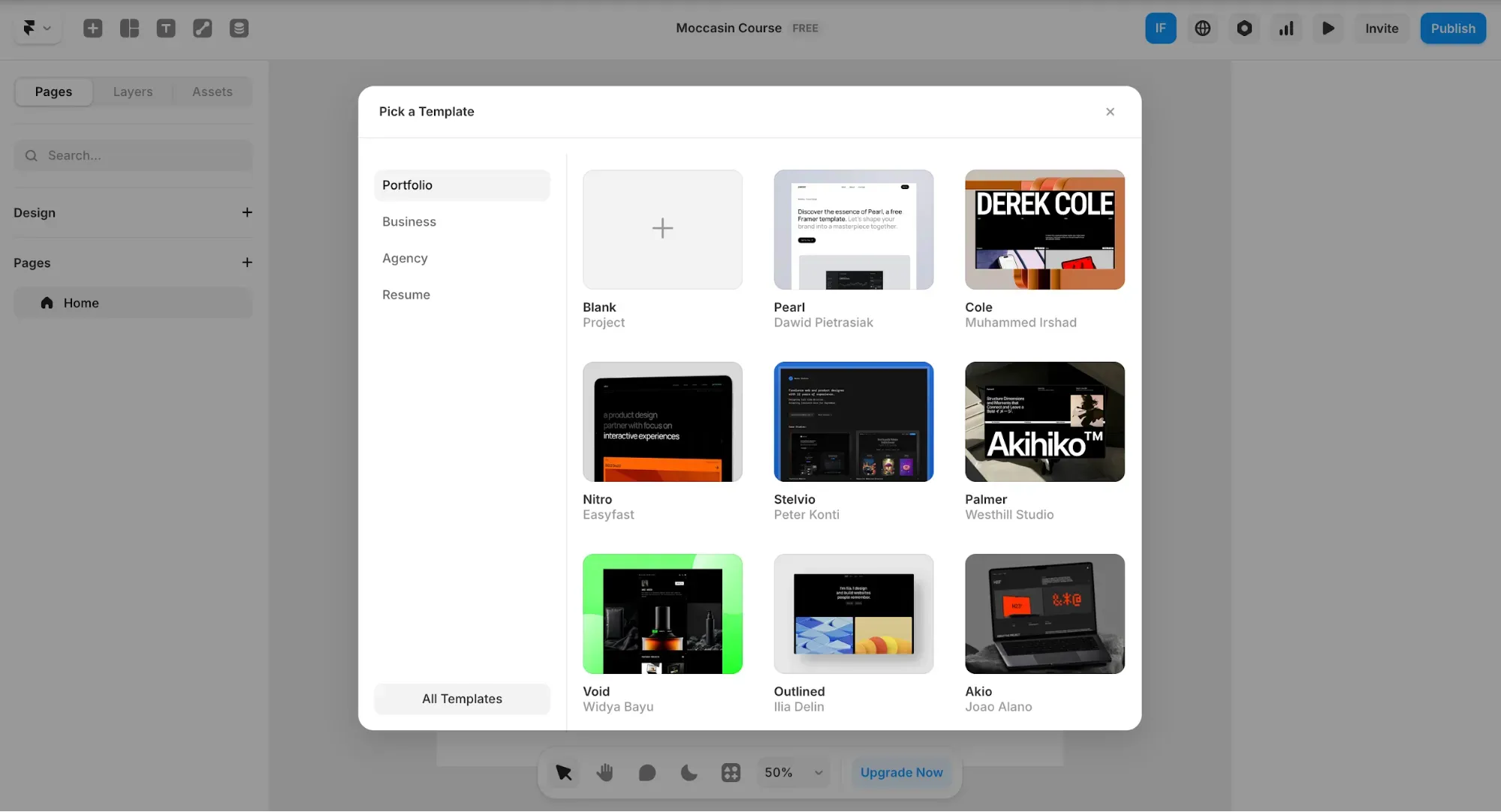
People use it to build marketing sites with animation quality that traditional builders don't support. They use it for portfolios, for agency client work and for SaaS landing pages where the design has to convert. Web designers enjoy it because it gives them design freedom without requiring custom code for every interaction. Agencies ship client sites faster because there's no separate development phase.
Here's the thing, though: if you came to this review because you're building a SaaS product, an app or a dashboard, and you want to quickly mock up screens and get feedback, Framer is the wrong fit. The canvas, CMS and component system are for website designs, not UI flows. Framer users who try to force product design work into it tend to come away frustrated.
Here's what you're actually working with:
Beyond the core features, Framer covers team workflow, staging and version history with one-click rollback. Pro users get a full staging environment on a .framer.app domain, password-protected for client review. Version history gives you a visual timeline of every site change, with one-click rollback to any previous build. Collaboration options include live cursors, simultaneous canvas editing, on-page content editing directly on the published site and comment threads in context.
Here's what the monthly Framer pricing options look like:
Designing in Framer is free, with 10 CMS collections, 1,000 pages, 5 MB file uploads, up to three editors and one free locale—usable for testing and personal projects, not for client work. The paid plans kick in when you want to publish on a custom domain.
The Basic plan works for personal sites and portfolios, but its single CMS collection ceiling is awkward as soon as you want a blog and a case studies page running simultaneously. That pushes many people to Pro faster than they'd like.
Now, the add-ons with additional pricing Framer tiers don't include.
Extra editors don't come cheap. Each additional editor costs $20/month on Basic, $40/month on Pro and Scale. The Basic plan includes two editor seats; Pro includes ten. If you're running a Framer team of five on Pro, that's still within the included seats, but add locale requirements and A/B testing, and the real monthly cost starts diverging from the advertised one.
One practical scenario: Pro plan + 3 extra editors beyond the included seats + 2 translation locales = $30 + $120 + $40 = $190/month. Some Reddit users have flagged this, calling the structure "overcomplicated" and hard to predict before you're already committed.
Scale comes with premium CDN locations, events and funnels tracking, priority support, and flexible limits for high-traffic sites, but payment is annual-only. The enterprise plan has custom limits, enterprise security and dedicated support, but you'll need to contact the Framer team directly to get numbers.
No native e-commerce either. If your site sells products, you're wiring in Shopify or a third-party tool via a plugin, which adds both cost and complexity. Some other builders handle this out of the box.
On the positive side: designers who know Figma take to Framer fast. The interface logic is similar enough that the learning curve for that group flattens quickly. One G2 reviewer described how the Figma familiarity made onboarding smoother, letting newer team members work independently within days. Speed to publish is another common highlight—getting from a blank canvas to a live page in a few hours is realistic once you know the basics.
The animation quality also deserves a shoutout. If you're building landing pages where motion is part of the brand, Framer is hard to match among tools that don't require coding knowledge. Framer's SEO features also get praise from users who previously managed SEO on WordPress and found the plugin-heavy approach exhausting.
Some Framer reviews note that the decision to use AI for individual page generation (rather than generating an entire site at once) produces more accurate, usable results.
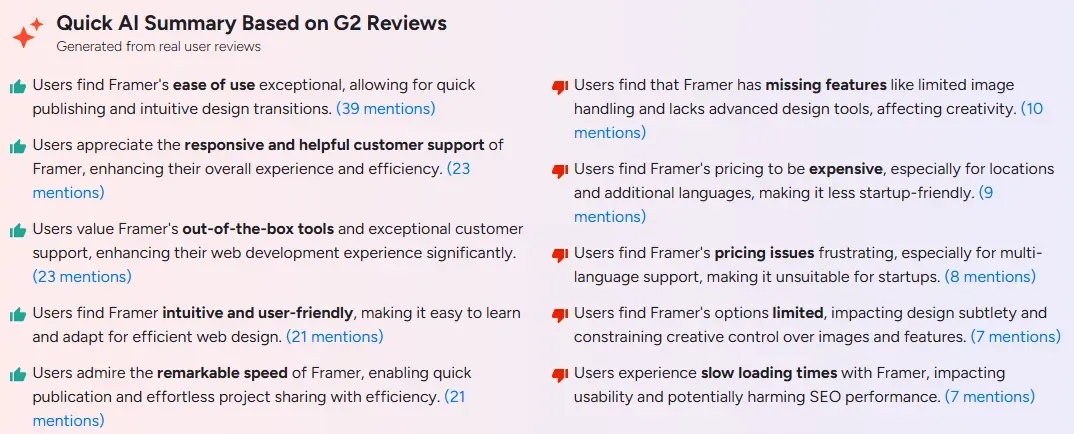
However, we'd say that Framer is user-friendly, but not beginner-friendly. Basic web design knowledge is mandatory here. People without that background often bounce off the interface quickly. The Framer community and Framer Academy help, but the tutorials assume you already understand concepts like breakpoints, spacing systems and responsive layout logic. For true beginners, this can be a real barrier.
Direct customer support is available via in-app support for paid plans, but support for code-related questions, project modifications and third-party plugin issues is limited and often redirected to community forums or the AI assistant.
Pricing complaints are frequent. The add-on structure for multilingual features, extra editors, A/B-tests and advanced hosting consistently gathers criticism across platforms—multiple users describe the model as punishing once you move beyond a single-editor personal site.
Some other frequent mentions include: limited gradient and image adjustment controls in the editor, occasional inconsistency between how a design looks in the editor versus the live preview and slow loading times on more complex projects.
Use Framer if you:
Skip Framer if you:
If you came to this review because you're building a full product, not a single website, and you want a fast way to design and test screens, Framer isn't the right match. Flowstep is a Framer alternative built for what you're actually trying to do.
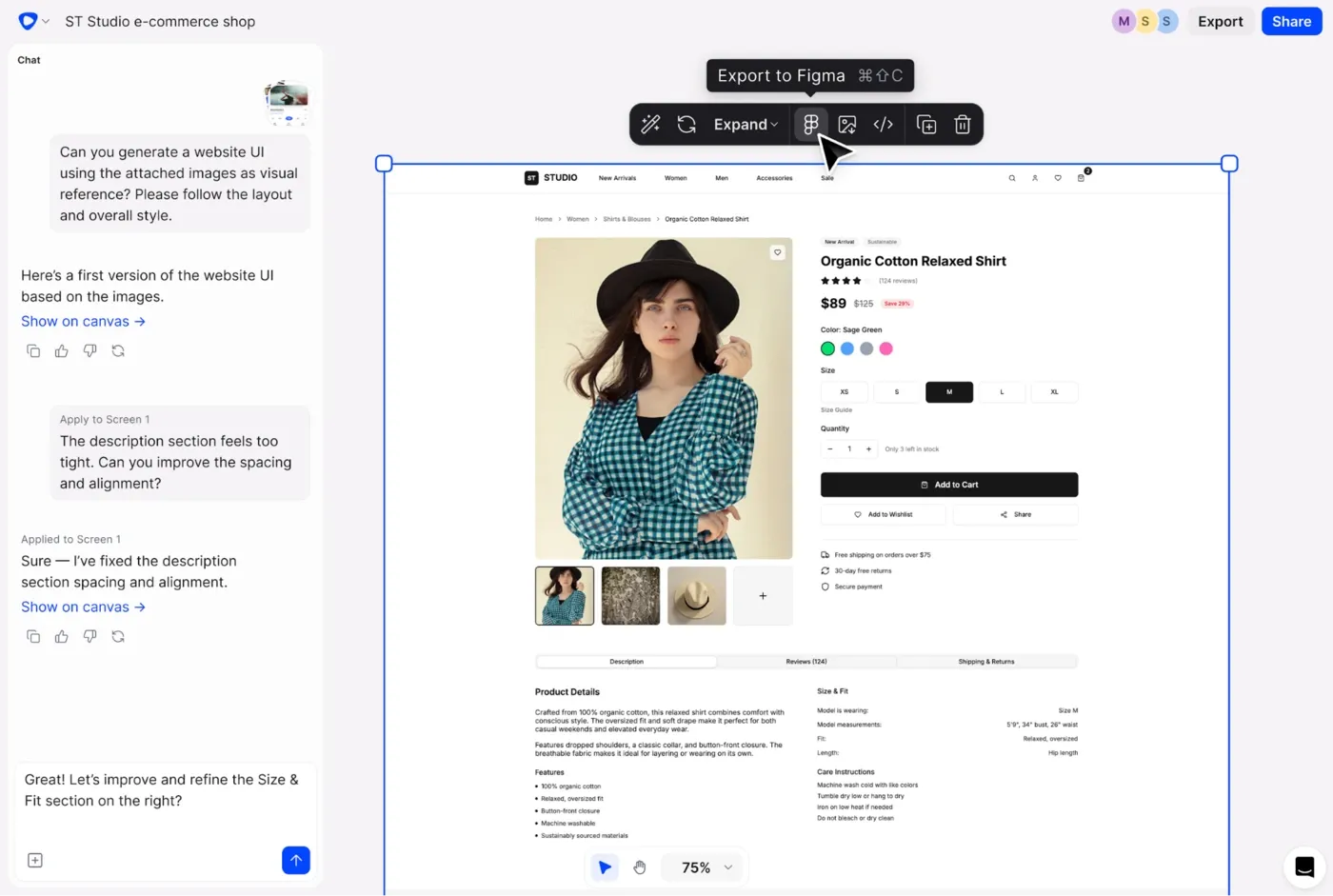
Flowstep is an AI design tool that generates production-ready UI from a text prompt. Describe anything you want (e.g., a three-step onboarding flow) and see it appear on an infinite canvas in seconds. Fully editable. No design experience required, even for editing, because you can either prompt the AI to make changes or drag-and-drop it yourself.
The Figma integration is as simple as ⌘C and ⌘V, with editable layers intact.
What this looks like for different people on a product team:
PMs can mock up a feature idea before writing a spec, and walk into a stakeholder review with actual screens instead of a stuttering presentation. Founders can put a UI concept in front of real users before a line of code gets written. Developers get a clear design reference or can export clean, production-ready React, TypeScript and Tailwind CSS code. Designers use it to generate ten layout variations in the time it used to take to build one.
If you're curious how AI fits into the process, our guide to using AI in design is worth reading before picking any tool.
Flowstep is free to start. Paid plans are from $15/month, 20% off on annual billing. No add-on maze for editors, locales or features—what you see is what you pay. The paid plan includes access to all features, unlimited screens, projects, exports, and users. Pay extra only if you need more AI usage (calculated by message, no obscure credit system). Contact us if you have unique enterprise needs.
Framer can be a good tool for experienced web designers. The animation quality, design freedom and publishing workflow are good for marketing sites and portfolios. The SEO features and hosting infrastructure are also solid.
However, the pricing model punishes growing teams. The lack of direct support is a gap that will bother you if you're ever stuck. Plus, it's strictly a website tool, not a product design tool.
For product teams building app interfaces instead of websites, Flowstep is faster to start, more transparent with pricing, with UI logic built in, so you don't have to know anything about design to use it. Try it free and see how quickly you can go from a text prompt to a usable product.
Designing in Framer is free with 10 CMS collections, 1,000 pages, 5 MB file uploads, up to three editors and one free locale—you only pay when you publish on a custom domain. Fine for testing; not suitable for client work or a live business site.
The add-on pricing model is hard to predict once you add editors and locales; there's no direct support from the Framer team for code-related questions, third-party tools or project modifications, and the platform assumes at least baseline design knowledge, making it harder for non-designers to get started. The CMS is also less capable than WordPress for heavily content-driven sites, with limits on CMS items on lower plans.
Honestly, not really—unless you're coming from Figma. The interface is for people who already think in design systems. Framer Academy has solid tutorials, but even those can be hard to follow if you've never used a design tool. If beginner-friendly is your primary requirement, other builders offer a smoother starting point. Flowstep is very intuitive to use and doesn't require any prior design or technical experience to start generating stunning UI.
Yes, in both directions. You can import designs from Figma into Framer, and the canvas logic is similar enough that the transition feels natural. Framer now also has its own Design Pages as a native Figma-style environment, so some teams are skipping the import step and designing directly in Framer from the start.