Review of Sketch: Pricing, Pros, Cons and Whether It's Still Worth It
Evaluating Sketch pricing for your team? This Sketch review covers exact costs, capabilities, pros and cons, and whether it's still worth it in 2026.
Discover the best AI design tools [2026]—from UI generation to typography, 3D and motion. Ten tools tested, compared and ranked so you can pick the right one for your needs.
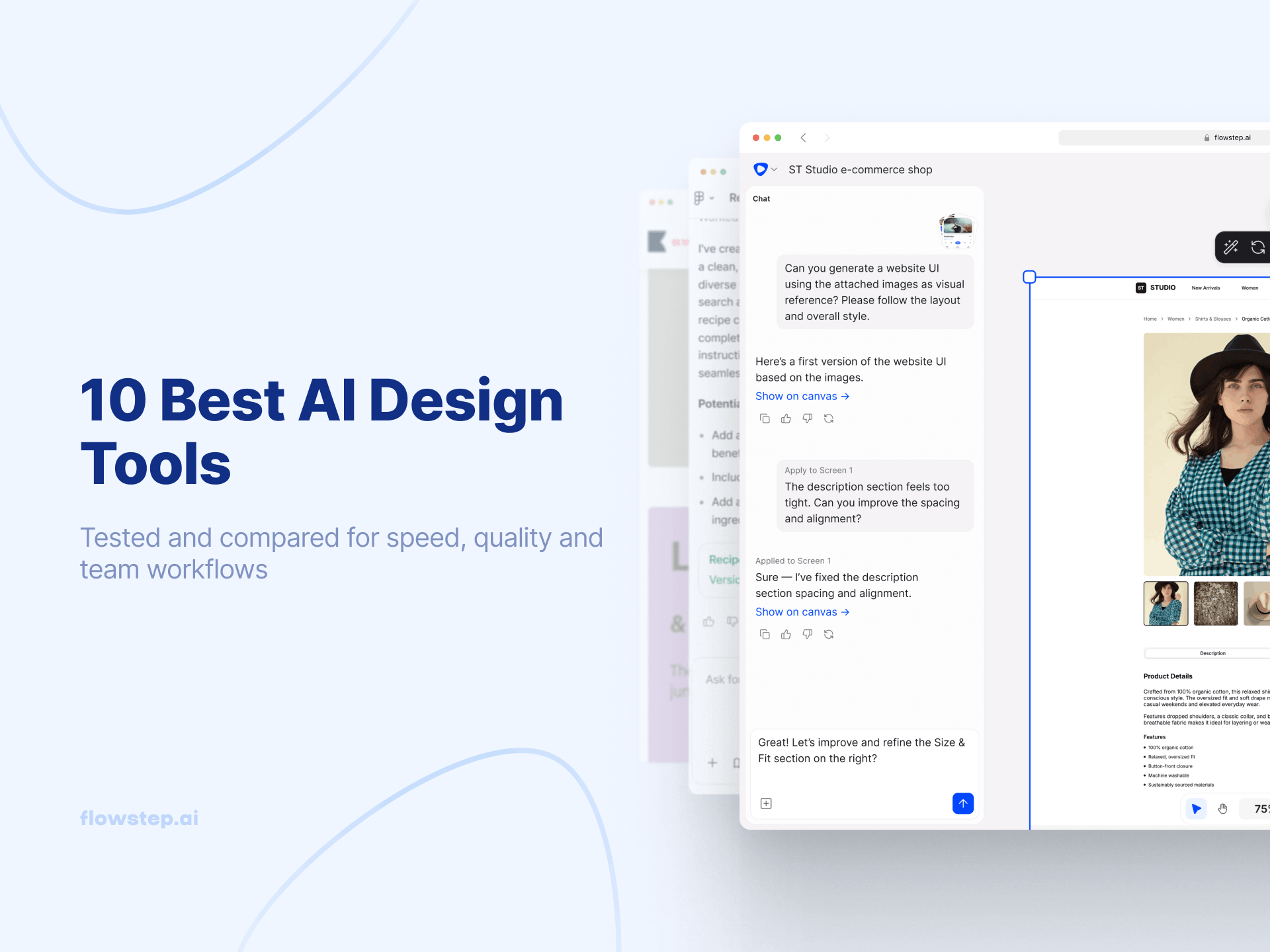
Every design kickoff used to go something like this: blank canvas, forty-minute discussion about direction, two rough concepts that get thrown out, and one that survives. Repeat for three weeks.
AI tools have started to break that loop. Not because they're smarter than designers (spoiler alert: they're not) but because they're fast enough to make the inspiration block irrelevant. You can describe something in natural language, get a design idea, and lead the conversation in a more specific direction. The typical back-and-forth between PMs, designers and developers compresses from days to hours.
86% of global creators now use generative AI in their work. Which means the question isn't whether to use AI design tools anymore. It's which ones are actually worth it.
This list covers ten tools across five categories:
See also: How to use AI in design effectively
Here are the key criteria we looked for:
![One of the best AI design tools [2026] - Flowstep showing a generated app, speeding up work for UX designers](https://flowstep.ai/blog/content/images/2026/05/Flowstep-AI-UI-generator-creates-a-habit-tracking-app-1.webp)
With the Flowstep UI design tool, you describe what you want using text prompts, and the AI builds it on an infinite canvas. Multiple screens, one prompt. Real, polished interfaces with logical structure, multiple variations if you want—all from one design prompt, so you don't have to use up credits on iterations. Attach reference images or a PRD to give the AI more brand context.
Type what you want to change, and AI edits it without re-generating the whole thing, reducing accidental errors. You can also edit manually directly on the canvas without using up credits.
Select any design, hit ⌘C and ⌘V, and your AI-generated prototypes paste into Figma with layers intact. And when it's time to hand off to engineering, the 1:1 code export produces production-ready code in React, TypeScript and Tailwind CSS, from rough concepts to shipped product, without switching tools.
Free plan available. Paid plans start at $15/month for 80 messages, with 20% off on annual billing. One message=one AI credit, easy to calculate usage.
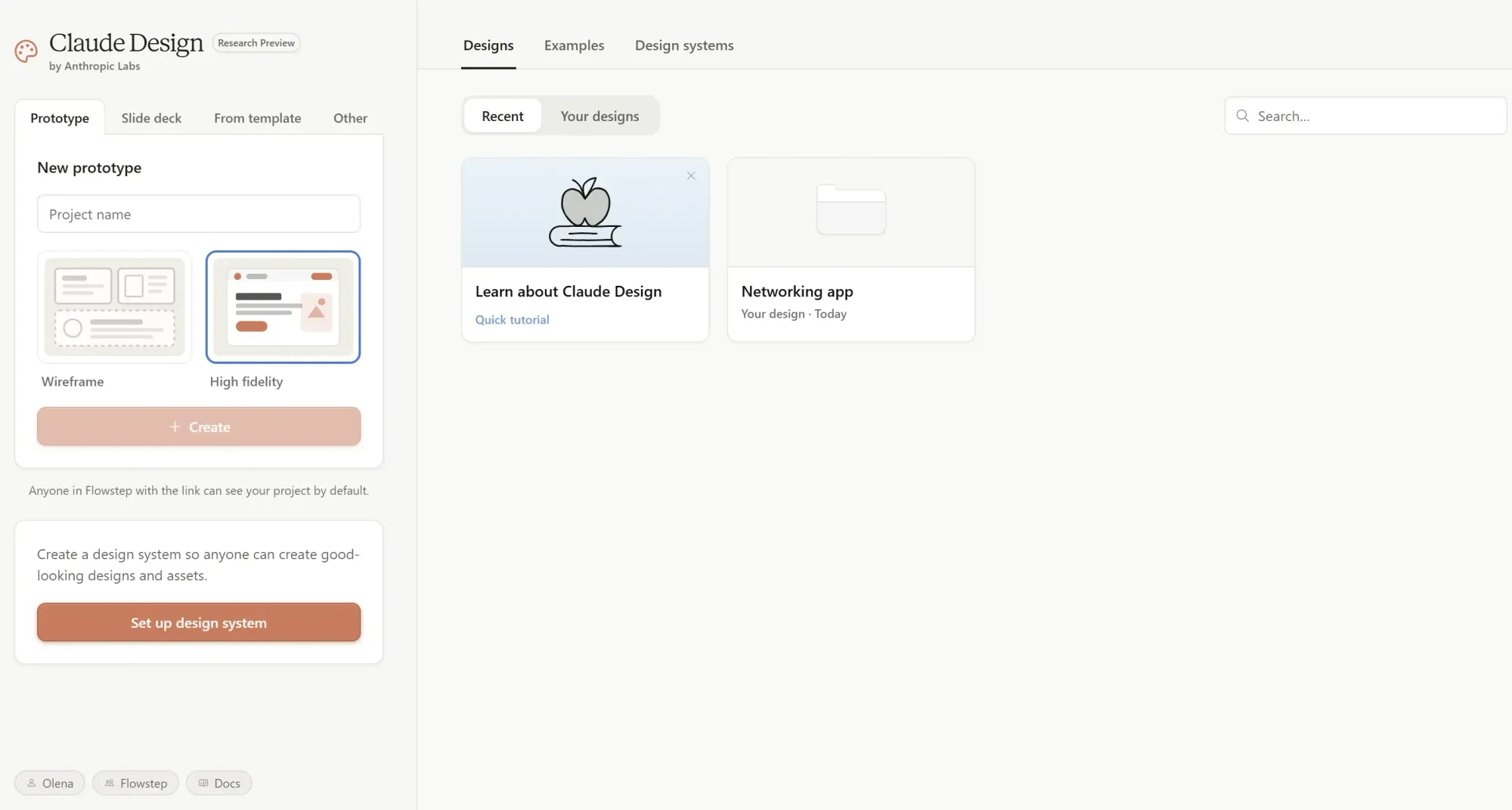
Developed by Anthropic, Claude Design turns prompts into prototypes, landing pages, slide decks and full design systems. Describe what you want, Claude generates a first version, then you refine it through chat, inline comments or UI controls. The interface pairs a chat panel with a canvas.
If you connect a codebase or design files, Claude pulls in your brand’s colors, typography and components, then applies them automatically to everything it generates.
You can go from a rough idea to a usable prototype or pitch deck in under an hour, and the built-in Claude Code handoff gives you a relatively clean path from design to implementation. It also handles more advanced visual output, including interactive elements, motion and 3D-style components.
That said, the editing experience on canvas is still limited, there’s no direct Figma export, and the default output tends to feel safe or template-like unless you put real effort into prompting. The bigger constraint, though, is usage. Claude Design runs on a separate weekly token allowance, and it burns through it quickly—many users hit their limit after just a few iterations.
See also: Claude Design alternatives
Usage resets weekly, and additional usage is billed at API rates.
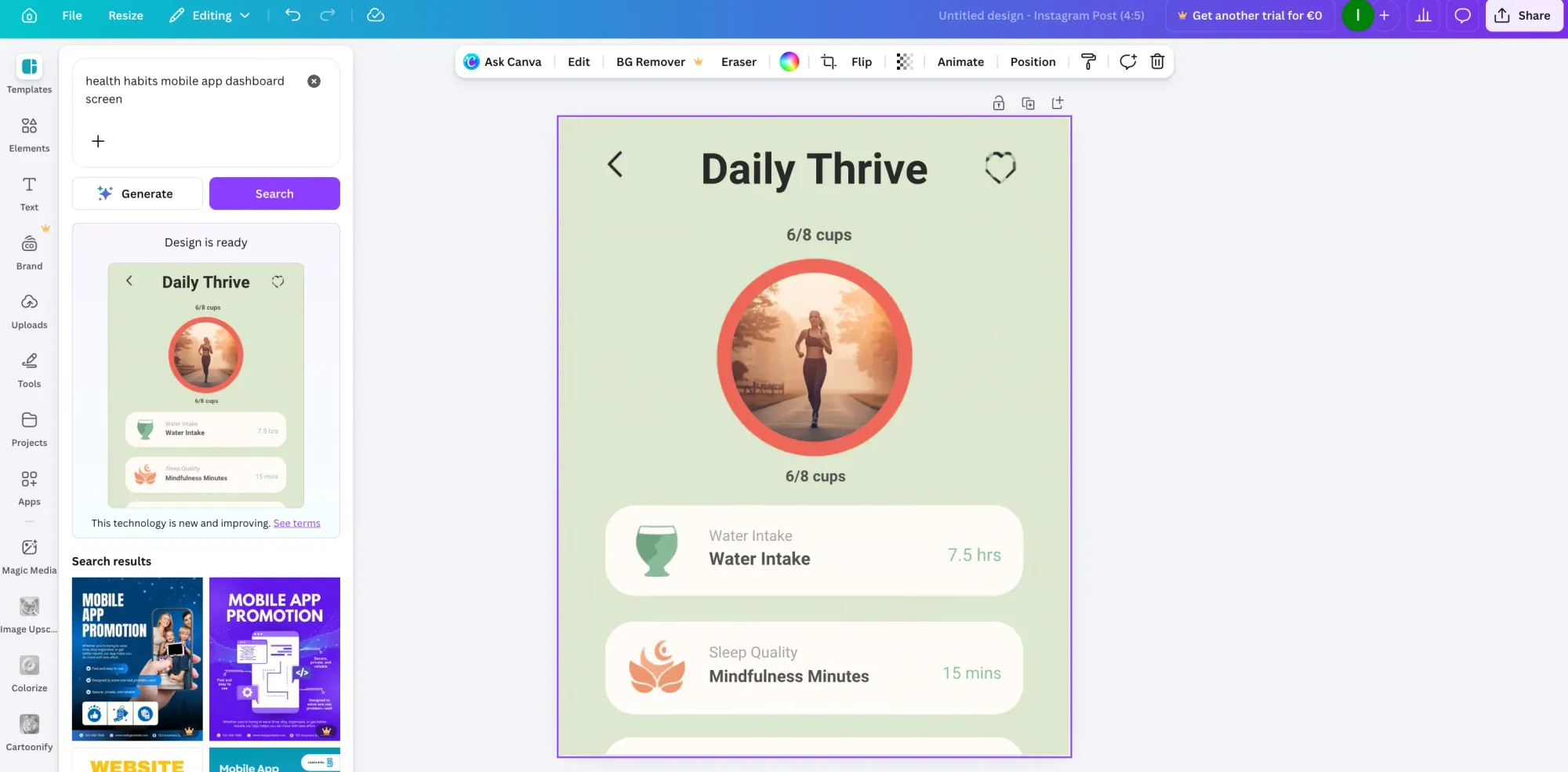
Canva is a general-purpose tool for everyday tasks, with a low learning curve.
It's not built for complex product UI or advanced vector work, but it's strong for marketing assets, social content, presentations, simple videos, ads, print materials and internal brand collateral. The AI editing tools handle smart resize reformats, background removal and a brand kit that keeps visual direction consistent. AI writing tools help draft presentation copy, ad text or social captions.
Canva is less flexible than tools like Kittl for image generation and much less suited to AI UI design workflows than Flowstep, but for high-volume content production, it's fast and practical.
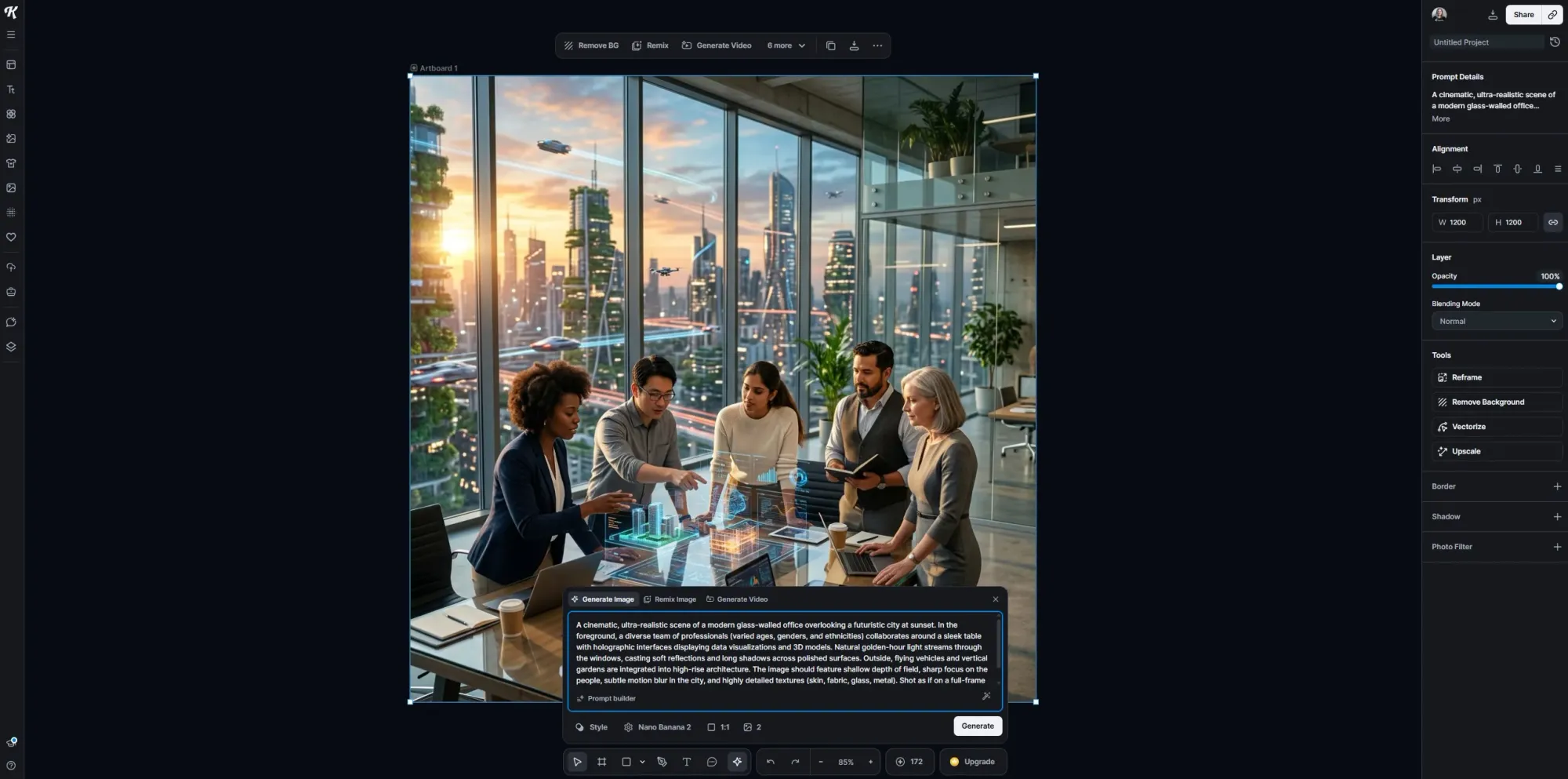
Kittl is an all-in-one AI workspace for designers. It’s built specifically for people creating real branding and product visuals: logos, merchandise, packaging, marketing assets, etc.
You can generate images, edit vectors, apply text effects, build mockups and refine everything in a single canvas. AI is deeply integrated, but it doesn’t take over the process—you’re still designing, just with a lot of the repetitive tasks removed.
The tool's live text engine lets you warp, distort and style fonts while keeping everything editable. Combined with built-in mockups, you can go from a logo idea to a full product line (t-shirts, packaging, posters), with consistent styling and presentation.
Kittl integrates multiple AI models in one place, letting you generate images, create consistent visual sets, remove backgrounds, upscale assets, or convert images into vectors without leaving the editor. The platform also includes a large asset library, customizable templates and brand-style controls.
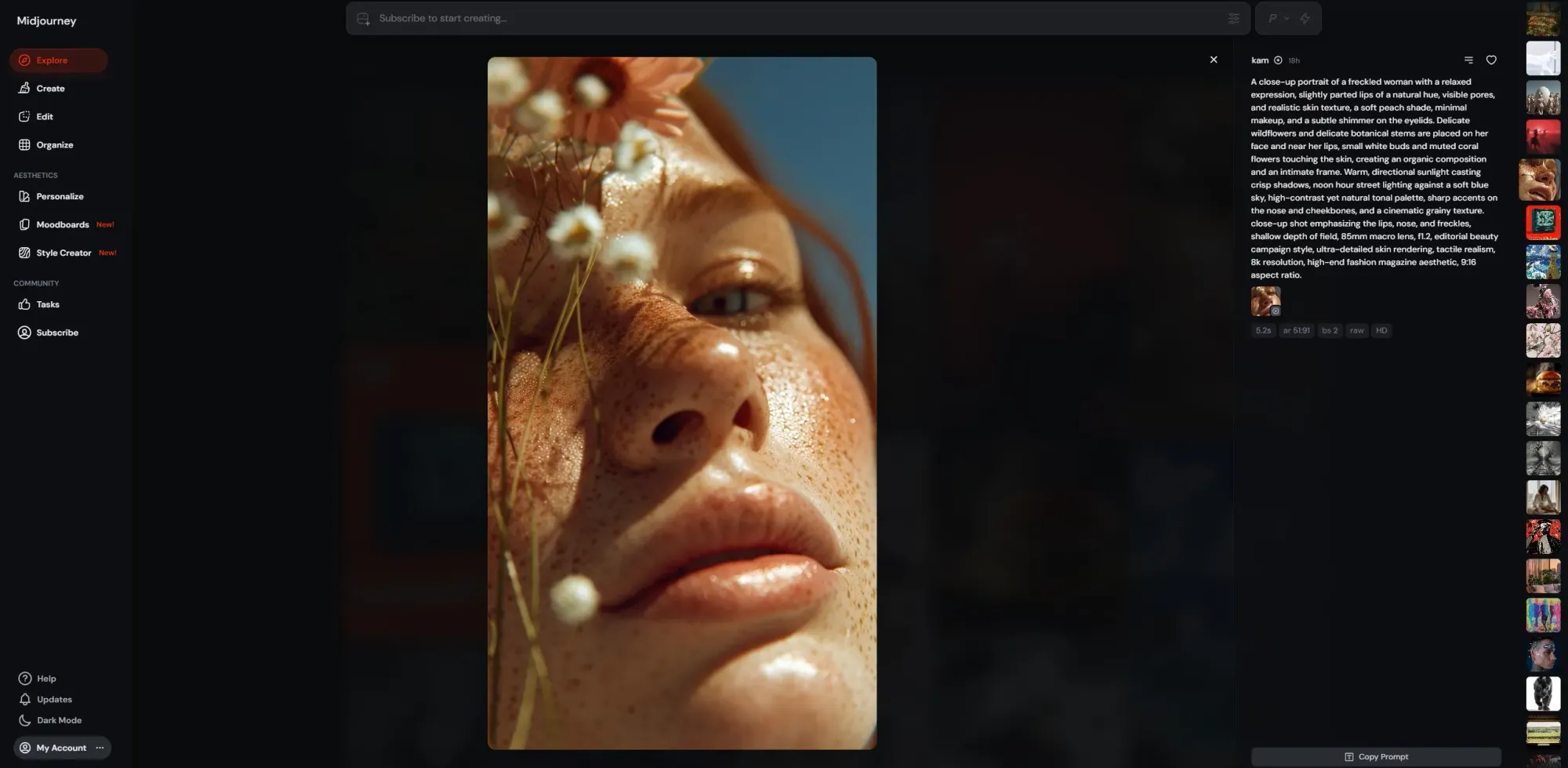
Midjourney is a favorite vibe design tool in terms of image output quality. Photorealistic renders, stylized concept art, editorial illustrations: the range is wider than most image generators, and the depth of community knowledge around prompting means you can usually find someone who's solved your specific output problem.
The interface is Discord-like, which is an acquired taste. You generate from text prompts, can get four variants from the same prompt, and upscale the one that works. Reference images help keep characters and visual direction consistent across generations. It's a solid choice for an AI tool for moodboarding, early-stage ideation and concept pitches.
What Midjourney doesn't do: interactive prototypes, editable layers or anything resembling a design workflow. It produces static images and short video clips with no clear path to production.
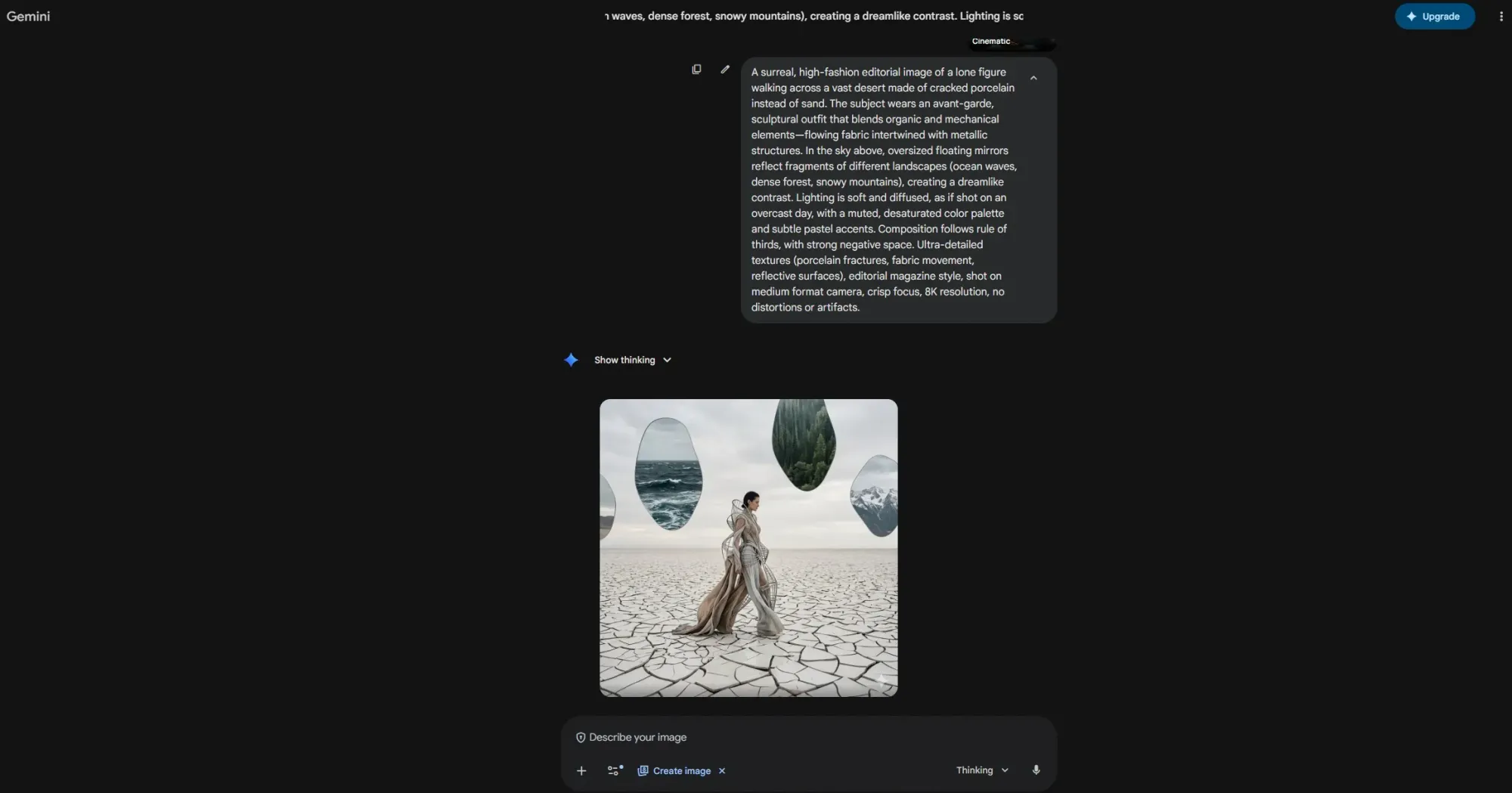
Gemini started as a Google Labs experiment, but quickly became something bigger. The original Nano Banana launched in August 2025 and went viral for turning selfies into 3D figurines.
The tool combines the advanced capabilities of the Pro model with the speed of Gemini Flash—rapid edits and iteration without sacrificing quality. You can upload an image, describe a change in natural language, and it adjusts.
Nano Banana Pro is available across the Gemini app, Google Slides, Google Vids, AI Studio and developer platforms.
Free plan available with limited quotas through the Gemini app. Google AI Pro and Ultra subscribers get higher access. Nano Banana 2 is available at the standard tier; Nano Banana Pro requires Thinking model selection. Custom pricing available for enterprise teams.
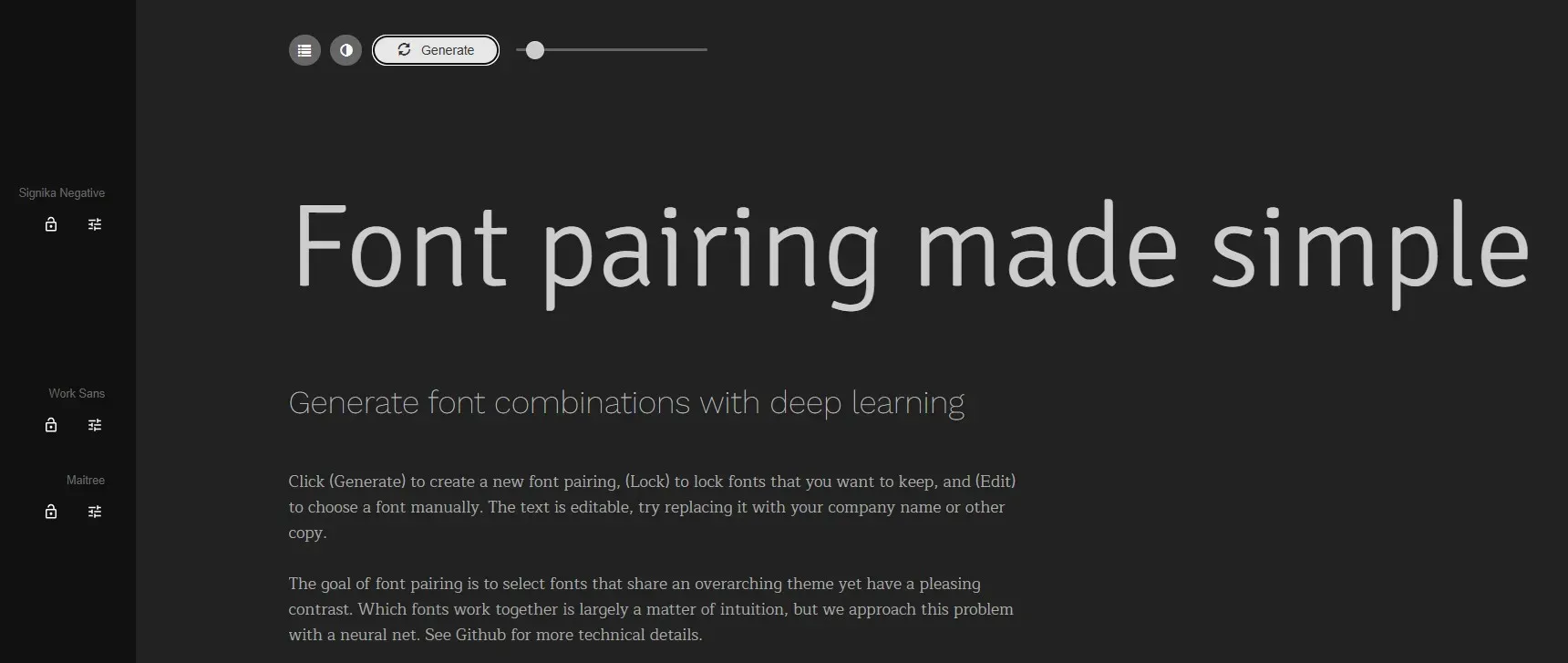
Font pairing seems straightforward until you're twenty minutes deep in a Google Fonts tab with seventeen browser tabs open and nothing resolved. Fontjoy fixes this.
Enter a typeface you like, and the neural network generates complementary pairings at different weights and contrasts—heading, subheading, body. Lock the fonts you want to keep, regenerate the rest. The contrast slider adjusts how similar or distinct the pairings are.
Free.
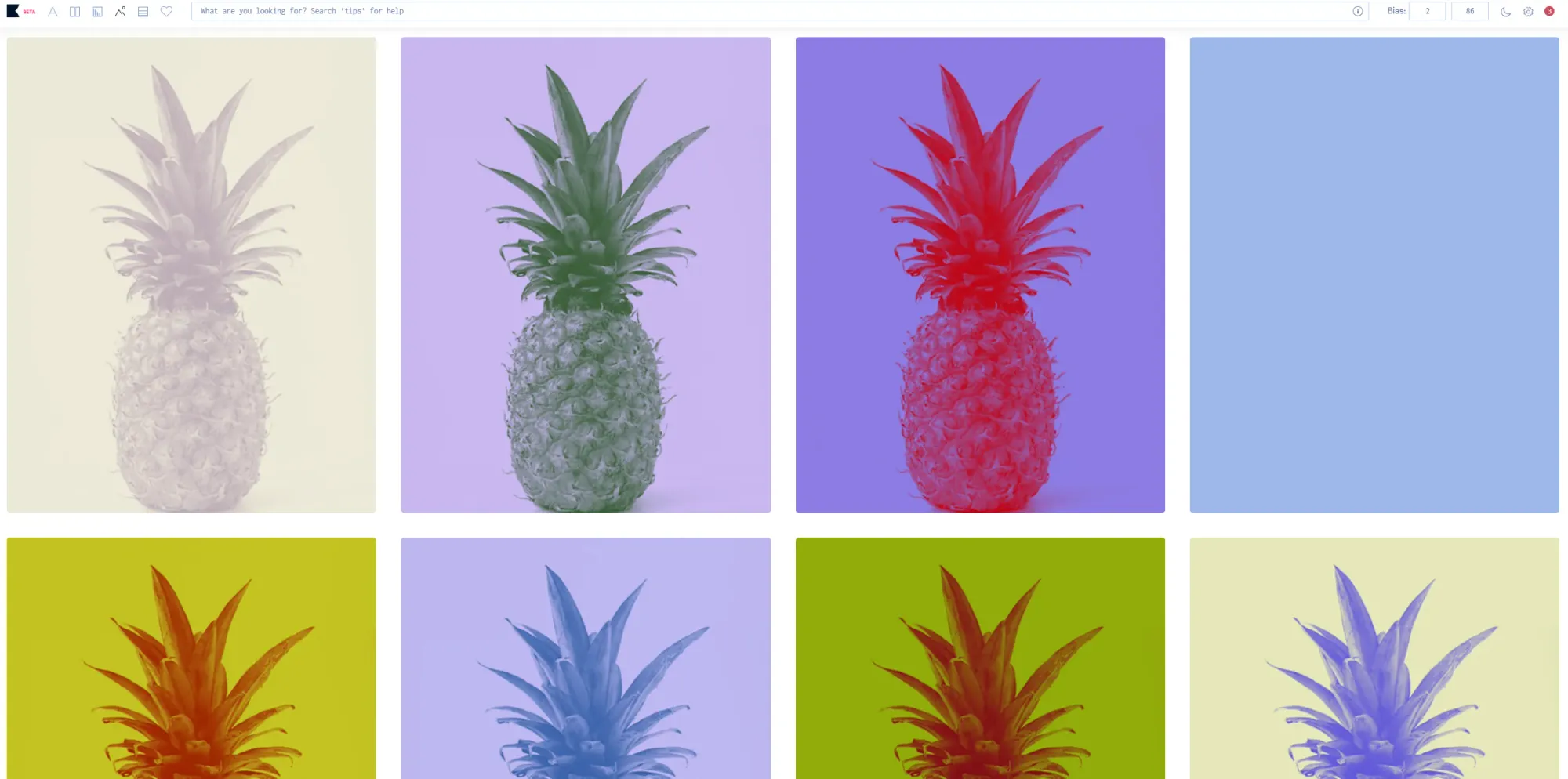
Khroma is the only color tool that asks what you actually like before it shows you anything.
You start by selecting 50 colors you're drawn to. The neural network builds a model from those preferences, then generates palettes it predicts you'll find useful based on your taste. The output quality difference between a personalized Khroma palette and a random color wheel suggestion is noticeable, especially when you're focusing on brand alignment.
Every generated combination comes with hex codes, RGB, CSS and WCAG accessibility ratings, making this a color palette generation tool that also tells you whether a pairing passes contrast requirements, saving a whole extra step in the design process. You can view combinations as typography layouts, gradients, full palettes, or overlaid on a custom image.
Free.
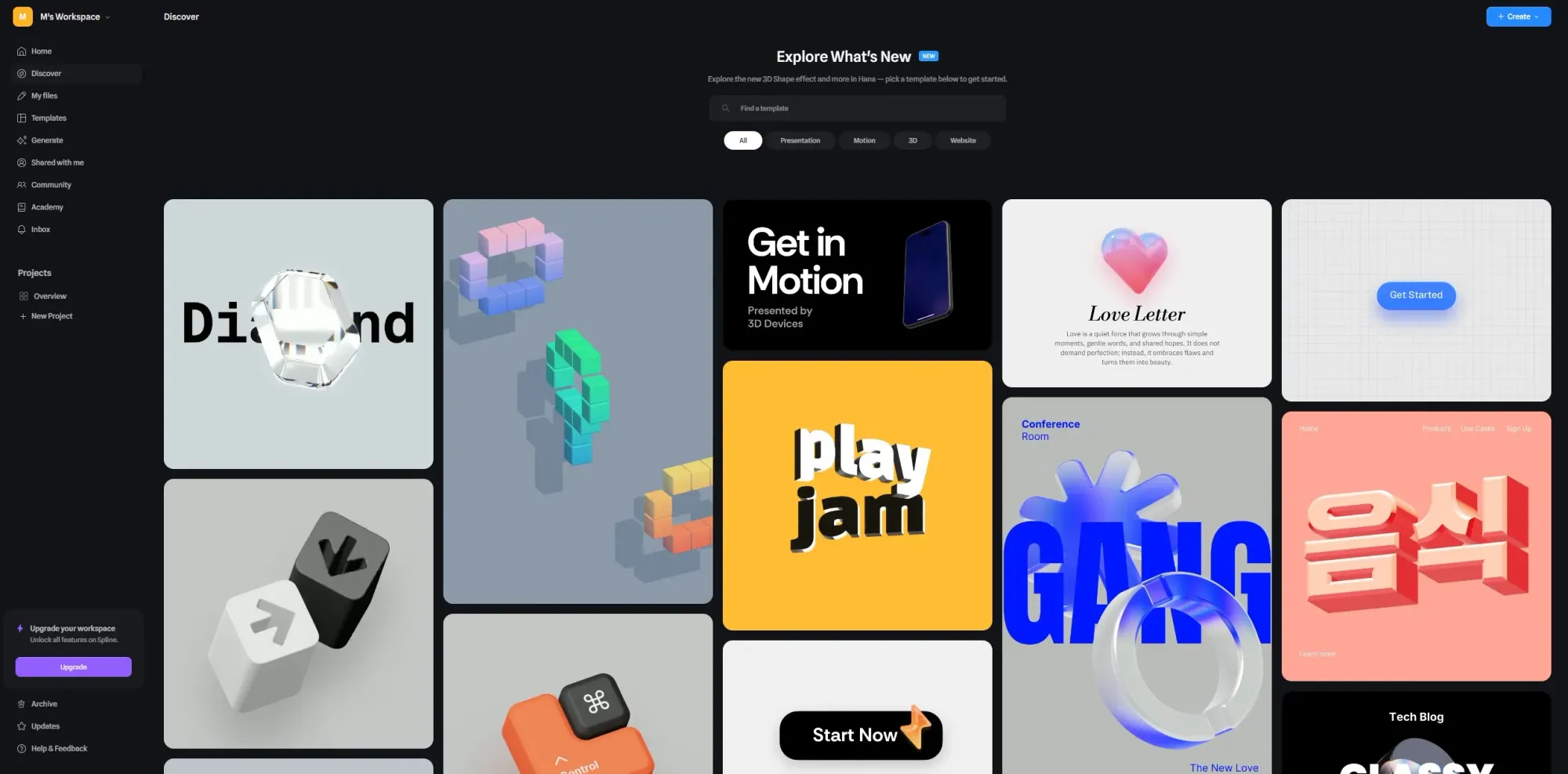
Spline does 3D design for people who aren't 3D designers. Browser-based, no-code, built for teams building web experiences rather than game assets or film renders.
The AI layer lets you describe a 3D object with text prompts and get four variants to work with. Apply AI-generated textures (wood, ceramic, concrete, etc.), animate images and add mouse/touch interactions. When you're ready to publish, copy the embed code, and it drops into any webpage or app. The physics engine handles dynamic elements that respond naturally to user input.
For rapid prototyping of interactive product demos and landing pages, this combination is hard to replicate with other tools. Real-time collaboration features let multiple users work inside the same scene simultaneously.
AI features are a paid add-on for Professional and above. Yearly discounts and enterprise plans are available.
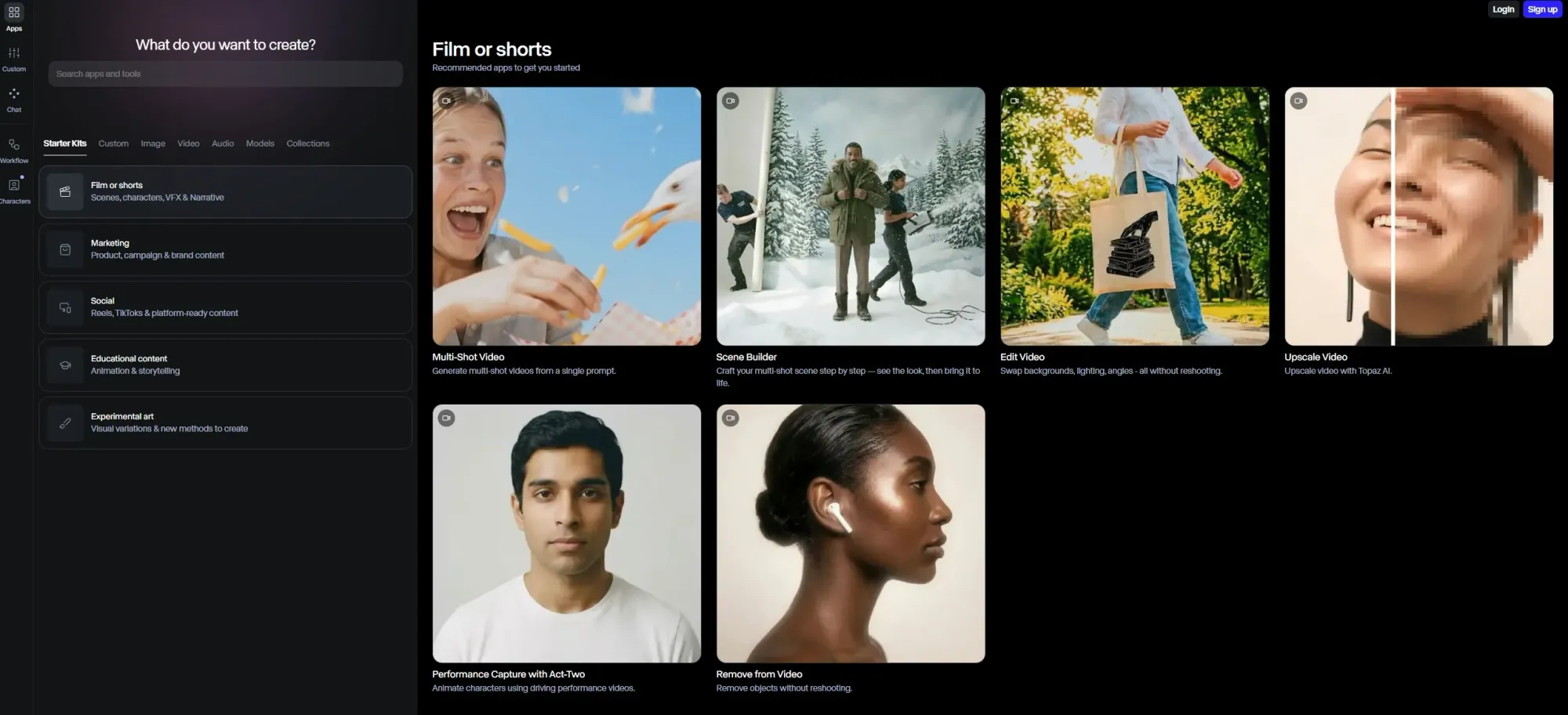
Runway lets you animate images from stills, create custom apps with workflows and generate images, character avatars, videos, audio and sound effects. You can make anything from product demos to social content and concept presentations.
The multi-model access is also useful. The Standard subscription gives you Gen-4.5, Veo, Kling, Seedance and FLUX. That's a lot of AI capabilities under one login, and it reduces the pressure to evaluate and subscribe to multiple tools separately.
If you're building a product and you need to move from rough concept to testable visual fast, Flowstep is the way. Developers use it to generate modern UI without design experience and to export production-ready code. Product managers use it to communicate requirements without a designer in the room. Designers use it to generate multiple design variations in the time it used to take to sketch one. It fits into an existing workflow rather than replacing it, and the Figma integration means there's no friction at the handoff point.
For everything else: Kittl for graphics, Khroma for color palette generation, Fontjoy for typography and Runway for video. Pick based on the job you need done.
Start designing UI with Flowstep for free.
Figma is a collaborative design platform with a deep integration into how product teams work—design systems, version history, dev mode, etc. Most AI tools sit on top of that infrastructure, not outside it. That said, tools like Flowstep are making parts of the Figma design workflow faster. Some workflows can skip Figma entirely; for others, it's not happening anytime soon.
Image generators produce static images. AI UI design tools produce interactive prototypes—screens with structure, components and layout logic that reflect how a real product works. A good-looking static image is useless in a design system. UI tools understand visual hierarchy, user flows and screen relationships. Image generators don't. If you need something that feeds into an existing design system or gets handed to a developer, you need a dedicated tool built for that, not an image generator.
Close enough to be genuinely useful, especially in early-stage ideation and usability testing. The typical output is around 70–85% production-ready—structure is correct, layout logic holds, components look right. What's left is customization: brand alignment, edge case handling and copy refinement. That's still a significant reduction in time spent. For rapid prototyping and user testing before a full build, the accuracy is more than sufficient. For launch-ready screens, you still want a designer's eye on the final pass.
AI tools remove the skills barrier for non-technical users, like PMs, founders, or engineers doing rapid prototyping without design experience. Flowstep, in particular, was designed so that someone with no design background can describe what they need and get something polished enough to work on.