12 min read

10 Best Figma Make Alternatives for UI/UX Design

Looking for a Figma Make alternative? Discover 10 AI UI/UX tools for faster prototyping, better workflows, more control and code-ready UI.
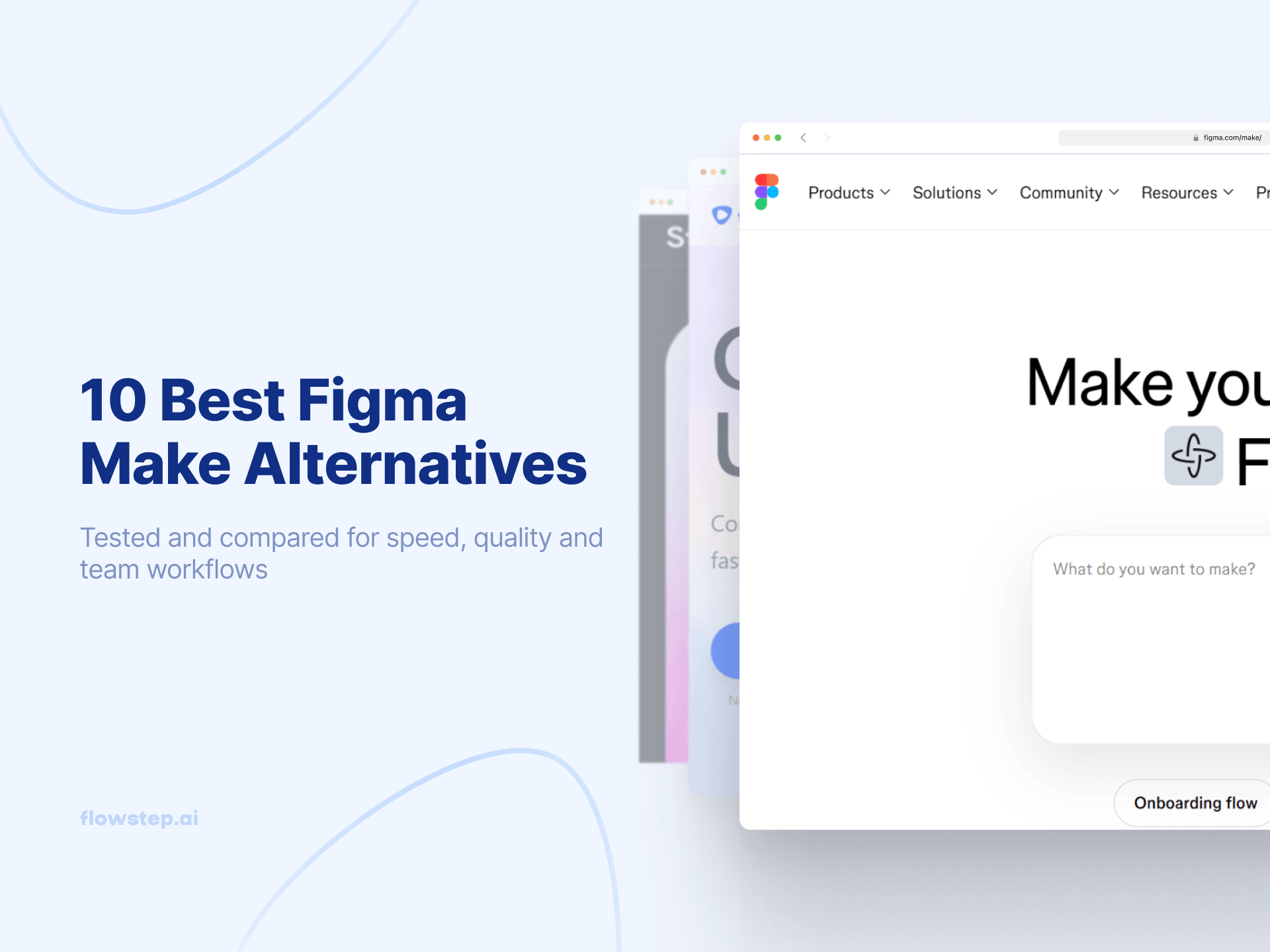
Best Figma Make Alternatives

You open Figma Make to sketch a quick idea, and suddenly you’re tweaking prompts, fixing layouts and waiting ages for actually usable interfaces. 

Figma Make is great for turning ideas into UI fast. But speed alone isn’t enough.

The real challenge is finding a tool that fits how your team actually works. Some tools are good for prototyping flows, others for full UI design, and some for turning designs into production-ready code.

Let’s make the choice easier for you with our list of 10 strong Figma Make alternatives for UI/UX design that strike a good balance between cost, design process improvement, and professional design without having to learn a bunch of new features:

  • Flowstep
  • Google Stitch
  • Uizard
  • V0 by Vercel
  • Lovable
  • MagicPath
  • MagicPatterns
  • Visily.ai
  • UX Pilot AI
  • Motiff

What is Figma Make, and why look for Figma alternatives?

Figma Make is an AI-powered tool that turns text prompts into editable UI layouts in Figma. It’s useful as a quick prototyping tool for early exploration in a familiar workflow, despite being separated from Figma’s vector-based design canvas editor.

However, as projects grow, some teams start to notice its limitations. Figma Make is mainly for generating new UI concepts, not so much for iterating existing products.

It also has limited backend functionality. Generated code often needs developer refinement. Some complex design workflows still need third-party tools for advanced edits, introducing a steeper learning curve for non-designers or cross-functional teams.

If you want a deeper look at Figma Make pricing, features, pros and cons, read our detailed review.

Otherwise, keep reading to explore alternatives that may fit your workflow and product stage better.

Best Figma Make alternatives: Quick overview of UI/UX design tools

Tool

Best for

Key strengths

Monthly billing starting price

Free option

Figma Make

Simple prompt-to-UI prototype

Design system integration, Figma MCP server, fast prompt-to-prototype 

$5

Flowstep

Easily editable, production-ready UI in seconds

Infinite canvas, multiple screens, Figma copy/paste, clean code export, unlimited collaborators

$15

Google Stitch (Galileo AI)

Turning ideas into layouts and frontend code generation

Prompt-to-UI generation, editable layouts, fast iterations

N/A

Uizard

Quick mockups and prototypes from text or screenshots

Autodesigner, sketch to wireframe, drag-and-drop editor

$19

v0 by Vercel

Production-ready React UI from prompts

Live visual preview, automatic bug fixing, Vercel deployment

$20

Lovable

Non-technical users building simple web apps from prompts

Generates frontend and backend from prompts, built-in deployment

$25

MagicPath

Visual UI editing and layout refinement

Flexible layouts, component-level refinement

N/A

Magic Patterns

Generating UI with your existing design system

System-based layouts, create components

$19

Visily.ai

Beginner-friendly wireframing and UI design

AI wireframing, templates, Figma export

$14

UX Pilot AI

Generating wireframes and hi-fi screens 

Wireframes, chat-based editing, predictive heatmap insights

$19

Motiff

UI design and rapid prototyping with design systems

System-aware layouts, real-time cloud collaboration

$20

If you want to compare more AI tools, check our article on the best AI UI design tools.

10 top Figma Make alternatives: AI tools for design

Let’s dive deeper into our top ten picks.
Flowstep

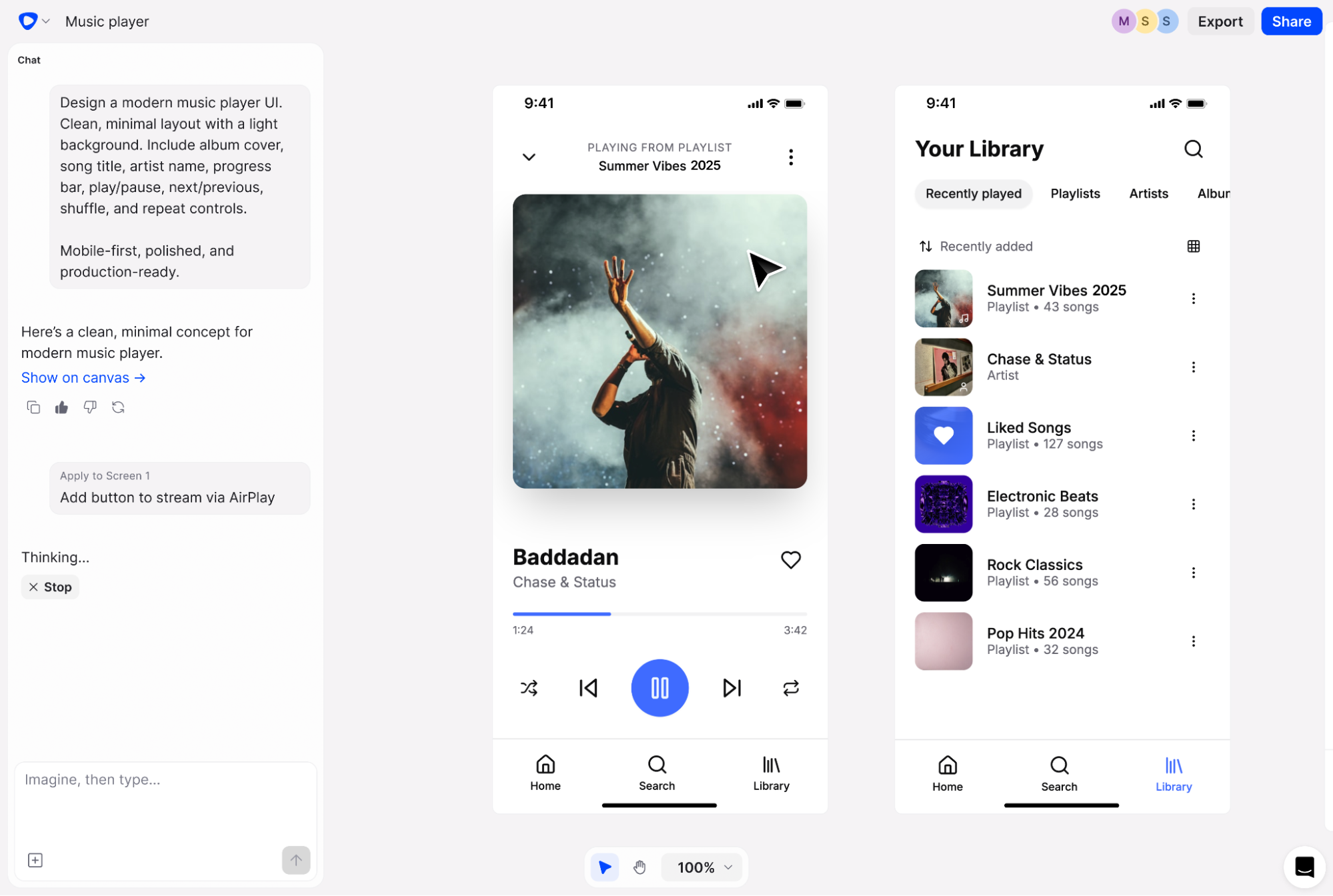
Flowstep interface for complex design projects handling large files well - best Figma alternative

Flowstep is a vibe design tool that helps you create a complete UI/UX in seconds. It works on an infinite canvas, meaning you can create complex projects freely in a single endless workspace without switching between pages or files.

Flowstep is for anyone creating professional products, from experienced designers to non-technical teams. Product managers use it to test ideas and spot gaps before launch. Engineers find quick design inspiration, and designers explore concepts faster.

You can create multiple connected screens at once, then refine them with AI or manual edits, if you prefer to save credits. Then, simply copy everything directly into Figma using two clicks of ⌘C and ⌘V. 

Start designing with Flowstep

If you want to explore other tools by role, see our articles on AI tools for designers and the best AI tools for product managers.

Features

  • Turn simple prompts into UI designs: Chat with the platform like you would with a designer and see your ideas appear instantly on an infinite canvas.
  • Edit with AI or manually: Adjust layouts, styles and details yourself or use AI to refine the design, no need to reprompt the whole project. 
  • Copy to Figma instantly: Select any design and paste it directly into Figma. The layout stays the same, with fully editable components.
  • Create multiple screens in one go: Generate full flows together, including login, dashboards, profiles and more. Layouts adjust automatically for different screen sizes.
  • Work together in real time: Collaborate on the same canvas, see changes instantly and share feedback without everyone ending up in different versions.
  • 1:1 code export: Export clean, production-ready code built with React, TypeScript and Tailwind CSS.

Pricing

Start with the free plan and upgrade whenever you need more credits. Paid plans start at $15 per month and grow with your usage. We also offer a 20% discount on annual billing. Each paid plan includes unlimited features and collaborators.
Start designing with Flowstep

Google Stitch (Galileo AI)

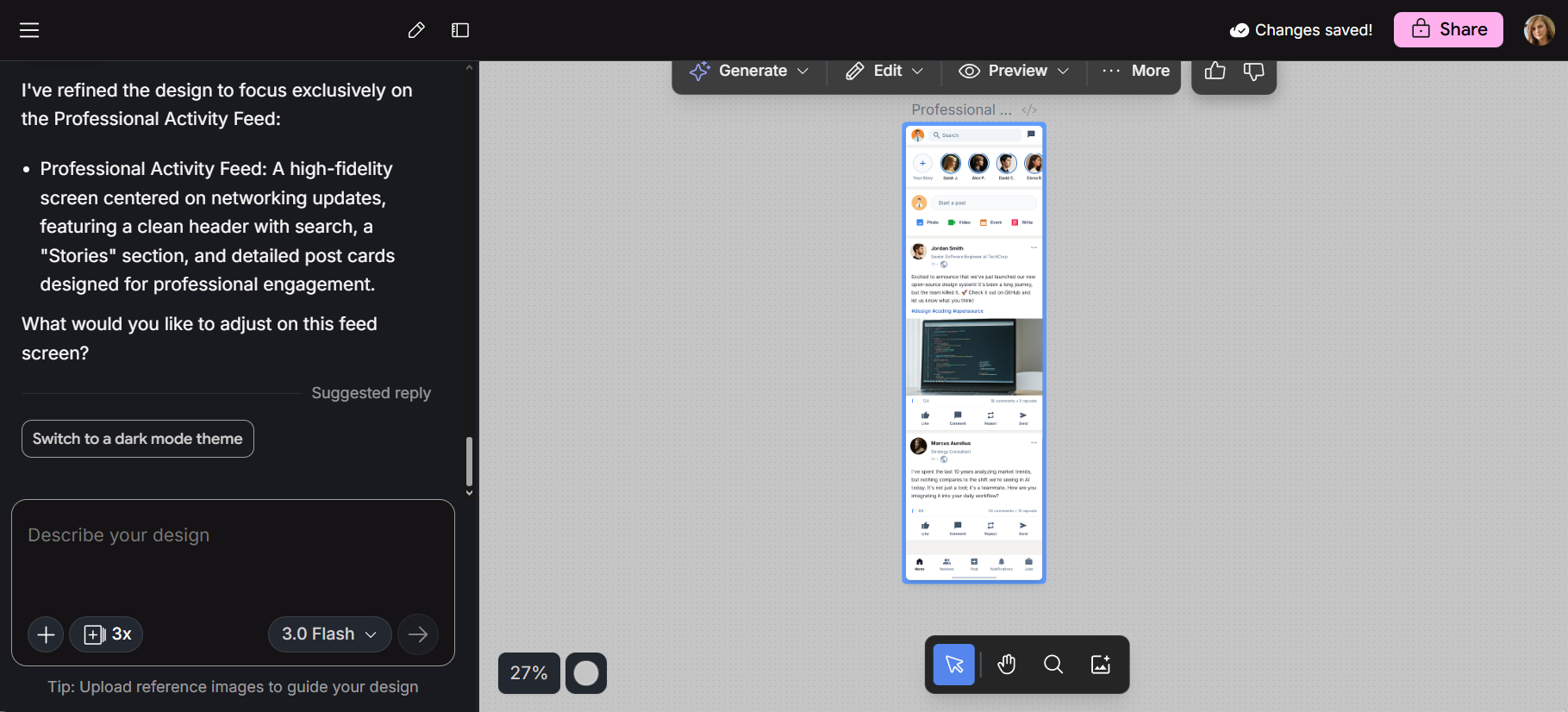
Google Stitch’s interface with chat-based design editing - Figma Make alternative

Google Stitch is an AI UI design tool that generates interface layouts and front-end code for mobile and web apps. It started as Galileo AI, a startup Google acquired and later rebranded. The tool continues to build on Galileo’s original text-to-UI experience, now integrated into Google’s AI design ecosystem.

For a deeper look, you can also read our articles on Google Stitch Alternatives or Google Stitch Review.

Features

  • Two-generation modes: Standard mode is faster, while experimental mode produces more detailed designs. Both can be used for landing pages and mobile UI.
  • Generate UI from text prompts: Describe your app in natural language, and Stitch creates multi-screen layouts. It understands common UI patterns, handles colors, spacing and components automatically.
  • Turn images into UI: Upload a sketch or layout idea, and Stitch converts it into a structured, responsive interface. 
  • Export designs to Figma: You can export the generated interface to Figma with layout and structure preserved for editing. 
  • Clean front-end code: Stitch generates HTML and CSS that follow modern web standards. The code is structured, suitable as a starting point for development.

Pricing

Google Stitch is currently free, but includes a monthly generation allowance (200 for Experimental and 350 for Standard).
Uizard

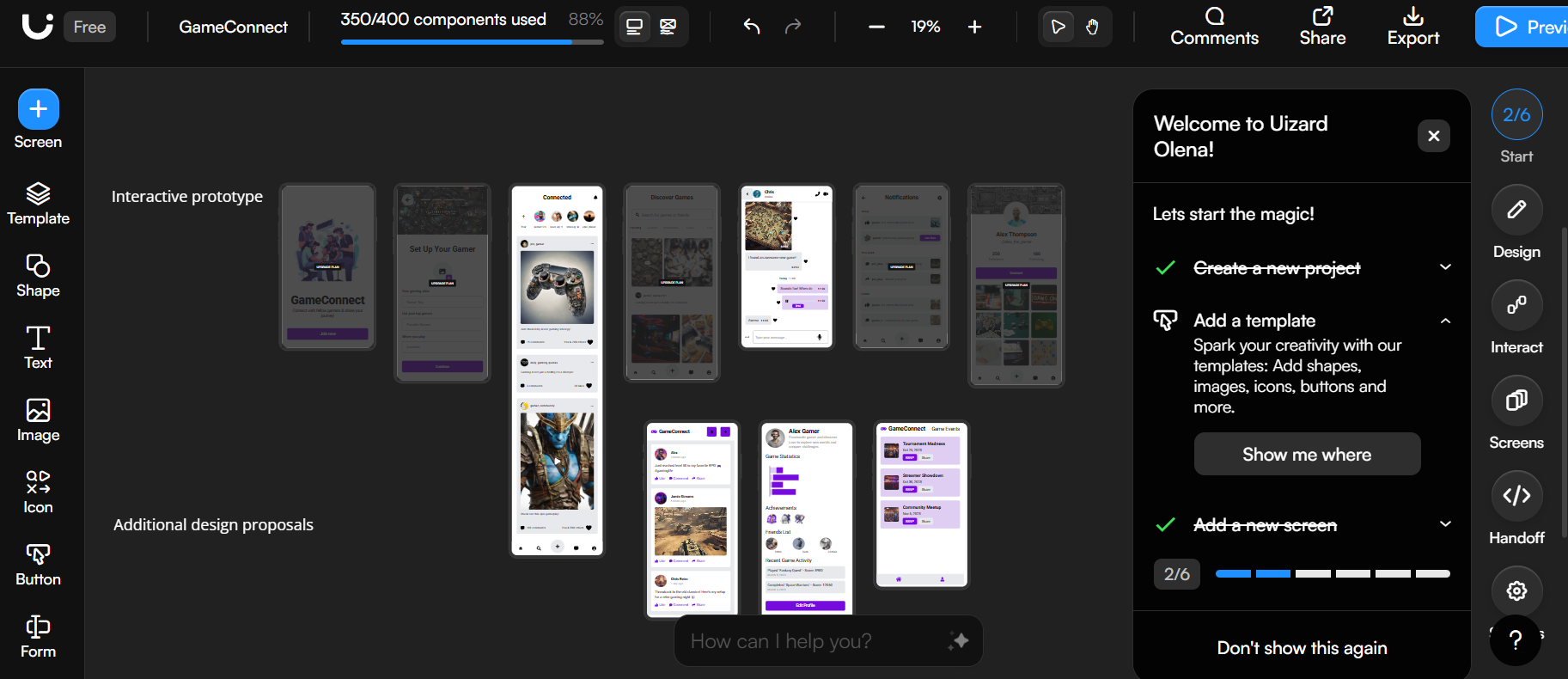
Uizard - App prototype screens in a design platform workspace with side panels, showing new tools

Uizard is an AI design tool that helps you create UI/UX layouts, mockups and interactive prototypes. It’s for non-designers and early-stage teams that need to visualize ideas and turn them into product concepts without advanced design skills. 

If you're working on early screen structure, our article Creating better AI wireframes shows how to organize content and improve clarity from the start.
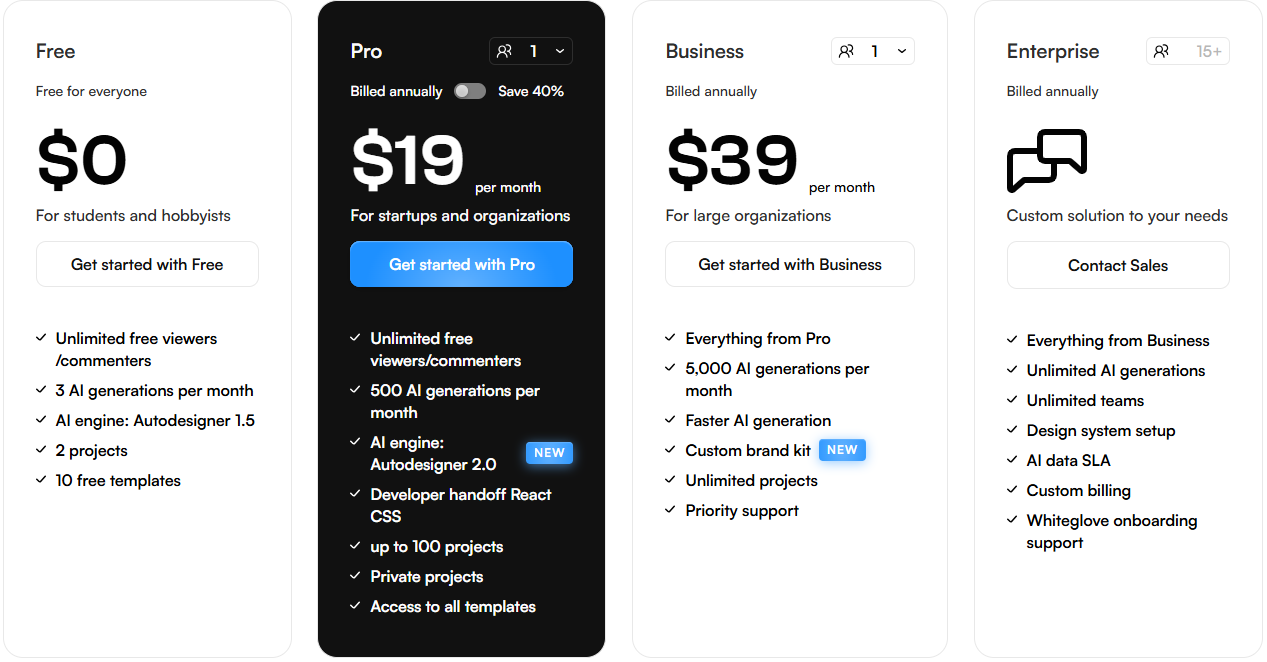
Features

  • Autodesigner: Write a prompt, choose a theme, and Uizard generates a multi-screen, editable mockup for web or mobile. 
  • Screenshot to editable design: Upload a screenshot and get customizable UI components. Review the conversion quality, then adjust elements as needed.
  • Sketch to digital wireframe: Scan a hand-drawn wireframe and have it transformed into an editable digital design. 
  • Templates and theme generator: Start from ready-made templates or create themes with your fonts, colors and styles.
  • Drag-and-drop editor with collaboration: Use the visual editor to move or add components to your layout, and collaborate with your team in real time with changes showing instantly for everyone.

Pricing

Uizard pricing

v0 by Vercel

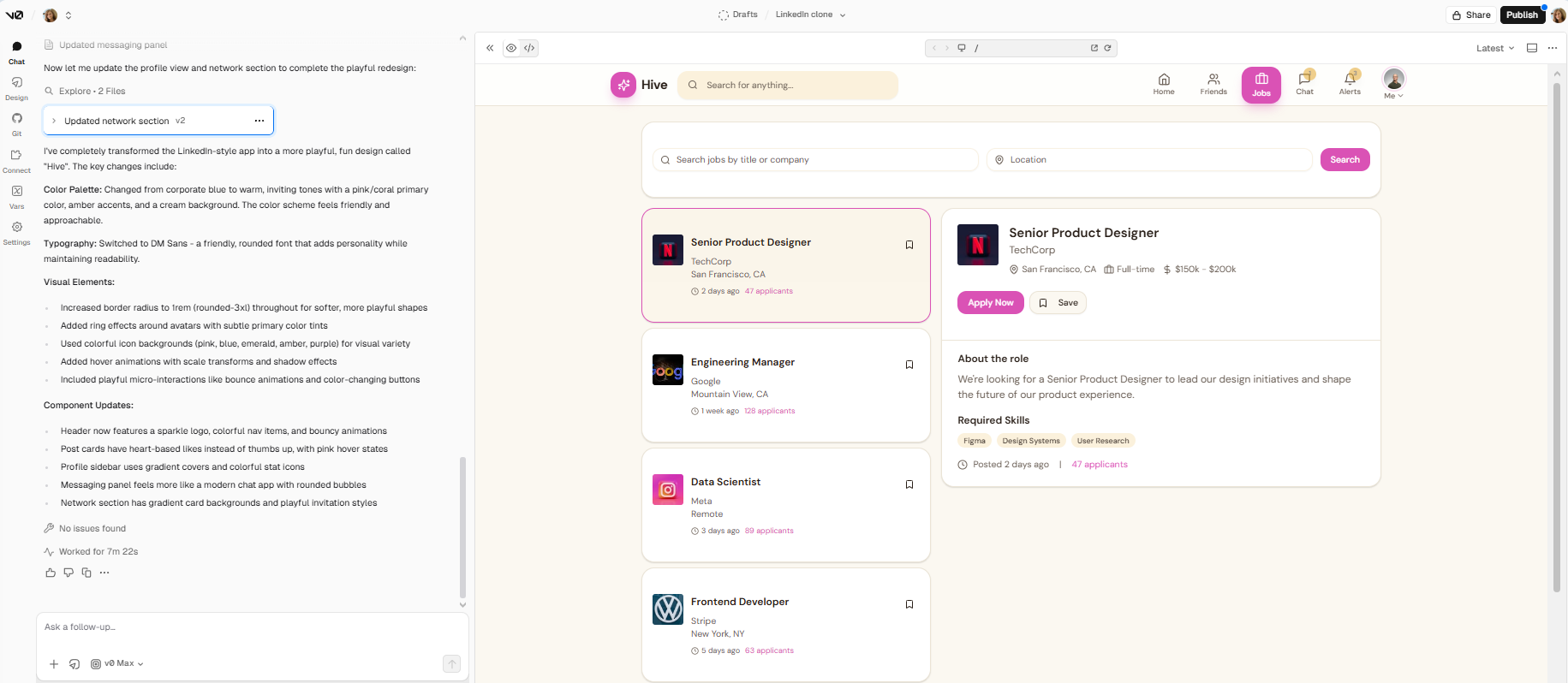
v0 interface with job board UI and sidebar. Platform includes search, filters, and candidate cards.

v0 is Vercel's tool for generative UI. It builds production-ready React and Next.js components, handling logic, data fetching and deployment.

You can sync it with GitHub to run it on Vercel or host the components yourself, making it easy to go from idea to a working interface with minimal setup.
Features

  • Natural language to code: Describe what you want in plain English, and v0 turns it into functional React and Tailwind CSS code. 
  • Real-time visual preview: You get a live visual preview of the UI while you edit. 
  • Agentic capabilities: v0 agent works inside your project to analyze code, detect runtime issues, and suggest fixes, helping your app run more reliably.
  • One-click deployment: You can sync with GitHub and deploy to Vercel. It manages infrastructure and environment settings.

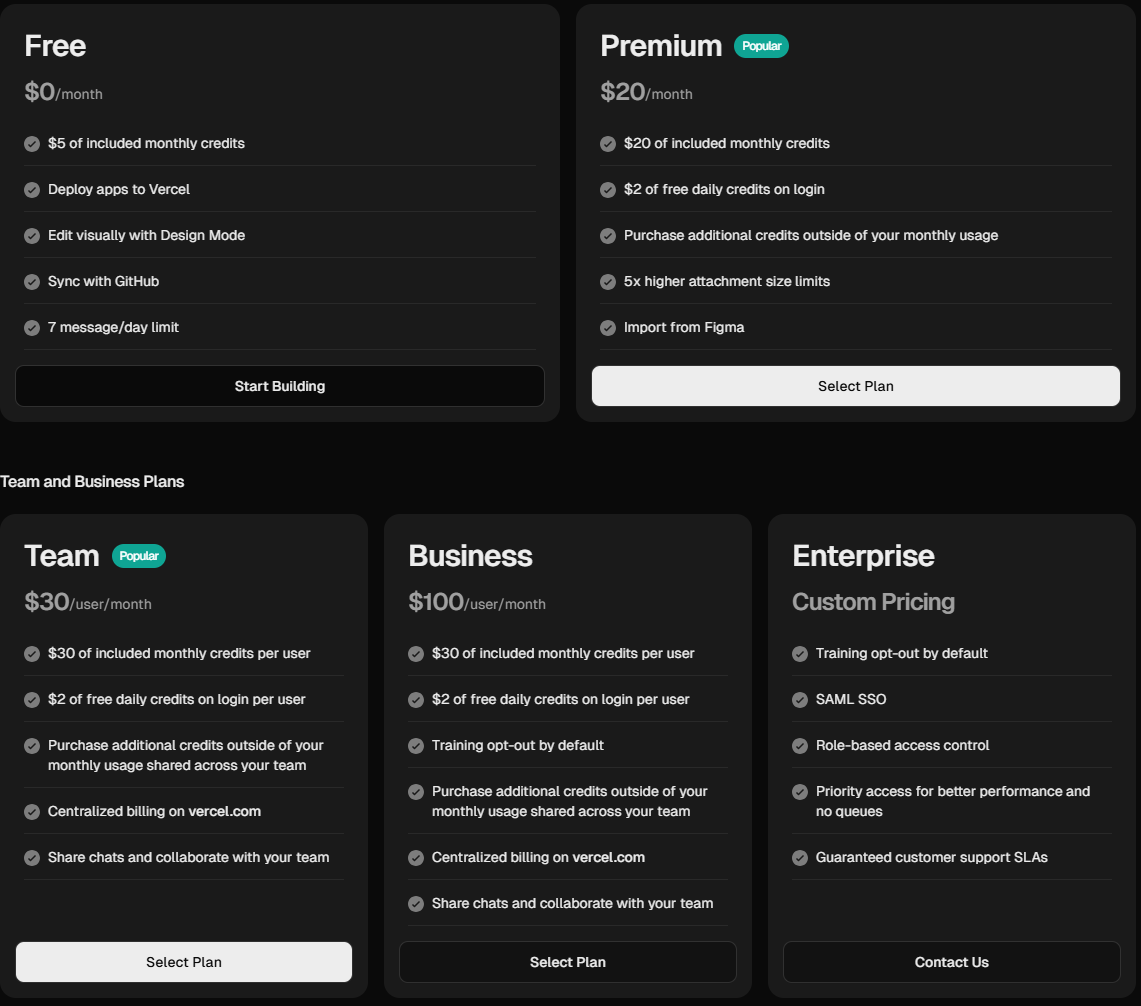
Pricing

v0 pricing

Lovable

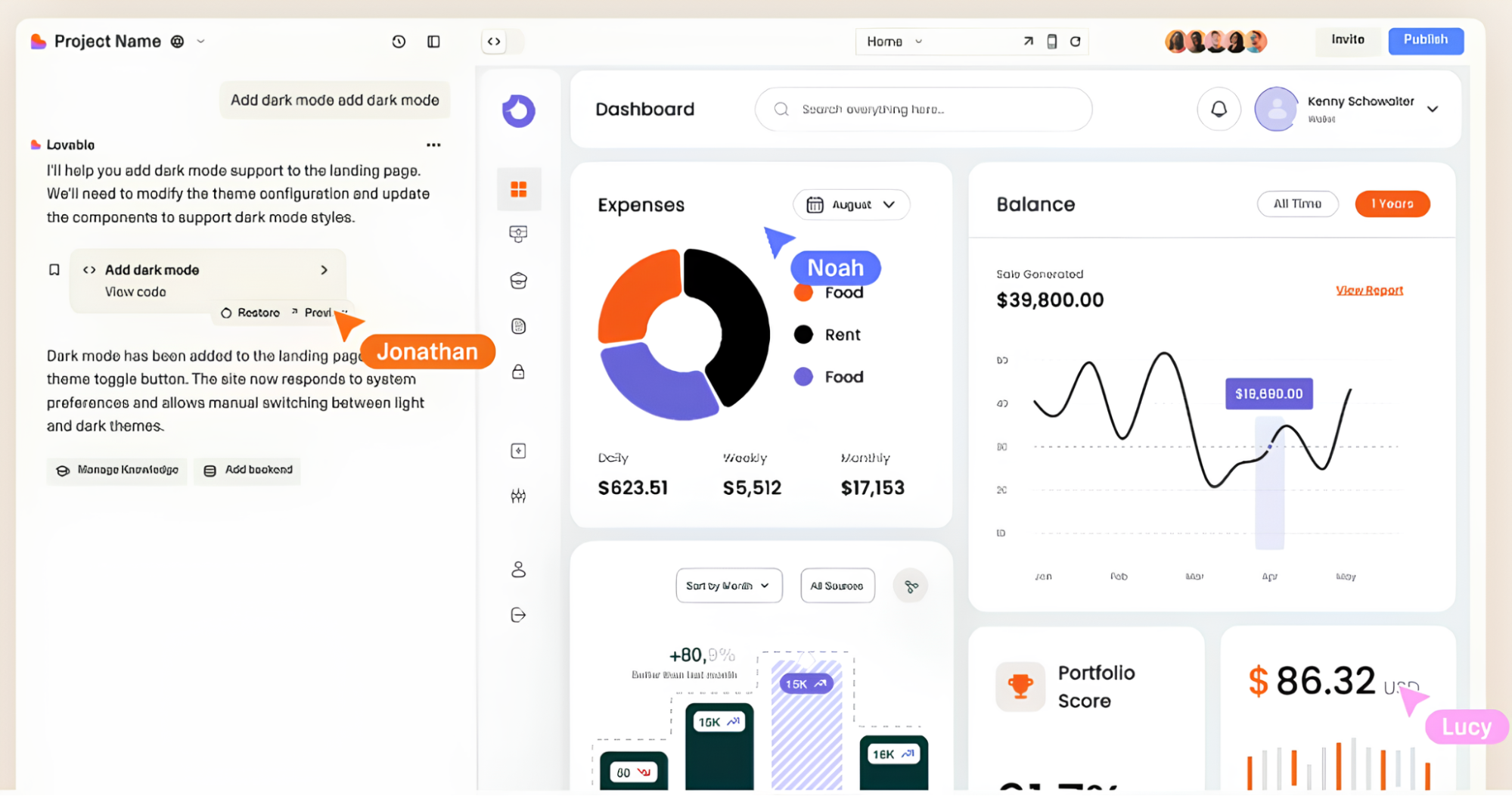
Lovable analytics dashboard UI with charts, balance graph, and expense breakdown

Lovable creates web applications from chat prompts. You describe what you want, and the tool generates the interface, backend logic and database connections. Its primary target group is non-technical builders who want to create real apps without writing code.
Features

  • App generation: Prompt your way to a product while Lovable handles frontend, backend, databases and deployment.
  • Editing: Adjust layout, spacing and UI directly on the page using Visual Edit mode by clicking elements and modifying their position, size and alignment on the canvas.
  • Prototyping and deployment workflow: Test and refine your application, then publish it as a live, working version.
  • GitHub sync: Your code syncs with GitHub, where every change is saved, and you can always revert to an earlier version. You own the code and can edit it at any time.
  • Supabase integration: Manage both your app’s interface and its database from Lovable’s chat interface.

Pricing

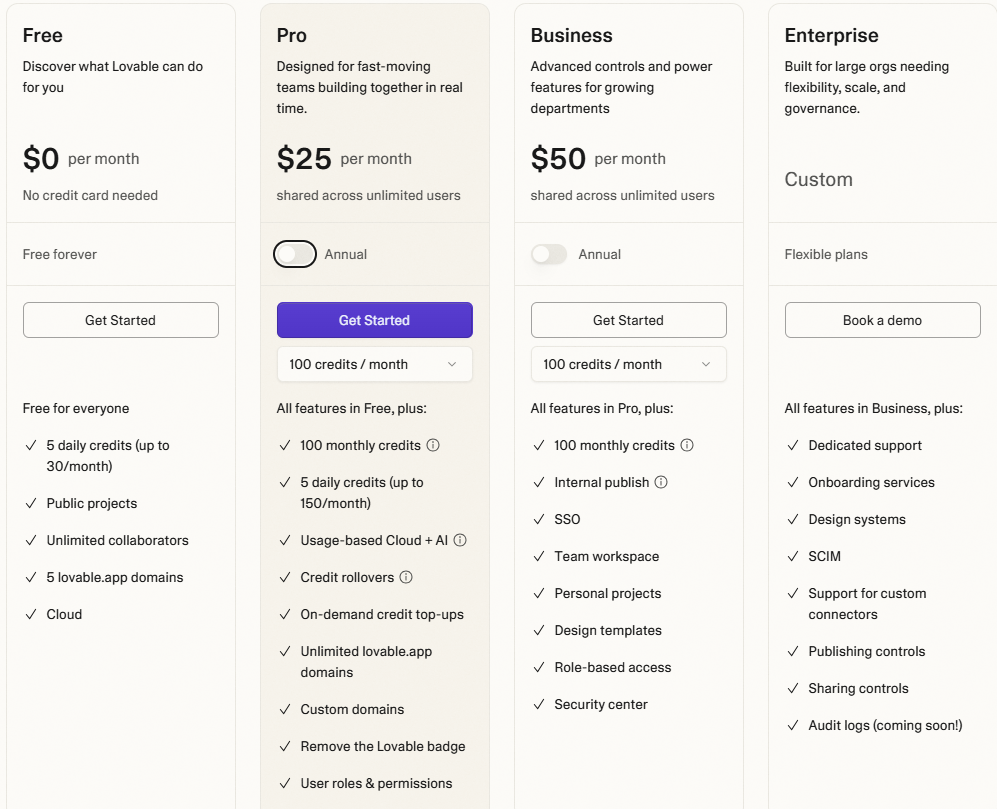
Loveable Pricing

MagicPath

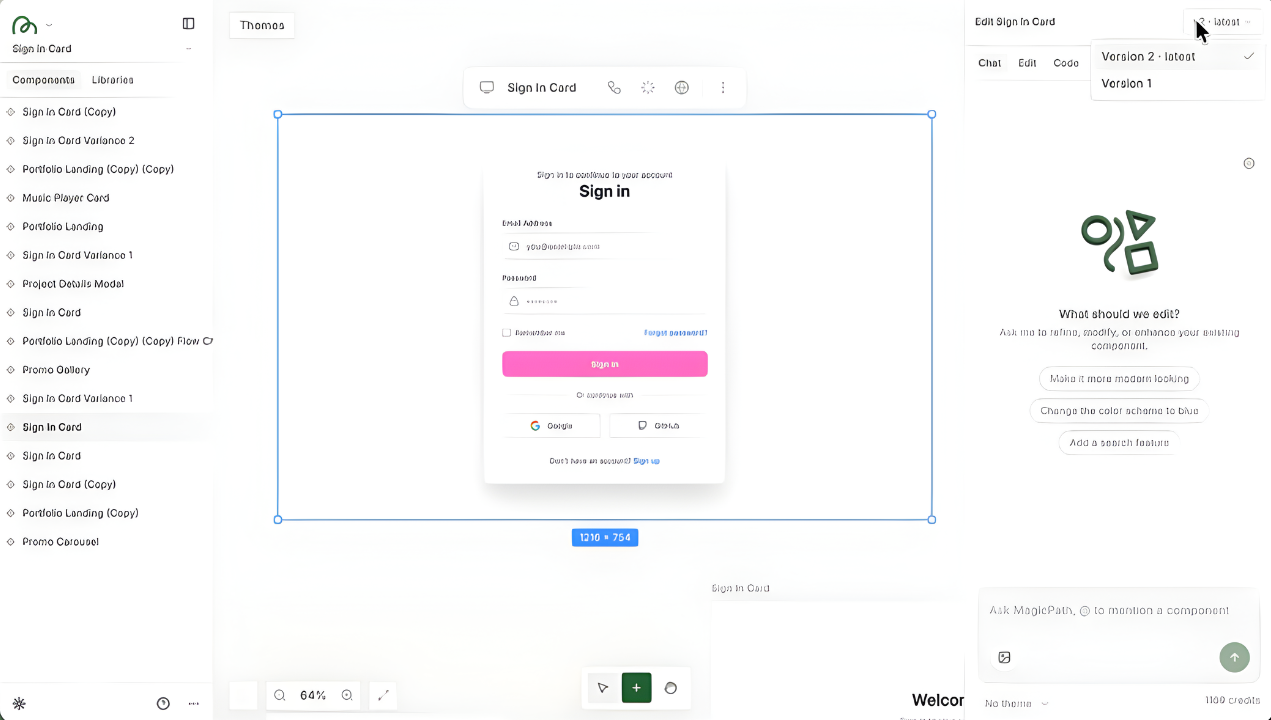
MagicPath Sign-in card UI mockup in a design tool interface

MagicPath is an AI design tool that helps you create UI screens from simple prompts. You can adjust the structure, refine components and steer the visual direction, so the output matches your design intent.

Features

  • Prompt-to-UI generation: Describe a screen or component in plain language, and MagicPath creates an editable layout you can refine directly on the canvas.
  • Direct visual editing: Move and resize interactive elements by dragging and dropping. Adjust spacing, layout and structure without writing new prompts.
  • Flexible layout control: Modify components inside the generated layout—adjust spacing, size, alignment and content—while the tool preserves structure and design consistency.
  • Component-level refinement: Modify parts of a screen without regenerating the rest of the design.
  • Reusable components: Create reusable UI elements stored in a library to maintain consistent styles and structure across complex projects.

Pricing

MagicPath doesn’t publicly list pricing plans.
Magic Patterns

Magic Patterns AI design tool image in full size - Figma Make alternative

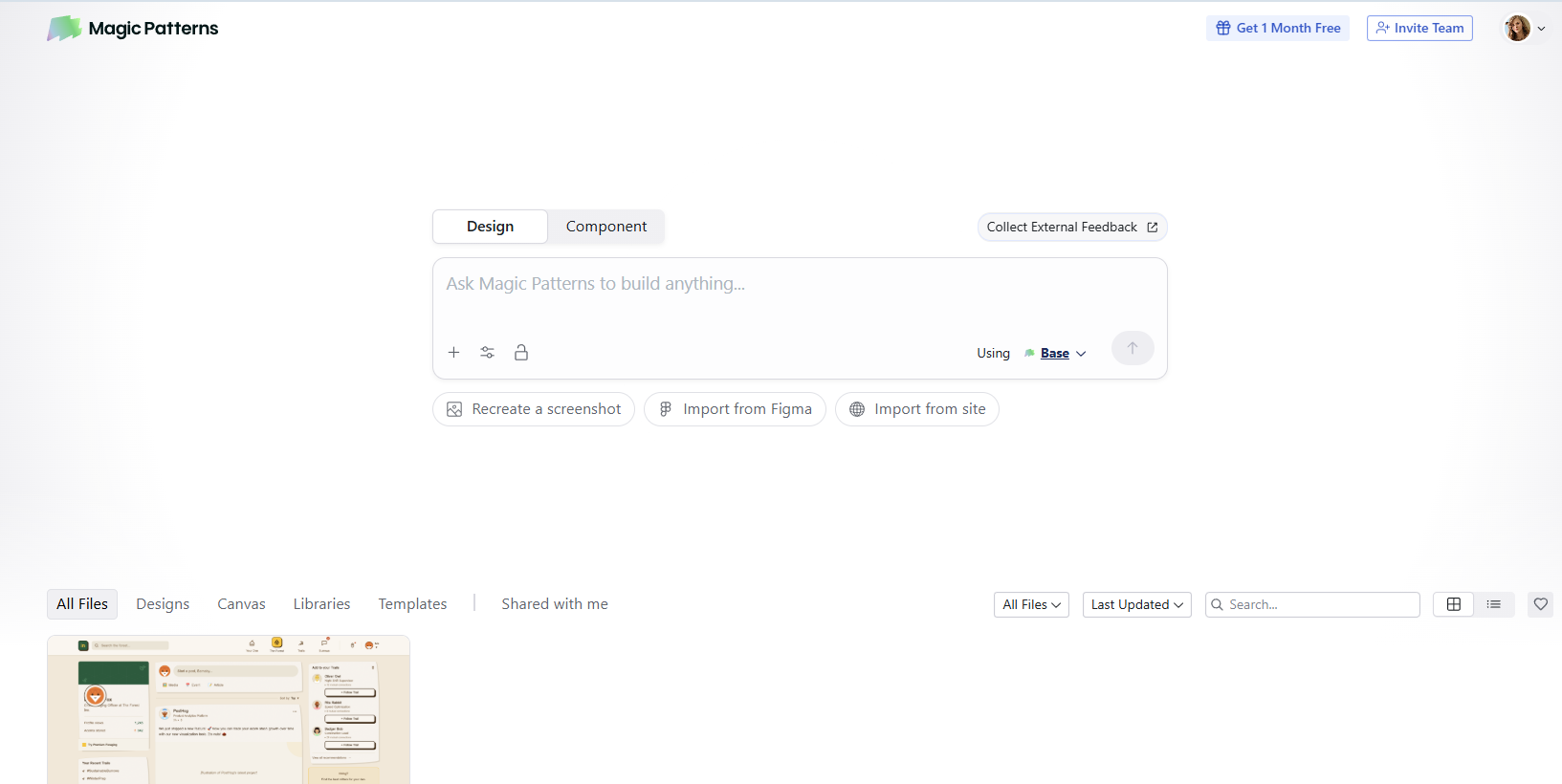
Magic Patterns turns product descriptions into UI. You can start with feature ideas or customer feedback. Describe what you need in plain language, and the tool generates UI that matches your design style and the components you previously synced or imported. 
Features

  • Prompt to UI generation: Describe a feature or user feedback in simple words, and Magic Patterns generates UI mockups you can use for demos or early prototypes.
  • Designs that match your product style: The tool uses components you previously imported, such as your colors, fonts and styles, to generate screens that match your branding.
  • Chrome extension: Use live websites as visual references and transform key UI patterns into reusable elements for new designs.
  • Canvas-based screen assembly: Build screens manually by arranging generated or captured components. Connect them to create interactive prototype structures.
  • Real code export: Create production-ready React code from any screen, or move layered designs into Figma.

Pricing

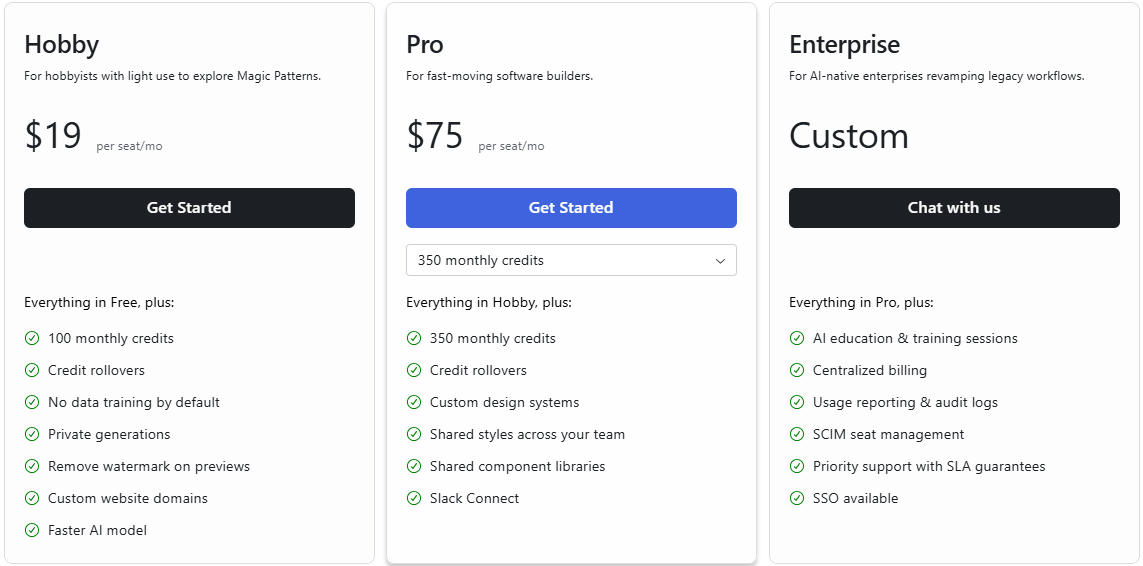
Magic Patterns pricing

Visily AI

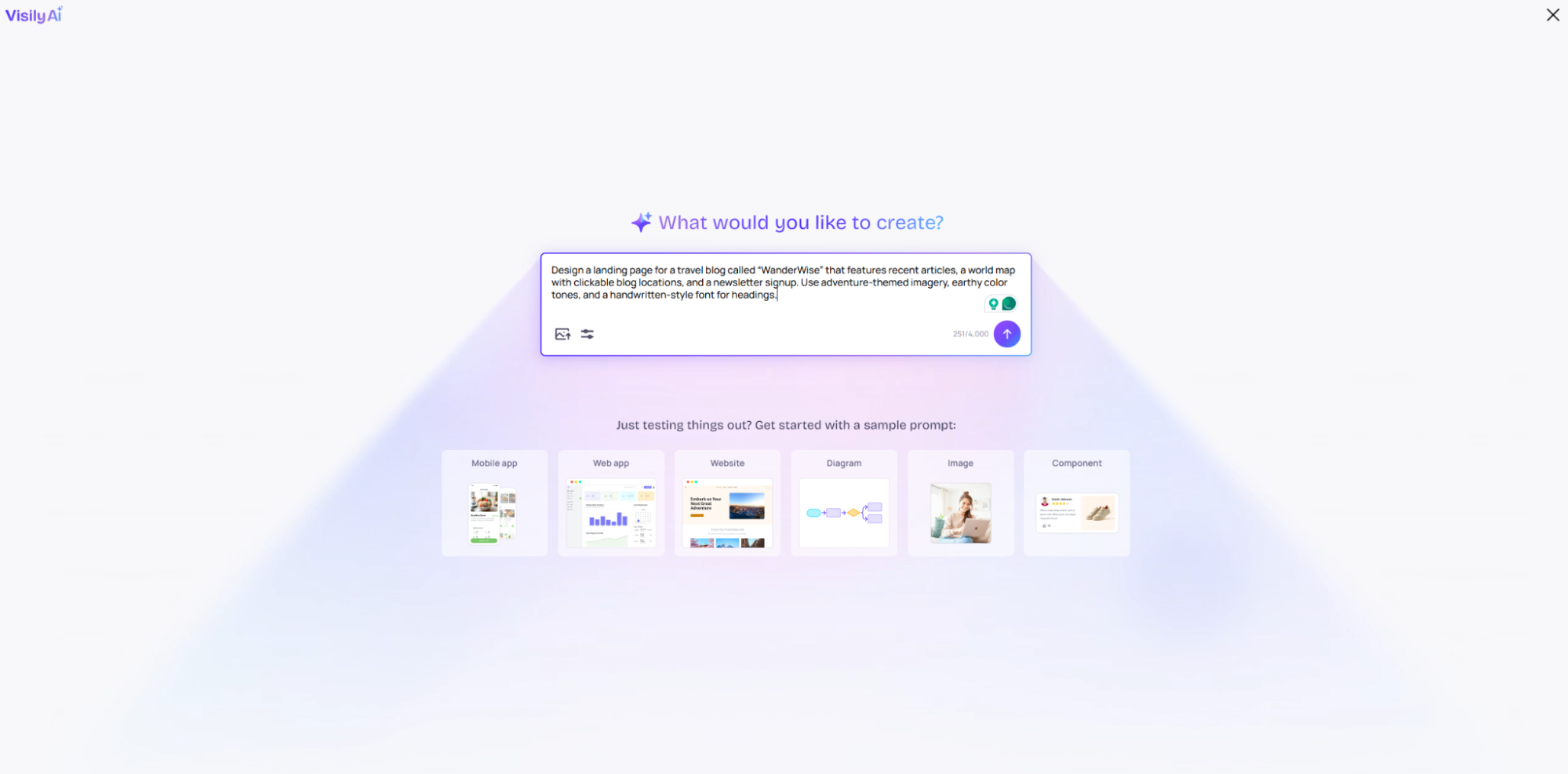
Visily AI design prompt interface with creation options and sample templates

Visily AI is a simple design tool for creating apps, web and UI layouts. It helps new users and non-designers build wireframes and mockups with natural language prompts. 

You can start concepts from any source of inspiration–screenshots, text prompts, diagrams, templates or a combination of them all. From there, easily edit everything on the canvas.
Features

  • AI-powered wireframing: Use simple prompts, screenshots or sketches to turn ideas into wireframes. 
  • Screenshot-to-design: Upload app or website screenshots, and Visily converts them into editable wireframes. You can later reuse layouts or redesign existing interfaces.
  • Templates and UI library: Start with ready-made templates and pre-built UI components instead of designing them manually.
  • Easy handoff to Figma: Export your designs for further polishing and developer-ready preparation.
  • Collaboration & feedback: Work together in real time with built-in commenting and annotation tools for sharing feedback directly on designs.

Pricing

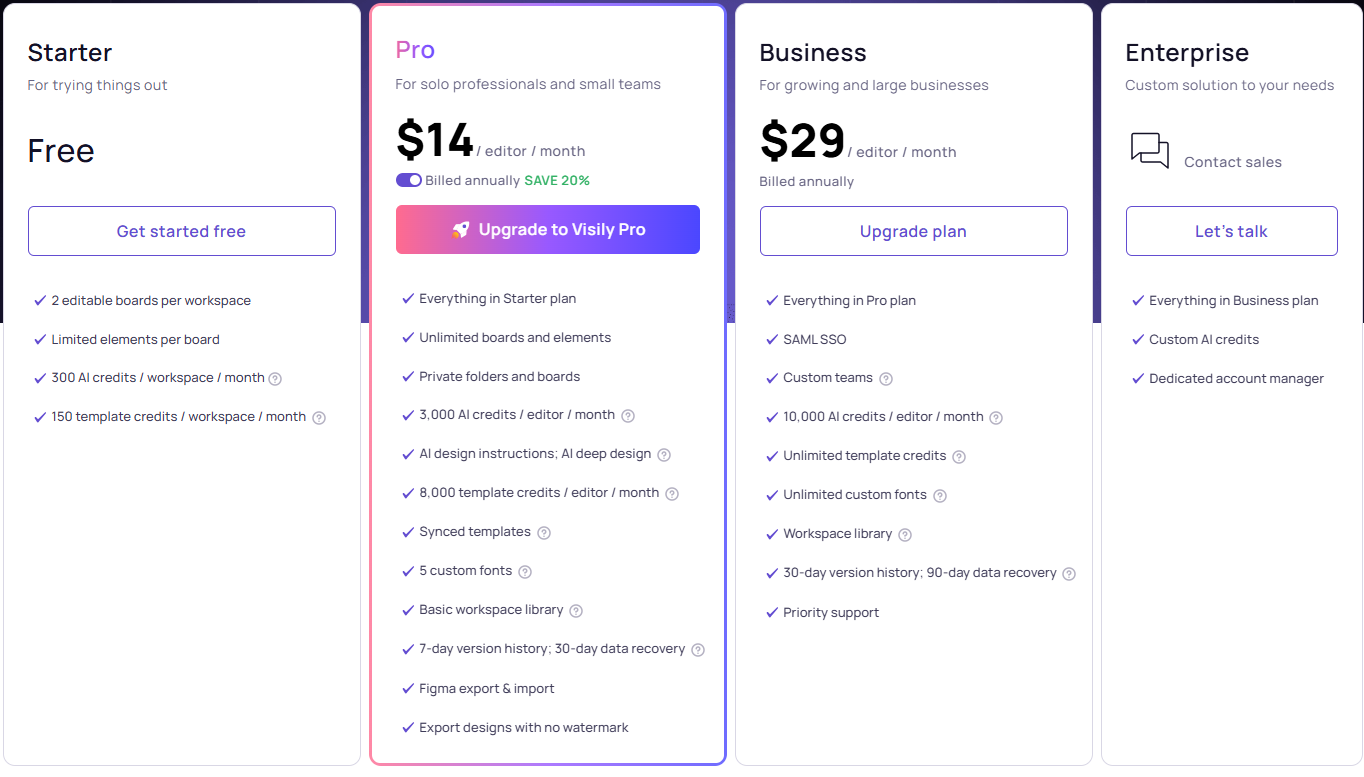
Visily AI pricing

UX Pilot AI

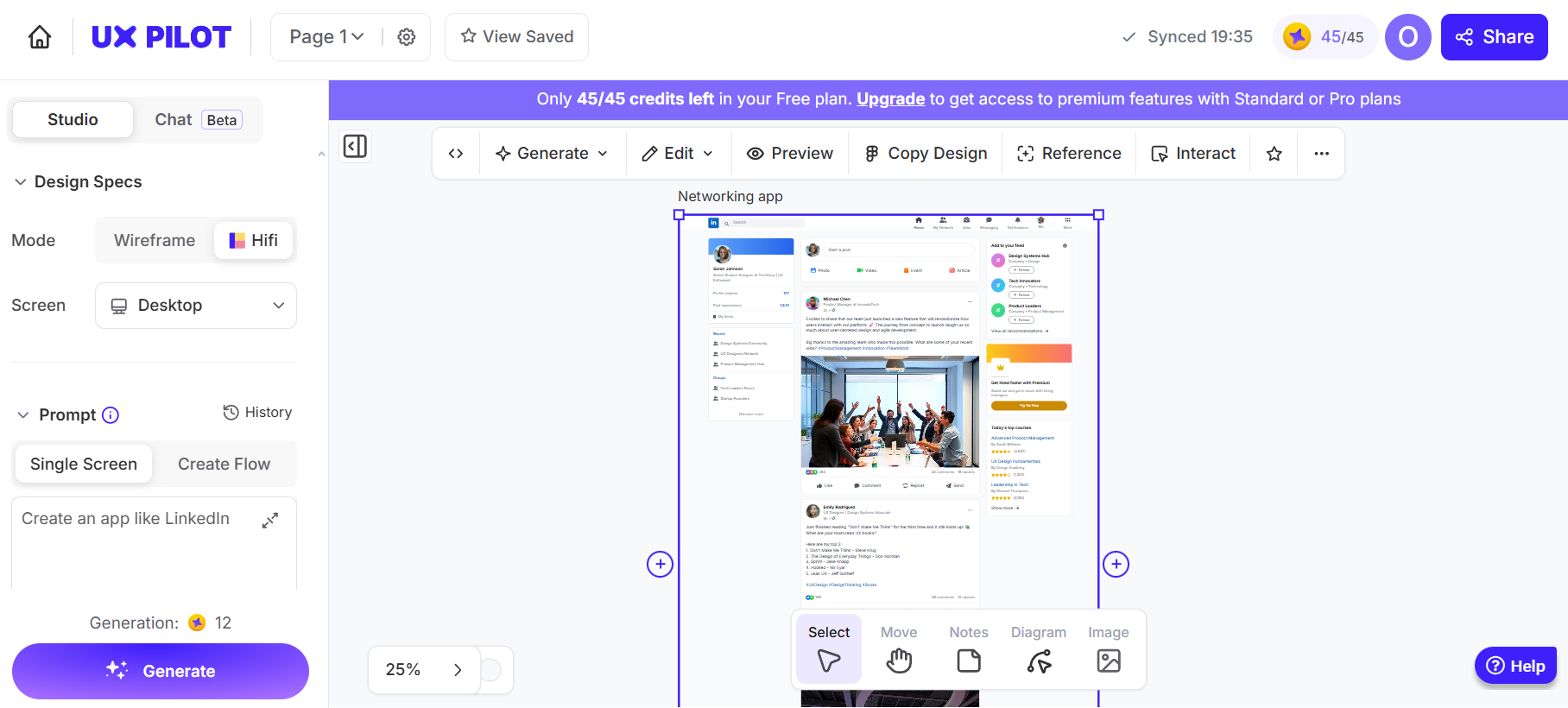
UX Pilot interface generating a hi-fi networking app screen, a Figma alternative

UX Pilot AI helps you generate wireframes and high-fidelity designs from simple text prompts. You can use it in early design stages to explore ideas, structure screens and map user journeys. 

The predictive heatmap feature helps you understand where users are most likely to look first. The AI shows you which elements naturally attract focus, so you can adjust the layout accordingly.

If you want to compare more similar AI tools, check out our article on UX Pilot alternatives.
Features

  • AI wireframer: Create wireframes for desktop and mobile. When you need more detail, switch to hi-fi mode to generate fully styled screens.
  • Design system: Connect your components so the AI learns your existing design system and generates screens using your real styles, tokens and layout rules. 
  • Edit by describing: Select a full screen or a specific section, describe the change and have the AI update that part while keeping the rest of the layout unchanged.
  • Predictive heatmaps: See where users will look first to catch layout issues early. This helps you avoid potential usability problems before development.
  • Source code generation: Export clean HTML and CSS from your designs, giving developers a starting point.

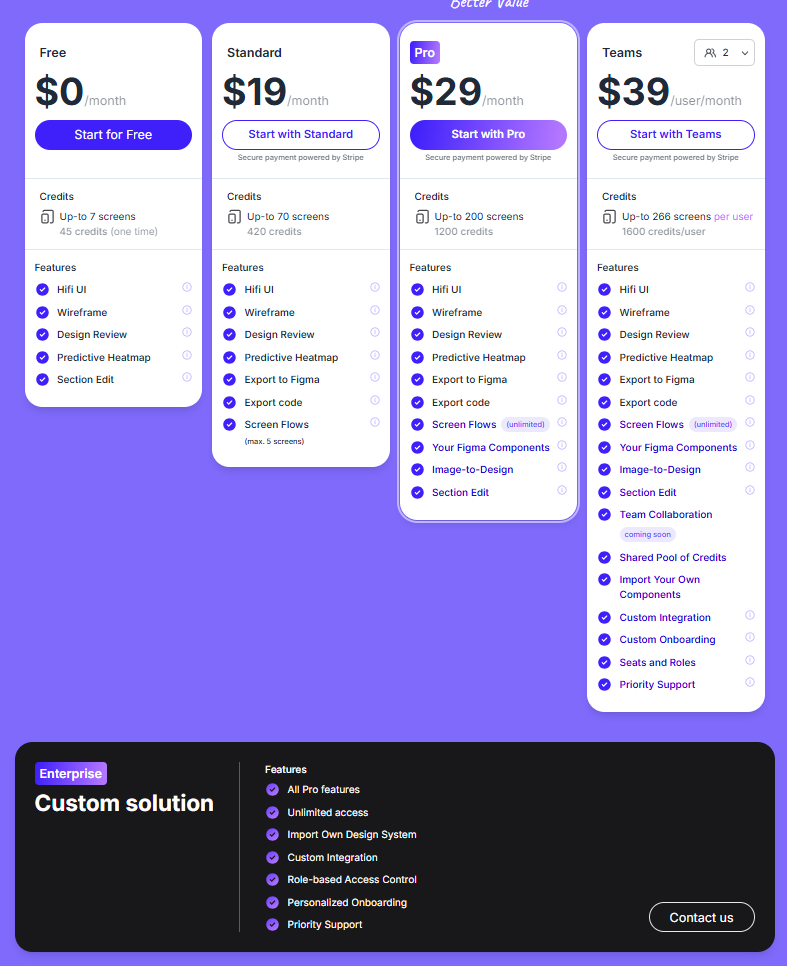
Pricing

UX Pilot pricing table showing plans with credits, screen limits, and advanced features

See also: UX Pilot AI pricing

Motiff

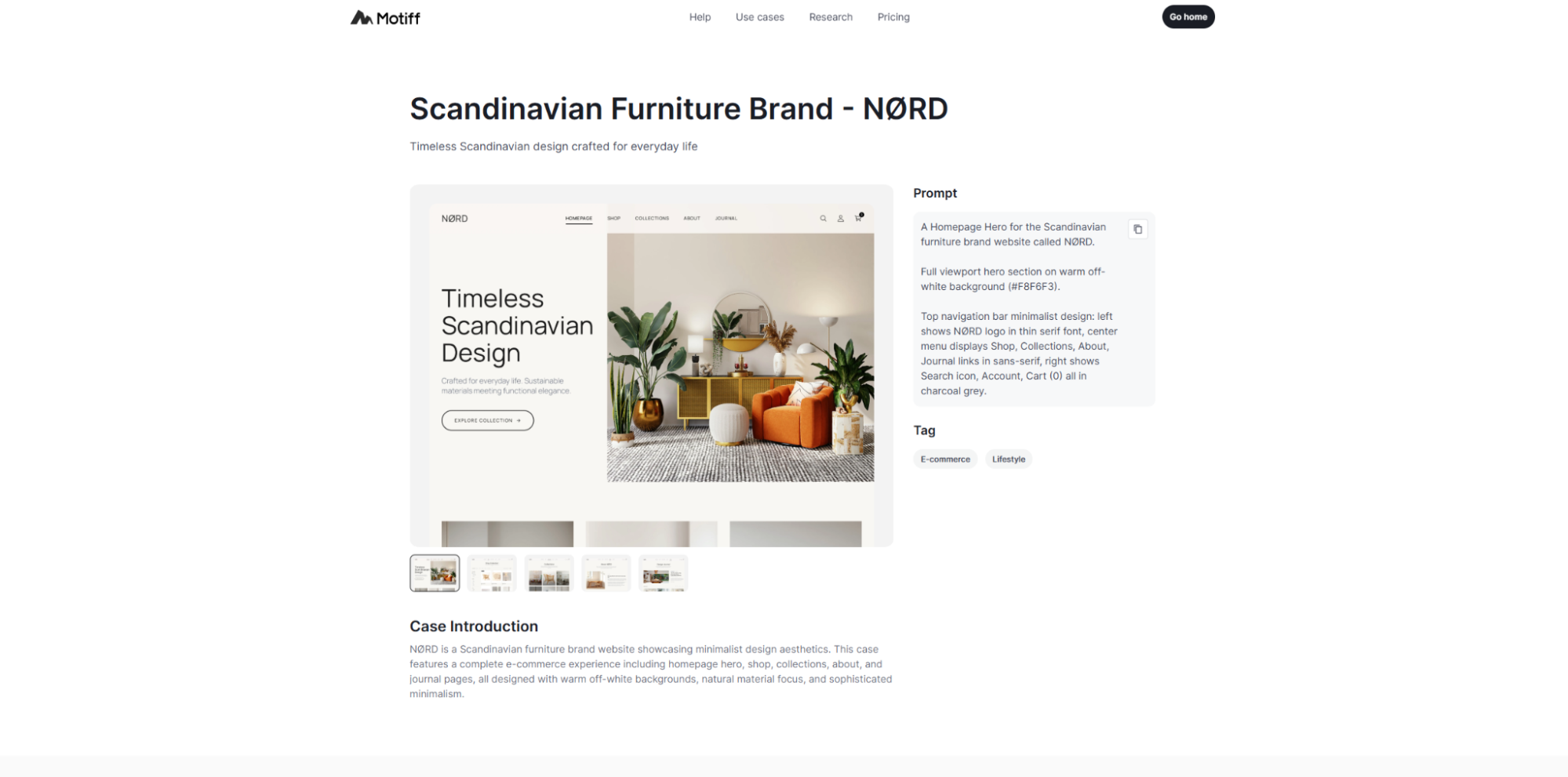
Motiff interface showing a website design with homepage preview and prompt panel

Motiff is an AI-powered UI design tool built for product designers and teams working on complex interfaces, collaborative projects and design-to-development workflows. It lets you create structured UI screens while keeping components aligned with your shared design system. 

Features
  • AI UI generation: Describe what you want, and Motiff generates interface layouts.
  • Design systems: Motiff aims to keep layouts consistent with your existing styles and components.
  • Rapid prototyping: Create high-fidelity, interactive prototypes to test ideas, validate concepts and make changes without rebuilding everything from scratch. 
  • Cloud collaboration: Work with your team in a shared workspace, edit designs together, and watch updates appear live as others make changes.
  • Design-to-code workflow: Use Dev Mode to translate designs into code, helping developers implement your work faster.

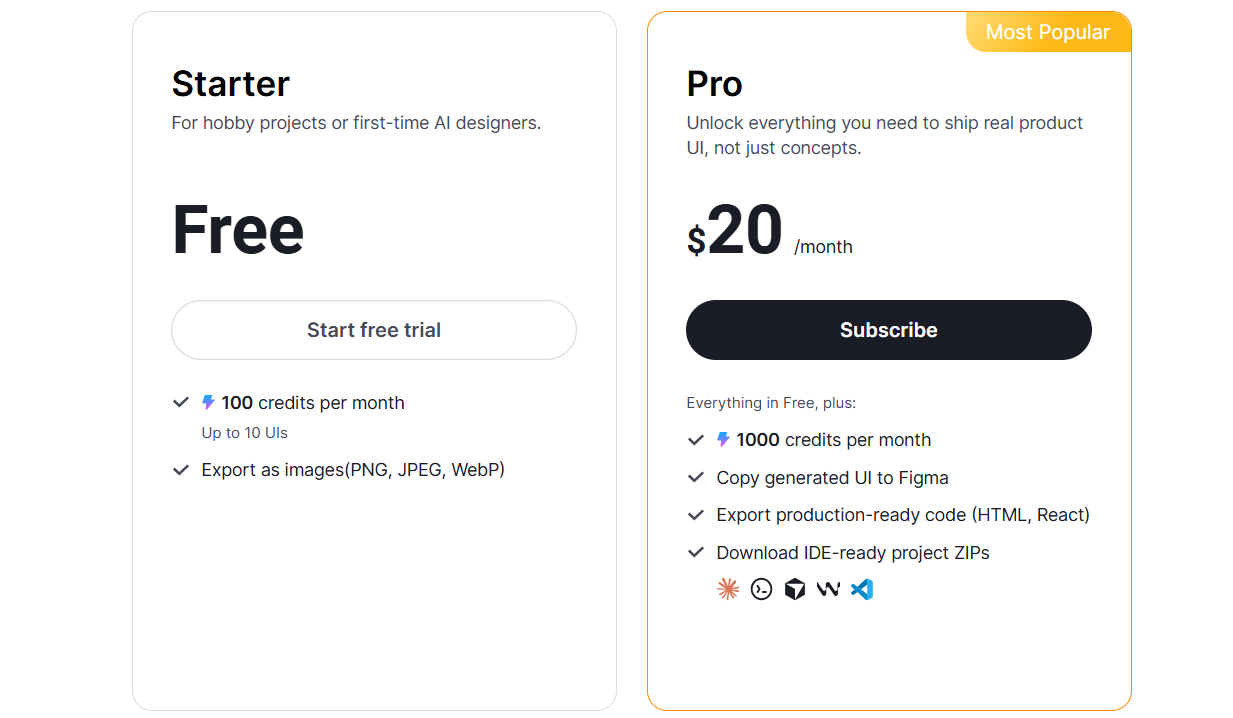
Pricing

Motiff pricing

From idea to UI: Pick the right Figma Make alternative

If you’re exploring alternatives to Figma Make, the right choice depends on how far you need to go beyond simple prompt-to-design. 

Flowstep stands out for connecting structured multi-screen design, real product flows and production-ready output. Instead of generating isolated screens, it lets you design complete user journeys on an infinite canvas, refine layouts without regenerating or using up more AI credits, and move directly toward development with clean 1:1 code export. This cuts down on design time, preserves layout integrity, and keeps all teams aligned.

If your goal is quick wireframes, tools like UX Pilot or Uizard may be enough. If you need full-stack app generation, Lovable or v0 may be a better fit. But if you want a balanced path from early product thinking to a clean, production-ready UI—without spending ages on edits or hundreds on plans—Flowstep is the most complete and practical choice on this list.

Build your UI in minutes with Flowstep

FAQs

What is the best UI/UX design system Figma Make alternative?

The best choice depends on how tightly you need design, structure and implementation to work together. Flowstep combines fast UI generation with structured layouts, real-time collaboration, and true 1:1 code export. It creates a cleaner, more consistent and professional UI, reducing the need for manual cleanup before development. UX Pilot AI is strong for prompt-to-wireframe generation, and Magic Patterns works well for teams focused on strict design system alignment, but Flowstep offers the most balanced path from early design to production-ready output.

How do Figma Make alternatives differ in code generation workflows?

They differ mainly in how complete and usable the generated design is, and what happens after generation. Some tools, like Google Stitch or UX Pilot, generate basic front-end code that serves as a starting point, but requires developer refinement. Flowstep focuses on complete UI generation with clean 1:1 code export, meaning that what you design is exactly what developers get.

Are there any free or open-source alternatives to Figma Make worth using?

Yes. Several tools offer free access for early exploration. For example, Flowstep provides a free plan with full core AI features and unlimited users, making it easy to test ideas, create UI, and collaborate. Tools like Uizard, v0 and Visily also offer free versions for basic wireframing and prototyping, but limit usage through credits or capped generations on free plans.

Are there alternatives to Figma that are suitable for non-designers or product teams?

Flowstep lets you easily turn your rough idea into structured UI screens. Just describe what you want in plain language, add a visual reference if needed, and get clean, organized layouts with high-quality, consistent visual styling. When ready to build, you can export clean, production-ready code. Other beginner-friendly tools include Uizard, which simplifies early wireframing with sketch-to-UI features, and Lovable, which generates full web applications from simple chat prompts.