Review of Sketch: Pricing, Pros, Cons and Whether It's Still Worth It
Evaluating Sketch pricing for your team? This Sketch review covers exact costs, capabilities, pros and cons, and whether it's still worth it in 2026.
Full Uizard pricing, reviews and capabilities breakdown—plans, AI features, and an interesting alternative option.
You've got a clear product idea in your head, a stakeholder meeting in 48 hours, and zero time to wait on a designer. So you open a design tool on your computer, stare at a blank screen, and... nothing. Momentum gone.
That's exactly the problem Uizard promises to fix. Type a prompt, get screens. No design background required. And honestly? For many teams, it does work just like that. Where it gets complicated is Uizard pricing, which can quietly sneak up on you, and a few feature gaps that start to sting once you're deeper into a project.
This Uizard review covers what the tool actually does, how much it costs, what users think about it, and who may enjoy Flowstep better—one of the most capable AI-powered UI design tools.
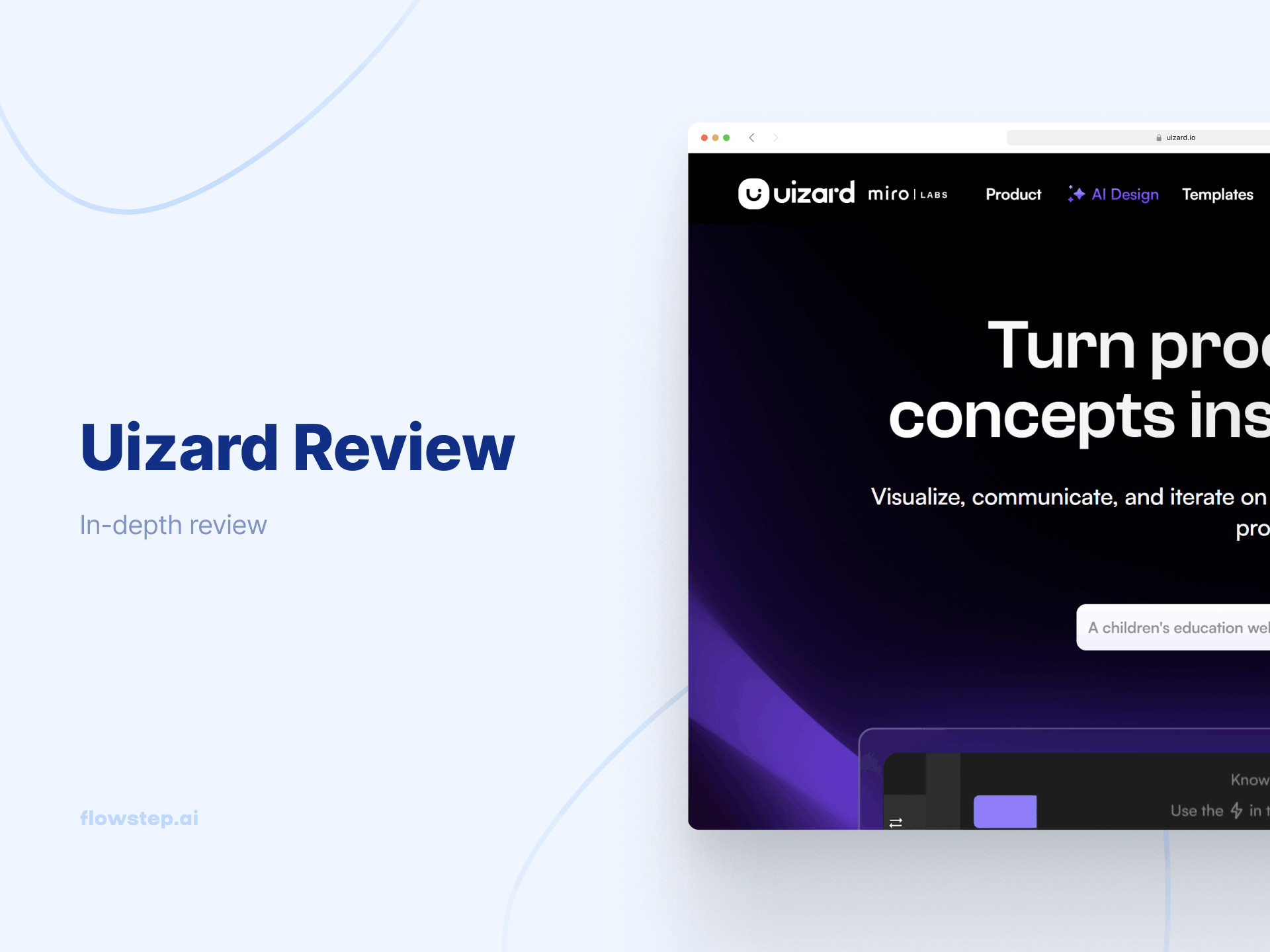
Uizard is an AI-powered design tool. The pitch is simple: help non-designers and product teams quickly visualize ideas without learning Figma, hiring a designer, or wasting a week on wireframes that get thrown out anyway. You generate UI from text prompts, edit what comes out, share it for feedback. Done.
It targets product managers looking for AI tools to elevate their workflow, founders, students and early-stage teams who need to move fast and communicate visually—especially when there's no dedicated designer in the company.
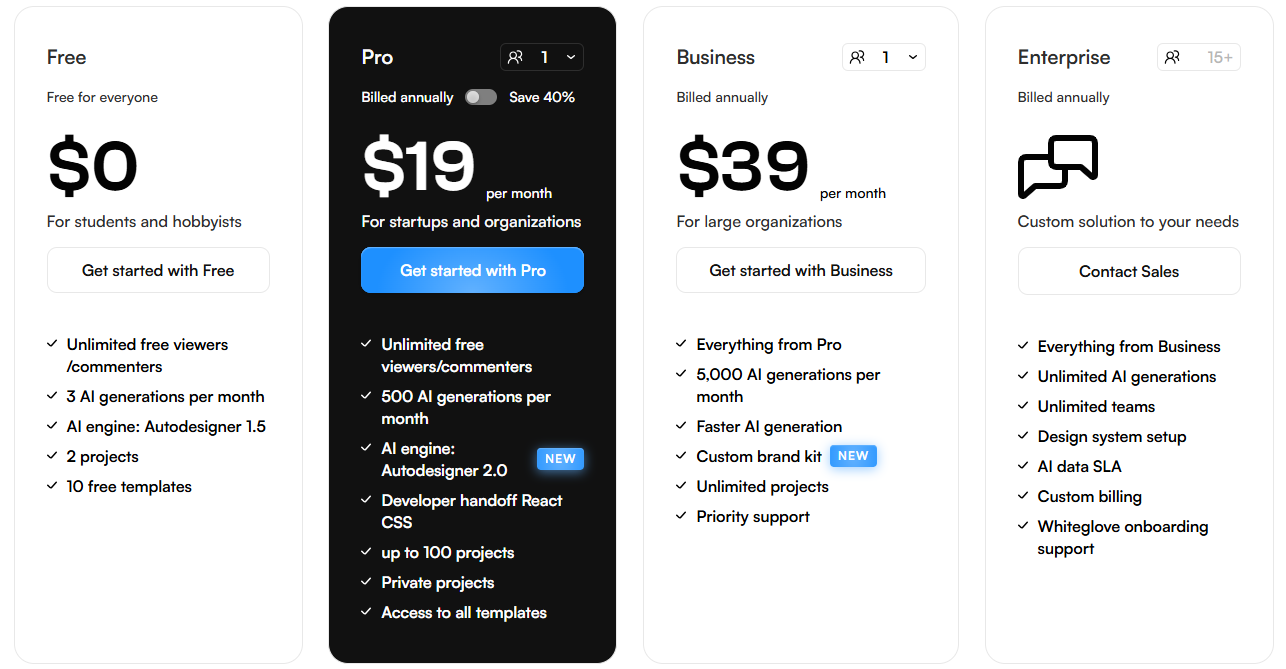
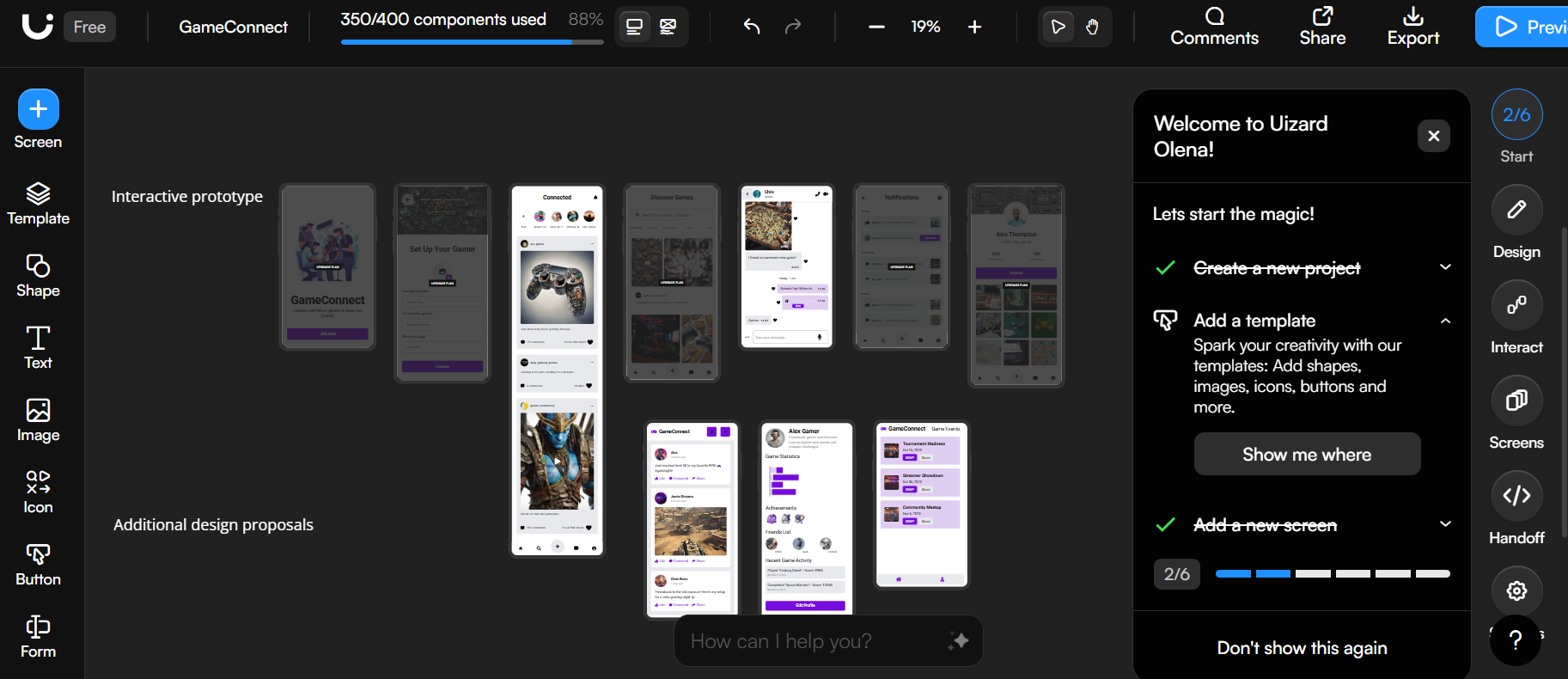
The free version lets you poke around with three AI generations monthly, two active projects, five screens per project, access to 10 pre-made templates, 400 components and Autodesigner 1.5. It supports unlimited viewers and commenters, so sharing designs is unrestricted.
That said, three AI generations a month is tight. It's enough to form an opinion on the product, not enough to do real work. Expect to hit that ceiling fast if you're serious about using this as part of your design process.
The Pro plan is a jump into much more usable territory. You get Autodesigner 2.0, 500 AI generations per month, 100 projects, unlimited screens and components, and full access to the templates library. The sketch and screenshot scanner also gets upgraded to 500 (from just three in the free plan). If you're a designer looking for something to boost your job, a PM or a founder, the Pro subscription is the sensible entry point.
The Business tier increases AI generations up to 5,000 per month, adds a custom brand kit that the AI can learn from, lets you work on unlimited projects, and gives you access to priority support. It's for teams handling high-volume design work.
Two things to note here: first, the business plan is only available as a yearly subscription—no monthly option. Second, the pricing is per creator seat. Five designers on your team? That's $195/month minimum, $2,340/year. The jump from Pro to Business is a bit steep, and some teams will find that the Pro plan's 500 monthly AI generations are plenty, making the upgrade hard to justify.
Check other UI design tools before locking into an annual commitment at that price point.
Larger organizations can reach out for a tailored plan with unlimited AI generations, a custom workspace setup, design system configuration, and a dedicated account manager. This is for teams with 15+ users that need premium support and security on top of no-limits access.
Uizard has an average of 4.5 stars on popular software review sites.
On G2, the recurring positive aspects are speed and accessibility, with a minimal learning curve. One reviewer says: "The AI-generated screens help keep the entire project consistent and clean, allowing more time creating valuable UX designs without wasting time on minor details."
However, several users flag missing features, such as fixed-position elements (e.g., navigation bars that stay visible while scrolling), more shape options, and audio and video support. Some note that exports can come out messy. The exports of individual components rather than whole screens are also a recurring pain in terms of the service Uizard provides.
If any of those friction points sound familiar, it's worth looking at Flowstep, a Uizard alternative, before signing up for a subscription or upgrading your Uizard plan.
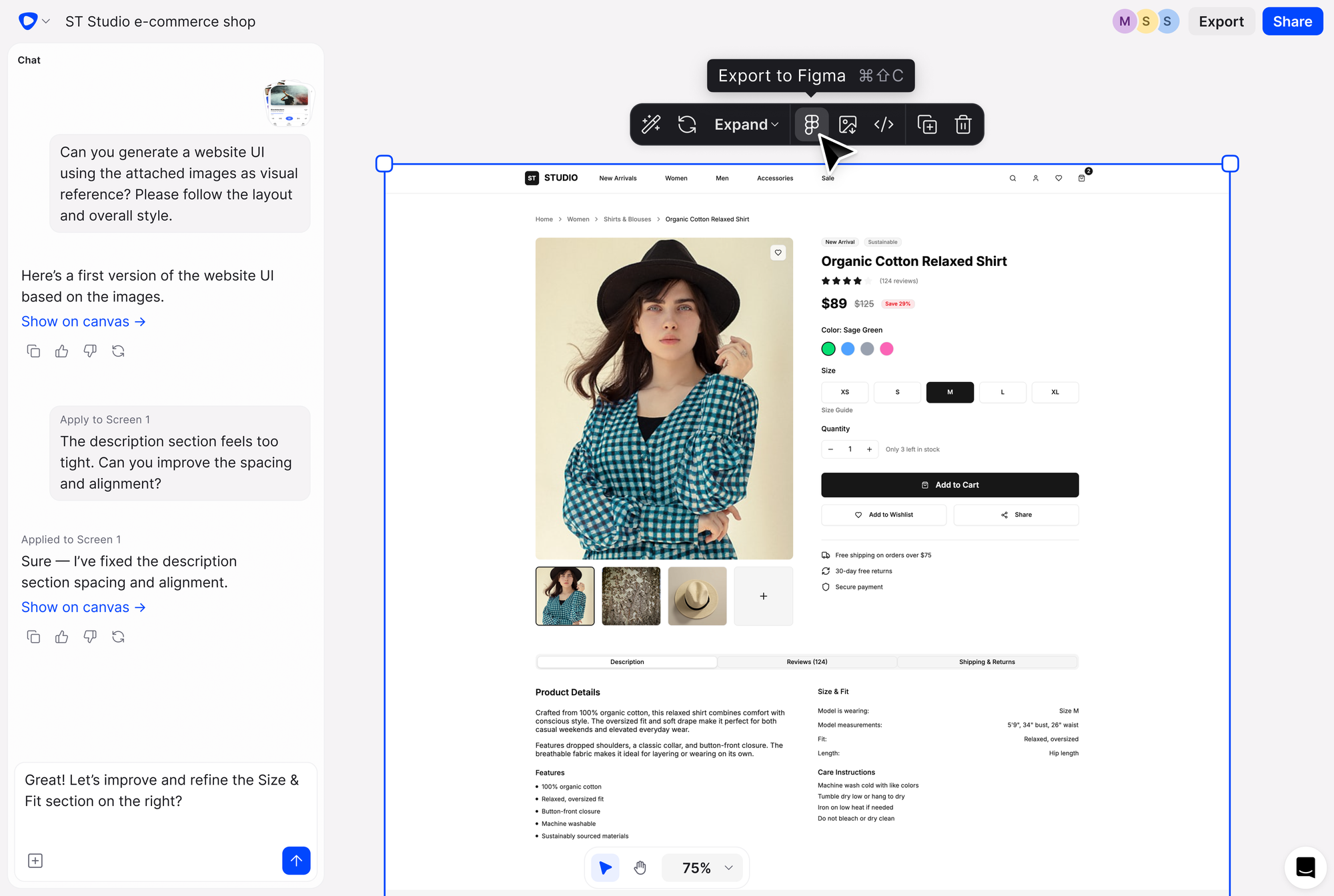
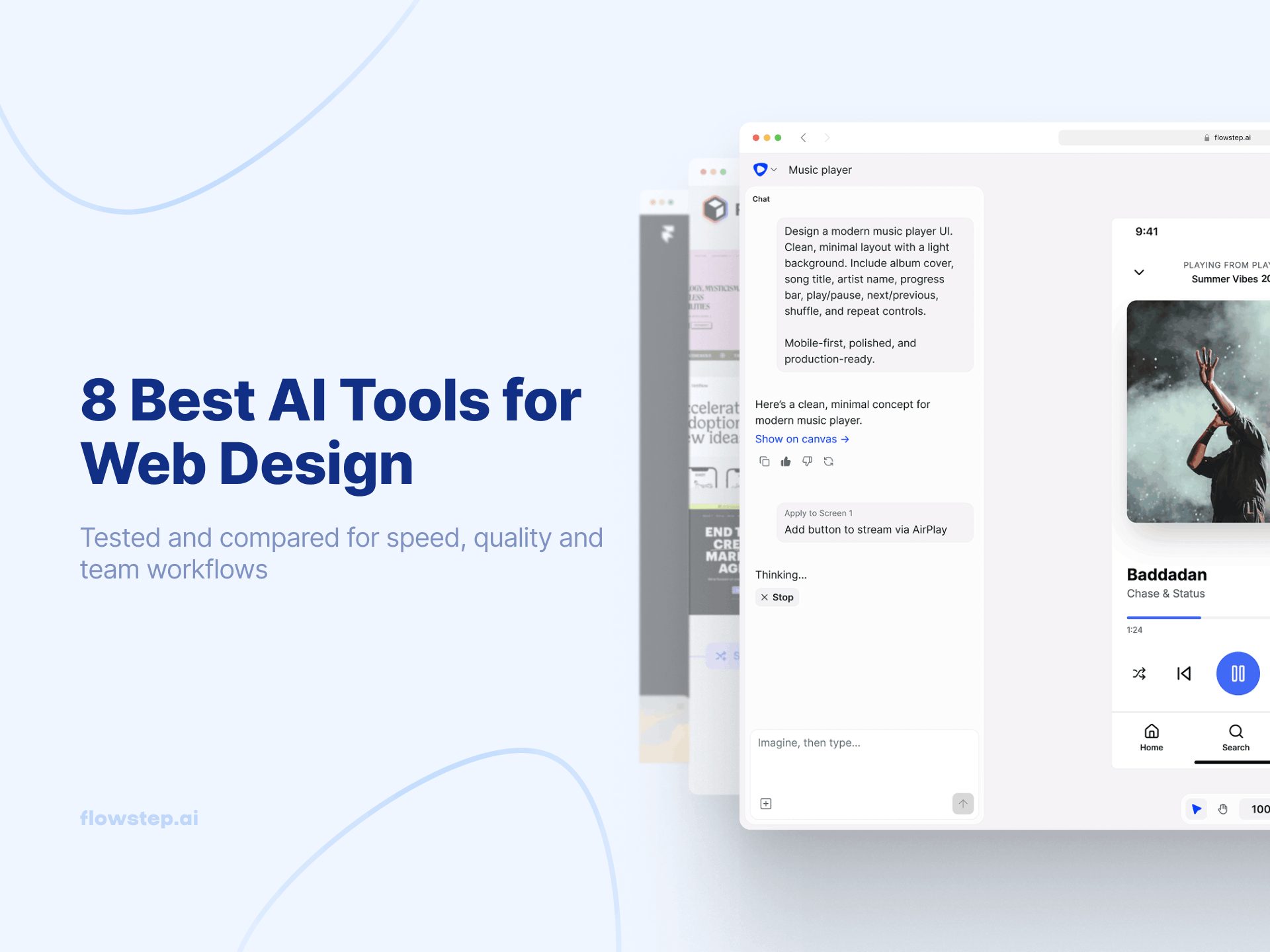
Flowstep is an AI tool that generates real, fully editable UI from natural language text prompts on an infinite canvas. It's built for the same audience as Uizard—PMs, founders, designers, engineers who need to quickly visualize product ideas—but it closes a few gaps that Uizard leaves open. And it's the easiest AI tool for designers available for teams that want to move fast without sacrificing quality.
A few things that set it apart:
Flowstep is free to start, with unlimited collaborators. It charges based on messages, not credits, so it's always easy to calculate your AI usage. The Starter package comes with unlimited screens, projects, exports and Figma connection, at $12/month if billed annually or $15 if billed monthly. Pay extra only if you need more AI messages. We also offer custom enterprise solutions for bigger needs.
Uizard earns its reputation as an accessible, fast-moving design tool—especially for non-designers who need to get product ideas out of their heads and onto a screen without a long learning curve. The AI features are genuinely useful, the templates are a solid starting point, and the focus predictor is the kind of thing you didn't know you wanted until you use it.
But the free version is too restricted to evaluate properly, the business plan pricing stacks up quickly for teams, and the Figma export experience is a known pain point.
Flowstep is free to start and handles the handoff to Figma and engineering without the friction. It also supports full screen, clean code export and AI or manual editing if you need to save your credits. Give it a try for free.
Yes—there's a free version that gives you indefinite access to the platform. It's limited to three AI generations per month, two projects and Autodesigner 1.5. Fine for a quick test, but not enough to do serious project work without an upgrade.
The Pro plan is $12/creator/month on a yearly subscription ($19/month if billed monthly). The Business plan is $39/creator/month, annual only. Both are priced per creator seat, so costs scale with team size. Enterprise pricing is custom and available on request.
There's no direct Figma import support, and the SVG export quality is a recurring complaint in user reviews—designs often need cleanup before they're usable in Figma. Flowstep handles this more directly: select any design and paste it straight into Figma with ⌘C / ⌘V, no plugin required.
The biggest ones include: the free tier's AI generations cap, component-only code export instead of full screens, unreliable SVG exports for Figma, limited shape customization, no fixed-position element support, and occasional browser performance issues. If those aspects start to bother you, give Flowstep a try—it includes extensive customization options and seamless, one-click code and Figma exports.