12 Best AI Tools for Designers: 2026 Top Picks
Discover the best AI tools for designers [2026], including Flowstep, Figma Make and more top picks to speed up your UI/UX workflow and create better designs faster.
Hands-On Figma Agent Review — Here’s what Figma’s new canvas AI agent actually does, including what to expect from pricing and seat access, the pros and cons you’re looking for, and the best Figma alternative for anyone shipping code.
The Figma agent (or Figma design agent) is Figma's built-in AI designer, accessible on the design canvas. You can type your request in plain text, and Figma creates, modifies, and enhances your designs in your existing files. So, while it's been in beta since May 20, 2026, it's actually quite capable of handling the repetitive design bits. This is exclusively running on Full seats and is introduced to facilitate the design experience within the Figma universe rather than generating product UI with production-ready code.
Our Figma agent review takes a deep dive into the key features, the price (now and what you can expect after the beta), honest feedback on its pros and cons based on the experiences of actual users, and situations where a different tool will suit you better.
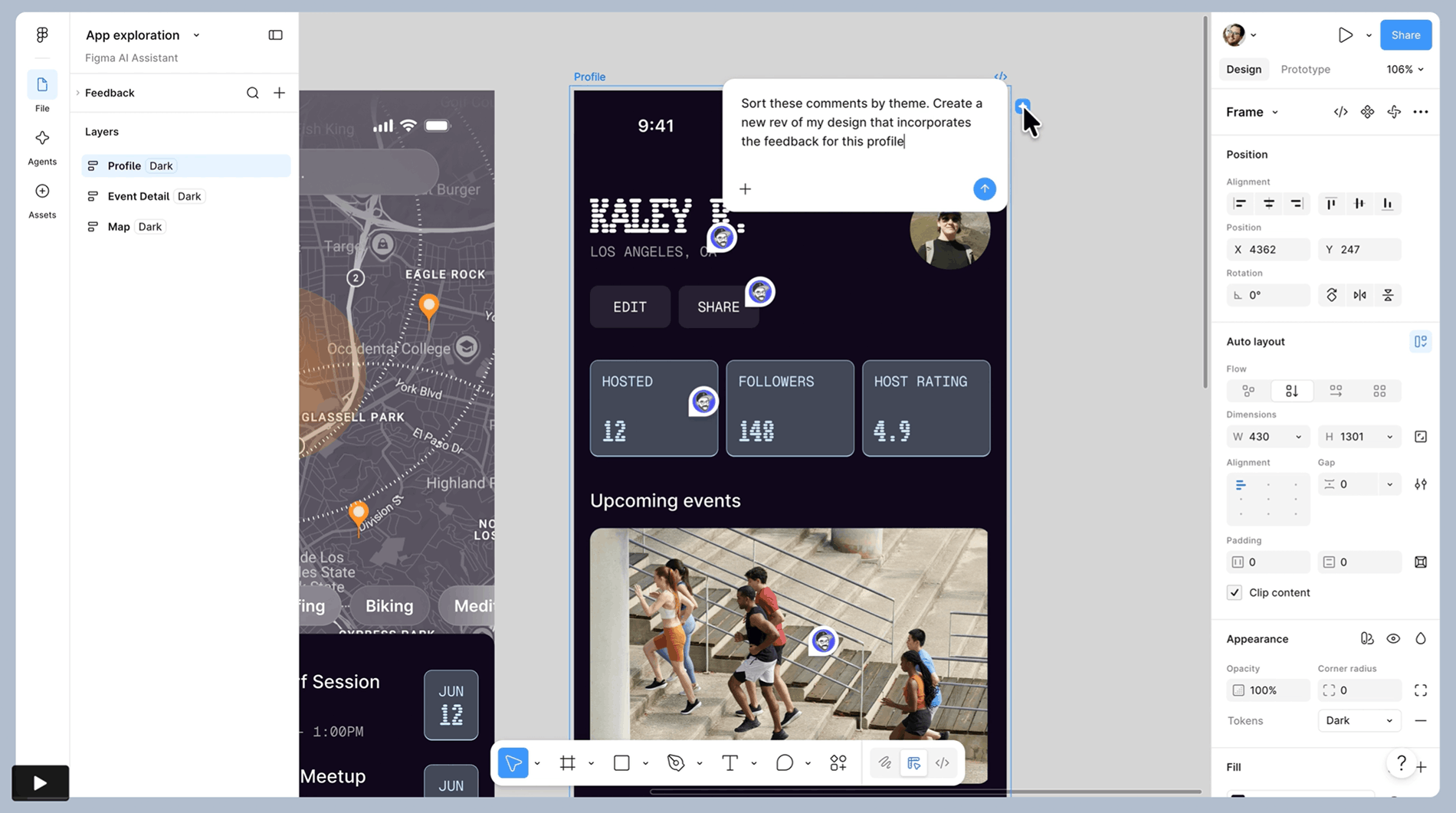
Figma agent is Figma’s native, on-canvas AI agent, which you'll find under the new “Agents” option in the file's left sidebar. Figma agent leverages your natural conversation to create, tweak, and modify designs right on your canvas. The workflow is incredibly simple: open up the Agents panel, type in a natural description of what you want to generate, and work your way toward your ideal design directly on the canvas. You can try the Figma agent in a guided playground file too.
The core use case, however, is the grunt work. The agent automates bulk edits, applies your design system, and fills in real content — generating dozens of design permutations with accurate and consistent updates. Imagine pushing a file with hundreds of screens all at once. You can automate typographic changes throughout, make swaps of any component across your design system, replace thousands of pieces of Lorem Ipsum with real content, set all your buttons to their active states, or have Figma push all the elements for a flow into dark mode without you lifting a finger manually to adjust any of them.
This new AI design assistant also lets you create screens from prompts, choose from multiple stylistic options for your designs to compare, and request quick answers to how-to questions, accessing data from the Figma help center.
The agent is design-system-aware, which is the entire goal. It starts with what’s most likely to have been used recently, and you can provide clear instructions like choose this library and @-mention the specific tokens, variables and components you want to use.
Figma’s product team shipping more AI tools with awkwardly similar names has caused confusion. So, here’s a quick map to try to bring clarity and not add chaos to this review:
For AI tools that go beyond design, see our roundup of the best AI UI design tools.
Rollout has been slow, as the agent is only available as a beta for now and is limited to desktop or web in the browser or in Figma Design. When you sign up for the waitlist, you express your intent to use it and can be added as more beta spots become available.
Whether you are eligible to access it depends solely on your role, account level, and current plan:
And so before you think of using it, you’re going to have to be on a paid plan and the right seat.
Here’s the truthful answer to your Figma agent pricing question: For now, it’s free. Figma agent does not consume AI credits on your account during the beta. By the time the agent leaves beta and moves to general release, the typical Figma AI credit pricing model will be activated. Figma states that the Figma agent will eventually be a usage-based paid feature.
You can’t buy the agent on its own. It's a ride on a Figma subscription, on a Full seat, so the price on the back end is for the plan beneath it. Here's what those plans run in 2026, per user, per month:
A few cost realities worth naming honestly:
To put some numbers on it: 5 users on the Professional Full plan, billed annually, are $80/month ($100/month billed monthly). Add developers with Dev seats on top and it really ramps up, and that’s without any added AI credits. To get a more complete explanation and comparison to broader plan tiers, the Figma Make pricing article shares the same seat-based pricing model.
Since it's completely new, most of the reviews, whether they're beta comments, native demonstrations, or early hands-on experiences, come from internal and early alpha users, beta testers, and those who got access through Figma's own public demos. It has shown an ability to manage tasks for native elements and anything within Figma, but it seems to struggle when things get more complex or aren't natively supported.
The agent makes sense if you:
It’s probably not for you if you:
If you want to review Figma alternatives, you can explore our Figma alternatives breakdown, or check out our Claude Design review.
If you've stumbled onto this review because you need to quickly turn an idea into a functioning UI and you are not in a Figma design system, the Figma agent might not fully deliver. It's built for a designer working inside the Figma workspace. Flowstep takes your prompts and turns them into real production-ready UI you can ship to customers.
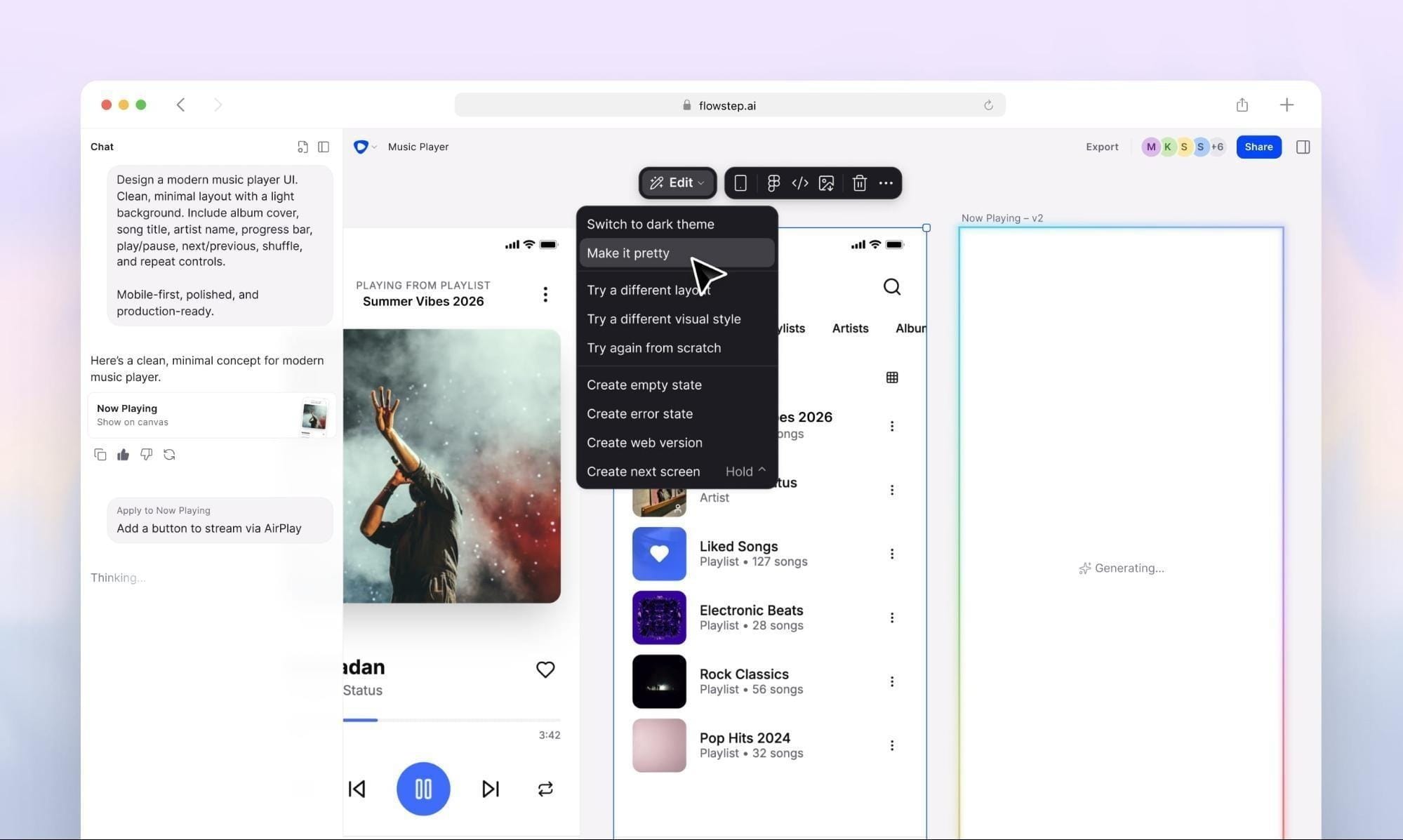
Flowstep is an AI design engineer. Login screen, dashboard, settings flow, or whole multi-screen experience — you name it, and it shows up on an infinite canvas in seconds. Edit it with AI or manually, on the same canvas, even without design skills.
The differences that matter for product teams:
Here's how the two line up:
In Figma's defense, assuming you are using a strong, established design system that is integrated into your workspace, you also benefit from its ability to work within those components. Many of a design agent’s strengths will come from its Figma integration, especially in exploration and tweaking. Conversely, Flowstep is about delivering real products and actual code your devs can use.
Try it free.
Figma's agent nudges toward a usage-based credit you cannot readily predict, whereas Flowstep uses a flat message based rate:
You get 20% off when billed annually, and a dedicated plan is available for Enterprise teams. All pricing plans include every feature, as well as unlimited team members. That way, you’ll just need to consider the number of messages you need, not how many people access it.
If you’re designing in Figma and already have the Full seats, the agent is worth starting up. It saves real time on mass editing and exploration, is free during the beta, but it keeps you stuck in Figma instead of heading towards code-ready. If your aim is to go from a prompt to a real UI with tight React, TypeScript, and Tailwind for engineering, try Flowstep. You can build your initial multi-screen designs in free mode.
The Figma agent is a natively embedded AI assistant within the Figma canvas, which can assist with a variety of design tasks: create and remix designs from prompts, help apply automated bulk updates such as swapping components, applying dark mode to screens, applying your design system, populating frames with realistic data, and providing answers to questions – all while you're working in the file.
It’s free during beta and doesn’t count against your AI credits. At general availability, it will run on Figma’s usage-based credit system. There’s no separate cost; it's just a paid Figma plan and a Full seat, which starts at $16 a month (Professional, billed annually), $55 for Organization and goes up to $90 per month for an Enterprise plan.
If you design in Figma and regularly work through time-consuming edits or early concepts, it can be a worthwhile plug-in (try it for free during its beta phase with any Full plan). If you don’t work with Figma, you aren’t using design systems, or your primary focus is on producing shipped UI with code rather than perfecting your Figma files, then a prompt-to-code option like Flowstep would better serve your purpose.
It varies from case to case. As Figma-native alternatives, tools like Anima’s Buddy would work for you at any plan. If you need an alternative to turning prompts into real product UI and prod code without using your Figma seat, check out Flowstep, where you can create multi-screen designs in an infinite canvas. You will then be able to copy designs into Figma with ⌘C/⌘V and export 1:1 code in React, TypeScript, and Tailwind.