We Tested 12 Best Prototyping Tools: Our Honest Take for 2026
See the best prototyping tools in 2026, from AI-driven to high-fidelity options. Find which tool is best suited for your team.
Jump in for a Claude Design review covering what it can build, where you'll run out of tokens, Claude Design pricing tiers, and when a different tool can make more sense.
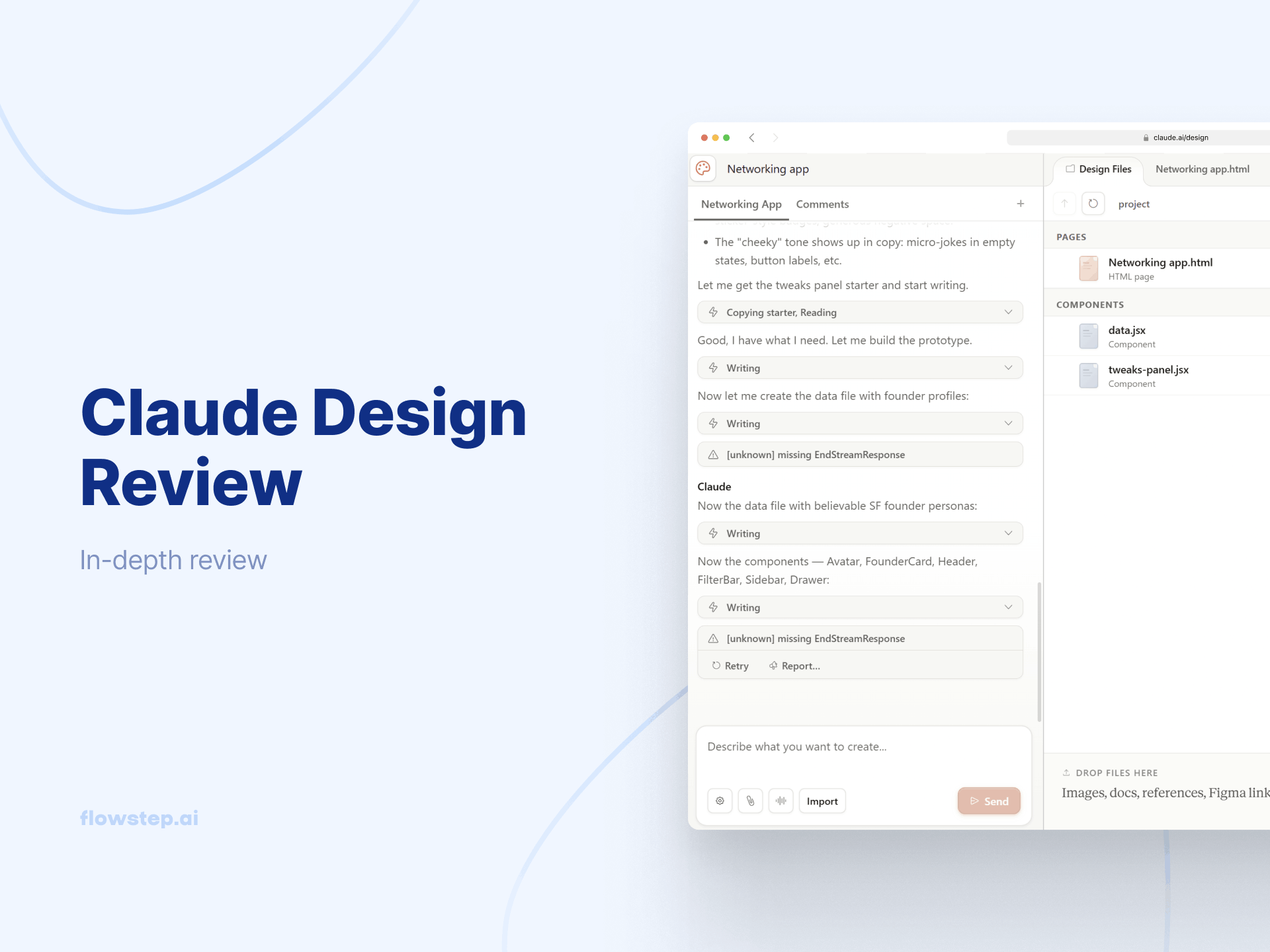
Claude Design launched on Friday. By Monday, half my feed was screenshots of rotating 3D globes; the other half was people locked out of the tool after burning through a week's worth of tokens in half an hour. Figma stock drops by 7%. Anthropic's CPO resigns from Figma's board before the announcement. The timing was not subtle.
With all that disturbance, I was curious (to say the least) to test Claude Design myself. I spent some time with it and read through dozens of user reports to give you this overview. This Claude Design review covers what it gets right, where it falls short, how the token economics work in practice, and when you're probably better off using Claude Design alternatives.
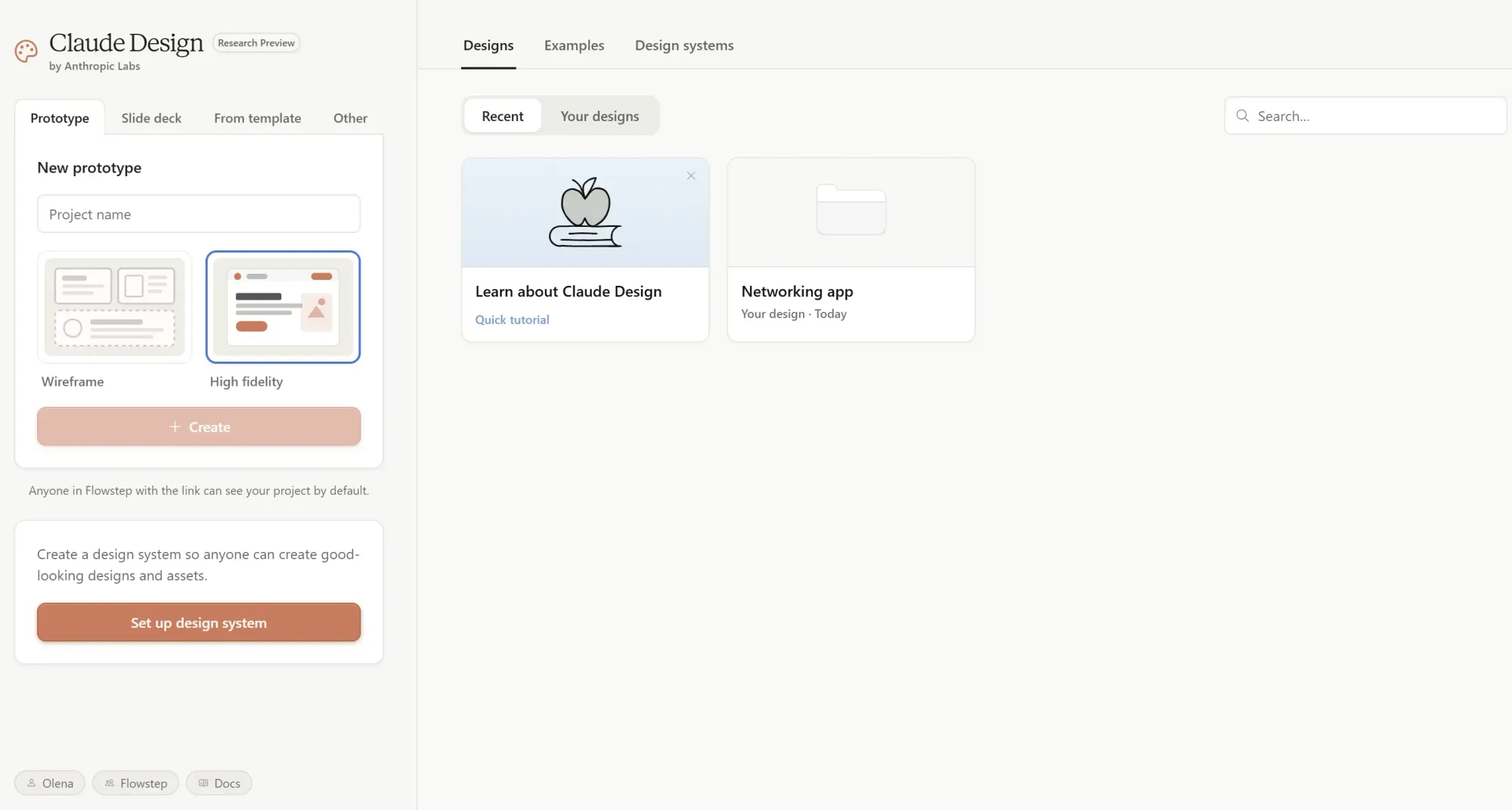
Claude Design is an AI design tool from Anthropic Labs that turns a text prompt into prototypes, slide decks, landing pages, one-pagers and design systems. It runs on Opus 4.7 (Anthropic's most capable vision model) and launched April 17, 2026, as a research preview for Claude Pro, Max, Team and Enterprise subscribers at claude.ai/design.
Anthropic's framing is: a tool that gives designers room to explore and everyone else a way to produce visual work.
The concept is simple enough. You describe what you want, Claude builds a first version, which you refine. In practice, there's more going on.
Chat panel on the left, canvas on the right. Pick a project type to start, then feed it context. That could be a text prompt, uploaded design files, a codebase link, a local folder or the web capture tool, which pulls design assets directly from a live URL. Claude asks clarifying questions if it needs more context before generating.
Before your first project, Claude reads your existing codebase and design files, extracts your brand's colors, type and components, and applies them to everything you create after that. Components automatically inherit your visual language without manual color palette matching.
The catch: most users report a 15–20 minute wait for that initial extraction—worth it for teams with a real codebase, overkill for quick side projects.
There are three methods to edit. Chat handles the big stuff, like layout overhauls, aesthetic direction shifts and adding new sections. You can also click on specific elements and request targeted changes with inline comments without describing their location. Custom sliders are probably the cleverest idea: instead of typing "adjust spacing slightly," Claude generates actual drag controls calibrated to your design.
The inline comments sometimes disappear before Claude reads them. Anthropic's own documentation lists the workaround: paste the feedback into chat instead. It works, but it's a rough edge on something that should be seamless in a finished product.
You can export as standalone HTML files, PDFs, PPTXs, send to Canva, download a ZIP folder, or trigger a Claude Code handoff. The handoff bundle packages your design into a single instruction that Claude Code can implement directly into your stack.
Two things worth flagging here. First, there's no direct Figma export—editable layers need a workaround. Second, animated videos cannot be exported as video files at all. You may have to use screen recording just to save the video Claude generated.
See also: Figma alternatives.
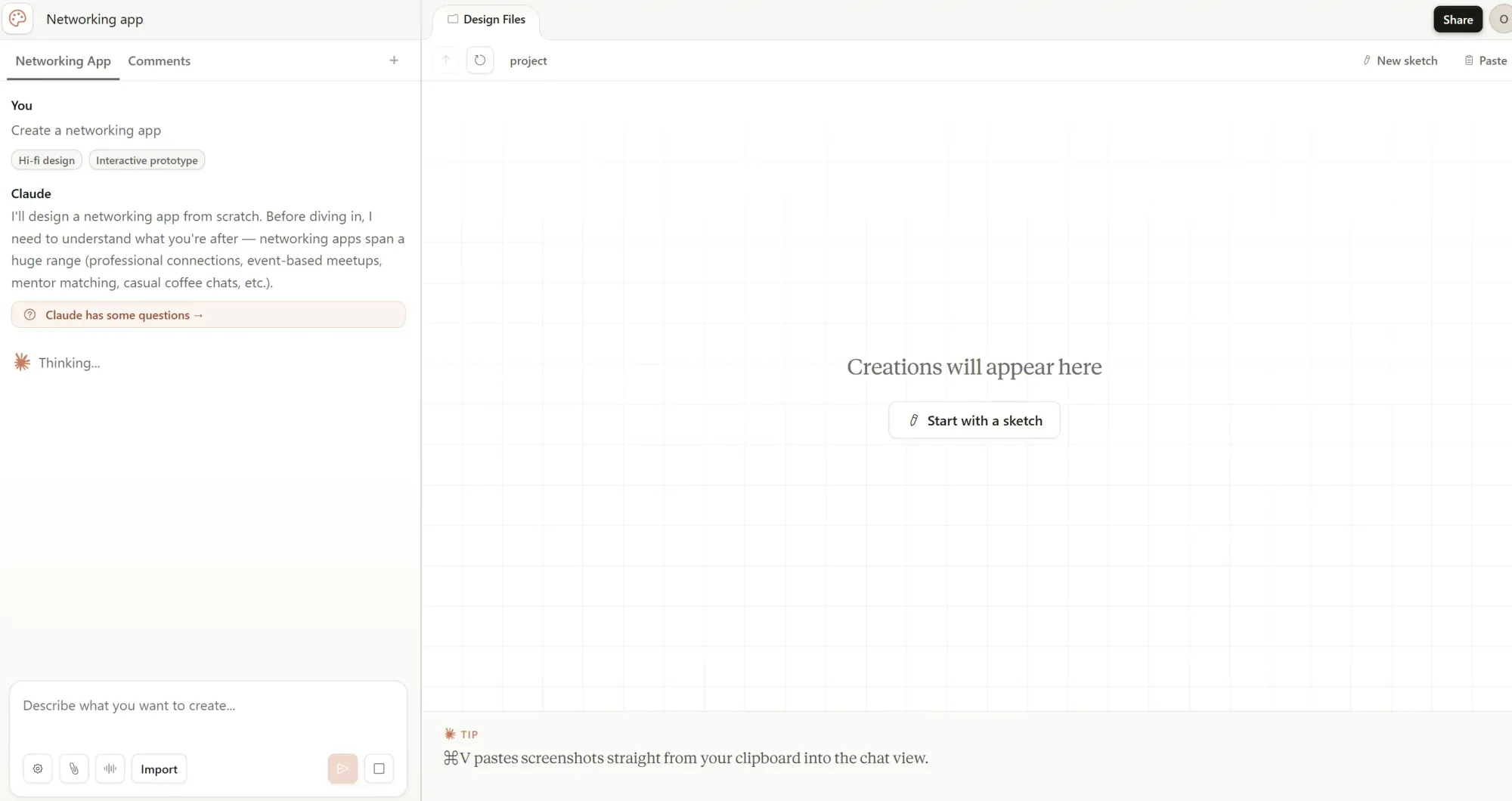
The design system pipeline is great. Once Claude has ingested your existing codebase, the design output respects your tokens, type scale and components automatically.
The frontier design capabilities are where Opus 4.7 earns its reputation—the output quality on code-powered visual work is in a different category from anything Stitch or Lovable produces. Voice, video, shaders, 3D, particle effects included.
Claude Design is fast and reasonably useful for pitch decks and marketing collateral. Founders can go from a rough idea to a slide deck in under an hour. Marketers producing campaign visuals or social media assets without a design background can quickly produce something usable. The clarifying questions Claude asks up front do a lot of heavy lifting for inexperienced people.
The Claude Code handoff via a single instruction is a clean design-to-code path.
That being said, it's not a limitless tool, for sure.
Credit limits that cut you off for a whole week. No Figma export. No desktop app. No offline mode. Browser-only. I also noticed manual editing is quite clunky and missing basic controls you'd expect in any design tool. Claude Design also doesn't support audit logs or usage tracking yet.
PCWorld's Ben Patterson burned through 80% of his weekly allowance in 25 minutes building three variations of a single prototype. On a Pro plan.
Reddit reports from Max 5x subscribers describe exhausting the weekly Design budget after two test sessions. One detailed account tells of a Max 5x user spending 70% of their weekly Design budget on the codebase ingestion step alone, hitting the 5-hour Claude limit twice during prototyping, exhausting 100% of the weekly Design allowance, and spending an additional $85 in extra token purchases—all for one prototype. Pro users consistently report hitting the weekly wall after 3–4 prompts.
Claude Design usage is metered separately from your chat and Claude Code allowances, and the weekly reset (rather than a rolling 5-hour window as we're used to from the Claude chat) makes it particularly punishing when you're mid-project.
You can export to Canva, PDF, PPTX, HTML or hand off to Claude Code. Getting editable Figma layers requires screenshotting or routing through a Claude Code → Figma MCP round-trip. Some alternatives, as you'll find below, have integrated Figma export of AI-generated designs, no plugin necessary.
The output is safe, at best. Template'y designs make it effectively not that different from Claude Code output, just wrapped in a new interface. Without heavy prompt work, you get designs that are technically competent and aesthetically forgettable. Even uploading a detailed custom design system doesn't always prevent Claude from defaulting to its own visual instincts.
The same dynamic applies to slide decks. The default output can be static and boring compared to what the tool can produce when you prompt more specifically. The fix exists—use animated prototype mode for slides, treat the first draft as a structural skeleton—but most people's first session won't go that deep.
The workarounds that help: feed it Dribbble-style screenshots as inspiration, write explicit anti-pattern instructions into your prompt ("no card grids," "no hero sections"), and load a strict design system before generating anything else.
Claude Design doesn't cost extra—it comes with your existing Claude subscription. But it runs on a separate weekly allowance that resets every week, independent from your chat usage and your Claude Code quota.
Anthropic is currently offering a one-time onboarding credit for Enterprise customers (usage-based), covering roughly 20 typical prompts per user, expiring July 17th, 2026. That credit depletes first, before your plan's Design allowance kicks in. Once you exceed your weekly limit, additional usage bills are billed at standard API rates. Claude Design is token-heavy, though.
Note that Claude Design is not available on the Free plan. Access requires a paid subscription.
Enterprise users and Team admins can purchase extra usage for additional capacity.
Pro runs out fast. Max 20x is the minimum for anything resembling regular design work, and even then, you'll hit the ceiling on heavier weeks.
Not to limit this to my experience, here are some recurring Claude Design reviews from other users. First of all, designers are looking for ways to connect it with Figma, because there’s no native workflow for that at the moment. But that’s not all.
Every thread, same story. Multiple Pro plan users are reporting a single prompt consuming 30–40% of their weekly Design allowance. Max 5x users describing 67% of their weekly budget gone across two sessions. One Max 20x user found that two small projects consumed 100% of their weekly Design quota while barely denting their Claude Code limit.
The pattern holds regardless of the plan. Claude Design burns tokens faster per interaction than regular Claude chat or Claude Code—and the weekly reset structure makes each burn more expensive in terms of lost time.
The second most common theme is that the output has a recognizable fingerprint—specific enough that experienced designers say they can spot Claude-generated work at a glance. Serif headings, colored accent bars, card-heavy layouts, that blinking green status indicator. Even users who uploaded full design systems report Claude defaulting to its own visual language in places.
The users getting genuinely differentiated output are those who treat prompting as a design brief: screenshots for tone reference, explicit anti-patterns in the prompt, a strict design system loaded before a single generation runs.
Git repo access is failing after authorization. Mobile previews breaking. Save errors in compact view. Comments are disappearing before Claude reads them. The model version selector (a small, easy-to-miss element) is invisible enough that multiple users spent meaningful tokens on the default Claude model before discovering they could switch. Animated videos cannot be exported as files at all; screen recording is the only current option.
The codebase-to-design-system pipeline stands out. Users who connected their actual frontend repo report that Claude correctly extracts brand tokens and applies them to generated screens without manual configuration.
The Claude Code handoff also lands well. Engineers consistently describe it as the fastest design-to-code path they've worked with.
A solopreneur using Cowork described generating media kit templates from raw influencer data with automatic chart scaling—a use case that traditional design tools would have required a designer to execute
That being said, I wouldn't necessarily call Claude Design a revolutionary tool. Some alternatives have been doing similar things already—sometimes better.
Flowstep is one example.
Flowstep is built for production-ready UI designs from simple AI prompts. Login flows, dashboards, settings pages, multi-screen experiences, anything you need, even multiple versions if you want to brainstorm different approaches. Describe a rough idea, attach a PRD or reference link, and get real, editable screens on an infinite canvas.
You can then adjust spacing, rework the color palette, refine through chat or directly on the canvas, and when the design is ready, copy it straight into Figma with two clicks of ⌘C/⌘V. And when engineering is ready, export production code in React, TypeScript and Tailwind CSS. For more context on AI design tools broadly and the best AI tools for product managers, we've got dedicated breakdowns.
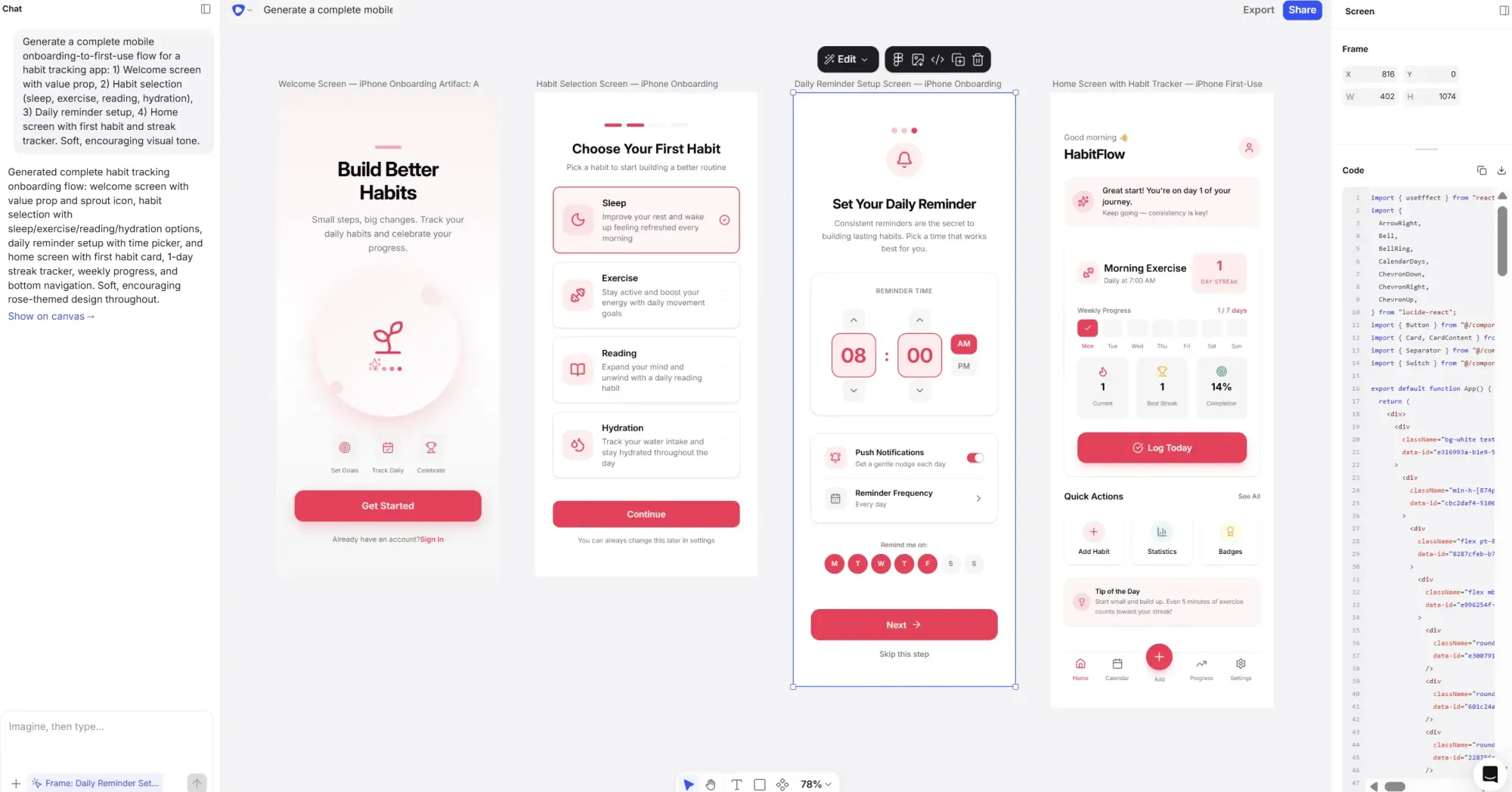
Product teams don't design in isolation. Designs land in engineers' hands as specs. Components get rebuilt from references. Review cycles live in comments. Getting designs into Figma without an extra step is the case of whether the tool fits your workflow or forces a workaround into it.
Claude Design can create landing pages, slide decks and prototypes that look good on the canvas. Getting those into Figma as editable layers is a different story. You're either screenshotting or routing through a Claude Code → Figma MCP roundtrip. That's manageable once. It compounds fast for teams doing this regularly.
Flowstep's ⌘C/⌘V Figma integration is as simple as selecting the design, copying and pasting. Layers intact. No plugin required.
The weekly Design allowance is separate from chat and from Claude Code, which sounds fine until Max 5x users at $100 a month are reporting two projects exhausting a full week. On the Pro plan at $17, most people hit subscription limits after three or four prompts. Extra usage bills at API rates, and this tool is not light on tokens. There's no Free plan access at all.
Flowstep is flat monthly. No weekly meter, no separate allowance to track, no mid-project overage surprises. Message-based usage (not credit-based), so spend is predictable. All features on the paid plan, unlimited collaborators and more AI usage available if you need it. Try Flowstep free and see how far you get before needing to pay at all.
Enterprise solutions available.
Use Claude Design if you're already on a paid Claude plan, your team ships using Claude Code, and you only occasionally need prototypes, slide decks or animated components with code-powered interactions. Connect a real codebase, and the design system extraction is worth the wait.
Use Flowstep if a full product UI is the deliverable you need. Real screens that land in Figma as editable designs your team can review, annotate and build from. Multiple screens in one go. Real-time collaboration. Production code when engineering is ready. Free to start, no strings attached.
Also worth reading: The full best AI UI design tools roundup.
If you want to test it, start at claude.ai/design. Use the one-time 20-prompt credit on a project and link an existing codebase if you have one. The design system extraction is the best part of the product, which you won't get to see in action unless you connect something.
If you're a product team that wants AI-generated UI that drops straight into your files without extra steps, try Flowstep. Production-ready code export built in. Figma export included. Generate your first multi-screen UI for free, with polished, on-brand designs and clean code.
There's no separate subscription. Claude Design is included with Claude Pro ($17/month), Max 5x ($100/month), Max 20x ($200/month), Team and Enterprise plans. It's not available on the Free plan. It runs on a separate weekly usage allowance independent from chat and Claude Code. Going over the allowance bills at standard API rates.
Claude Design has a separate weekly allowance that resets every seven days, independent from your other Claude limits. In practice: Pro users hit the wall after 3–4 prompts. Max 5x users report that two projects consume the full weekly budget. Extra usage is available at API rates. Usage for Claude Design is metered separately, meaning design activity never draws from your chat or Claude Code quota. Audit logs and usage tracking are not yet supported.
Different tools, different jobs. Claude Design generates visual work from prompts—prototypes, decks, one-pagers, marketing collateral. Figma is where production design happens: component libraries, annotation, handoff and design systems at scale.
Claude Opus 4.7 by default. There's a model version selector in the interface that lets you switch to a different Claude model, but it's easy to miss, and several users burned through meaningful tokens on the default before finding it.