16 Best AI Tools for Designers: 2026 Top Picks
Discover the best AI tools for designers [2026], including Flowstep, Figma Make and more top picks to speed up your UI/UX workflow and create better designs faster.
A Claude Code review covering pricing, core features, where the token limits bite, and whether it's worth the subscription for solo devs and teams.
Claude Code is not a chatbot that can also write code. It's not GitHub Copilot with a different logo. And it's not something you evaluate with a few tab completions and call it a day.
What it does differently from competitors is understanding the entire codebase, with a 1-million-token context window that can comprehend lines upon lines of code without losing context.
But behind the undeniable pros and popularity, it still has its drawbacks. This Claude Code review breaks down the pricing structure, rate limits, real usage reports, and where a different tool may make more sense for you.
See also: Claude Design overview and alternative options.
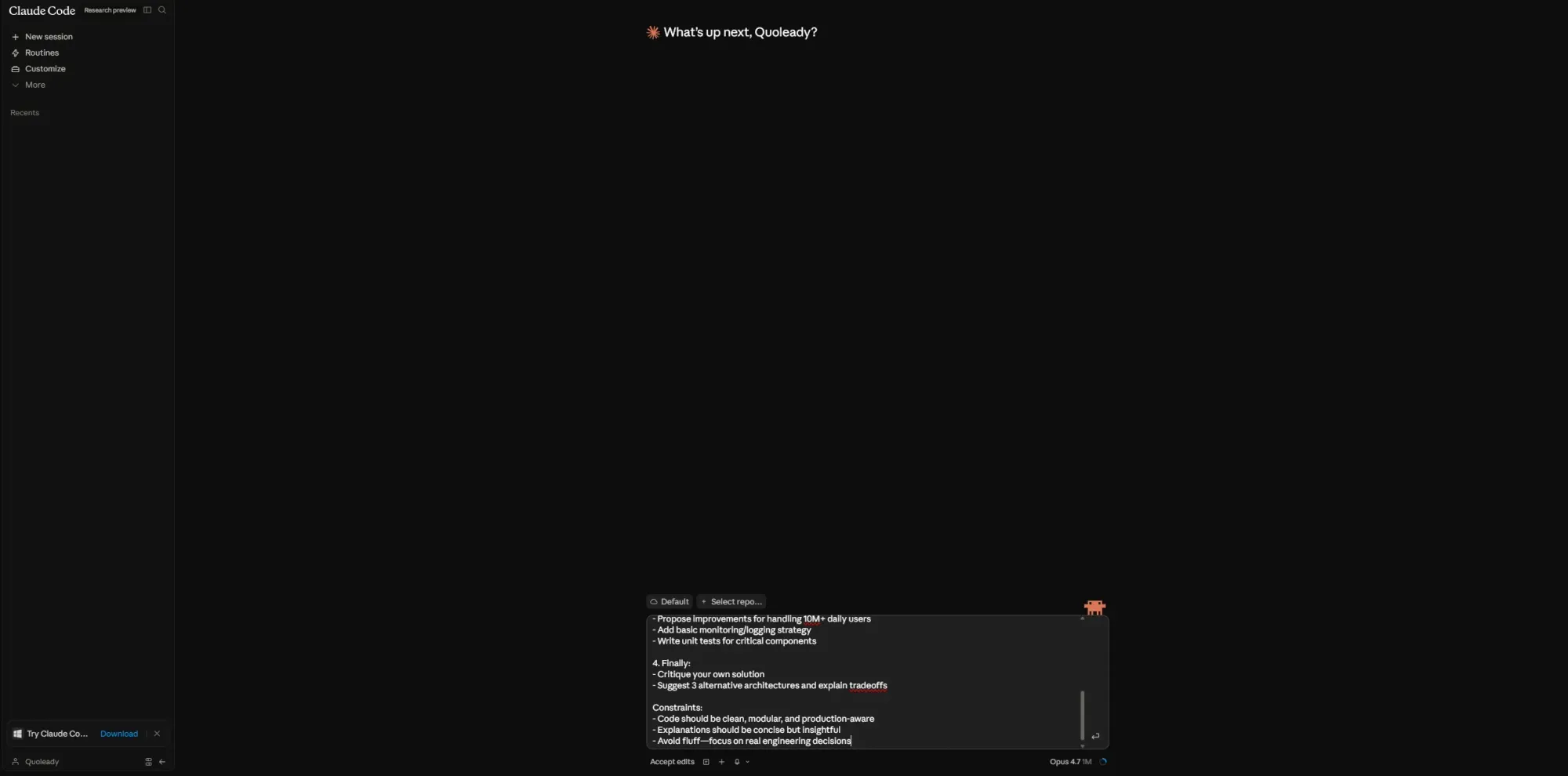
Claude Code is Anthropic's agentic coding assistant. You run it from the command line, point it at your codebase, and give it tasks in plain language. It reads your existing code, maps dependencies and makes changes across multiple files without you having to babysit each step.
It works as a native terminal, a Desktop app for macOS and Windows, a web interface at claude.ai/code, VS Code, JetBrains, an iOS app and in Slack. Each surface connects to the same underlying engine, so your configuration and memory files carry across all of them.
It launched in February 2025 for early access. By 2026, it had a 1 million token context window in general availability, alongside a growing MCP server ecosystem (GitHub, GitLab, Slack, Datadog, Linear, Supabase, Docker, PostgreSQL) and a research preview of Agent Teams for parallel multi-agent execution.
The current models are Sonnet 4.6 and Opus 4.7—Anthropic's latest flagship, released April 16, 2026. Both are priced the same on the API costs at $5/$25 per million tokens, but Opus 4.7 ships with a new tokenizer that can produce up to 35% more tokens from the same text. Same rate card, potentially higher bill.
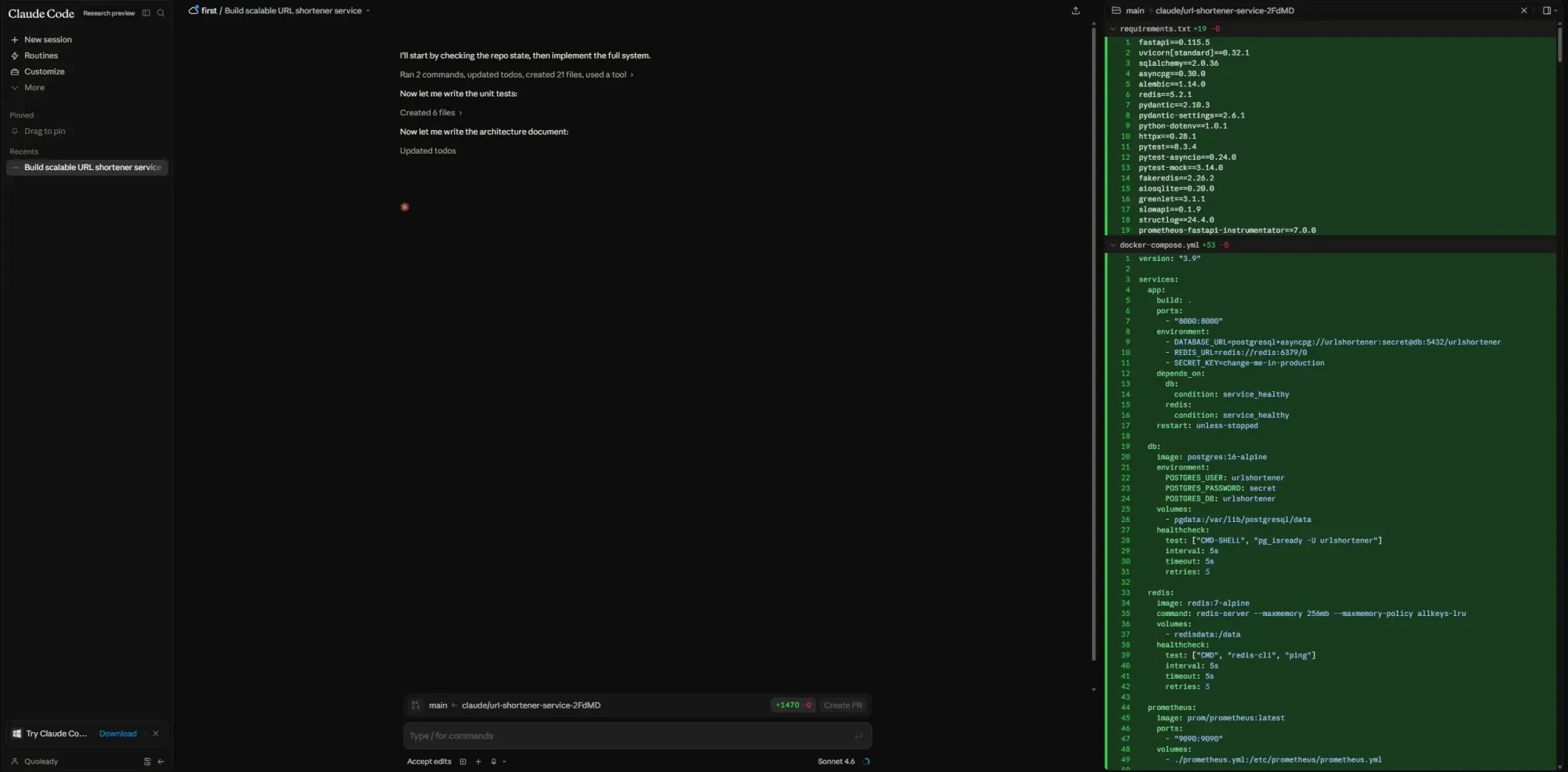
Before it generates anything, Claude Code reads your project structure. It can navigate dependencies, identify architectural patterns, and propose refactoring consistent with existing conventions without any additional explanation from a developer.
Well-documented, consistently structured projects with a reasonable codebase size give the model the context it needs to work with your patterns. Loosely documented codebases that have accumulated technical debt over several iterations are harder to maintain. The model can still work, but you'll find yourself correcting direction more often.
One operational detail worth noting: Haiku is best for lightweight tasks like title generation and topic detection, not user-facing responses. Sonnet and Opus do the actual coding work.
Give it a scoped task, and it plans before it writes. Ask it to add authentication with email verification, and it figures out where that logic belongs, what needs to change across files, and what tests should go where.
Claude Code can run a build, read the error output, modify the code, rerun the build and iterate until it passes. Complex tasks on unfamiliar codebases still require careful oversight, though.
Tight prompts produce cleaner output. Loose, open-ended requests on a codebase the model hasn't seen before tend to produce technically functional but over-engineered code. Breaking complex work into smaller steps is best practice.
You can point Claude Code at a GitHub issue with a single command and get a pull request back, tests included. The /code-review command runs parallel agents that look for bugs, verify findings to cut false positives and rank issues.
The Code Review feature is a separate, dedicated multi-agent system that dispatches a team of agents on every PR. They run in parallel, verify bugs to filter out false positives, and rank findings by severity. Results are posted as inline comments directly on GitHub, plus a single high-signal overview comment.
The average review takes around 20 minutes. Claude Code costs for this feature average $15–25 per PR, scaling with PR size and complexity.
CLAUDE.md is a file you add to your project root that Claude Code reads at the start of every session. Use it to set coding standards, preferred libraries and architecture decisions. It's the persistent context that makes the model behave consistently with your existing code conventions across sessions.
MCP (Model Context Protocol) lets Claude Code connect to external tools, reading design docs from Google Drive, updating Jira tickets, pulling from Slack or integrating with your own tools.
Works across terminal, Desktop app, VS Code extension, JetBrains plugin, web browser, iOS and Slack. Documentation is comprehensive and developer-friendly, with solid setup guides for each environment. Support response times (18–24 hours on submitted tickets) remain the weak spot, especially at the higher subscription tiers, where you'd expect faster turnaround.
The Claude Code pricing plan is bundled into Claude's subscription tiers, not standalone. But it runs on usage limits that operate independently from your regular Claude chat allowance.
On the API: Sonnet 4.6 is $3 per million tokens input and $15 output. Opus 4.7 is $5 input and $25 output. The tokenizer can produce up to 35% more tokens from identical text, so your total cost per task can climb even though the rate card didn't move. For anyone doing API-based cost projections, replay real traffic on both versions before committing.
On the subscription side, the math is decisive at scale. One developer tracking 10 billion tokens across 8 months paid $800 on Max versus an estimated $15,000 at API rates. For consistent full usage, the subscription wins heavily. For lighter actual usage (under around 50 sessions a month), pay-as-you-go can undercut it.
Cache reads dominate real token usage more than you expect. Real Claude Code sessions show over 90% of all tokens are cache reads, not fresh input tokens. Cache reads are priced at 10% of the standard input rate, e.g., $0.50 per million tokens for Opus. On stable codebases where the project structure doesn't change much between sessions, prompt caching is a significant cost lever. On fast-moving projects with heavy daily changes, the benefit shrinks.
The weekly rate limit problem resets on a fixed schedule. Hit it mid-project, and you're waiting or paying overage at API rates. Heavy Claude Code usage on large codebases can burn through the Pro allowance in a few intense sessions. Community consensus puts the real entry point for professional daily use at Claude Max 5x, $100/month; the Pro plan's rate limits hit after 2–3 hours of intensive work. You can navigate to Settings > Usage to view progress bars showing how much of your five-hour session and weekly usage limits you’ve consumed.
Individual developers deciding between Pro and Max should assess their workflow first. Focused, episodic sessions a few times a week—Pro may suffice. Full-time agentic development—the weekly rate limit will bother you.
Claude Code is a language model trained to write and modify code. It assumes the product already exists.
It doesn’t help you:
That gap becomes obvious the moment you’re working on anything user-facing.
You’re writing backend logic while guessing the UI. You’re committing code before validating the experience. And unless you’re working alone, your product manager and designer are effectively locked out of the process.
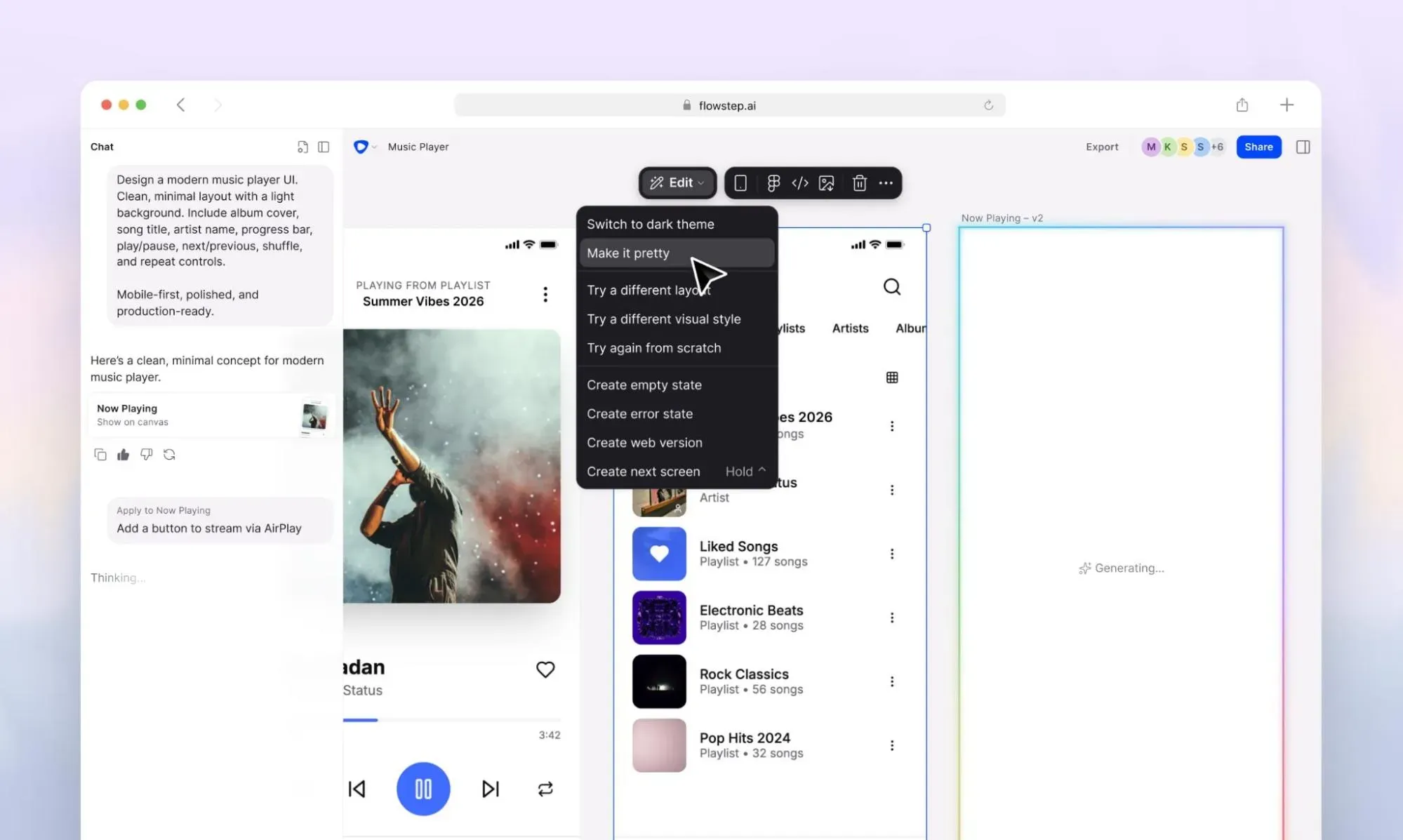
In practice, teams solve this by introducing a design-to-code layer before Claude Code with Flowstep. It lets you:
Instead of starting with code, you start with something everyone can see and easily edit to fit the brand. Then Claude Code takes over and builds it properly.
Describe a screen, a flow, or a product idea in plain language, and it generates real UI on an infinite canvas. The output is immediately editable and copies straight into Figma with ⌘C + ⌘V. You can also easily export clean React, TypeScript and Tailwind CSS code with one click once everything is ready. The Flowstep-to-Claude Code MCP integration makes this workflow even easier.
Anyone can use it, from experienced designers who want a faster way to brainstorm ideas and get over creative block to developers who work with code on a daily basis and need on-brand UI visuals they can export into code without waiting on team members.
For individual developers or small teams who need to produce design references before building, Flowstep removes the dependency on a design sprint for early-stage work. Generate the screens, share with stakeholders and get feedback before a line of production code gets written. Attach any design references you have for better output and easily edit on the intuitive UI.
Start for free and only expand into the paid plan if you run out of credits. The Starter plan is just $15 monthly, with annual discounts available.
If you want a broader look at how AI design tools compare, or how Flowstep fits alongside the best UI design tools available, see our dedicated comparisons.
If you're a developer who regularly works on complex, multi-file problems, like debugging across layers, large refactors or codebase analysis on inherited projects, Claude Code is worth it. Start with Pro and see if the weekly limit holds for your actual usage. If it doesn't, check your budget to see if Max 5x fits you.
If Claude Code is for developers who build from the terminal up, Flowstep is for product teams who need to figure out what they're building before anyone opens a terminal—and still want production-ready code when they do. Try it free and generate your first multi-screen UI before you decide anything.
No. The free plan doesn't include Claude Code access. You need at least a Pro subscription at $20/month ($17/month with annual billing). In practice, most developers doing intensive work find the Pro rate limits too restrictive and move to Max 5x at $100/month.
Pro gives you roughly 5-hour session windows before limits kick in. Claude Max 5x gives you approximately five times that. Max 20x is for power users running heavy production workloads daily. Both Max plans include full Claude Code access—the difference is how much allowance you get.
It works on a native terminal, a desktop app for macOS and Windows, VS Code and JetBrains extensions, a web interface at claude.ai/code, iOS and Slack. If you prefer a visual environment over the terminal, the Desktop app or web interface are solid options that connect to the same underlying engine.
For complex, multi-file work on well-documented codebases—sure. For simple, scoped tasks where GitHub Copilot or a lighter tool does the same job, probably not. The question is whether your day-to-day coding tasks regularly hit the use cases where deep codebase reasoning changes the output quality.