8 Best Sketch Alternatives for UI/UX Design in 2026
Looking for a Sketch alternative? Compare 8 UI UX design tools, including Flowstep, Figma, and more, to find the best one for your team in 2026.
A full Visily pricing breakdown (Starter, Pro, Business plans) plus an honest review of its capabilities + an alternative worth trying for faster UI design.
You've got an idea. Your product manager wants to see it on screen by tomorrow. You open a traditional design tool, stare at a blank canvas, and—nothing. That familiar paralysis hits, and once again you're spending hours designing things you'll probably throw away anyway.
That's what AI design tools promise to fix. Visily is a popular option, and honestly, it delivers on some of that promise. But it has its limits. This article breaks down the full Visily pricing structure, goes through the key features, pulls in actual user opinions, and gives you an alternative tool option that takes things further.
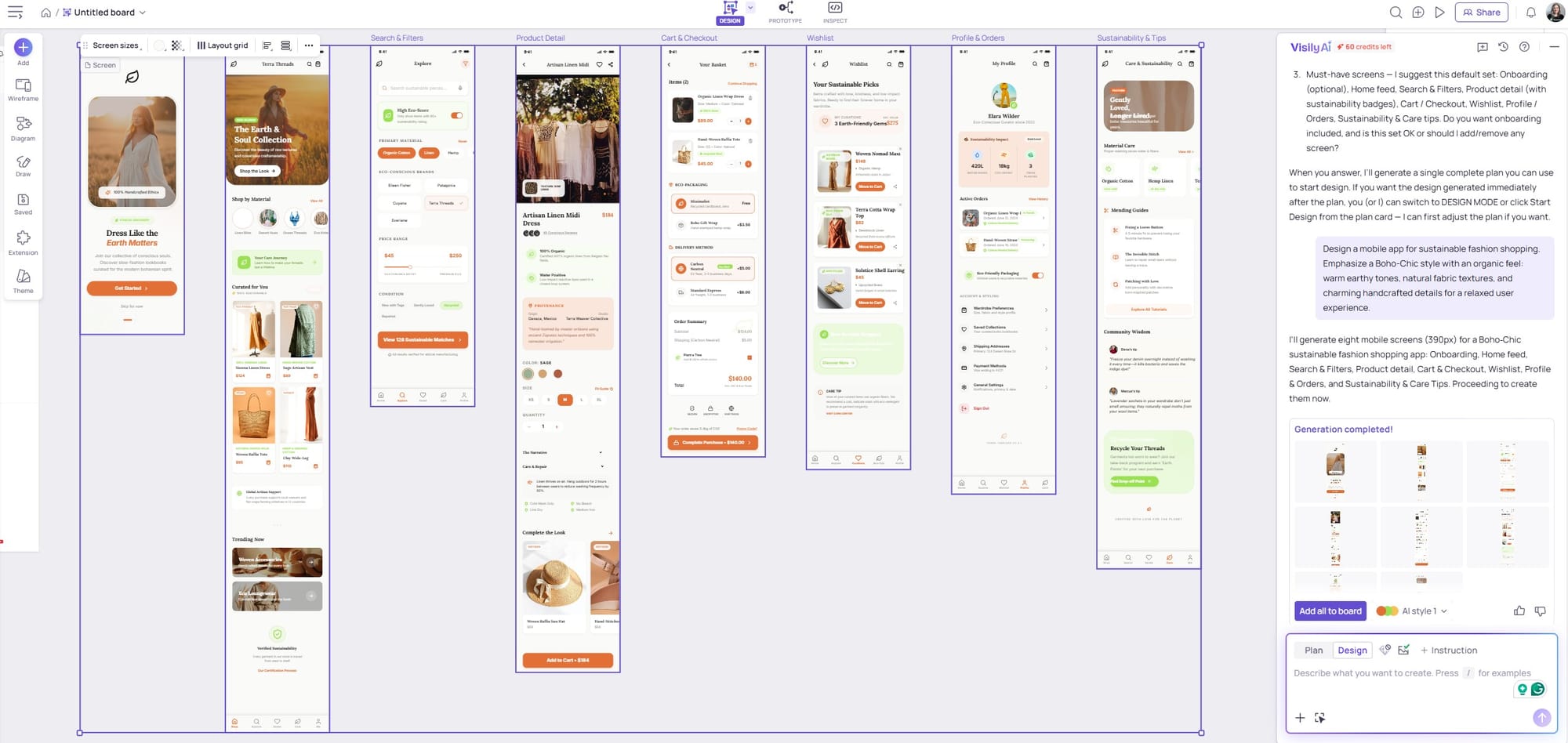
Visily is a browser-based AI design tool made for non-designers: product managers, founders, developers, business analysts—people who have ideas but don't want to spend weeks learning Figma. The main pitch is accessibility: you describe something, and the tool does the heavy lifting.
Most AI UI design tools still assume some design knowledge. Visily doesn't.
Visily has four pricing tiers: a free Starter plan, Pro at $11/editor/month billed annually (or $14/month billed monthly), Business at $29/editor/month billed annually and a custom Enterprise option with stricter security measures to protect company information.
Here's the full breakdown:
Visily uses two separate credit pools: AI credits for generating screens, components, diagrams and images, and template credits for using their pre-built templates. Each action consumes a different amount. 300 AI credits doesn't mean 300 prompts. Generating a screen costs more than filling in a content placeholder. Users typically burn through credits faster than they expect.
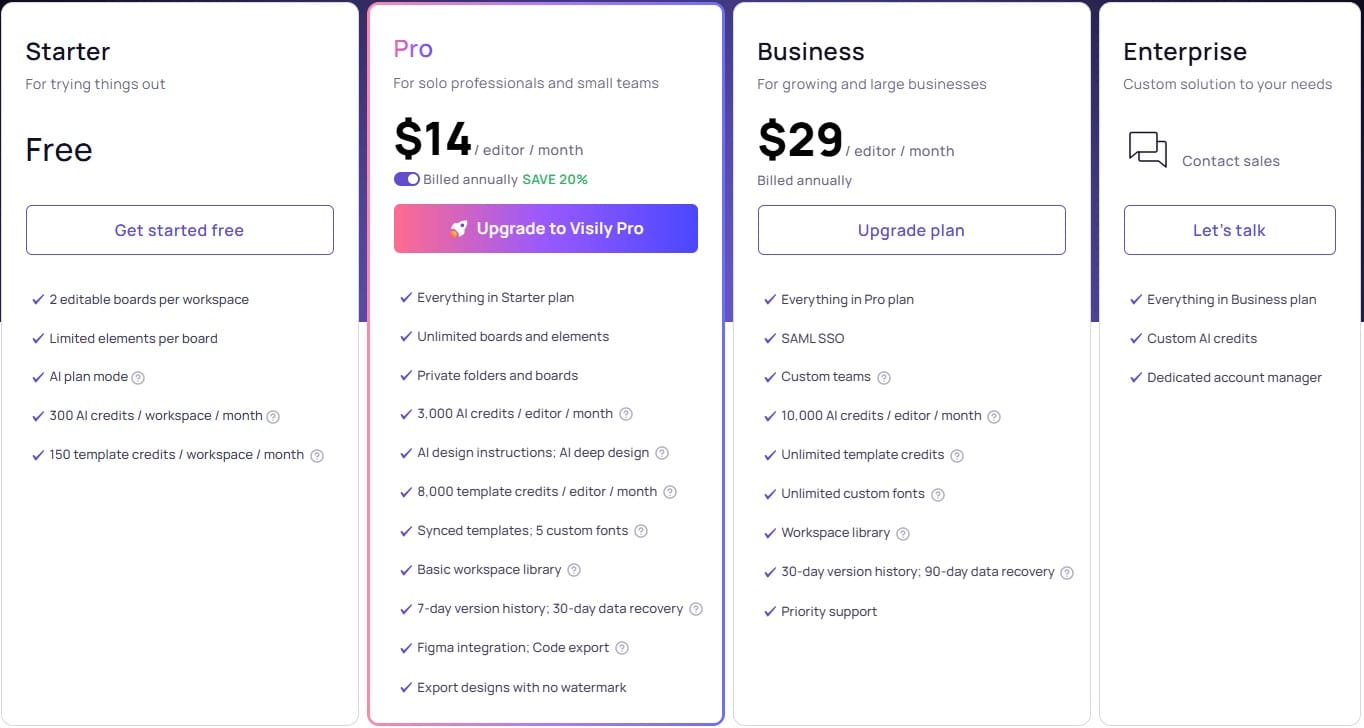
For testing the product, yes. For real work, it's tight. You get 300 AI credits per month (600 in month one), 150 template credits (300 for the first month), and only two editable boards per workspace. Limited elements per board—2,500, exports are watermarked (and only one is available), there's no Figma integration, and you don't get private folders. There's a limit of 50 workspace members, a 4,000-character prompt limit and a tight window of 24 hours for deleted data recovery.
If you're a solo founder trying to sketch one idea and show it to someone, the free plan works. If you have an active team working across multiple projects, you'll hit the ceiling almost immediately and find yourself waiting for the upgrade screen.
The Pro option is reasonable for what you get. Unlimited boards and elements per board, 3,000 AI credits per editor (+600 for guests), access to private folders and boards, Figma integration, code export, no watermark on image exports, custom fonts, and 7-day version history. That's quite a jump from Starter.
That said, 3,000 credits sounds like a lot until you're running daily design sprints. More advanced features like AI deep design and AI design instructions (both Pro-only) consume credits faster than basic screen generation.
The Pro plan makes sense for individuals who use Visily regularly. For small teams, you're paying per editor, so costs can scale quickly. A three-person team on Pro is $33–$42/month.
Visily has 4.8 stars on Capterra and 4.2 on G2, based on verified reviews.
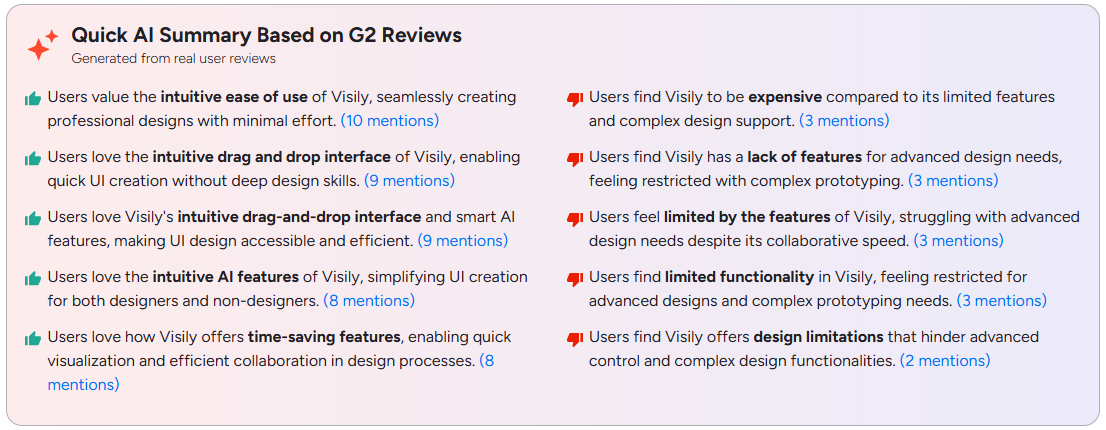
Users consistently praise Visily’s intuitive drag-and-drop interface and AI-powered features that simplify the design process, making it accessible for both beginners and professionals.
One reviewer described a workflow that resonates with a lot of product teams: grab a screenshot of a competitor's app, convert it into a clean wireframe in Visily, iterate with the product manager, share the link, gather feedback. You can get from screenshot to shared design faster than a meeting agenda gets written.
A verified UI/UX designer on Capterra noted limited customization compared to other tools for professional design.
See also: Best AI tools for designers
The smart components issue comes up a lot. Unlike Figma, where you can modify pretty much any component property, Visily's smart components have guardrails. Visily's CEO acknowledged this publicly in a review response, explaining it's by design to keep things accessible, but it frustrates users who want more control over their layouts after generation.
Stability has also been flagged. Some Product Hunt users reported the app freezing or crashing on first use.
If you've been nodding along at Visily's friction points—the credit math, the board limits, the design editing limitations— Flowstep is a Visily alternative that fills those gaps.
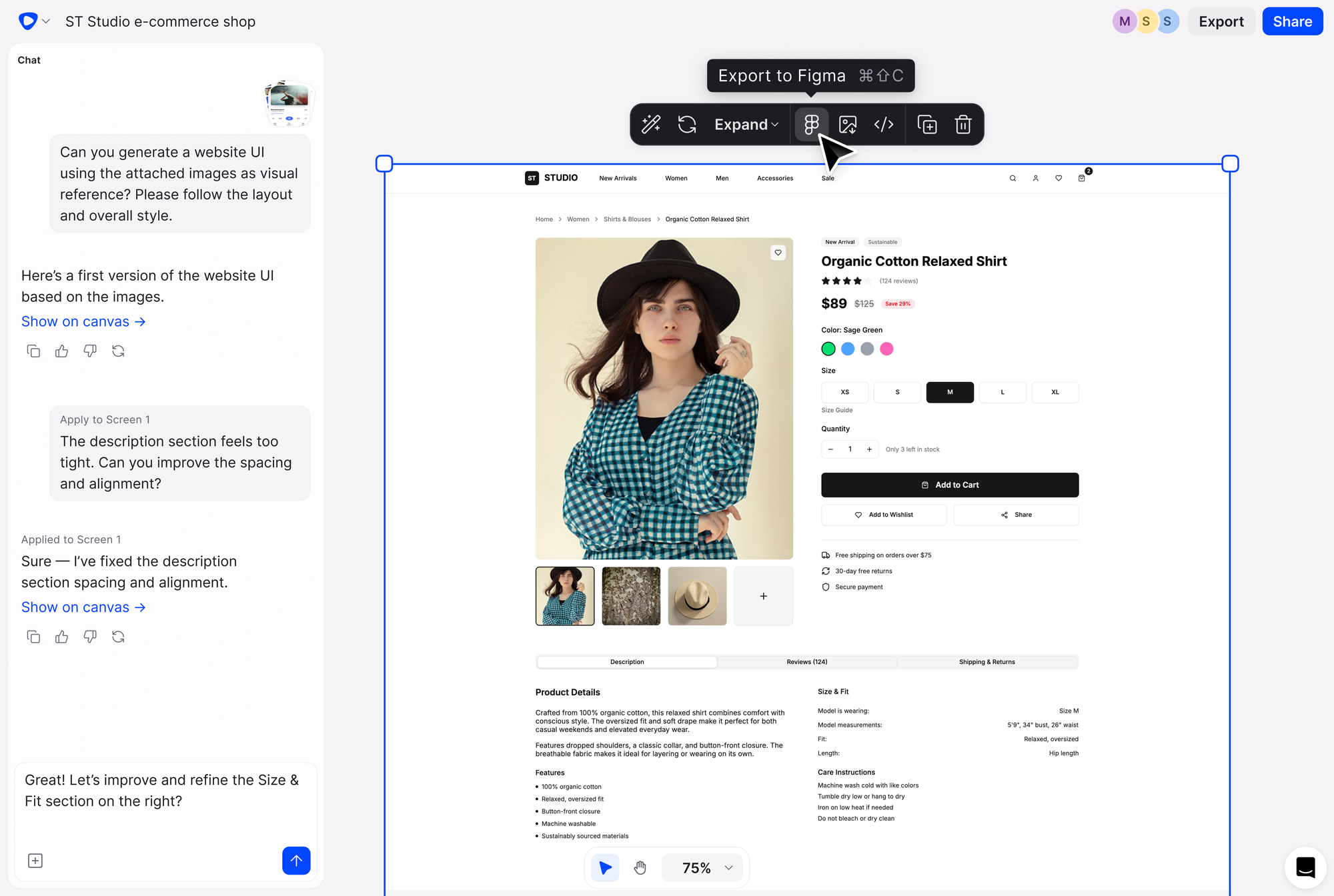
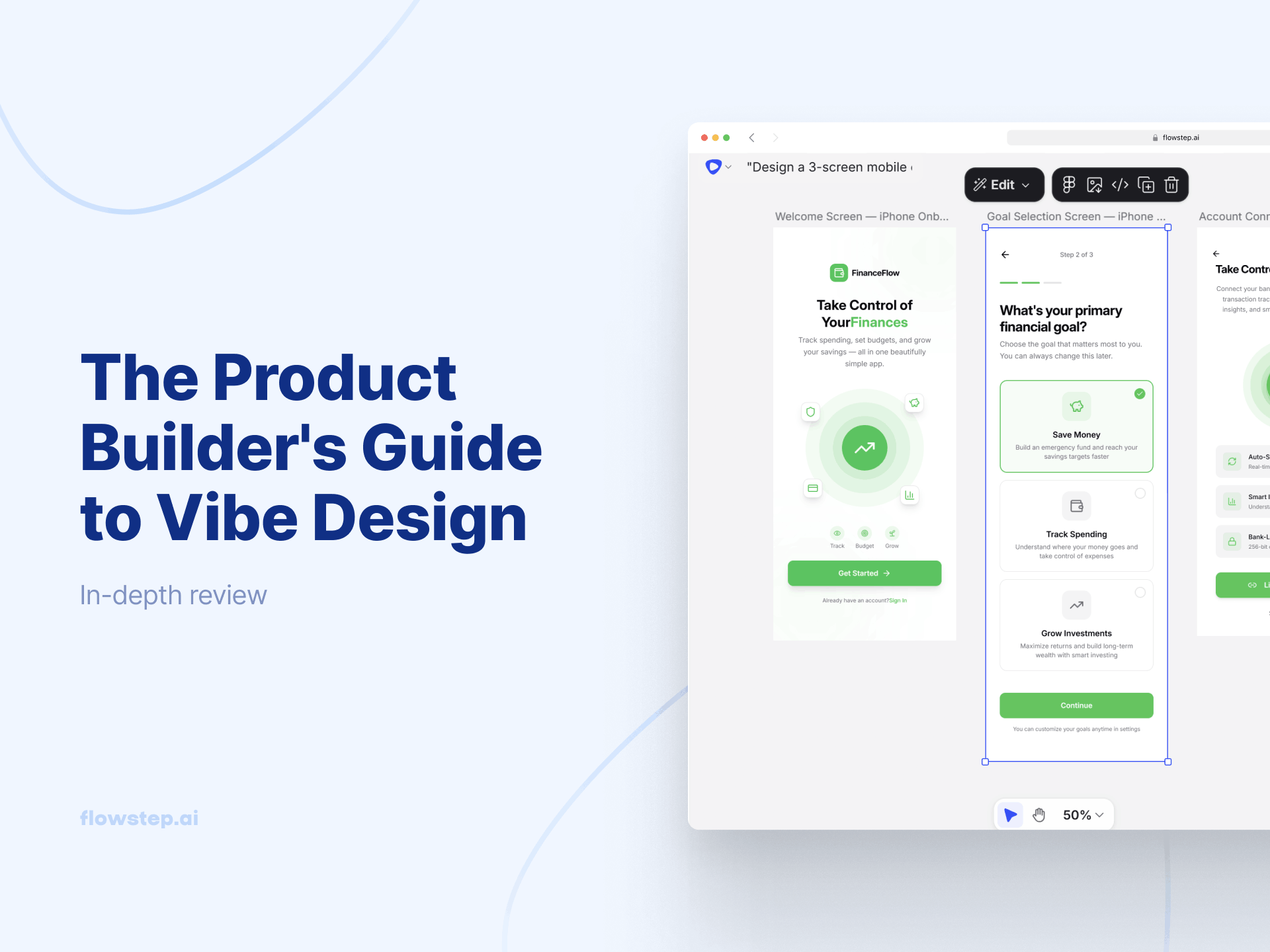
Flowstep is one of the best UI design tools that uses AI to generate real, whole interfaces from simple text prompts, all on an infinite canvas, with production-ready code and two-click Figma export. You can also attach your PRDs or any reference images for more contextual generation. It's perfect for product teams that need to go from idea to something usable, not just wireframes to review and forget.
The pricing model alone is as simple as it gets. There are just two plans: free and paid. Flowstep counts messages, not credits, so the usage calculations are simple. Every time you submit a prompt, that's one message—whether you're generating a screen, editing an element or describing a full flow. If you hit an error, that doesn't count as a message. You're not reverse-engineering a credit consumption table every time you want to use an AI feature.
The free plan includes all core features with a message limit but unlimited collaborators. The Starter tier is $15/month for 80 messages (unlimited screens, projects and exports). You can pay to increase your message limits: $29/month for 240 messages, and $99/month for 1,000 messages, all with unlimited users and features. There's also a 20% discount on annual billing, and we can draft up an Enterprise package if you need.
Here's how it handles the friction points Visily users run into:
Visily is a capable design tool with a low entry barrier. The screenshot-to-design feature is good, the template library saves time, and for non-designers who need to produce wireframes fast, it does the job. The credit system and board limits on the free plan are real friction, and the customization ceiling will frustrate experienced designers eventually, though.
If you want a tool that gets you from idea to shippable product, with cleaner AI output, extensive AI and manual editing options, transparent pricing, and an effortless Figma workflow, Flowstep can be better. Sign up for free and see how quickly a single message becomes a full, usable UI.
Visily offers a free Starter plan, Pro at $14/editor/month (monthly) or $11/editor/month (annually), Business at $29/editor/month (billed annually only), and custom Enterprise pricing.
Visily charges AI credits each time you use an AI feature, like generating a screen, a component, a diagram, an image, a wireframe or anything else. Different actions consume different amounts. You also get separate template credits to use Visily's template library. The Starter plan gets 300 AI credits and 150 template credits per workspace per month. Pro gets 3,000 AI credits and 8,000 template credits per editor.
Starter caps you at 2 editable boards, 2,500 elements per board, 300 AI credits, no private folders, no Figma or code export, and one watermarked image export. Pro removes all of those limits and gives you: unlimited boards, unlimited elements, private folders and boards, 3,000 AI credits per editor, Figma export, code export, custom fonts and 7-day version history.
For a quick solo exploration, yes. For an active team working across multiple projects or features, the 2-board limit and 300-credit cap will create friction fast. Most product teams end up upgrading to Pro within the first few weeks of serious use.