12 Best AI Tools for Designers: 2026 Top Picks
Discover the best AI tools for designers [2026], including Flowstep, Figma Make and more top picks to speed up your UI/UX workflow and create better designs faster.
Evaluating Sketch pricing for your team? This Sketch review covers exact costs, capabilities, pros and cons, and whether it's still worth it in 2026.
Is Sketch still worth it? Frankly, it depends on who's asking.
If you're a seasoned UI designer working on a Mac, deep inside a mature design system, with a dev team that already knows Zeplin, you may be comfortable where you are. But if you're a product manager trying to visualize a feature before your next sprint, or a developer who wants to ship fast but doesn’t know much about design, Sketch may not be the right fit.
This review gets into the Sketch pricing breakdown, what the software tool does well, and when you should start asking whether other design tools might be better suited for you.
If you want to explore other tools that may better fit your needs, see: Top-ranked Sketch alternatives
Sketch is a vector-based design software. For a long time, it was the tool that redefined what design software could be for people building user interfaces and mobile applications—lean, fast, purpose-built for Mac, and far less bloated than whatever Adobe was charging for at the time.
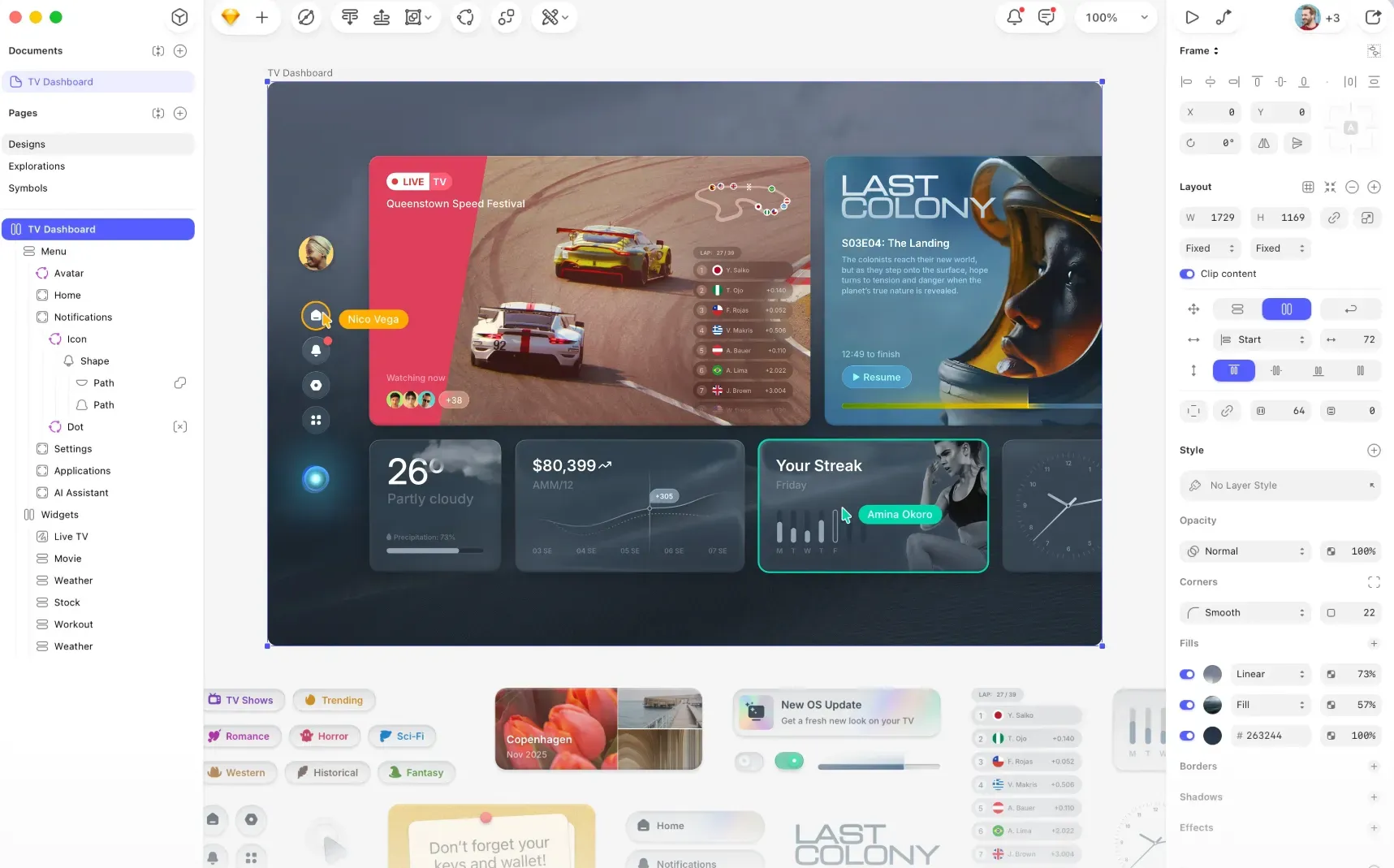
The current version runs as a native Mac app combined with a web app layer. Designers create and edit in the Mac application. Everyone else can access through the browser, where they can review and leave feedback on specific documents, inspect designs and download assets. There's also an iPhone and iPad app for viewing designs on the go and displaying prototypes on a real device.
The Symbols system lets you build reusable components. Shared Libraries let you sync design systems across projects. The plugin ecosystem with plenty of third-party plugins and extensions means teams can add on prototyping capabilities, data tools, handoff integrations, etc. There's also an active community of designers who have built tutorials, resources and workflows around Sketch. New features pop up regularly: Smart Animate for fluid prototype transitions, Selection Colors for editing every color in a selection at once, Independent Borders for per-side border control, and background removal for images.
What Sketch is not: a tool for non-designers. The company says this on its own homepage—the editor was made "by designers, for designers." You need to understand how layers work, how artboards organize a page and how to manage components.
Design systems can be synced across files and teams through Shared Libraries, enabling centralized management of components, styles and colors. The platform supports advanced interactions, including hover, press and dynamic visibility changes for creating prototypes with multiple start points.
Version history, permissions and workspace-level document management provide control over design evolution and access. Asset export includes design tokens in CSS or JSON formats, and developers have free access to inspect, download assets and review designs. Background removal tools help isolate subjects in images for compositing work.
The first thing you should know is that there's no free version. Sketch offers a 30-day trial with standard access, but after that, you'll have to pick a plan or walk.
Monthly subscription is only available on Standard.
The Mac-only license is an interesting option if you work alone and don't need collaborative features. Pay once, keep the current version forever (after your update year ends). It's a rare model in design software, for sure.
Viewers are always free (unlimited across plans). Additionally, Sketch allows free Guest Editors—anyone who already pays for Sketch in another Workspace can edit your documents without adding to your bill. Anyone else needs to pay the seat price to edit.
Students and teachers can apply for a free Education plan on Sketch's website link. Nonprofits can contact support for a 50% discount with appropriate documentation.
While Sketch is for designers who know exactly what they're doing, Flowstep is an AI design tool that gets anyone from idea to real UI in seconds (yes, even non-Mac users).
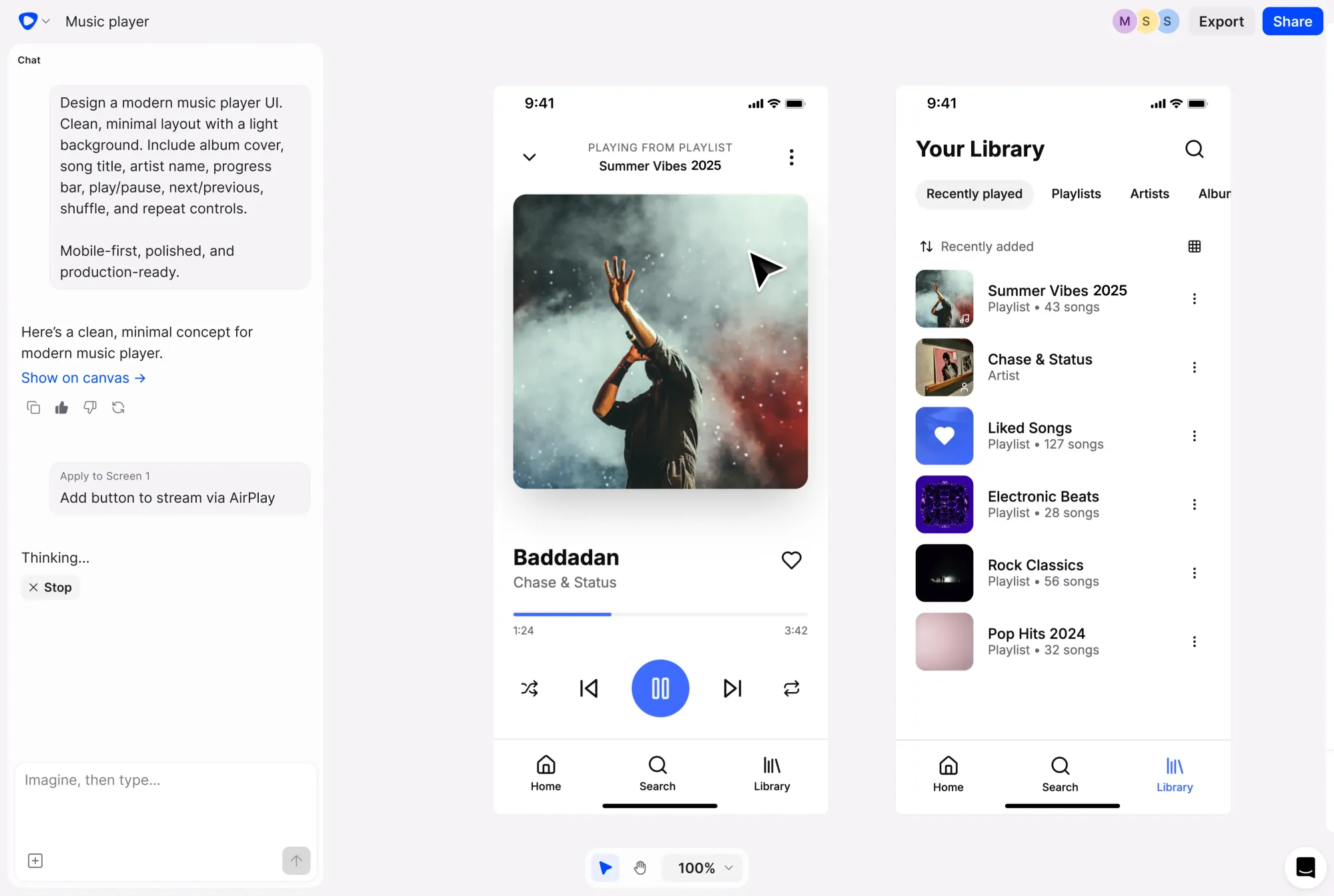
What Flowstep changes is who gets to participate in the design process. Anyone can describe a screen (or screens) they need. Flowstep builds it on an infinite canvas. You refine with more prompts or edit manually. Send it to your team for real-time feedback. When it's ready, copy it directly into Figma with two clicks of ⌘C and ⌘V, no plug-ins, no manual export, no Zeplin intermediary. Layers transfer intact.
For product managers, that means walking into a stakeholder meeting with an actual design. For founders, it means testing a product concept with customers before writing code. For developers, it means getting clean React, TypeScript and Tailwind CSS that's 1:1 with the design. Designers can use it too—Flowstep's AI works particularly well for brainstorming ideas when you've hit a creative block.
Flowstep can also generate multiple screens from a single prompt (think: login page, dashboard, profile view and more), rather than building artboards one at a time. It also supports reference inputs, like PRDs, uploaded images and URLs, allowing users to get more on-brand output, consistent with real context rather than generic AI generations.
Sketch pricing is per editor. Flowstep works differently: plans are based on messages, where one prompt equals one message, regardless of how complex the request is. The Starter plan gives access to all features, unlimited projects, screens and collaborators at $12/month (annual) for 80 messages (or $15 monthly). You can add more messages to your plan at $29/month for 240 or $99/month for 1,000. Manual edits to generated designs don't consume messages at all, so if you're in a refinement phase rather than generating new screens, your usage stays low. Errors don't count either. For small teams doing focused product work, the math is usually favorable compared to per-seat tools—especially with unlimited collaborators already included.
Try Flowstep free and generate your first UI in minutes.
For Mac-based design teams with mature design systems and established plugin workflows, Sketch makes sense. The interface works fast, the component system is good, prototyping is capable, and the cost is manageable, especially if you're working alone as a designer.
But product teams that need everyone in the room and can't afford to gate the creative process behind Mac hardware, extra subscription costs and a design learning curve, should think harder about whether Sketch pricing justifies the restrictions. Want to try a tool that generates real UI from a single text prompt and works on any device, free to start? Try Flowstep and see how fast you can get from thought to screen.
Sketch pricing on the Standard plan is $12 per editor per month, billed annually. Monthly billing is available at $14/editor. The Professional plan is $24/editor/month, Enterprise is $44/editor/month (both billed annually only), and the Mac-only license is a one-time $120 per seat covering one year of updates. Viewers are free on subscription plans, and Guest Editors who already pay for Sketch in another Workspace don't add to your bill.
No free version exists for general use. Sketch offers a 30-day free trial and discounts on user accounts for students, verified educators and nonprofits.
No, not for editing. Sketch is a Mac application requiring macOS 14.0 or newer. Users on other platforms can access designs through the web app to view, inspect, comment and download assets, or use the iPhone/iPad app to view designs and play prototypes, but they cannot edit files. If mixed-OS collaboration is a requirement for your team, consider browser-based Sketch alternatives that don't require it.
Sketch is Mac-native with a stronger vector toolset, a deeper plugin ecosystem, and a one-time license option that Figma doesn't offer. Figma runs in any browser, supports real-time collaboration across devices more smoothly, and offers a free starter tier. If your team needs to switch between devices or includes Windows users, Figma or a tool like Flowstep gives you more flexibility.