14 Best Mockup Tools in 2026 (Expert-Tested and Compared)
The 14 best mockup tools for designers in 2026, compared by pricing and use case, from Flowstep and Figma to Canva, Placeit, and more.
This Replit review covers Agent 4 features, Replit pricing, the credit system's hidden costs, and what users say about the experience.
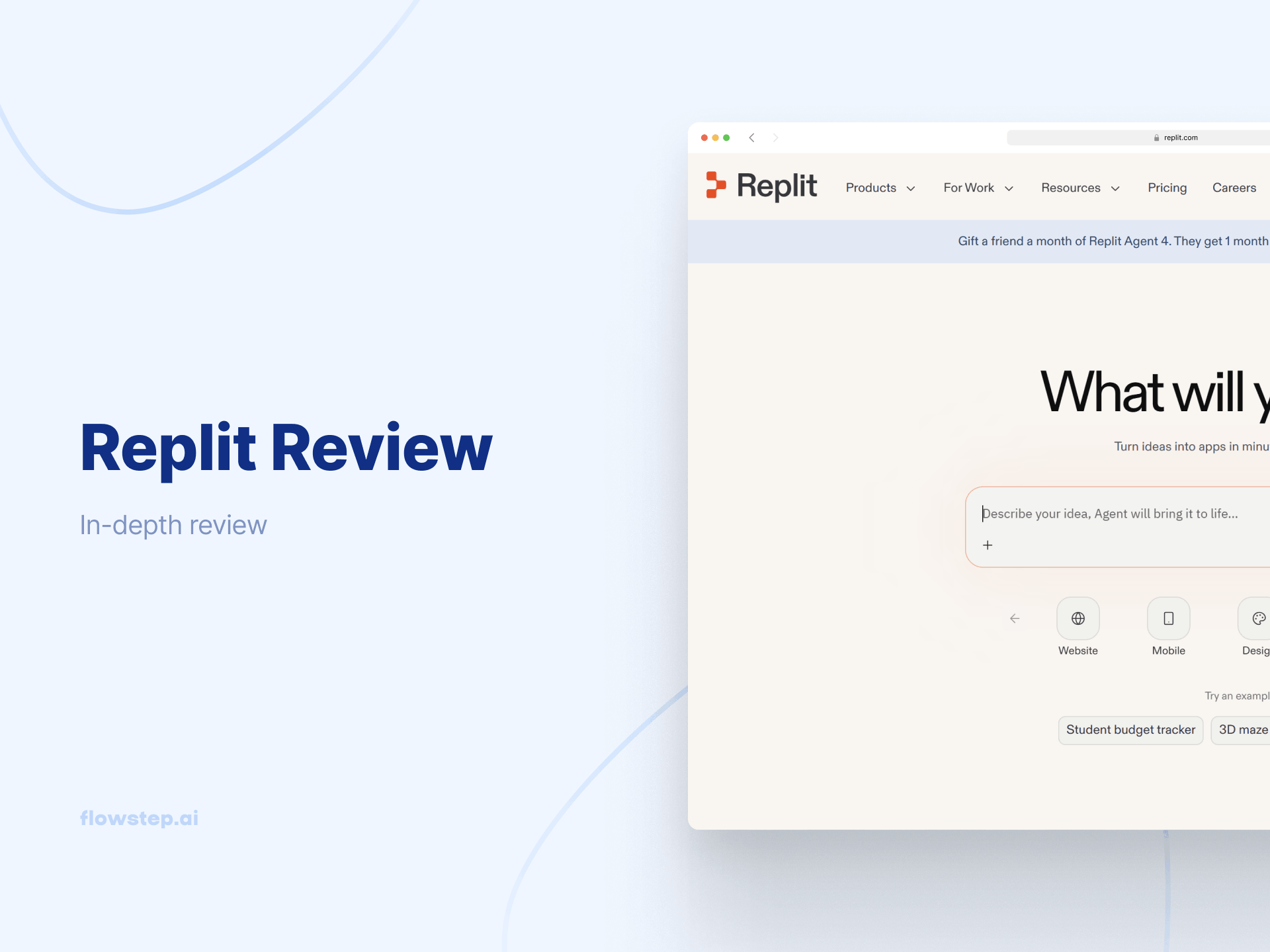
Open a browser, describe your app in plain English, and watch AI build whatever you want—authentication, database, frontend, live deployment. No terminal. No DevOps. No waiting on an engineer.
That promise has pulled a lot of people through Replit's front door. What they find on the other side is more complicated.
In this Replit review, we'll take a deep dive into what the platform does well, how the new Agent 4 compares to what came before, a full Replit pricing breakdown that goes beyond the sticker price, real, recent user feedback, and a look at where it struggles. Whether you're a founder evaluating tools for an MVP, a PM who wants to prototype without a developer, or a developer tired of environment setup, this is worth reading before you select your payment method.
We also cover Flowstep, an AI design tool that generates real UI from natural language prompts, because the gap Replit leaves on the design side is where most product teams waste weeks.
Replit is a cloud-based AI development platform. You build, deploy and host web apps in a browser; no installs, no configuration.
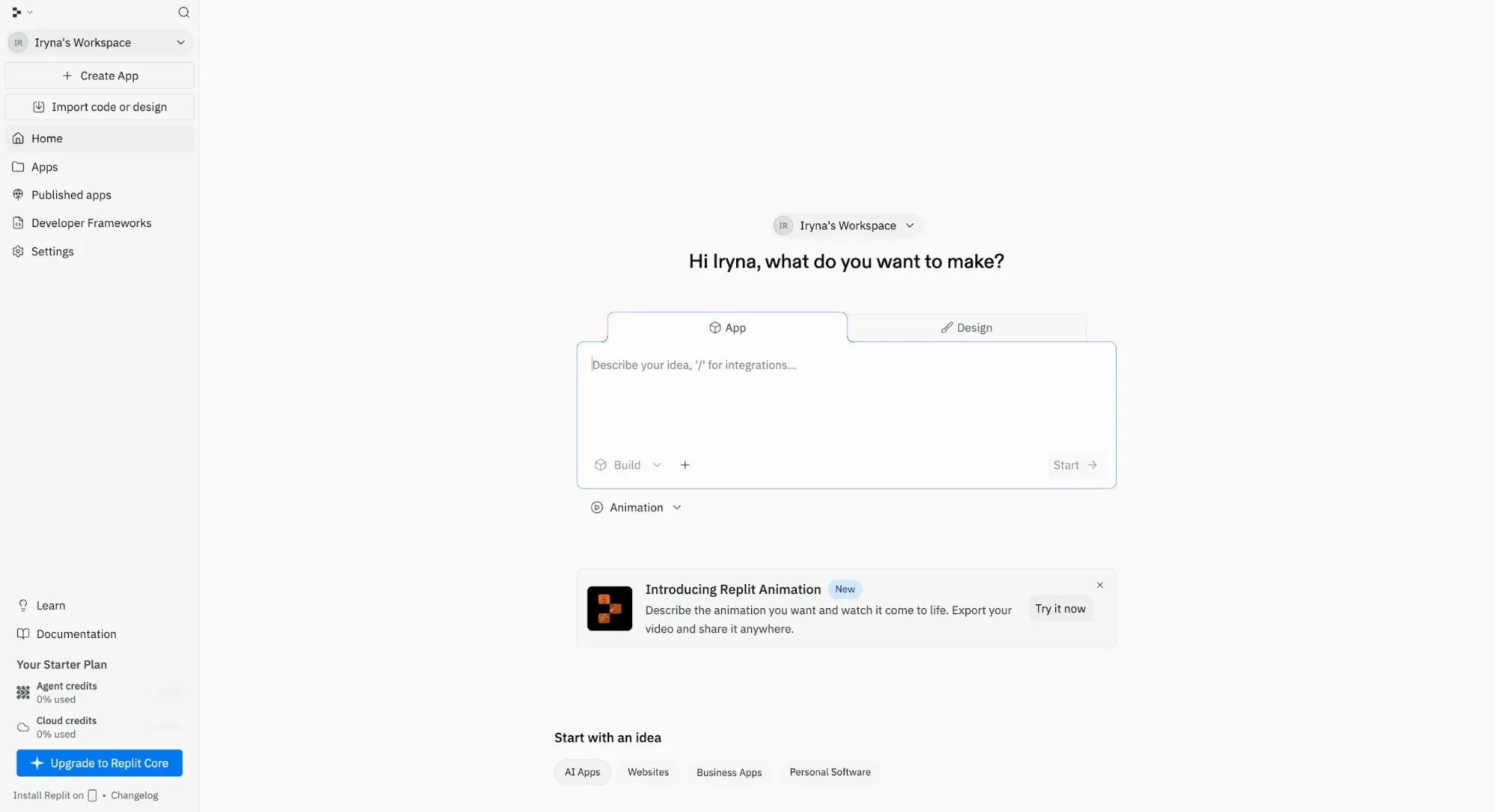
It started as an accessible online IDE, popular with students and hobbyists who wanted to write code without a full local setup. In 2025, the platform oriented itself towards Agent, making Replit agent-first and friendly for all builders, not just developers. Today, the flagship is Agent 4, which takes natural language prompts and builds working apps autonomously.
More than 50 million users around the globe now build apps on Replit, and not all of them are engineers: product managers, operators, founders, students and small business owners shipping production software.
Replit is a code platform, though. It doesn't generate design files. It doesn't replace Figma. If design quality is your priority, you'll need something else in the workflow alongside it.
See also: Replit alternative options
You open a browser, describe what you want, let the Replit AI agent build it and deploy. For simple to moderately complex apps, this holds up well.
Three use cases account for most of why people use it.
The first is prototyping and MVPs. Multiple users across Capterra and G2 describe going from idea to working app in a matter of hours. As one G2 reviewer put it: "I can start building, testing, and iterating directly in the browser without worrying about local dependencies."
Then there are learning and side projects cases. Replit is accessible to people with limited coding experience who want to build without wrestling with local environments. The ability to describe what you want and watch something appear makes it one of the more legitimate on-ramps into app building.
Lastly, it can be used for making internal tools. Small teams building lightweight dashboards and automations benefit from having nothing to manage infrastructure-wise. The platform handles app hosting, deployment and database operations.
Agent 4 is built around a simple idea: you should spend your time creating, not coordinating. It takes on the tedious-but-necessary work in the background so you can stay in creative flow.
Its parallel task system enables AI to resolve merge conflicts automatically. Branching with micro VMs creates isolated task environments.
The pipeline is more structured than previous versions: you start with an ideation phase where the agent asks clarifying questions before writing code, then go into the design phase for generating visual mockups, a build phase where parallel subagents handle different parts of the app simultaneously, and a review phase with a web-based preview before finalizing.
The agent tests its own output in the browser, generates a report, and fixes the issues it finds.
Replit's Visual Editor lets you select elements in the app preview and make direct edits to text, images, padding or colors. Figma import converts Figma designs into working code. You bring existing designs in; Replit turns them into functional app components.
50+ programming languages. Works from any browser and device. Version control is included.
Publish a live URL without touching a server. Four deployment options: Static (free), Autoscale (pay per request), Reserved VM (dedicated resources), and Scheduled (for automations and recurring workflows).
Multiple developers in the same project simultaneously. Closer to Google Docs for code than traditional version control. Rated well for remote teams and pair programming sessions.
The AI agent can generate code that integrates with third-party APIs—you supply the credentials, and the agent handles the integration code. Connectors include Stripe, PayPal, OpenAI, Anthropic, Firebase, Google Auth, SendGrid, Slack, Twilio, Telegram, Airtable and Google Calendar.
Mobile app support has been live since early 2025. Good for teams whose app ideas extend beyond the browser.
Here's the current Replit pricing breakdown as of May 2026, taken directly from the official pricing page.
The Starter plan is a test drive. You can learn the platform and prototype ideas, but the Agent intelligence, code generation, completion, and debugging are limited, and you're capped at one published app with a 1,200-minute monthly development limit. Good for getting a feel for it. Not for anything with real users attached.
The Core plan is where most solo builders land. It gives you full autonomy, unlimited workspaces, up to five collaborators and $20 in monthly usage credits. Coding help features are extended, and you get unlimited development time.
The Pro plan supports up to 15 builders and 50 viewers, with tiered credit pricing and priority support. Pro also unlocks access to the most powerful models, running tasks up to 2x faster than the standard models on Core. You can pay extra if you need more credits:
If you're interested in the enterprise plan, you'll need to reach out to the sales team directly. It includes everything in Pro plus custom seat limits, SSO/SAML, advanced privacy controls, design system support, single-tenant environments, static outbound IPs, VPC peering, region selection and dedicated support.
Your subscription gives you a monthly credit allowance. Every agent action, deployment, compute operation, database query and app storage use draws from those monthly usage credits. When credits run out, Replit switches to pay-as-you-go, charged directly to your payment method. There is no default spending cap. You have to configure one manually.
Note that credits don't roll over—unused ones expire each billing cycle.
There's also the effort-based pricing model, which calculates cost based on compute resources used rather than how many checkpoints are created per request. A single user request generates a single checkpoint, but that checkpoint can consume significant compute resources. Simple fixes cost less. Complex tasks cost more. There's no reliable way to predict what a session will cost before you run it.
What specifically inflates costs:
One G2 reviewer described upgrading their plan to avoid overages, only to discover their existing projects remained in a separate workspace with separate billing, resulting in $114 in unexpected charges. The billing UX around workspace separation has caught more than a few paying users off guard.
Set a spending limit on AI usage before you do anything else. It's off by default on every plan—a design choice that has frustrated a significant number of paying users.
Use Economy Mode for exploratory work and save Power or Turbo Mode for final builds. If the AI agent appears to be looping on the same error, stop it manually, roll back and try a different prompt. Clear, detailed instructions reduce wasted work and wasted credits. Poor prompts are expensive on effort-based pricing.
Choose Autoscale over Reserved VM for most use cases. The Reserved VM option makes sense for apps needing guaranteed uptime. For anything else, paying per request is cheaper.
Monitor the usage icon in the Agent tab—Replit shows spend breakdowns per checkpoint. Check it during longer builds, not just at the end of the month.
The visual design phase gets skipped or rushed in most product processes. But before anyone opens a builder tool, someone has to figure out what the product should look like, with proper flow logic and branding intact.
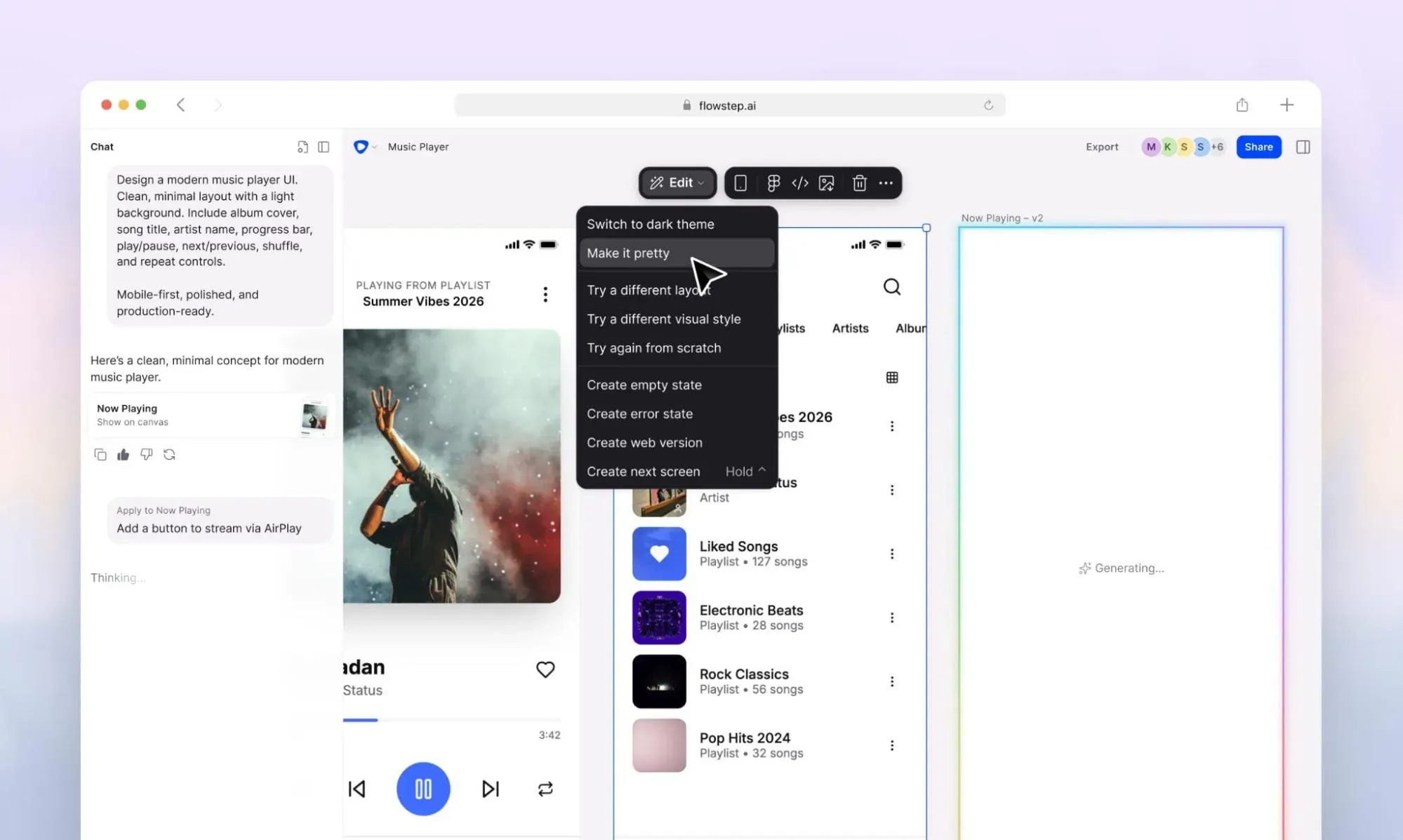
That's where Flowstep fits. It's an AI design tool that generates production-ready, fully editable UI from natural language prompts.
While Replit takes a prompt and builds code, Flowstep takes a prompt and builds visual designs, plus clean code you can copy with one click that reflects the visuals 1:1.
On pricing: Flowstep plans are message-based rather than effort-based. There's no credit system you need to learn. The Starter plan is free. Paid plans start at $15/month (or $12/month billed annually) for 80 messages. Manual edits to generated designs don't consume messages. Errors don't count. Unlimited collaborators and access to all features on every paid plan. No AI-usage calculation headaches. You can even generate multiple screens or variations with one message, giving you plenty of room to experiment.
Replit is a solid tool—for the right use case: a solo developer who wants to skip environment setup, a small team shipping an internal tool...
But Replit assumes you already know what you want to build. For most product teams, that assumption is where things go sideways, forcing you into expensive agent loops building the wrong version of a product, specs that don't match what anyone meant, weeks lost to misalignment.
Flowstep closes that gap. Generate your first UI with code in seconds, share it across your team, and walk into your next build session with everyone aligned.
Yes—Replit removes most setup and lets you build apps from plain-language prompts directly in the browser. It’s good for learning, prototypes, MVPs and simple apps.
The catch is that beginners can hit a wall once projects become more complex. The AI is helpful, but you still need some coding knowledge to debug issues, avoid bad architecture, and understand what the agent is changing. It works best as a fast way to learn and build early versions of projects, not as a full replacement for software engineering skills.
Depends on what you're doing. For the design-before-build phase, Flowstep generates real UI from natural language prompts with no technical setup—good for visualizing and validating products before exporting to code. For vibe coding, Lovable and Bolt.new are popular Replit alternatives worth evaluating. For developers who want cleaner output and more control over the codebase, Cursor with external hosting tends to produce better results on bigger projects. The right pick comes down to whether you're prioritizing speed of deployment, design quality or code you can actually maintain.
They're solving different problems. ChatGPT can write code, explain concepts and generate code snippets, but it doesn't deploy anything. Replit's AI agent takes a prompt and handles the full build pipeline: code generation, database setup, testing and publishing a live URL. If you want to understand code or get a quick function written, ChatGPT is the right tool. If you want a running, deployed app without touching a server, Replit is better.
The billing model is the most consistent complaint—effort-based pricing and agent usage with no default spending cap means costs are hard to predict, and plenty of users have found their accounts charged more than the base subscription. Beyond that, the AI agent makes unsolicited changes to code it wasn't asked to touch, UI output is functional but generic, and the platform struggles on bigger projects as the agent loses architectural context. Support on the Core plan has been called out as slow and AI-managed, with billing disputes handled poorly. Migrating a Replit codebase out of the platform can be difficult due to platform-specific dependencies.