10 Best Design to Code Tools for 2026 (Prompt-to-Code, Figma Export & Handoff)
Compare the 10 best design to code tools of 2026: AI design engineers, Figma-to-code converters, app builders and handoff tools.
A full MagicPath pricing breakdown and review: features, plans, real user opinions, and how it compares to Flowstep for product teams that need to ship faster.
One MagicPath user burned through 60 credits over three days. Thirty building a component library, thirty more refining it, and watched the tool freeze for 15 minutes when trying to actually use what they'd built.
The tool has its strengths—but it also has gaps that will slow you down in ways you won't see coming until you're mid-project.
This review lays out the full picture: what the MagicPath pricing actually looks like, which features hold up under real use, and where product teams start hitting walls. By the end, you'll have a clear understanding of whether it fits how you work and why teams that need Figma handoff, live collaboration and predictable costs tend to land on Flowstep instead.
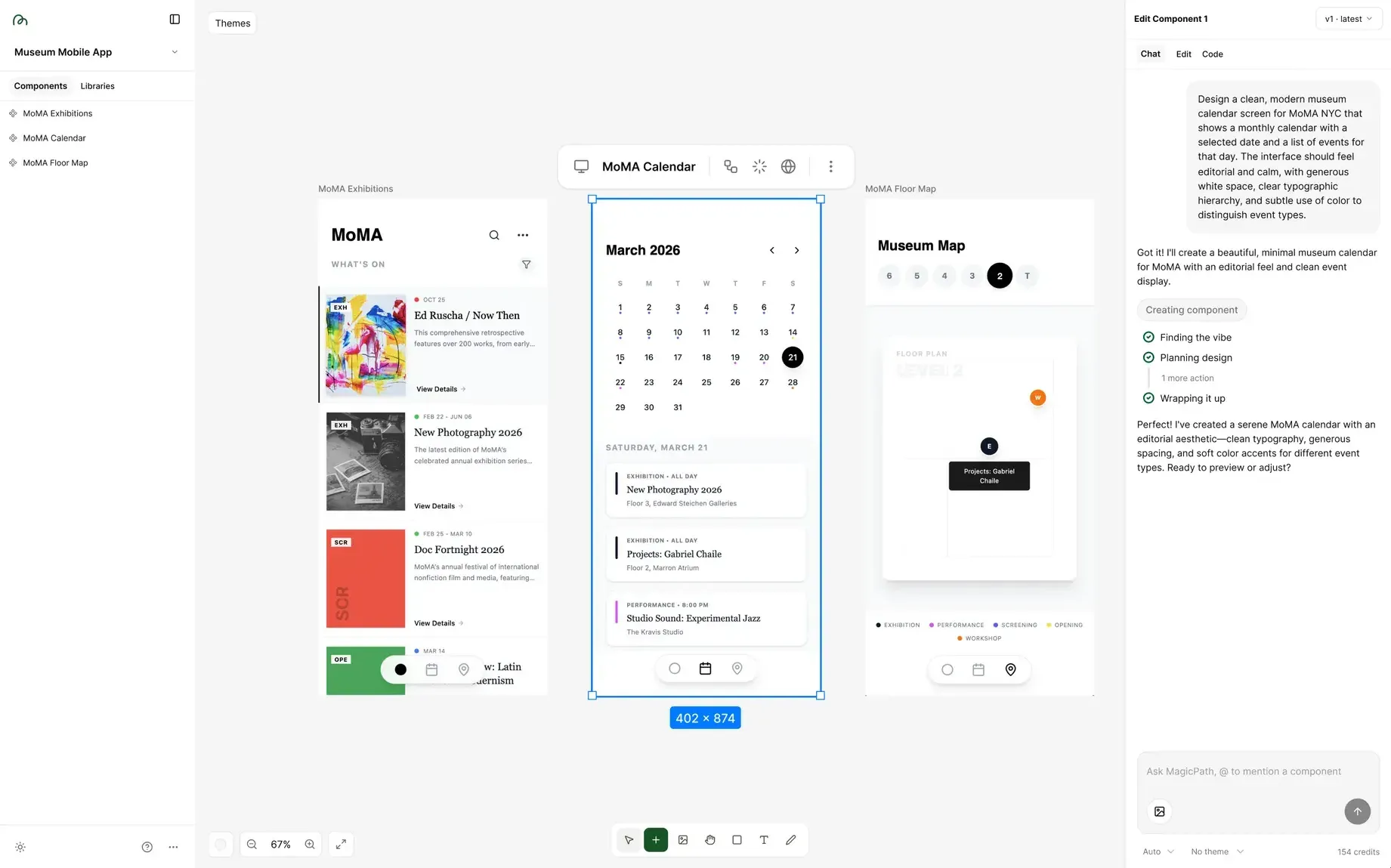
MagicPath is an AI-powered design tool built around a single idea: describe what you want in natural language, and get a UI on the design canvas.
It's an AI design platform for people who think visually but don't necessarily live in Figma—designers, developers, founders, PMs. The infinite canvas means you're not locked into one screen at a time and forced to keep switching tabs when working on a bigger project. You can lay out an entire product flow, rearrange it, and zoom out to see the full structure at once, as well as edit, move, re-prompt and refine on the canvas after generation.
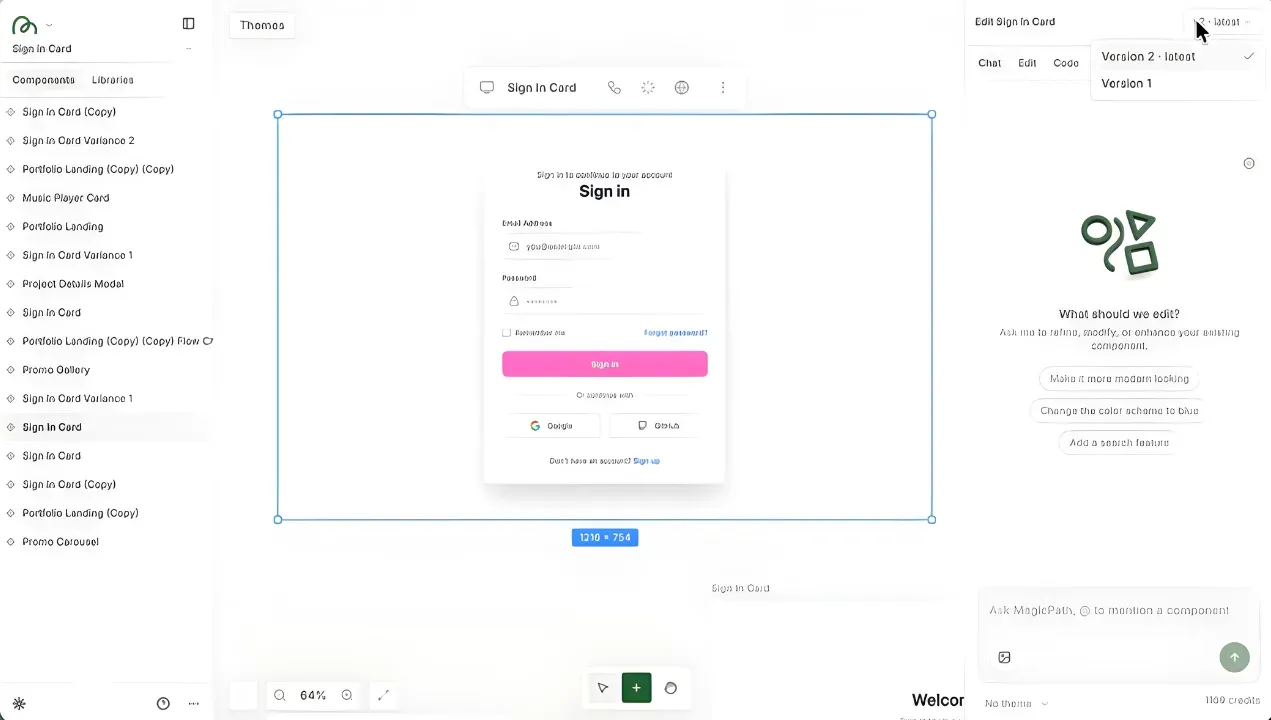
The text prompt → UI generation tool lets you describe a layout, pick a color direction, add a reference, and MagicPath generates a screen with real components: navigation, cards, typography and icons.
There's also a variants feature—generate multiple versions of an existing screen with specified changes, side by side, before committing to a direction.
The design canvas lets you build multi-page flows in the same space, link screens together and view the full structure. Want to add a profile settings page to an existing dashboard project? Generate it in the same workspace and connect it.
The Sketchpad lets you draw wireframes freehand (on a mouse or stylus) and have the AI transform them into interactive, shareable prototypes. Sketch a rough layout, add labels and notes for context, hit generate. You can also combine sketches with @mentions of existing components, so a rough wireframe can inherit the styling of a component you've already built.
Paste a URL of a live website into MagicPath and get the page as an editable design. You can rework the layout, rewrite copy, swap components and generally treat the structure as a starting point.
The related Chrome extension, Web Capture, lets you pull individual elements from any web page and drop them into your project. Both tools complement each other, and together they make "I like how that site is structured" into a working starting point.
You can choose which AI model powers your generations. Gemini 3 Pro is the default and works especially well for turning images into code. Claude Sonnet 4.6 is the fast all-rounder, while Claude Opus 4.6 handles complex multi-step layouts and intricate component hierarchies. OpenAI’s GPT-5.3 Codex and GPT-5.4 Thinking are also available, with strong performance on dashboards, structured interfaces and clean, minimal UI.
You can copy any frame from Figma using ⌘L (Mac) or Ctrl+L (Windows) and paste it directly into MagicPath. The design converts with pixel-perfect accuracy—colors, typography, layout, spacing and effects preserved. There's also a Link to Theme feature: paste a Figma link or any web URL, and MagicPath extracts the color palette, typography and visual effects so you can use them to generate or edit designs.
MagicPath ships with a built-in library of design system themes, each with its own color palettes, typography and effects. You can build and save custom design systems on top of these: adjust border radius, colors, fonts and store the system for reuse across future projects. Custom fonts are also supported—upload your own typefaces from the Assets tab in Settings, and they'll be respected when generating with AI.
MagicPath offers production-ready code export—React code with TypeScript support and Tailwind CSS classes. You can also open projects directly in Cursor and other IDEs via an npm command. All necessary dependencies are listed in the export.
MagicPath runs on a credit-based system. Every AI-powered generation or significant edit consumes credits—simpler components use fewer, complex multi-screen layouts use more. Here's how the plans break down:
Twenty credits per day sounds fine until you remember what we said in the intro. If you're exploring design concepts, experimenting with variants or tweaking app and landing page layouts, you're bound to run out. The free tier is better suited to testing the tool than doing real work in it.
The bigger issue: MagicPath doesn't publish actual prices on the main site. The plan details live inside the documentation, and the specific dollar amounts for Creator and Pro require third-party digging or direct contact.
Credit packs let Pro users buy additional generation capacity as needed. Flexible in theory, but it also means there's no hard ceiling on your monthly costs unless you actively track usage, which is difficult without clear info on how much you're using up with your work.
The output quality in MagicPath is legitimately good. Getting from a text prompt to actual components with hierarchy in under ten minutes is one of the more compelling things MagicPath does. The tool captures prompt intent, even on complex components like transaction lists, payment flows and data charts.
Being able to design multi-screen experiences in a single workspace, see how pages connect and test the flow spatially is a plus. You can run multiple components simultaneously with different specifications, which speeds up exploration of different ideas from scratch.
Turning a live website into an editable design also gets some praise from users. The shareable preview links are a nice touch, too—anyone can view your prototype without creating an account, which makes client presentations frictionless.
Most AI tools give you one model. Being able to switch between them depending on what you're building means the tool can match your task.
The community appreciates the fact that when generation fails, MagicPath automatically refunds the credits.
While Figma Connect gets designs into MagicPath just fine, there's no path for designs to go the other way. You can't copy a finished MagicPath design into Figma.
Plus, the credit system creates cognitive overhead that compounds quickly. Every time you want to try something, there's a small calculation happening: how many credits will this cost, how many do I have left?
Users note that generation speed is inconsistent. Some prompts resolve quickly. Others, particularly complex, multi-screen layouts, take much longer or even break mid-way through. When the tool freezes, page refreshes just reset the loader and wipe the conversation history.
Once you send a prompt, there's no way to stop the generation if you realize mid-process that you made an error—you just have to wait. Canvas performance degrades with larger projects. Conversation history doesn't stay across sessions—refresh the page, and your prompt context is gone, even though the design versions themselves are saved.
Real-time collaboration is limited at current plan levels. Team members can view and copy a project, but can't edit simultaneously.
If those gaps start to get on your nerves and prevent you from doing focused design work, other products are worth considering. Flowstep delivers on the same core premise: generate stunning UI from a text prompt on an infinite canvas, iterate fast and hand off to engineering.
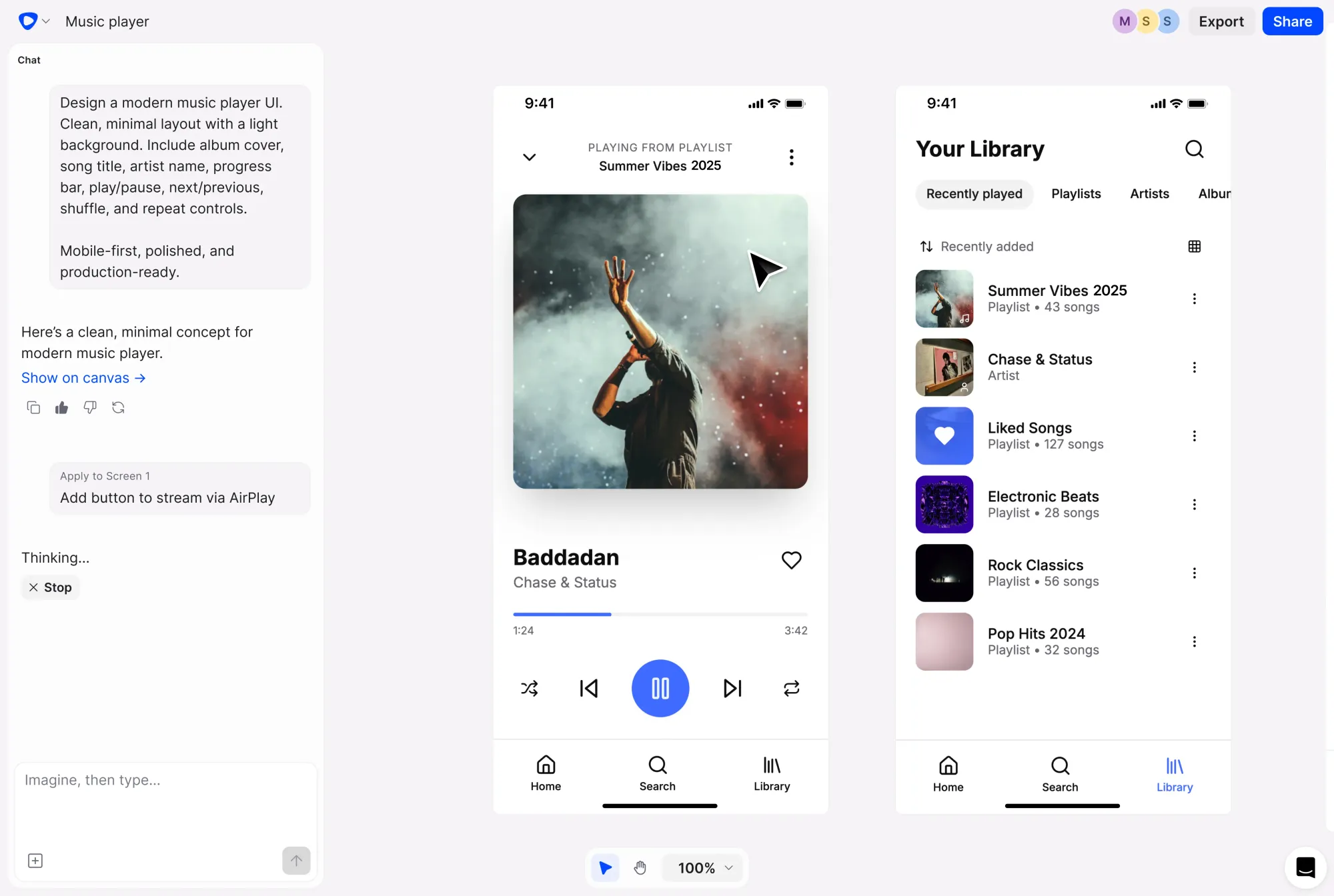
The differences will make you second-guess MagicPath, though.
Flowstep lets you select any design on the canvas and paste it directly into Figma with two clicks of ⌘C and ⌘V, layers intact.
The pricing model clarity is the second real difference. Flowstep counts messages—one prompt equals one message, regardless of complexity. The Starter plan is $15/month for 80 messages, $29/month for 240, and $99/month for 1,000. If you encounter an error, it doesn't count as a message. You can also edit generated designs manually, on an intuitive interface, which skips AI usage completely.
Flowstep includes real-time editing with unlimited collaborators on every plan. Live cursors, synced edits and inline feedback.
If you're evaluating what AI design tools can do for your product workflow, the vibe design guide covers the full context. For PMs specifically, the best AI tools for product managers roundup is worth a read. And if prototyping is your core use case, check out the best tools for prototyping.
MagicPath gets points for speed and creative flexibility. The infinite canvas, web-to-design, model selector, Sketchpad and clean React/TypeScript/Tailwind export make it attractive for solo designers and early-stage founders who need to move fast and don't have a team pipeline to worry about.
You hit the ceiling the moment you need Figma handoff, real-time collaboration and budgeting with cost predictability.
Flowstep is the UI AI design tool built for that gap. It generates real, editable UI from a text prompt in seconds, copies directly to Figma without a plugin, lets every collaborator work together in real time, and exports production-ready code your engineers can ship from. Free to start. Sign up.
MagicPath has a Free plan (20 credits per day, up to 120/month), a Creator plan with 400 credits/month and unlimited projects, and a Pro plan with unlimited Figma imports, full code export, and IDE integration. Enterprise pricing is custom. Specific costs per month/teams for Creator and Pro aren't published anywhere, though.
Every AI-powered generation or significant design edit consumes credits. Simple components like buttons and cards cost fewer credits; complex multi-screen layouts cost more. Free users get 20 credits per day. Pro users can purchase additional credit packs on top of their monthly allowance, though the variable cost-per-task model and lack of clear pricing info make total monthly spend hard to predict.
Yes, in one direction. Figma Connect lets you copy any Figma frame and paste it into MagicPath and with pixel-perfect accuracy—colors, typography, layout and effects preserved. The Link to Theme feature can also extract a color palette and typography system from a Figma link. But there's currently no way to export MagicPath designs back into Figma. If Figma is where your team does final design work, you'll need a tool that handles that handoff; Flowstep lets you copy any design directly into Figma with ⌘C and ⌘V.
Flowstep is the strongest option for product teams—it generates high-fidelity UI from prompts on an easily editable, infinite canvas, exports natively to Figma, includes real-time collaboration on all plans, and outputs clean React/TypeScript/Tailwind code.