You're a week into a product sprint. Someone sends you a Figma link. The developer opens it, spends twenty minutes reverse-engineering undocumented spacing, pings the designer, waits, gets an incomplete answer, and by the time anything usable lands in code, the design direction has already changed.
UXPin promises to eliminate that friction. The question is whether it actually does—and whether the investment makes sense for your team.
Let's explore what UXPin is, discover a full breakdown of UXPin pricing, what impressed users (and what didn't), and a look at where aUXPin alternative covers the gaps UXPin leaves open.
What is UXPin?
UXPin is a browser and desktop-based design and prototyping platform. The idea is: your prototype should behave like the real thing, because underneath the canvas, it runs on real code (HTML, CSS, JavaScript) rather than static images stitched together with click triggers.
Founded in 2010, headquartered in Gdańsk, Poland, it's positioned toward professional designers and enterprise teams who work closely with engineering. Its flagship capability, UXPin Merge AI, pulls actual React components from a production codebase via Git, npm or Storybook so designers work with the same components developers will ship.
UXPin key features: From design systems to AI features
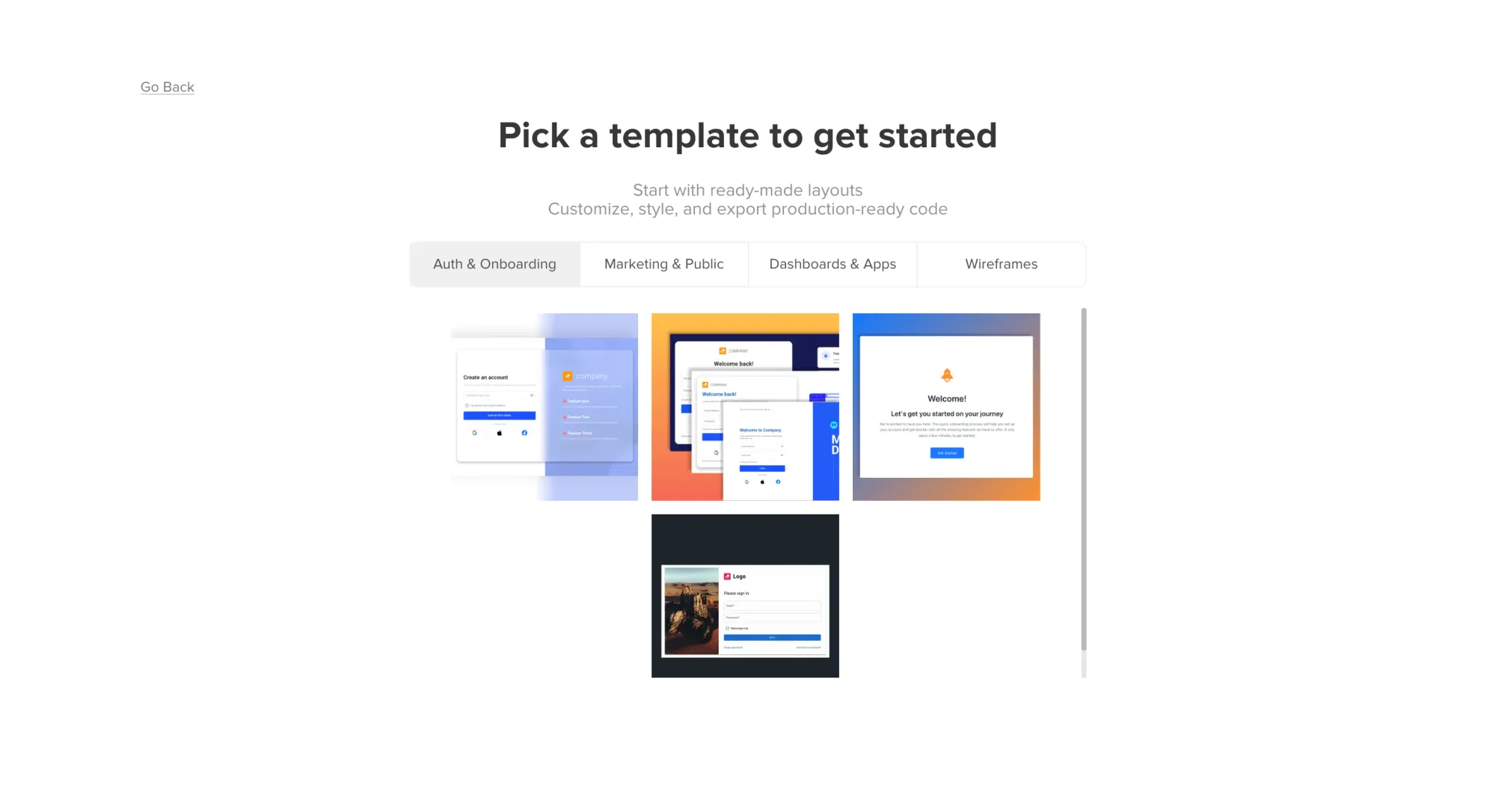
Complex prototyping with real interactions. UXPin's prototyping depth covers variables, conditional logic, expressions and states, e.g., a form that validates input before advancing, a dropdown that filters a table, a modal that carries user data to the next screen.
UXPin Merge. Merge connects a React component library into the design editor from a Git repo, npm package or Storybook. Designers drag components onto the canvas; developers recognize every element because they wrote it. The components include props, variants and interactive states. What you see on the canvas exists in your codebase.
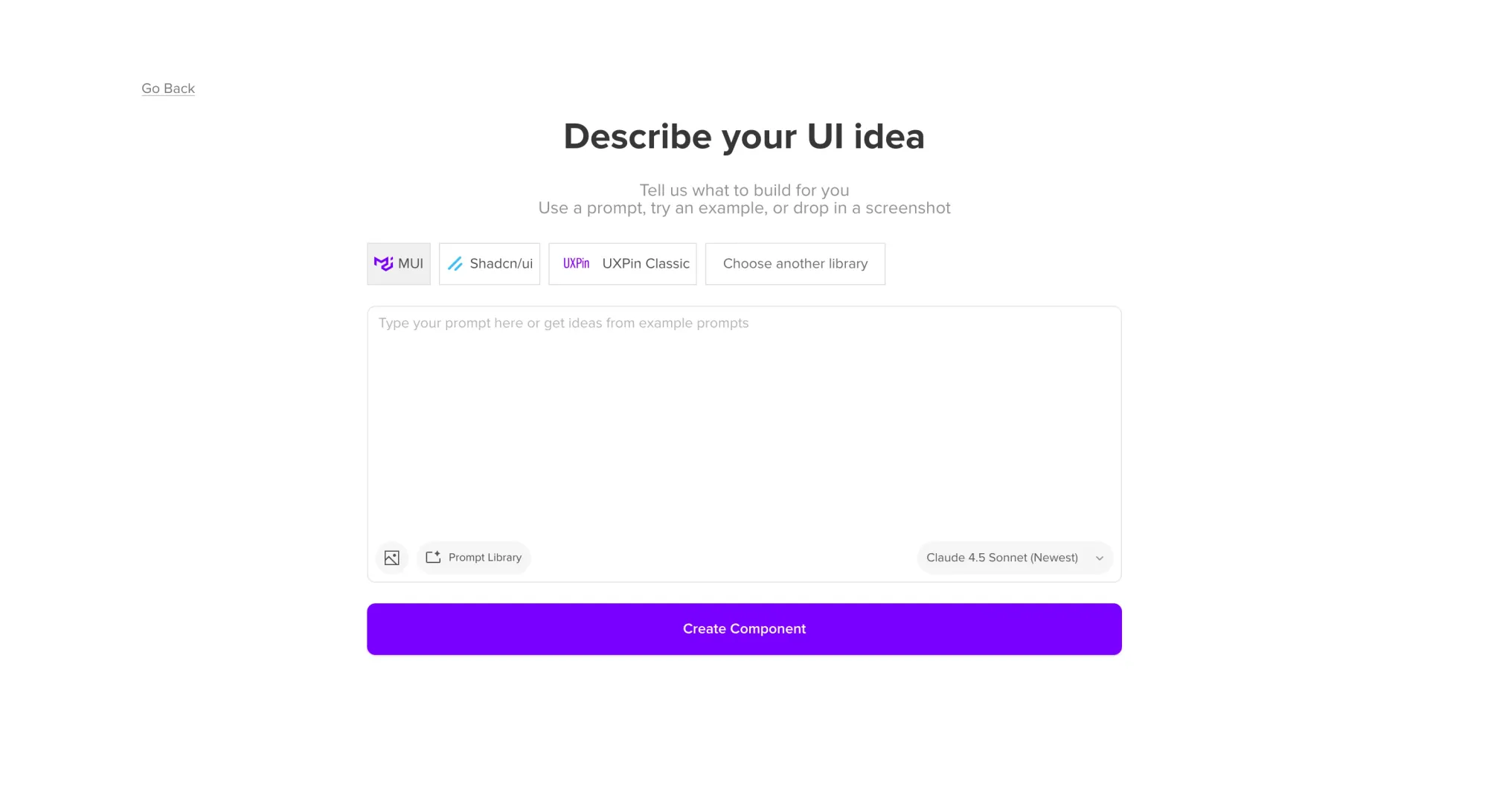
Forge: UXPin's AI design assistant. Forge is UXPin's AI assistant, embedded directly into the design canvas. It generates layouts using your React components. You prompt it, it builds with your library. Forge supports multiple AI models, including Claude Sonnet, Claude Opus, Claude Haiku and GPT models; you can bring your OpenAI or Anthropic API key for billing flexibility. The AI features are credit-based per plan. Forge also supports image-to-UI: upload a rough wireframe or screenshot, and it recreates the interface.
Built-in coded libraries. UXPin includes interactive React component libraries coded with real behavior: MUI, Bootstrap, Tailwind, Ant Design and shadcn/ui.
Design systems. Centralized libraries for components, styles and tokens that stay consistent across projects.
Real-time collaboration and dev handoff. Multiple editors can work on the same file simultaneously. Leave comments, tag teammates, share prototypes through a preview link. Spec mode gives developers access to CSS, JSX and component specs without extra plugins.
Integrations. Jira, Slack, Storybook, FullStory, GitHub, Google Fonts, Unsplash. Figma and Sketch imports are supported.
UXPin pricing: How much does it cost?
You can start with a 14-day free trial. After that, you choose a paid tier or drop to the limited free plan. Annual billing cuts costs by 40%. Here's the full UXPin pricing picture of monthly billing.
Git integration, dedicated support, unlimited version history, advanced security protect
Is UXPin expensive?
At $49/month for Core, UXPin sits at the higher end compared to general-purpose tools. Design systems (one of UXPin's headline capabilities) are locked behind an even higher paywall. If you need to access those, you may find yourself pushed into the more expensive tier, even if you don't need much else from that plan.
Every contributor needs a full paid account (no viewer-only seats), so team costs compound fast. For a five-person product team, you're looking at $345/month if you need the design systems access.
Advanced AI models (Claude Sonnet, Claude Opus, GPT-5.2) are only available on Growth and above. Core gets the lighter models.
UXPin reviews: What real users enjoy in the design process
The prototype actually behaves like the real thing. Positive UXPin reviewsmention that working with interactive code components makes developer reviews and handoff conversations way more straightforward, because the prototype looks and behaves like what would eventually ship, speeding up early-stage exploration.
Merge and Forge together are genuinely powerful. Reviewers describe Merge as a standout feature because it lets teams design with real code components. G2 and Trustpilot reviewers say this can reduce revision loops, improve handoff and help developers trust the prototype because it uses the same components they will build with. However, a custom Merge setup may require engineering help.
Prototyping depth. UXPin supports a higher level of interactivity than mostprototyping tools. Beyond linking screens, prototypes can include form validation, conditional logic and data that carries across screens. Multi-level dropdowns, interactive states, dynamic data, advanced interactions and animations included.
Responsive support and decent onboarding resources. Multiple reviews from G2 and Capterra mention fast support response times. Video tutorials, product documentation and step-by-step guides are also included.
Both browser and desktop work. UXPin runs on Windows, Mac and in the browser. The desktop app handles large, complex projects more reliably. There's also a Mirror app for iOS and Android to preview prototypes on an actual device as you edit.
UXPin cons: Where it falls short
The learning curve is steep. One reviewer who'd tested several design tools said UXPin "took longer to get up to speed with" than most, flagging that features like conditional interactions, variables, and expressions are unfamiliar territory for designers coming from simpler tools.
Merge setup for custom libraries isn't self-service. Connecting your component library through Git requires engineering involvement. G2 reviewers call the Merge implementation "cumbersome for designers"—most teams needed a dedicated developer to configure the integration before it became usable. The built-in libraries (MUI, Bootstrap, Ant Design, etc.) work without setup, but if your team has a custom React component library, and that's why you're here, budget time for an engineer before designers can get to work.
Custom library AI is Enterprise-only. Forge's AI generation works well with built-in libraries on Core and Growth plans. But if you want Forge to generate layouts using your own custom component library, that requires the Git integration, which is behind the Enterprise plan. Custom Library AI integration is also Enterprise-only per the pricing page.
Performance degrades at scale. Complex prototypes slow things down. TrustRadius reviewers report loading times getting painful as project complexity grows—pages sticking, auto-save conflicts, sessions that need restarting.
Auto layout is unreliable. Auto layout can break in unpredictable ways once elements become components. Fixing it takes significantly longer than it should and requires knowing which properties are conflicting.
Design systems are paywalled. If design systems are why you're looking at UXPin, the price of entry is steep. Small teams frequently end up paying for features they don't use just to access the one that brought them in.
Who should use UXPin?
UXPin makes the most sense for teams that already work with component-based systems and care deeply about design-to-development alignment. Reviews consistently highlight Merge as the standout feature, especially for teams using React component libraries and advanced interactive prototypes with variables, states, and conditional logic.
For smaller companies or simpler workflows, UXPin can be more than necessary. Multiple reviewers mention a steeper learning curve, engineering involvement during Merge setup, performance issues on complex projects, and pricing that may be difficult to justify if the team does not fully use its advanced prototyping and design system features.
UXPin vs. alternatives: which design tool is right for you?
Tool
Typical use case
AI-first?
Free to start
Code export
UXPin
Enterprise design-to-dev alignment
✅
✅
JSX via Merge
Flowstep
Fast UI generation for any product role
✅
✅
React, TypeScript, Tailwind
Anima
Figma-to-code handoff
✅
✅
HTML, CSS, React
v0 by Vercel
Code-first UI for developers
✅
✅
React components
Uizard
Low-fi wireframing and fast concepts
✅
✅
Limited
Flowstep vs. UXPin: A faster path from idea to UI
These two tools answer different questions.
UXPin asks: how do we get enterprise design teams working with production-grade fidelity so handoffs stop being painful? Flowstep asks: how does a product team get a real UI on the table in the next five minutes?
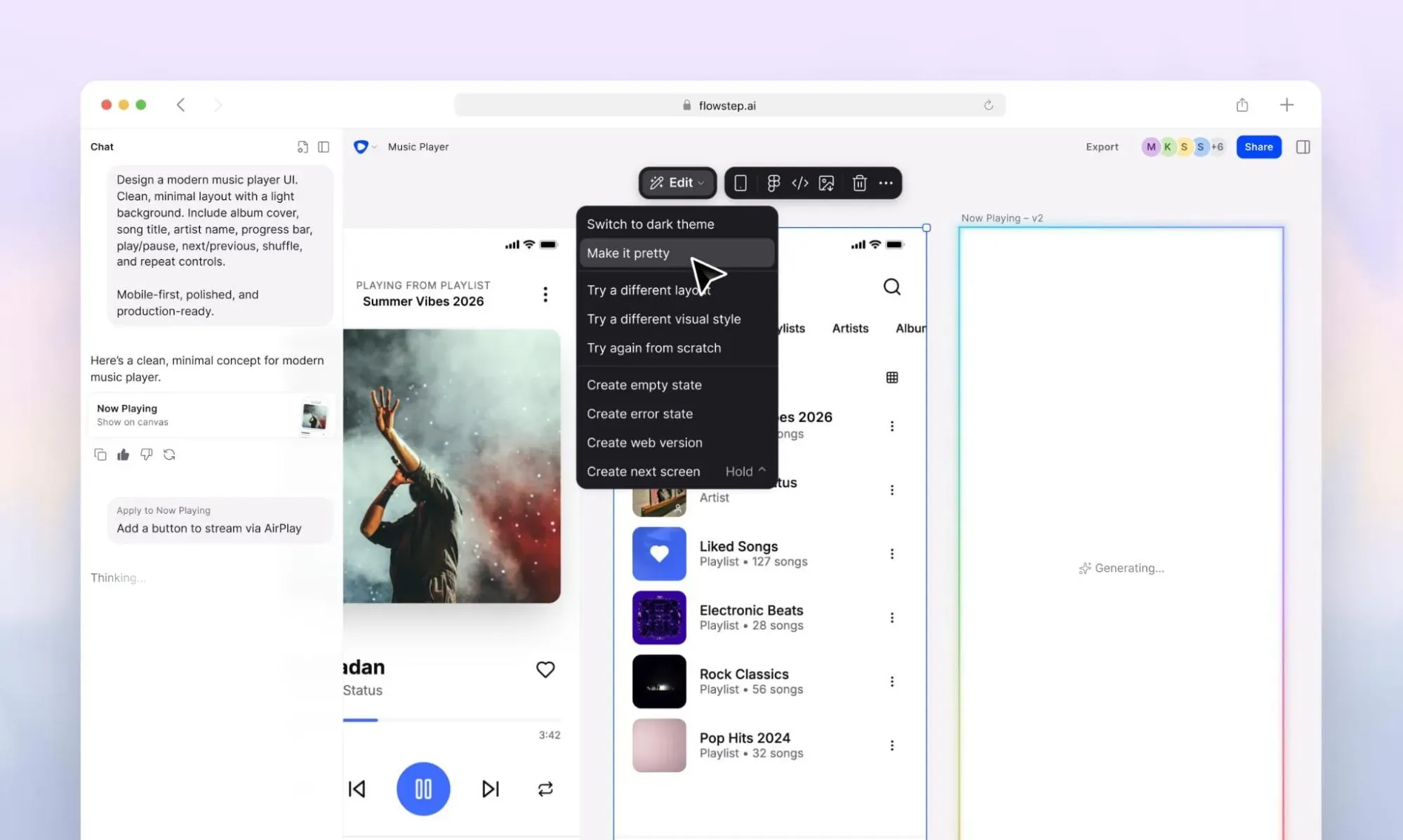
Flowstep is anAI design tool that generates usable, polished UI from text prompts. Describe what you want in text or voice, watch it appear on an infinite canvas. No library setup, no learning curve, no waiting on a developer to connect a component library. You can edit designs manually or with AI, upload a PRD for context, paste a reference link, and collaborate in real-time with your whole team (unlimited collaborators on all paid plans). Flowstep also produces clean code that you can export with one click and has an MCP connector for your AI agents.
Here's where it diverges from UXPin in practice:
Speed to first design. UXPin requires configuration before you produce anything useful. Forge and Merge work immediately with built-in libraries, but custom library AI requires Enterprise. Flowstep generates high-quality UI from a basic prompt, site flow logic and branding intact.
Who can use it? UXPin rewards people who understand expressions, variables, conditional logic and component states. Flowstep works for literally anyone, without a learning curve. You can generate multiple variations or full site flows from one prompt, without eating up extra AI usage.
The AI approach. UXPin's Forge generates layouts using your design system's components—useful, powerful in the right setup, but the output isn't fully interactive out of the box, and custom library AI sits behind the Enterprise plan. Flowstep's AI is the whole workflow: generate, edit, share, export. The design you see on the canvas is automatically reflected in clean code.
Figma integration. Copy any Flowstep design straight intoFigma with ⌘C and ⌘V. No plugins, no import process or installs. UXPin has a Figma import that works in one direction and requires configuration. If your team works in Figma day to day, the difference in friction is real.
Code export. Flowstep exports production-ready React, TypeScript and Tailwind CSS—clean code engineers can drop into a codebase. UXPin's Merge exports JSX from your component library, which is excellent—but only after setting up the Merge integration, and only when working with components already in your system.
Collaboration and context. Both tools support real-time collaboration. Flowstep also accepts PRDs, image uploads and reference links as design context, so the AI generates with your actual product requirements, not a generic guess.
Pricing. Flowstep is free to start. The paid plan is predictable, starting from $15 with access to all features and 80 monthly messages.
UXPin's code-backed approach reduces handoff friction at enterprise scale. Merge and Forge together (when configured correctly by a team with a React design system) are impressive. Prototypes that behave like the real thing, developers who work from the same components they'll ship, design systems that hold up.
But it asks for a lot before it gives anything back. Time to configure. Money at every tier. A learning curve that doesn't flatten quickly. For teams where the bottleneck is speed of ideation, cross-functional communication or getting a visual to verify with stakeholder feedback without waiting on a design professional, there are better-matched options.
Flowstep is one of them—a tool letting you generate full UI from a single text prompt, collaborate in real-time, copy straight to Figma, and export production-ready code with one click. Free to start.
FAQs
What is UXPin Merge?
UXPin Merge connects the UXPin design editor to a React component library via Git, npm or Storybook. Designers work with actual production components, not visual approximations. Built-in libraries like MUI, Bootstrap, Ant Design, Tailwind and shadcn/ui are available without any setup on paid plans. Custom library connection via Git is an Enterprise-only feature. Merge significantly reduces handoff friction for teams with established React design systems.
Does UXPin have AI features?
Yes—UXPin's AI assistant is called Forge. It generates layouts from text prompts using your design system's components, supports image-to-UI input and maintains conversation context so each prompt builds on the previous one. Forge supports multiple AI models, with the option to bring your own API key. AI features are credit-based with different limits on different tiers. Generated layouts use real code-backed components, but full conditional logic and advanced interactions still require manual setup.
Is UXPin free to use?
UXPin has a free plan limited to 2 prototypes, 50 AI credits per month (GPT-5-mini only), and access to 20 MUI components. It's enough to evaluate the tool, not enough for real teamwork. All paid plans include a 14-day free trial.
Can non-designers use UXPin?
Getting basic prototypes going is manageable. But unlocking UXPin's real value (variables, expressions, conditional logic, Merge with custom libraries) requires a learning investment that most non-designers won't find worth making. The built-in libraries and Forge AI lower the entry point somewhat, but the tool remains oriented toward experienced designers and technical users.
9 Best Wireframing Tools in 2026: Tested and Ranked by Use Case
We tested and reviewed 9 best wireframing tools: AI-powered wireframe generators, design platforms, prototyping tools and visual collaboration tools.
Design tools
Replit Review (2026): Features, Pricing and Real-World Performance
This Replit review covers Agent 4 features, Replit pricing, the credit system's hidden costs, and what users say about the experience.
Alternatives
10 UXPin Alternative Tools—Faster, Simpler, AI-Powered
Looking for a UXPin alternative? These tools are faster, simpler and built for product teams—compared by AI design, Figma export and pricing.
Design tools
15 Best Frontend Development Tools Most Developers Are Missing
Discover 15 frontend development tools most developers overlook in 2026—from AI UI generators to build tools and testing frameworks that close workflow gaps.
UI design
Review of Sketch: Pricing, Pros, Cons and Whether It's Still Worth It
Evaluating Sketch pricing for your team? This Sketch review covers exact costs, capabilities, pros and cons, and whether it's still worth it in 2026.
Design tools
8 Best AI Tools for Web Design: From Blank Canvas to Editable Product Screens
Discover the 8 best AI tools for web design in 2026—from full UI generators to color palette creators. Find the right tool for your team and workflow.