
10 Best Vibe Coding Tools for Designers in 2026
Discover the best vibe coding tools in 2026—from AI design generators to full-stack builders. Find the right tool for your workflow, team and skill level.


A year ago, vibe coding was a niche Twitter topic. Now it's how product teams ship.
Andrej Karpathy (founding engineer at OpenAI and former head of AI at Tesla) kicked it off in February 2025. "There's a new kind of coding I call 'vibe coding,' where you fully give in to the vibes, embrace exponentials, and forget that the code even exists." That post went viral, and here we are. Collins Dictionary named "vibe coding" its Word of the Year, 92% of US developers use AI coding tools daily, and 21% of Y Combinator's Winter 2025 cohort had codebases that were 91% or more AI-generated.
Except there are many platforms for vibe coding that can cover a huge range of products with unique features—some built for professional developers who need more speed, others for non-coders who want to build apps without writing a single line. This list covers both ends of that spectrum. You'll find Flowstep, Lovable, Bolt, Cursor, Replit, v0, Windsurf, GitHub Copilot, OpenCode and Claude Code, including what each one does well, where it falls short, and who should be using it.
What is vibe coding?
Vibe coding is software development where you simply describe what you want in natural language, and AI writes the code.
The idea is that the developer operates more as a director than a writer, focusing on intent and outcome rather than syntax and implementation. It's not always a no-code workflow—you can still review output, catch mistakes and make decisions. But the amount of time spent actually writing code drops dramatically.
The tools themselves are split into three categories. IDE plugins like GitHub Copilot plug into your existing code editor without disrupting your workflow. IDE forks like Cursor and Windsurf replace your editor entirely, with AI built into the core. And web-based platforms like Lovable that don't require setup or VS Code, just a chat interface and a generated app.
There's also a separate category of vibe design tools. Platforms like Flowstep use the same natural language approach but output real UI (designs you can edit, share and hand off) before exporting to code.
The best vibe coding tools in 2026: comparison table
Here are our top picks of tools for the different vibe coding needs.
10 top vibe coding tools: detailed breakdown
Flowstep
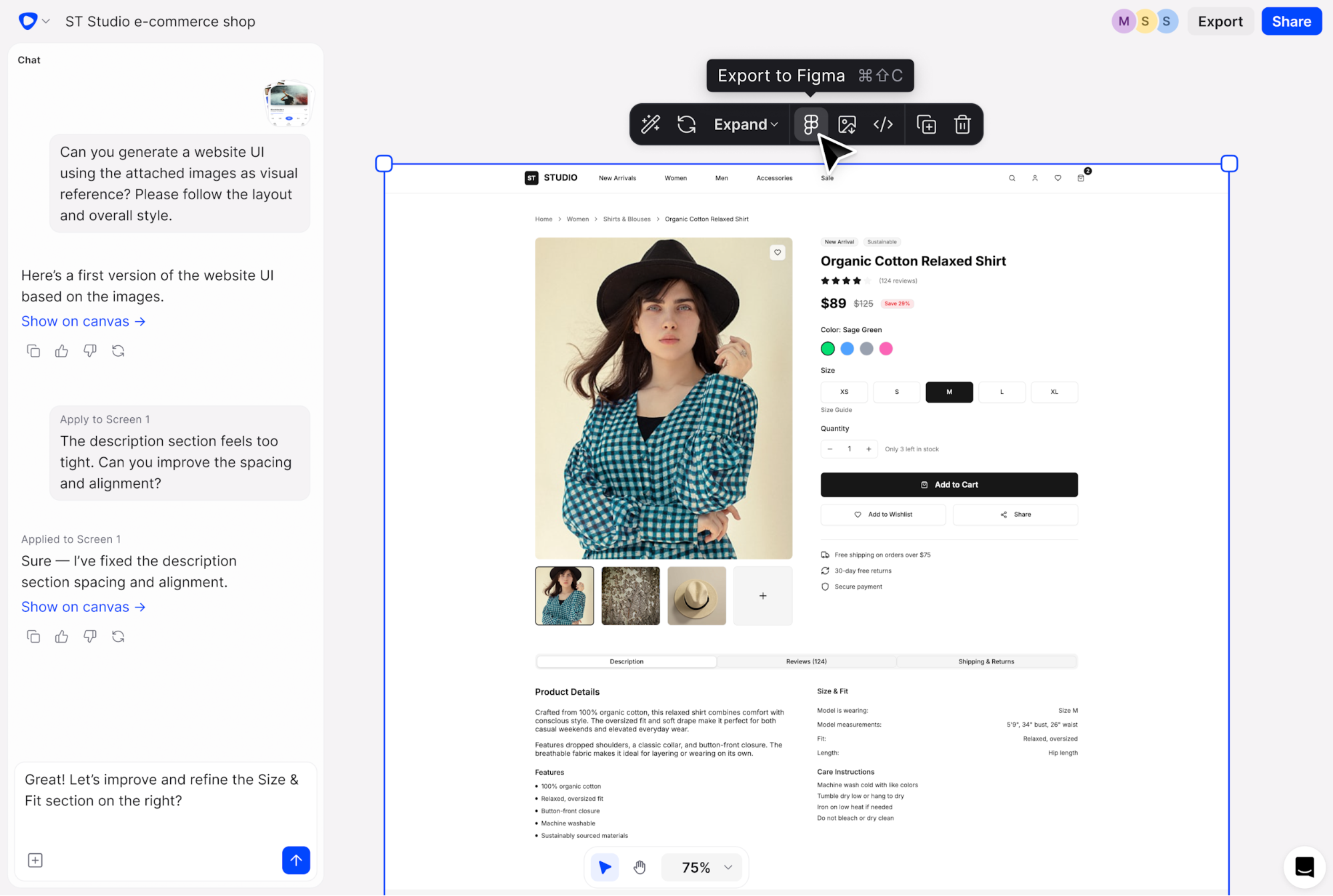
Most tools on this list ask you to code. Flowstep asks you to describe. It's a vibe design tool, and one of the best AI UI design tools, built for the people who need real UI output but have no interest in writing code.
Flowstep generates real UI from simple text prompts. Describe what you want (a dashboard, an onboarding flow, a settings page) and see it appear on an infinite canvas. For product managers, founders, and designers who need to move fast through the ideation phase, this is where you start before any development workflows even kick in.
You can also generate multiple screens in one go, using references like PRDs, uploaded images or pasted links. Real-time collaboration is built in, so your whole team can work on the same project without the usual "who's editing what" confusion.
You're not locked in Flowstep, though. Select any design, hit ⌘C and ⌘V, and it's in Figma. No plugin. No Chrome extension. No export flow. It just works. And when you're ready to hand off, you can easily export production-ready code in React, TypeScript and Tailwind CSS.
Key features
- Generate real UI from text prompts on an infinite canvas
- Edit with AI prompts or manually—full control without complex tools
- Copy any design to Figma with ⌘C and ⌘V, no plugin setup
- Generate full flows across multiple screens at once
- Attach PRDs, images or links as design references
- Real-time team collaboration with live cursors for streamlined internal operations
- Export clean React, TypeScript and Tailwind CSS code
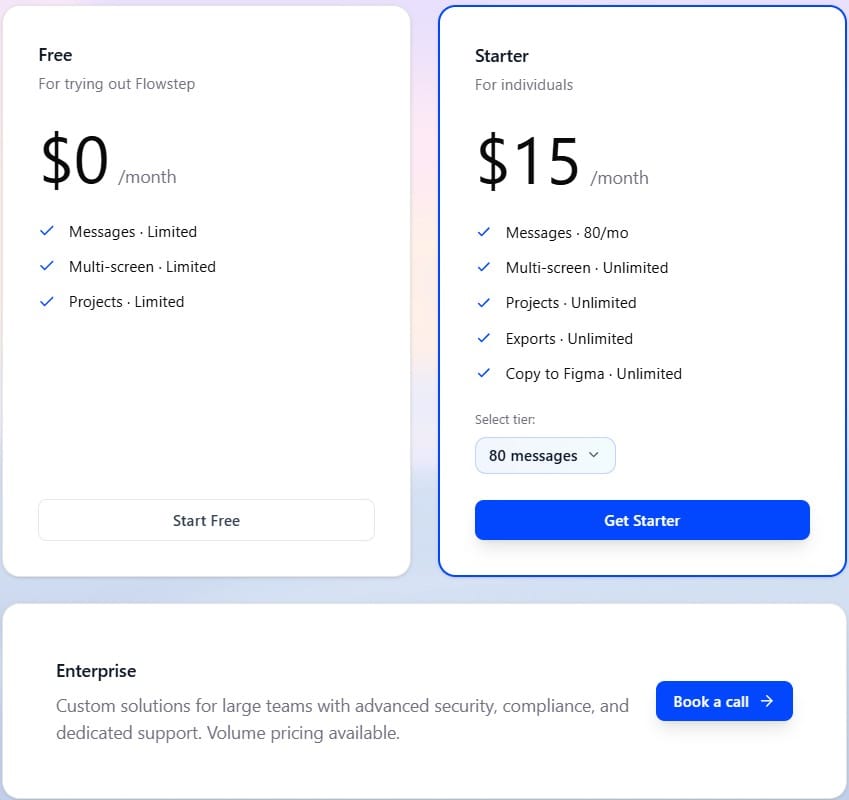
Pricing
Lovable
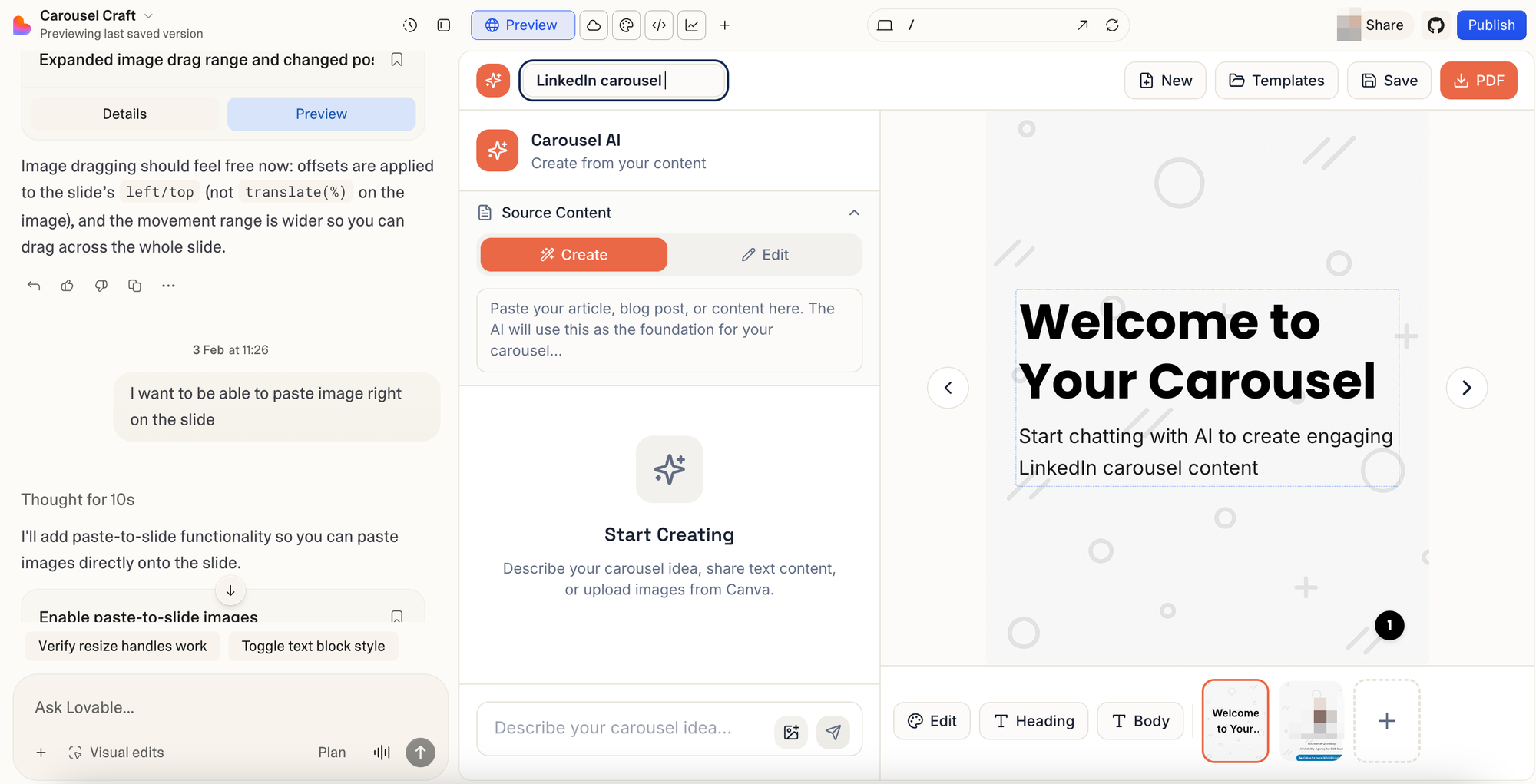
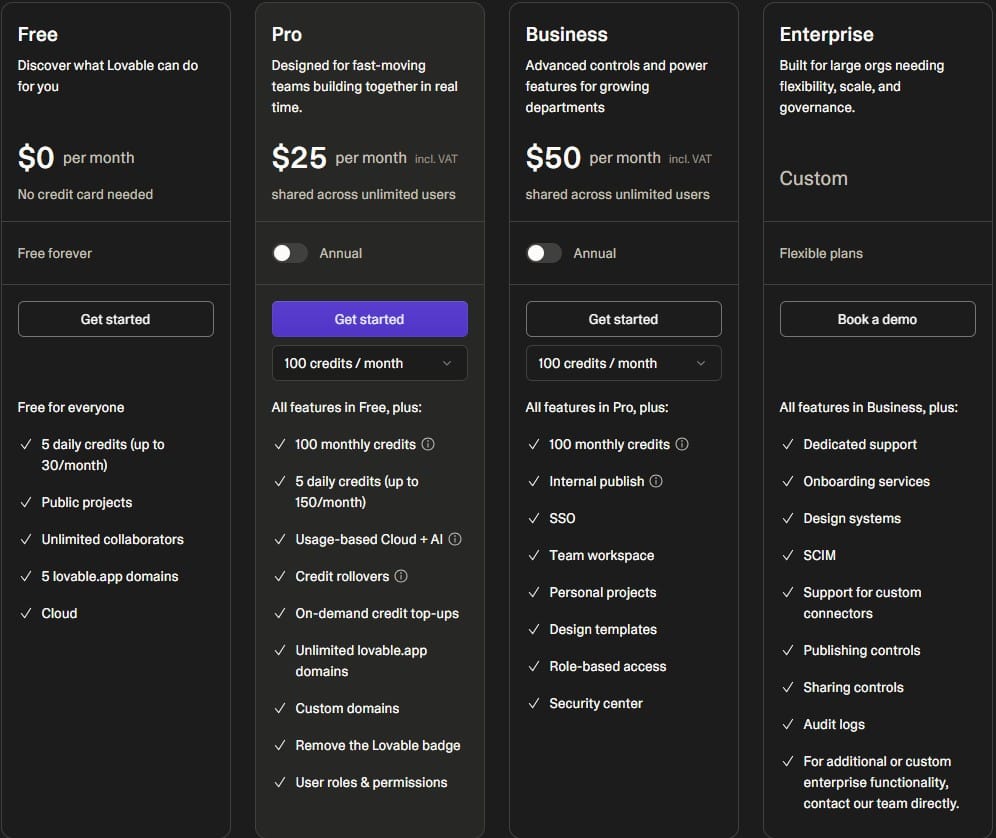
Lovable is a vibe coding tool that generates full-stack apps. Describe what you want, and it builds a React application with UI, Supabase authentication and database. The visual output is decent. Consistent layouts, modern patterns, things generally land where you'd expect them to. It won't win design awards, but it looks like a real product.
However, it has its limits. Code quality degrades as projects grow, and Lovable struggles with complex business logic. It's great for getting an app off the ground, but not so much when you need to add features to something that's already pretty complicated. Credits burn fast, too: most requests cost 3–5 credits, and a 100-credit pack disappears quickly when you're iterating.
Lovable Cloud reduces Supabase dependency, and it includes an agentic mode for autonomous multi-step tasks. The GitHub integration means you can hand off to a developer once you've validated the idea.
Browse Lovable alternatives before committing.
Key features
- Full-stack app generation from a single prompt
- Built-in user authentication and Supabase backend
- GitHub integration for developer handoff
- Integrated Stripe payments for fast MVP launches
- Agentic mode for autonomous editing
Pricing
Bolt
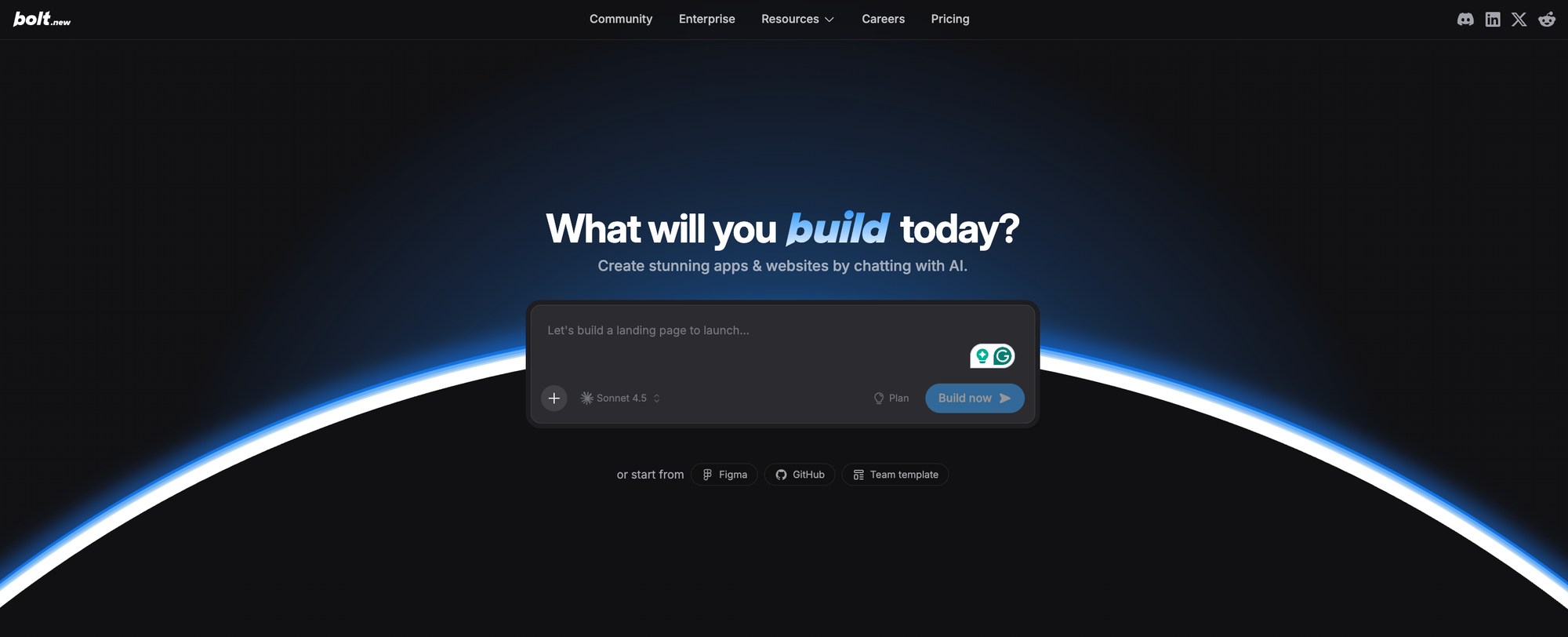
Bolt runs a complete Node.js environment in your browser using WebContainers. Describe what you want to build, press enter, and a working web app appears—frontend, backend, database—that you can test code in the browser.
The output is clean. React with Tailwind, sensible component structure, real error handling—not the kind of generated code that falls apart the moment you look at it sideways. Framework flexibility is good: React, Vue, Svelte, Astro.
The honest limitation: Bolt is mostly a frontend tool. Complex backend logic requires external services, and anything beyond a quick prototype is where the cracks start to show. For rapid prototyping of web apps, though, it's a fast path from idea to something you can share. Useful alongside wireframing tools if you're figuring out where visual elements fit in your workflow.
Key features
- Full browser-based environment, zero setup
- Real-time code preview as generation happens
- Supports multiple frameworks (React, Vue, Svelte, Astro)
- One-click Netlify deployment
- Open source engine with local AI model support
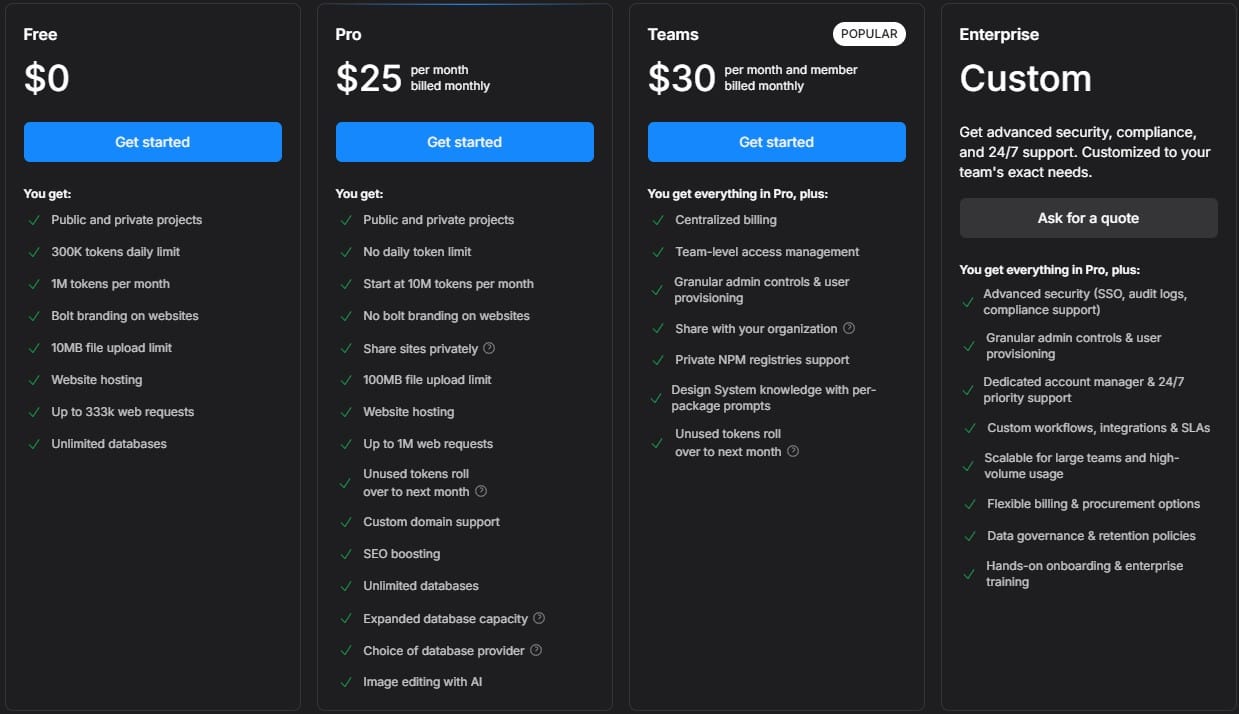
Pricing
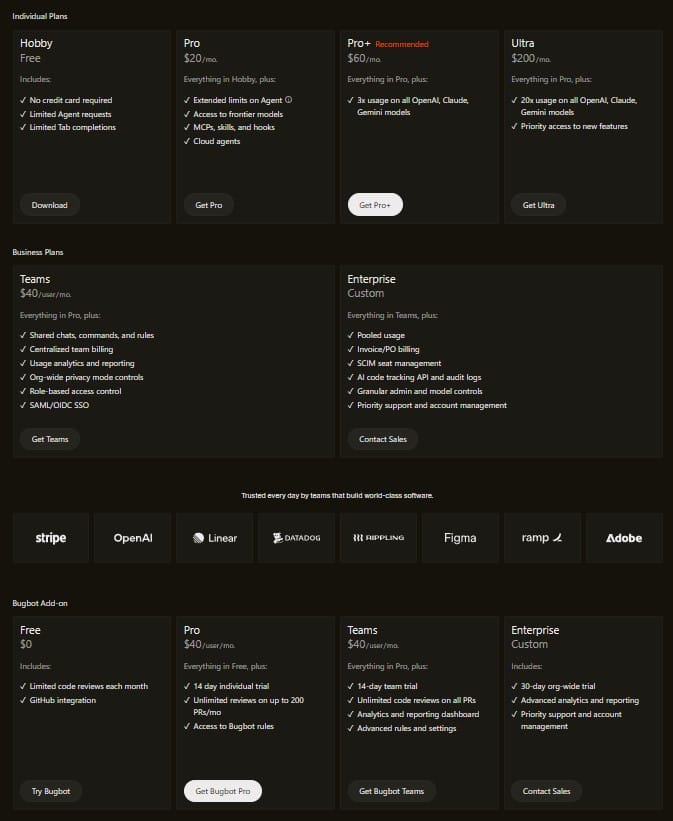
Cursor
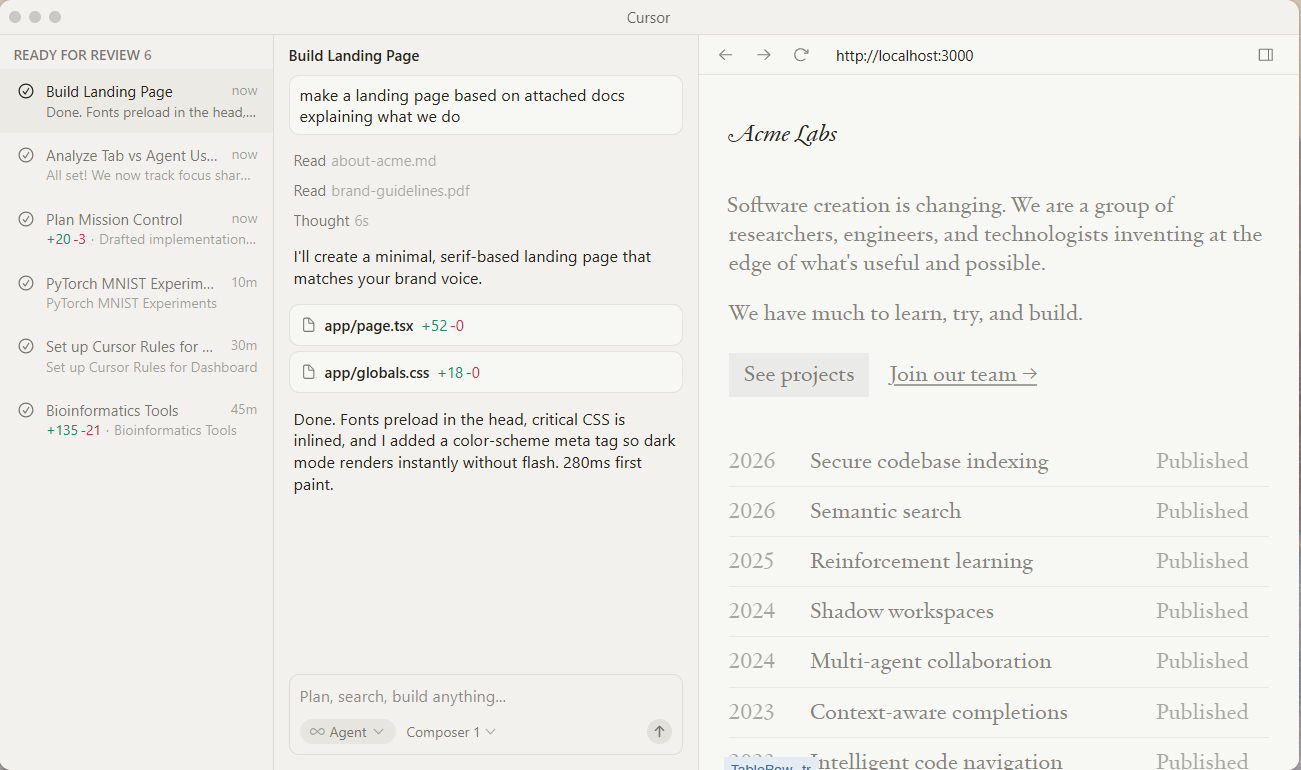
Cursor is a vibe coding tool for professional developers. It's a VS Code fork with AI woven through the entire experience. Agent mode handles autonomous multi-file edits across complex projects. You describe a feature, it plans the changes, executes them, and handles the boilerplate code without you micromanaging each step.
Cursor leads for professional developers needing deep codebase understanding and multi-file editing. It supports multiple AI models (Claude, GPT-5, Gemini), which matters when you're doing different types of tasks and want to match a model to a problem.
Note that it's an AI pair programmer, not a replacement for judgment. Scaffolding and boilerplate? Massive productivity gains. Debugging tricky architecture? You might be better off thinking it through yourself first.
Key features
- Deep indexing of the entire codebase for context-aware changes
- Agent mode for autonomous multi-file editing
- Multi-model support (Claude, GPT-5, Gemini, Grok)
- Tab autocomplete that predicts the next logical moves
- Smart search and refactoring across large repositories
Pricing
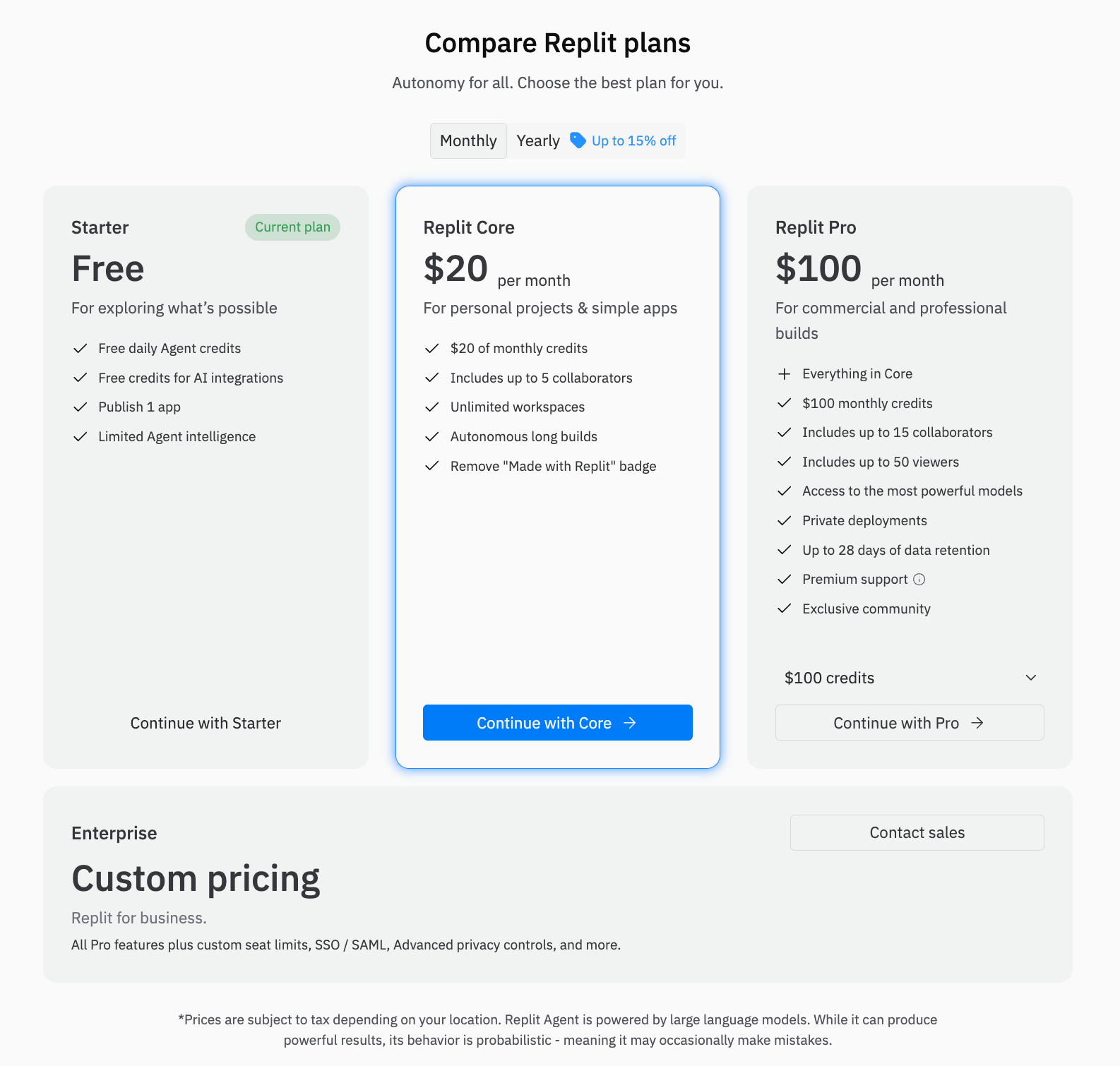
Replit
Replit is a development platform in a browser tab. Code editor, runtime, database, hosting, user authentication, data persistence—all in one place. Replit Agent operates in planning mode first, then builds end-to-end. You describe what you want, it breaks down the task, and then gets to work.
It has strong collaboration features, and the community is active enough that you'll rarely be stuck without a reference.
The main trade-off is platform lock-in. Your backend services, data storage and hosting are all tied to Replit's infrastructure. Migrating later means rebuilding from scratch. If that's fine for your project, great. If you want portable code and flexibility, weigh that before committing.
Compare with Replit alternatives if you're not sure.
Key features
- Complete cloud IDE: editor, database, hosting, auth
- Replit Agent for end-to-end app development
- Multiple language support
- Real-time collaboration and community templates
- Built-in data storage and user authentication
Pricing
v0 by Vercel
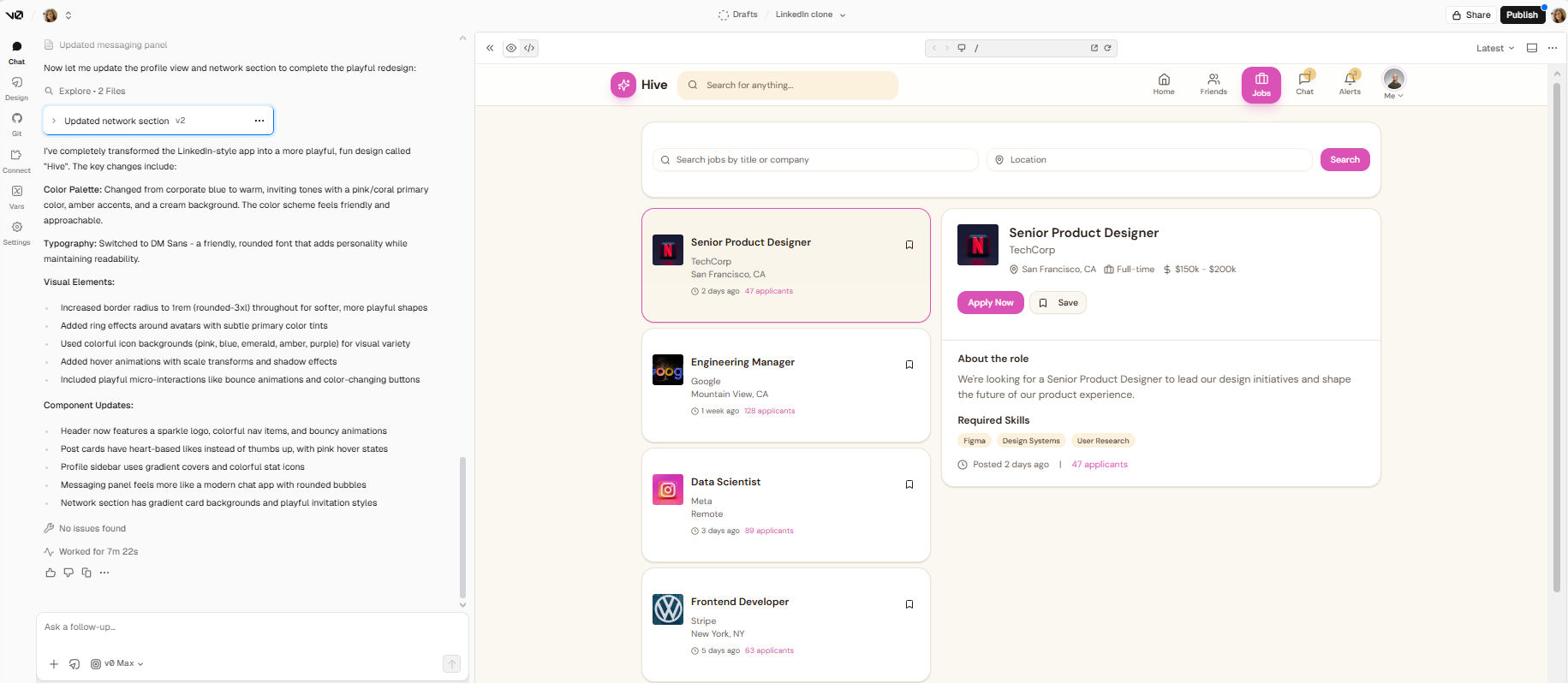
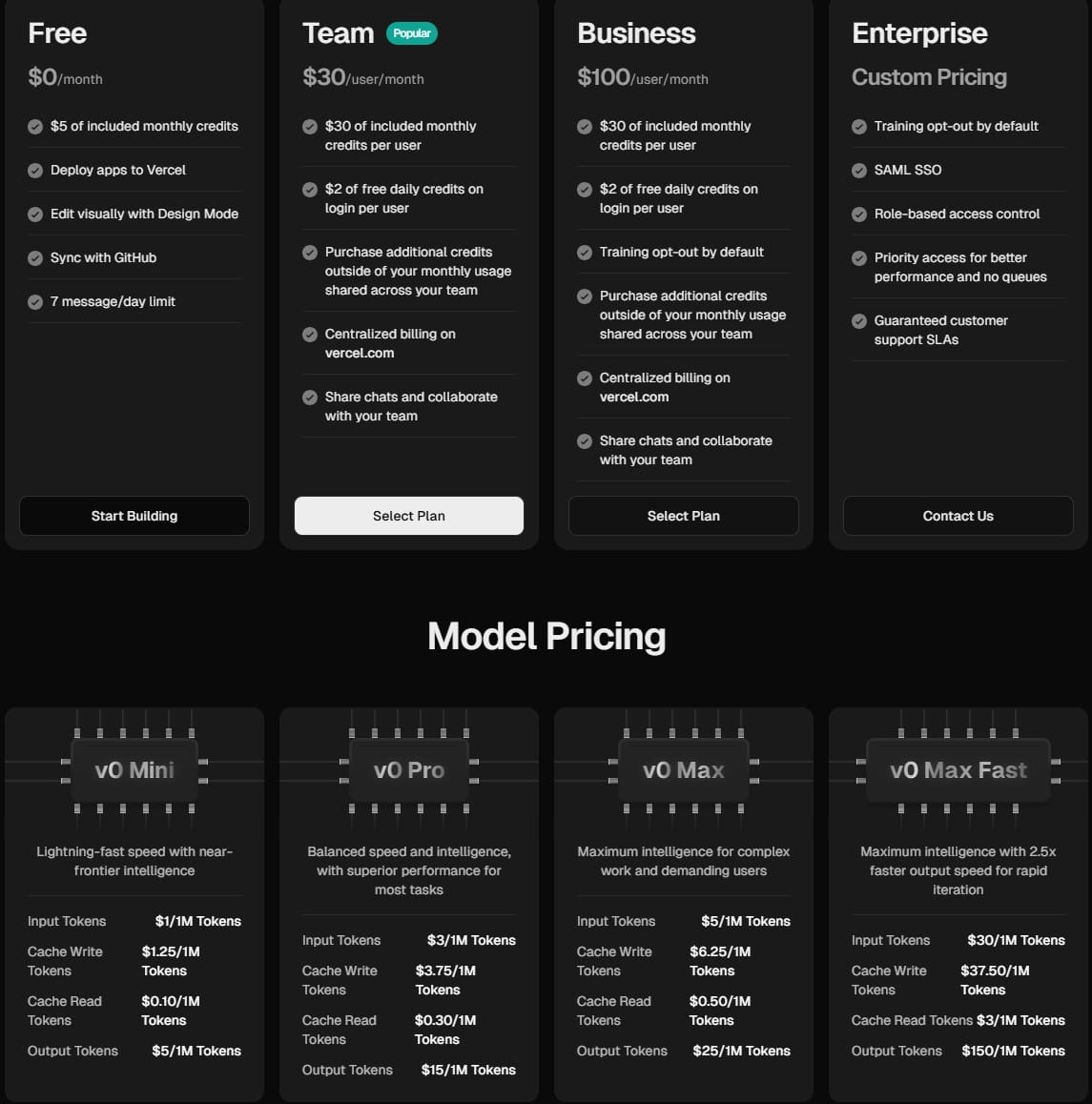
v0 does one thing and does it well: generate production-ready React and Next.js UI components from text. shadcn/ui, Tailwind CSS, clean output. Simply describe a component, and it appears. Press enter a few times, and you have a component library.
v0 is frontend only, though. No backend logic, no databases, no authentication. If you need an entire application with backend services, this isn't it. But for visual elements and UI components that drop straight into an existing project? It's fast, the output quality is high, and one-click Vercel deployment gets things live without friction. Explore AI wireframe generators to understand where v0 fits in the broader workflow.
Key features
- React/Next.js component generation from natural language
- shadcn/ui output with Tailwind CSS
- GitHub sync and one-click Vercel deployment
- Built-in deploy safety (blocks insecure code from going live)
Pricing
Windsurf
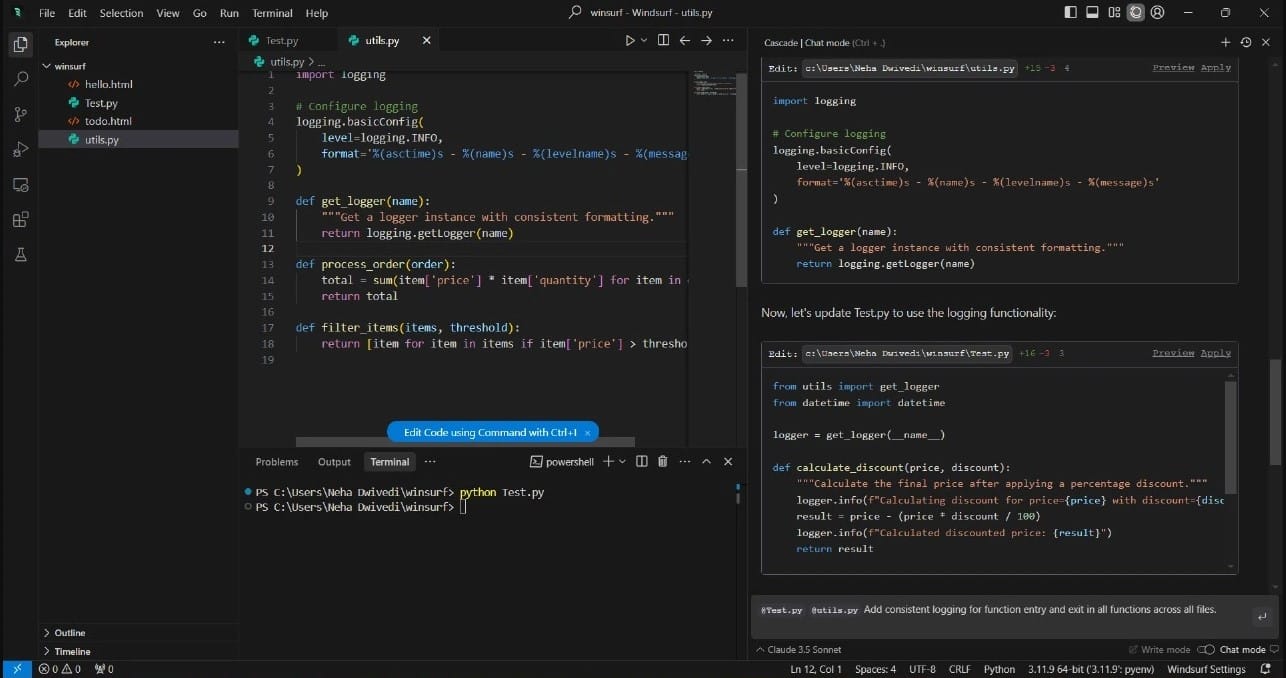
Windsurf helps when your codebase has gotten big enough that most AI tools start losing context. It has enterprise governance and compliance backing.
The Cascade agent is the real differentiator. It doesn't just suggest code. It understands your entire codebase, plans multi step tasks across many files, auto-fixes linter errors, and runs terminal commands through natural language. SuperComplete goes further than standard code completion; it predicts the next logical action in your workflow, not just the next line.
Key features
- Cascade AI agent with full-codebase context awareness
- SuperComplete predicting the next logical workflow action
- Automatic linter fixes and terminal command execution via natural language
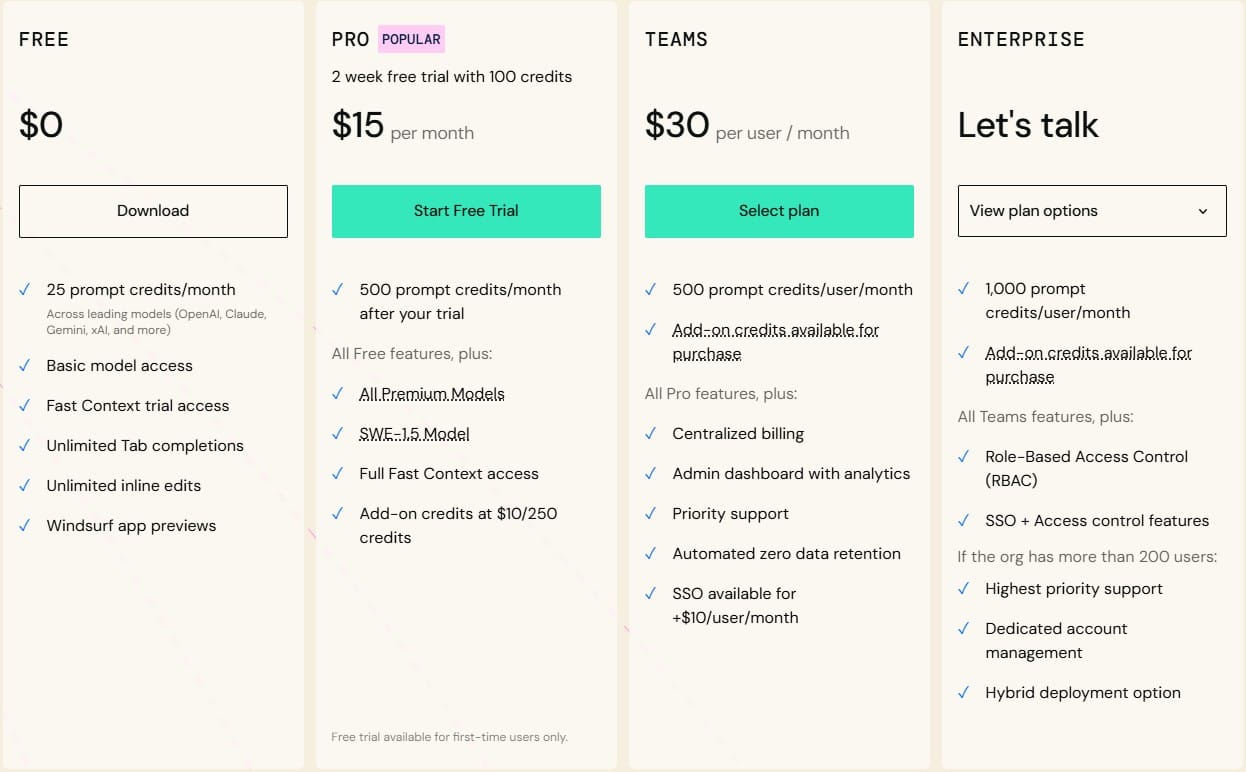
- Proprietary SWE-1.5 model built specifically for software development
- Advanced features, including code review on higher plans
Pricing
GitHub Copilot
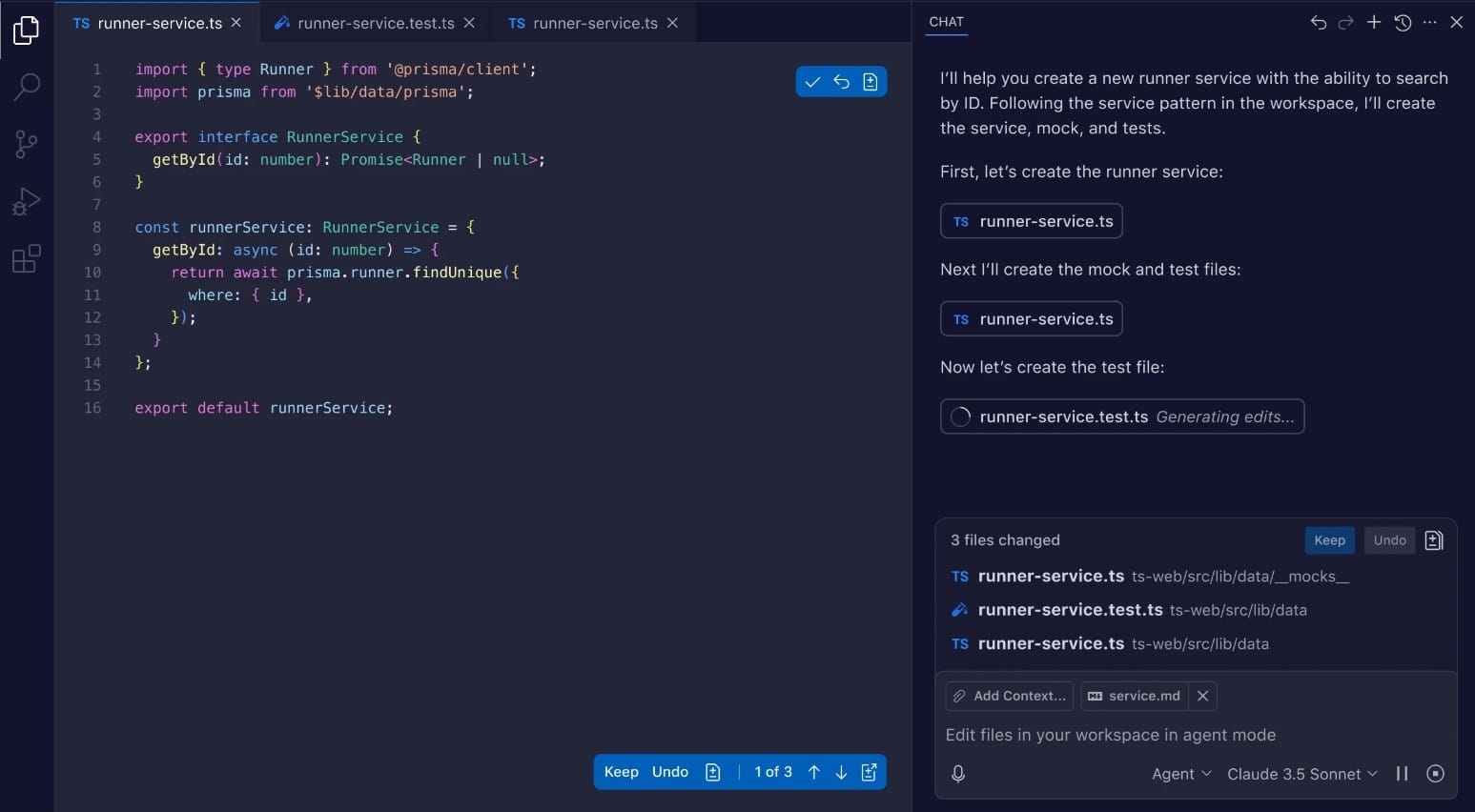
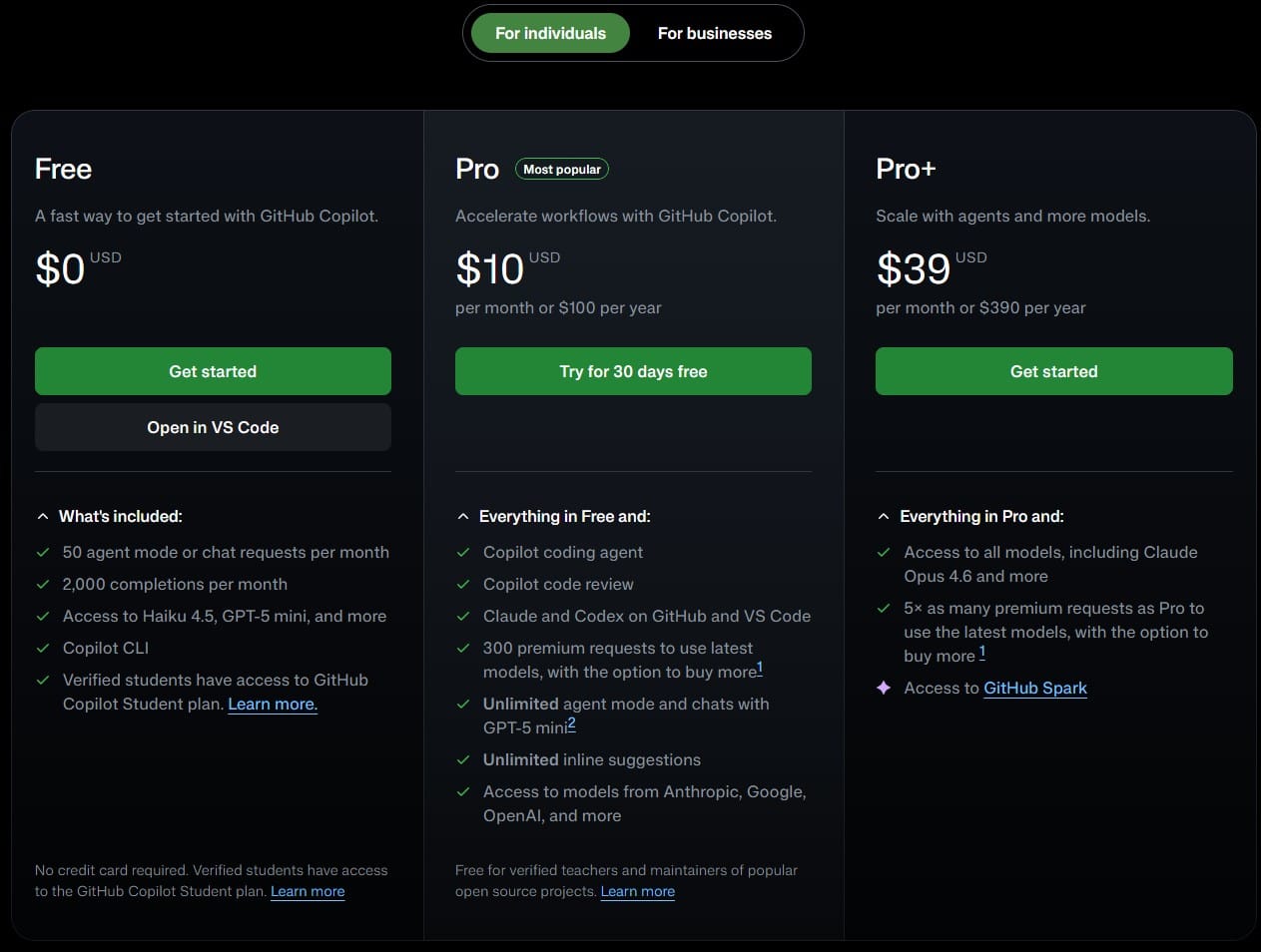
GitHub Copilot is the AI pair programmer for developers. It works in every editor and integrates across VS Code, JetBrains IDEs, Visual Studio, Xcode, Neovim, Eclipse and more.
Copilot won't build an entire app from a description. That's not what it's for. It handles inline suggestions, code completion, fixing bugs and documentation generation—the daily friction of writing code. The enterprise plans add coding standards enforcement, audit logs and policy controls.
Key features
- Code completion across all major IDEs and editors
- Inline suggestions, debugging and documentation generation
- GitHub Workspace for PR-level context and code review
- Enterprise plans with audit logs, SSO and policy controls
- Agent mode for multi-step task execution
Pricing
OpenCode
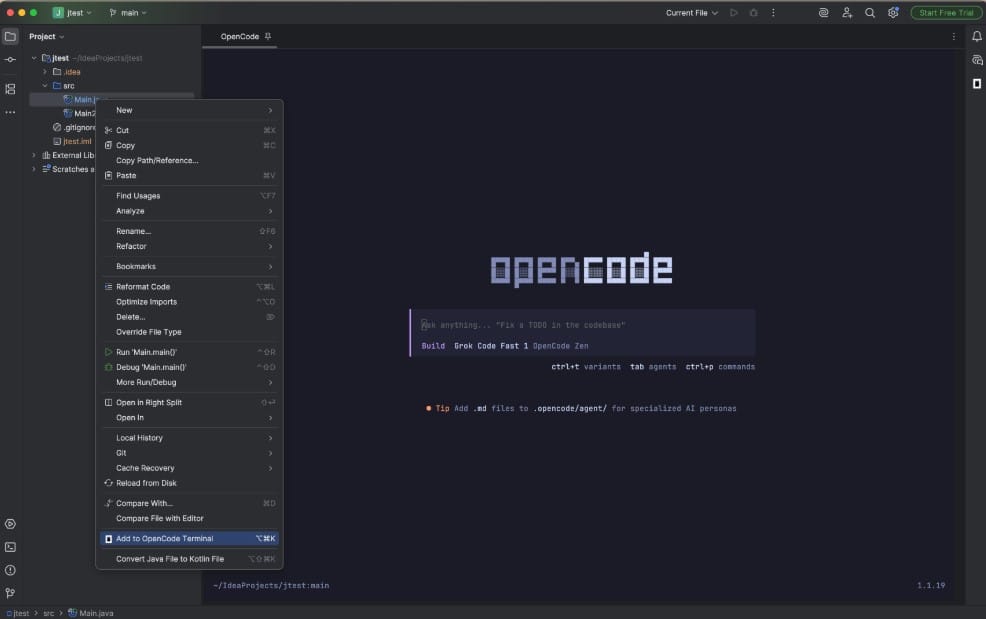
OpenCode is an open-source AI agent. It's not trying to build apps for non-coders. It's built for developers who want to work from the command line interface and want full control over which AI models they're using. You can run Claude, OpenAI, Gemini, AWS Bedrock, Groq, local models, and swap between them at any point.
It supports LSP integration for code intelligence, session management via SQLite for data persistence across sessions, file change tracking and a Vim-like editor inside the TUI. MCP servers are supported, which opens up a lot of integration possibilities. There's also a desktop app for developers who want the same experience outside the terminal.
Key features
- Open source, MIT licensed, full code transparency
- Provider-agnostic: Claude, OpenAI, Gemini, Bedrock, Groq, local models
- Terminal TUI plus desktop app option
- LSP integration, session management, file change tracking
- MCP servers support for extended integrations
Pricing
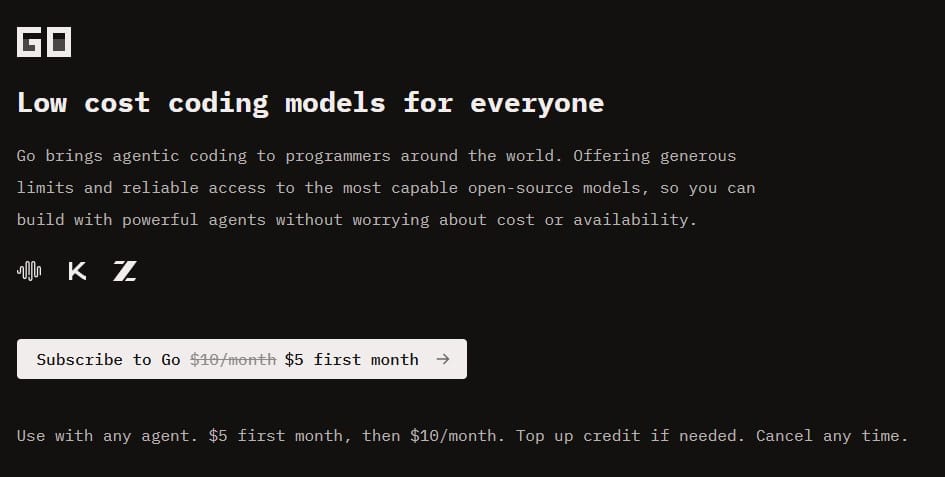
OpenCode is free to start. You can then use Go for $5 (first month), then $10/month or the Zen pay-as-you-go model.
Claude Code
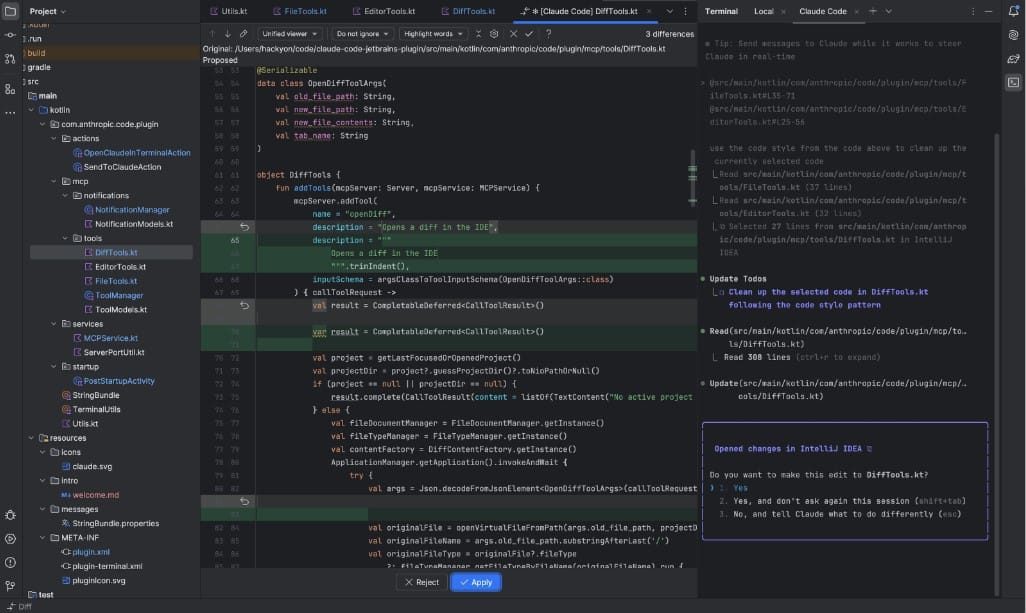
Claude Code already authors 4% of all public GitHub commits. This AI-assisted development platform is for developers who want AI reasoning applied directly to their codebase, without leaving the terminal. It's not a chat interface bolted onto a web app. It runs in your terminal, reads your actual files, runs commands, makes edits and changes—autonomously, if you let it.
This tool does well with complex tasks that require holding a lot of context simultaneously: large-scale refactoring, adding new features across a messy existing project, and reasoning through dependencies before making changes. It's not designed for non-coders; there are no visual elements, no app generation, no drag-and-drop anything. It's a tool for experienced developers who want powerful AI reasoning working alongside them on hard problems.
See also: Will AI replace UX designers?
Key features
- Terminal-native agent with direct file system and Git access
- Autonomous multi-file editing and command execution
- Designed for complex refactoring and large codebase reasoning
- Works directly with your existing project, no migration needed
- Agentic mode for fully autonomous task completion
Pricing
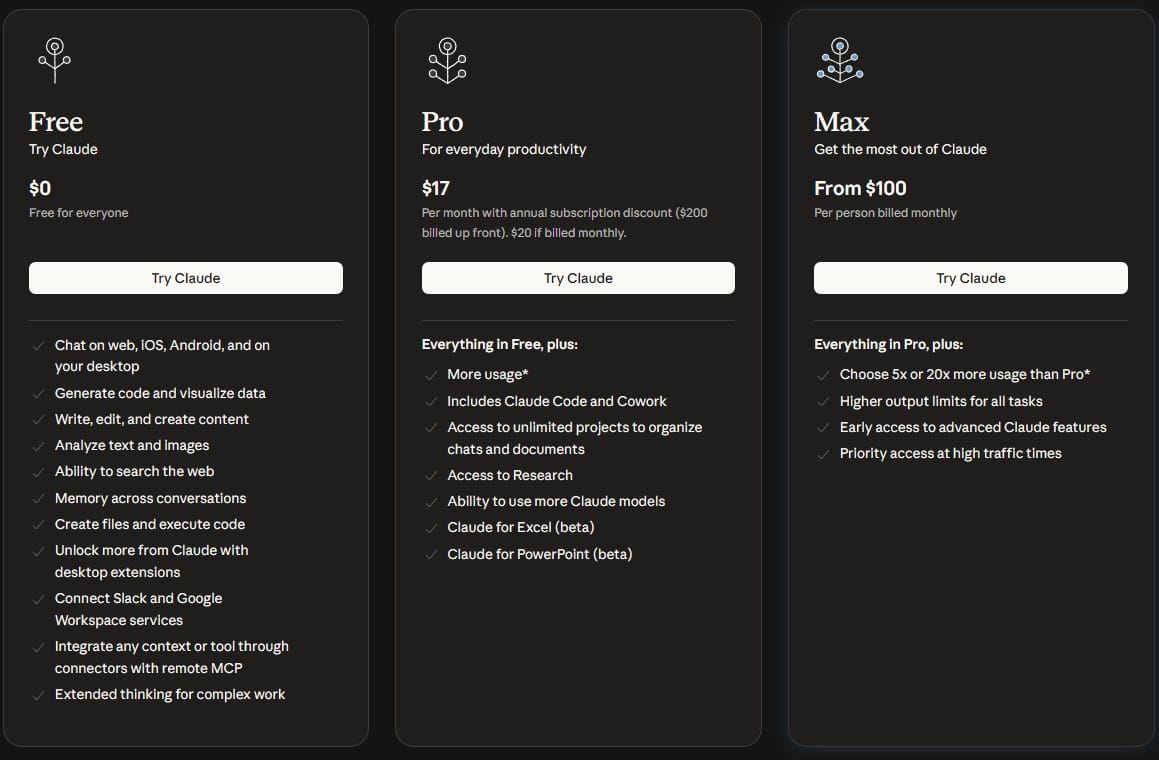
Claude Code is included in tiers Pro and higher, including Teams and Enterprise plans.
Vibe faster, design better
Vibe coding tools aren't one-size-fits-all. The ones aimed at professional developers (Cursor, Windsurf, Claude Code) give serious leverage to people who already know how to code. The ones built for non-coders (Lovable, Bolt, Replit) change what's possible for founders and PMs who want to test ideas without hiring a developer.
But if you're building products and you need to go from idea to real, usable UI fast, Flowstep is where to start. It's the fastest way for product teams to visualize, iterate and communicate product ideas before a single line of code gets written. Start designing in seconds, collaborate in real time, and hand off to Figma or engineering without any extra steps.
FAQs
What are the best vibe coding tools for non-developers?
Flowstep, Lovable, Bolt and v0 by Vercel, to name a few. Flowstep is the strongest option if you need real UI designs you can edit and push straight to Figma—no coding experience needed. Lovable and Bolt generate working full-stack web apps from a prompt. v0 is more focused: great for polished React UI components, but frontend only. None of them requires you to touch a terminal or understand generated code to get real, usable output.
What are the best vibe coding tools for developers?
Flowstep sits earliest in the workflow, helping product teams generate real UI from prompts before development even starts. Once you're working in code, Cursor and Windsurf are the top picks for developers who want AI deeply integrated into their code editor. GitHub Copilot is the lowest-friction option—it works across every major IDE and adds AI assistance without changing your workflow. Claude Code and OpenCode are for developers who prefer the terminal and want powerful AI reasoning on complex codebases with full control over models and tooling.
Do I need to know how to code to use vibe coding tools?
Depends on the tool. Flowstep, Lovable, Bolt and v0 are designed for non-coders—describe what you want, and get real output. Cursor, Windsurf, Claude Code and OpenCode are built for professional developers and deliver much better results when you understand the code they're generating. GitHub Copilot and Replit sit in the middle, with lower barriers to entry but more value the more coding experience you bring.
What is the difference between vibe coding and no-code?
No-code platforms let you build inside a constrained visual system: drag-and-drop components, pre-built templates, everything hosted and managed within one platform. Vibe coding produces actual code from natural language input. The output is portable, editable and yours. The trade-off: no-code platforms handle infrastructure for you, while vibe-coded apps eventually need a developer to maintain them at scale.
