12 Best AI Tools for Designers: 2026 Top Picks
Discover the best AI tools for designers [2026], including Flowstep, Figma Make and more top picks to speed up your UI/UX workflow and create better designs faster.
Curious about Banani pricing? This full Banani review breaks down every plan, the credit system, features and user opinions, plus an interesting alternative.
A client demo in four hours. Ten low-fidelity wireframes. No designer available. That's the exact situation one product builder described in a Reddit thread after discovering Banani—uploaded the first wireframe, typed a single line, and got high-fi screens. Sounds easy enough.
That could be you. Or it couldn't. Because for every user who calls Banani a lifesaver, there's another who burned through 20–30 credits on empty-screen generations, got charged anyway, and heard nothing from support.
This Banani review covers both sides. The Banani pricing, what each plan actually gives you, where the tool delivers, and where Flowstep, an AI design tool that generates real UI in seconds, closes the gaps Banani leaves open.
Banani is an AI-powered design tool that turns text prompts into multi-screen UI prototypes, which you can refine, export and hand off.
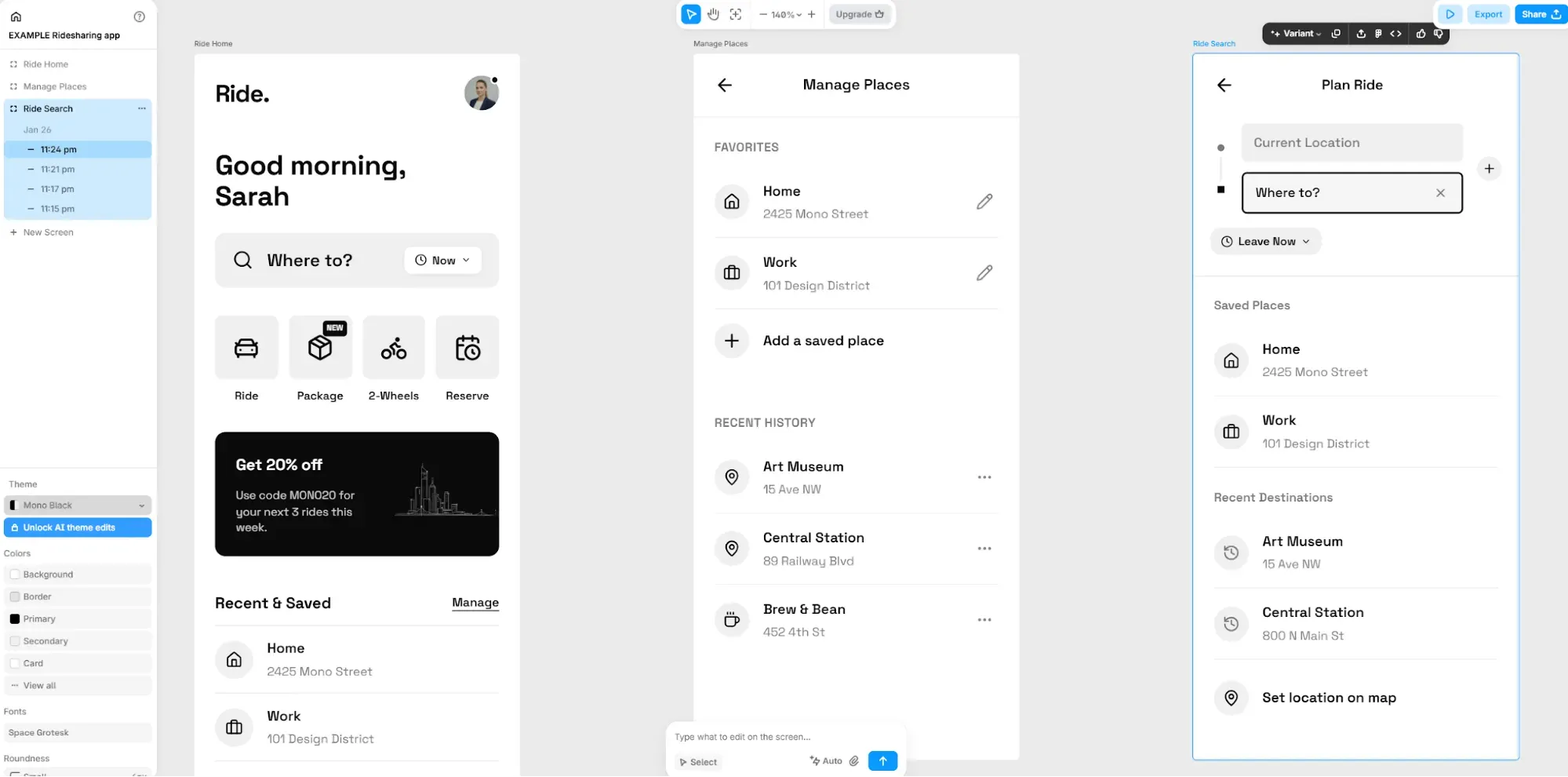
It works for non-designers and product teams: product managers who need to turn ideas into something visual before a stakeholder meeting, indie developers building solo without design backup, and founders who want to test something before touching code.
Monthly pricing laid out:
Each AI action (generating a screen or editing via text prompts) costs one credit. Manual adjustments to font styles, customizable color choices or component positioning cost nothing. Credits reset monthly, with daily top-ups. When you run out, existing projects stay accessible; you just can't generate new AI output until credits refill or you upgrade.
The free version gives you 20 monthly credits, 5 additional daily top-ups, three Figma exports per day, and private projects.
It's enough to evaluate Banani, not enough to use it. Twenty credits disappear fast. A three-screen onboarding flow is three credits to generate, then more for every AI edit. A focused afternoon of idea bouncing and brainstorming sessions will chew through your monthly allowance before dinner.
The Plus plan is where Banani becomes functional for real work. One hundred monthly credits plus 10 daily top-ups cover a reasonable design workflow. You get 3× faster generation compared to the free version, you can export designs to Figma and code for easy sharing. Plus is the practical entry point for product managers or indie developers running occasional projects.
Pro is for people designing every day. Unlimited credits, highest speed, priority support and everything from Plus. The value here is volume. If your design workflows are continuous and you're managing multiple clients or product tracks simultaneously, the credit cap on Plus becomes a bottleneck that Pro removes.
One thing to keep in mind: at $30–50/month per seat, larger organizations will feel the costs add up.
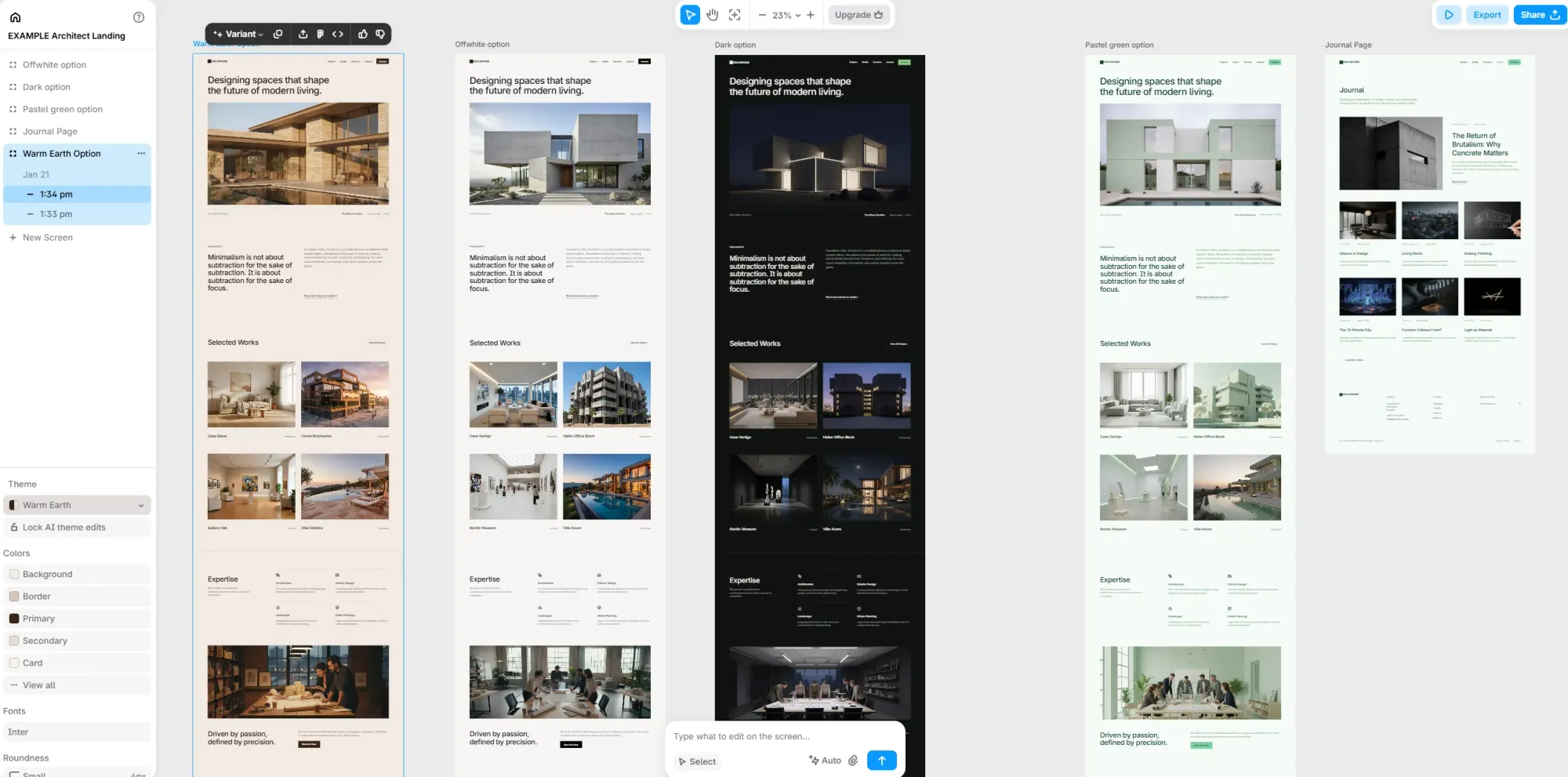
Banani users note its speed, clean output, easy editing and Figma integration.
Real-time collaboration and sharing via project links also work well for team reviews, allowing designers and non-designers to review the same canvas with changes staying in sync.
The interactive editing model (where you click a screen element and Banani generates what appears next) is good for turning static designs into functional prototypes. And for designers seeking rapid prototyping of entire flows rather than screen by screen, the multi-screen generation gets through the design process faster than traditional approaches.
The credit system creates some friction. Every time Banani's AI takes a pass at editing your design, the counter drops. If you're working on complex prototyping with multiple variations and revised drafts, you'll require additional manual adjustments to preserve credits for more complex AI work (or switch to the highest plan). If you don’t want to commit to a yearly bill, monthly pricing is considerably higher (40%).
Output quality is solid for standard patterns. User-friendly interfaces for SaaS dashboards, landing pages and settings screens come out well. But if you need something genuinely distinctive or advanced customization, you may need to browse other tools. Banani is not the right tool for complex or highly original interfaces, and designs may require additional manual adjustments (which take up significant time) to hit truly custom territory.
Support is a real concern. Some reviewers note bugs causing empty screen generations that still deduct credits, without much response from the Banani team.
See our Banani alternatives comparison for other options.
Banani is well-suited for product managers who want to brainstorm ideas, founders who need to visualize prototypes, and non-designers looking for wireframe help. It produces designs for common UI patterns and creates interfaces without needing design experience.
However, design teams doing high-volume work, larger organizations managing multiple product lines, or anyone who needs production-ready, original output will run into its limits.
Banani works well when you're exploring ideas quickly. But once you move past early prototyping—into iteration, collaboration or production-ready output—those small frictions start stacking up.
That’s typically the point where teams begin looking for alternatives that don’t rely on credits, handle more context, and produce code that’s closer to what actually ships.
One of the closest tools in that category is Flowstep.
Both of these options generate AI-powered UI from text inputs. Both export to Figma without plugins. Both are built for product teams who need to move fast without deep design experience. The differences show up under pressure, when you need something usable fast.
In Flowstep, you submit a message (one prompt, one message, easy to calculate) covering whether you're generating a new screen or asking the AI to edit a single element in an existing one. You can expand your AI usage at any time you need. Manual edits don't cost you anything.
The collaboration model matters more at the team scale. Flowstep includes unlimited collaborators on every plan. Anyone on your team can work on the same canvas without adding per-user cost.
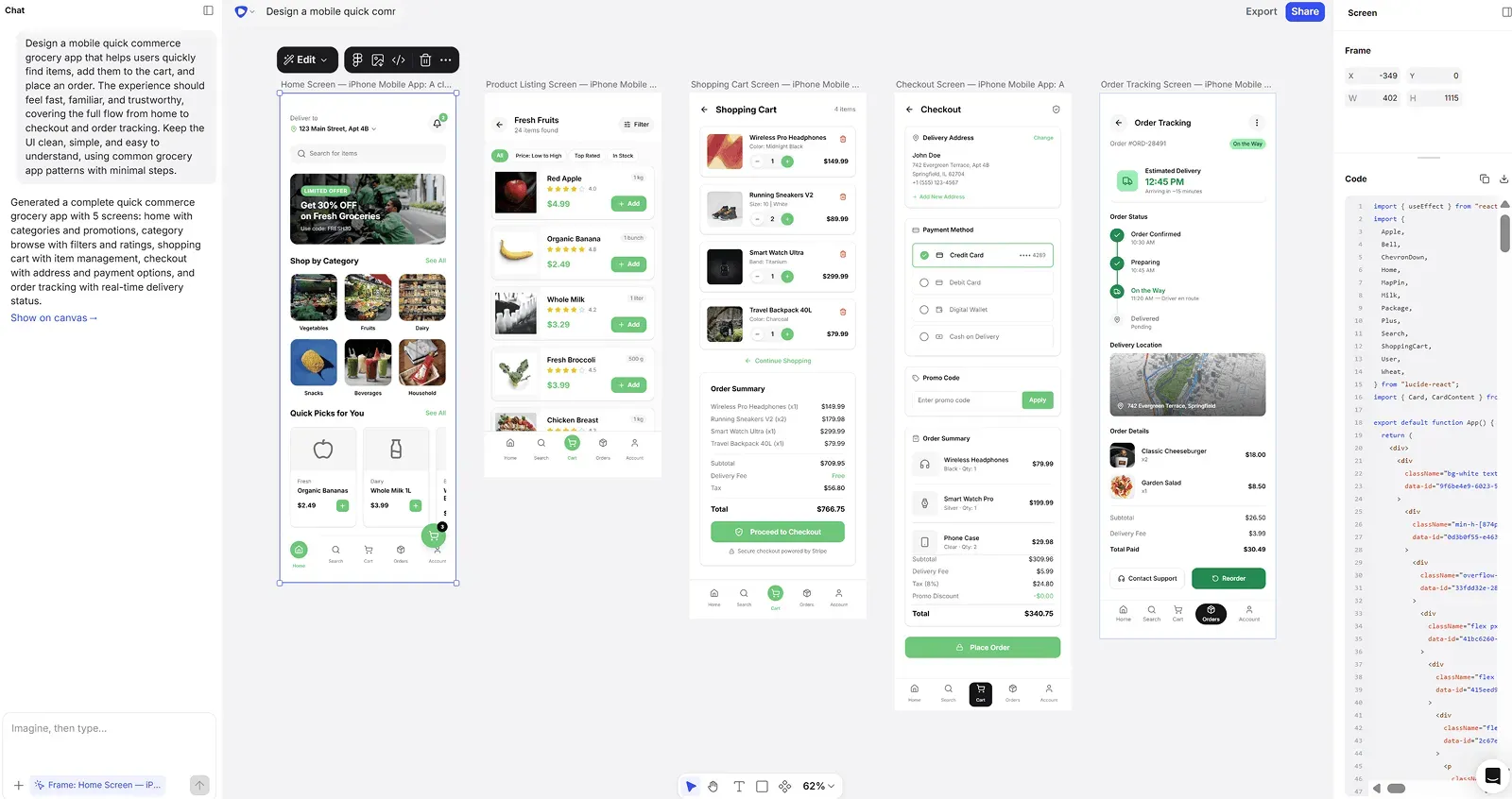
Banani exports HTML/CSS on paid plans. Flowstep exports clean React, TypeScript and Tailwind CSS.
The Figma handoff works identically (⌘C, ⌘V, layers intact, no setup), so teams already deep in Figma workflows won't notice a difference there.
Flowstep is where you go if you're building with more context. Attach a PRD, drop in reference images, paste a URL—the AI design agent uses all of it to generate more relevant, on-brand, polished UI from the start. If your design ideas come with product requirements attached (and they usually do), that context makes the first draft substantially better. Flowstep's infinite canvas also means entire flows live in one place, not scattered across disconnected screens.
You can explore a broader look at the best AI UI design tools or the best tools for prototyping, depending on where your workflow needs the most attention.
Banani handles UI generation from text inputs, a Figma export, and a free account you can start with. It's good enough to generate wireframes and prototypes.
However, anyone doing serious volume or needing high-quality, original designs will feel the ceiling. If that's where you are, Flowstep gives you the production-ready code stack, unlimited collaboration and polished designs of full websites, including different visual directions made from one prompt.
Banani pricing has three tiers. The Plus plan runs $20/month on monthly billing, or $12/month billed annually. Pro is $50/month, or $30/month annually. There's also a free plan and an Enterprise option with custom pricing. All paid plans get 40% off when billed annually.
Yes. The free version doesn't expire and requires no payment details. You get 20 monthly credits, 5 daily top-ups, private projects, and three Figma exports per day. It's enough to evaluate the tool and generate a few screens, but not enough for ongoing design work. Most real projects outgrow it within a session or two.
Every AI action costs one credit. Generating a screen, editing with AI, submitting revised prompts—each one draws from your balance. Manual edits to font styles, customizable color settings or layout elements cost nothing. Credits reset monthly at your plan allowance, with daily top-ups added throughout the cycle. Pro removes the limit entirely. If you run out mid-project, existing work stays accessible—new AI generations just pause until credits refill.
Flowstep is the closest equivalent—it generates real UI from text prompts, exports to Figma with one click, outputs React/TypeScript/Tailwind code on all plans, and uses a message-based model instead of credits. Unlimited collaborators on every plan, including free. The difference with Flowstep is higher design quality.