8 min read

Relume Pricing, Features and Alternative: Reviewed for Product Teams

Dive into our Relume review covering Relume pricing, key features, real user opinions, and an alternative built for product teams who want real UI fast.
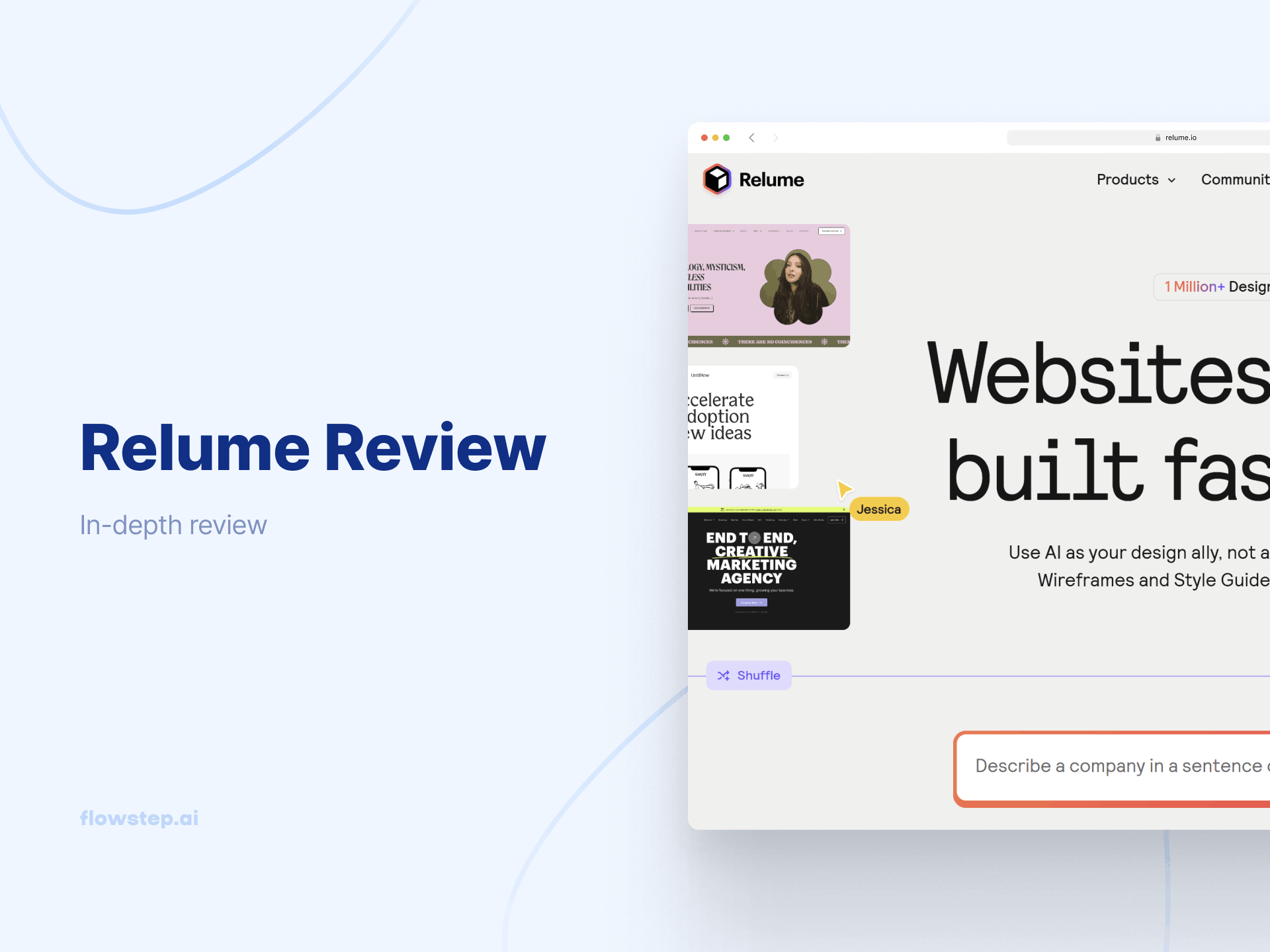
Relume Review

Web designers working inside Webflow will get a lot out of Relume. But if you're a product manager, a founder, or an engineer who just wants to turn an idea into something testable with a solid UI design tool, you'll probably hit a wall faster than expected. Because Relume isn't really an AI-powered website builder per se—it's a design acceleration layer that sits on top of tools you may or may not already use.

This Relume review cuts through the hype, breaking down the Relume pricing structure, diving into its use cases and exploring who should actually use it (and who should look elsewhere).
What is Relume?

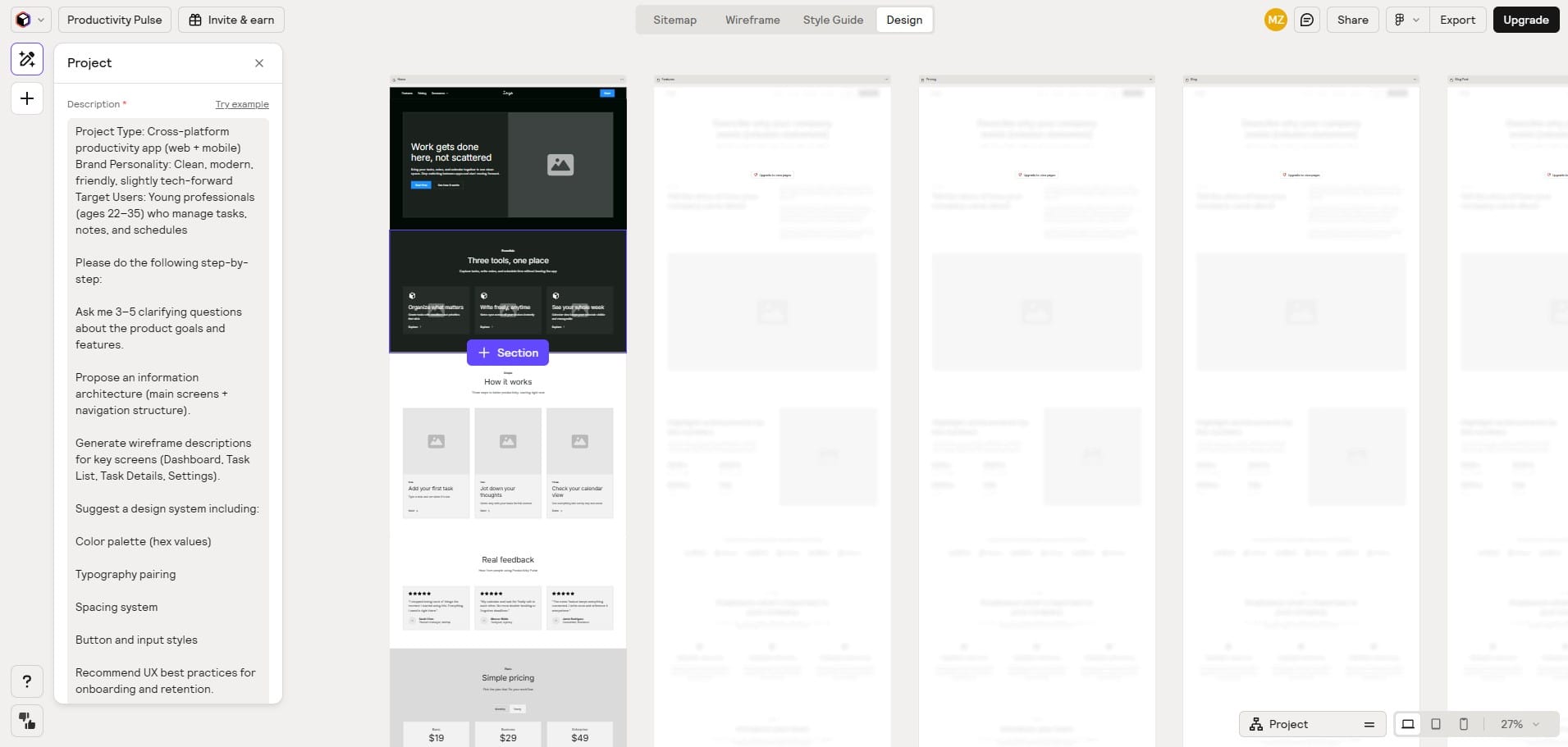
Relume website design made with AI that can create sitemaps

Relume started as a component library for Webflow (and that's still its core). Over time, it grew into an AI-powered site builder that can generate a complete sitemap and wireframes from just a few sentences of input.

It uses AI to mix and match over 1,000 human-designed components from its extensive library to build your professional-looking website.

The catch is that Relume can't actually publish anything. It requires Webflow or Figma to create finished websites. It exports wireframes and components that must be developed in these platforms independently. So it's really more of a first-draft tool.

Who uses it: Professional web designers, agencies and developers who live in Webflow or Figma and want to build client projects faster.
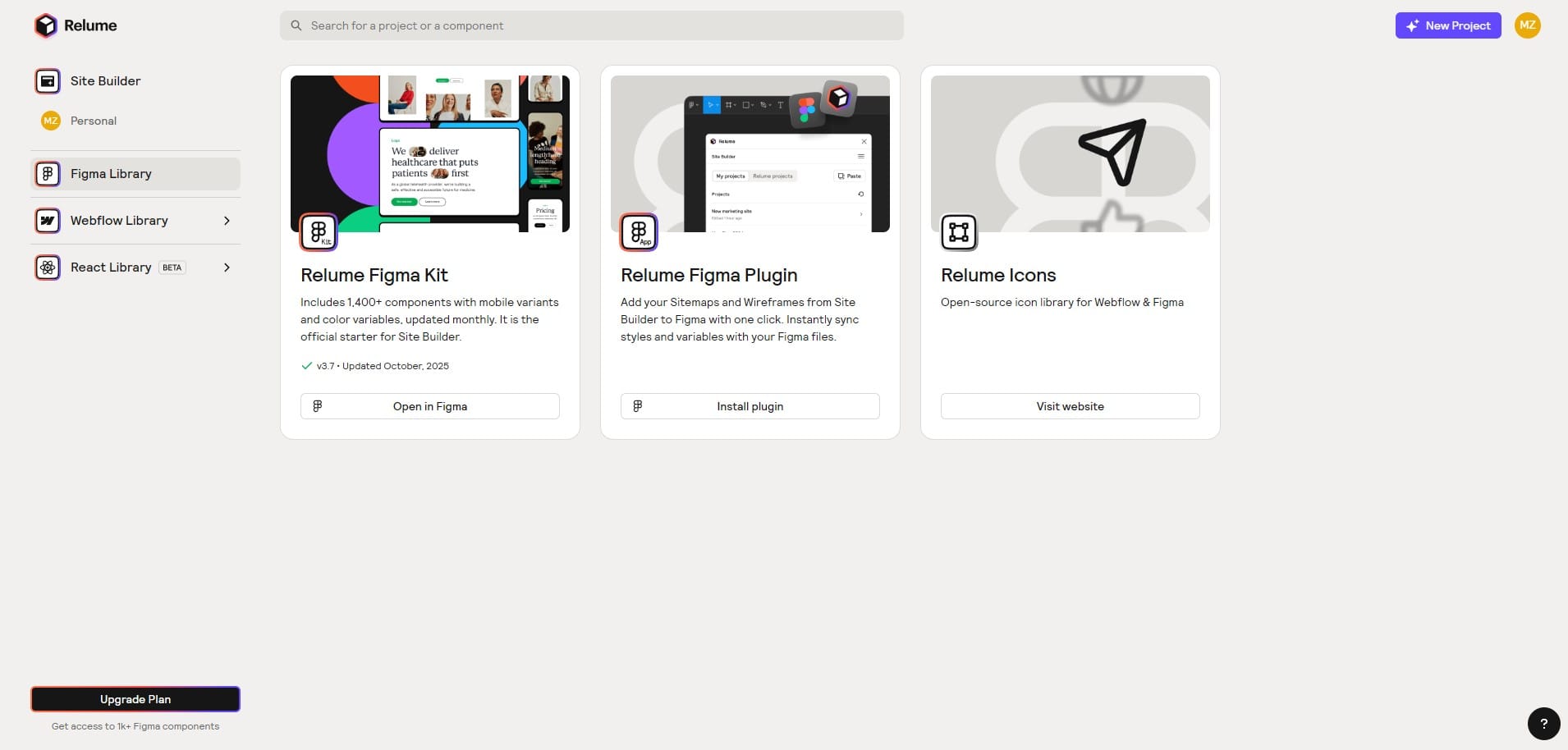
Relume key features and capabilities

Relume Figma library. This tool can be used by small teams for average Webflow projects
  • AI sitemap generator: You give Relume a few sentences about your company, and it generates a complete sitemap showing all the key pages and how they connect.
  • AI wireframe generator: One click and Relume converts your sitemap into wireframes using real components. The wireframe generation pulls from the library, fills in copy automatically, and gives you something that actually looks like a website. It's a solid foundation for client conversations, even if it needs work before it becomes a final product.
  • Component library: The component library has many Webflow components, all built by humans, ensuring quality and consistency. Everything follows the Relume design system and uses Tailwind CSS, which makes them easier to hand off for the development process.
  • Style guide builder: Relume lets you build a full design system with color palettes, typography pairings and UI elements, and easily export it to Figma or Webflow.
  • Figma and Webflow integration: Export complete wireframes and sitemaps to both platforms. The Figma library includes multiple components with mobile variants, and the Pro Figma kit adds even more. Worth knowing: Relume integrates exclusively with Webflow and Figma—no WordPress, no Shopify, nothing else. If your stack doesn't include those tools, Relume basically doesn't work for you.
  • AI copywriting: Relume generates contextual copy for your wireframes with AI.

Relume pricing

Relume has four pricing tiers. Here's what you get:

Plan

Annual price

Monthly price

What's included

Free

$0

$0

30 Webflow components, one project, one page, limited AI usage, Figma export, view-only project sharing, AI-generated sitemaps and copy

Starter

$18/user/month

$26/user/month

Full library access, one project, five pages, unlimited AI usage, Chrome extension, Figma, React & Webflow export, commenting +sharing

Pro

$40/user/month

$58/user/month

Unlimited projects and pages, Pro Figma Kit with up to 300 components storage, unlimited private sharing

Team

$36/user/month

$52/user/month

Pro features, Team workspace, three users included

The free plan is fine for poking around. It includes 30 Webflow components, one project and some AI usage—enough to get a feel for the platform before committing. But one project with 30 components isn't enough for any real client work or ongoing design processes.

The 7-day free trial for the Starter plan is the smarter way to evaluate it properly, though there's a catch: once you sign up for the Free plan, you can no longer get the 7-day free trial of the Starter plan. It's possible to do it the other way round, though—trial first, then downgrade to the free option.

The Starter plan at $26/month gives you access to the full library, AI-generated sitemaps (also on Free), and five wireframe pages with real components, but still only one project. For designers who need AI tools for doing multiple projects a month, it's still very limiting.

The Pro plan at $58/month adds more component variants and unlimited projects. If you ask us, the jump from one to unlimited is pretty abrupt. The Team plan is the only option that gives you proper collaboration features, and you have to pay for three users minimum.
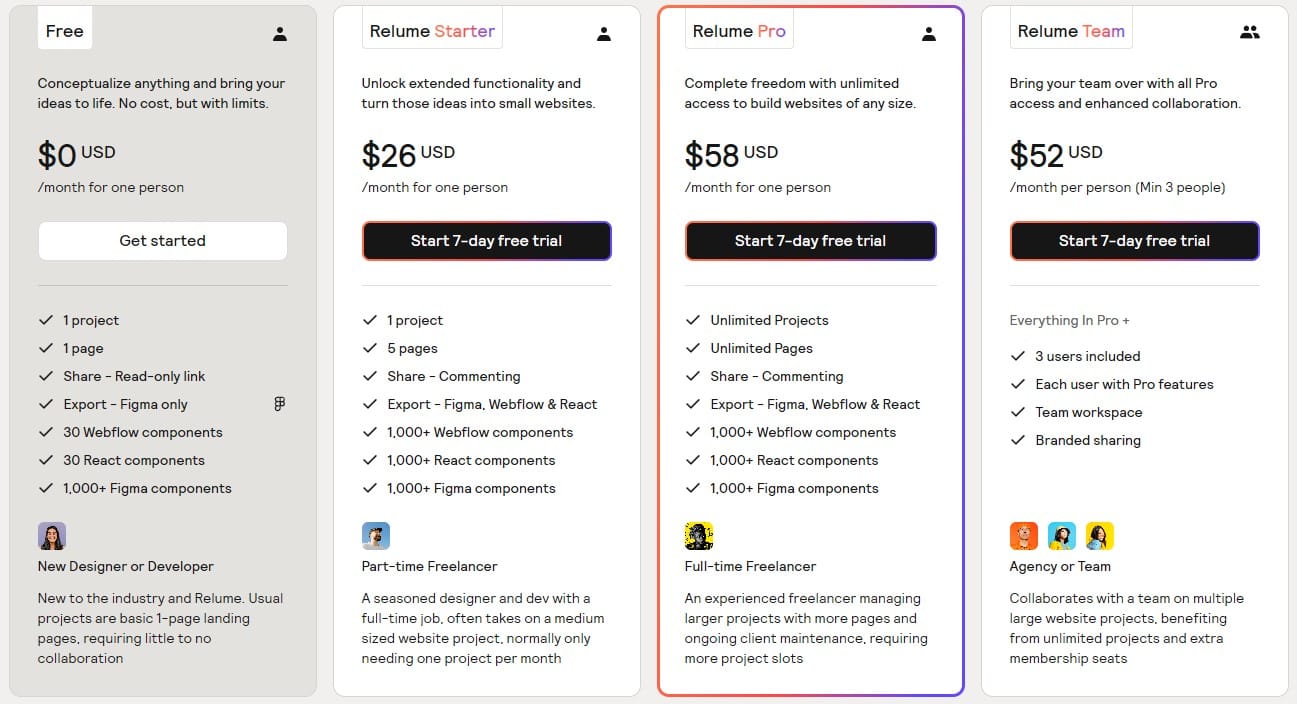
Relume pricing (annual billing)

One more thing on cost that often gets glossed over: Relume isn't standalone. You'll need a Webflow or Figma subscription on top of this.

Relume user reviews: pros and cons

Relume holds a 3.3/5 on G2 and 4.8 stars on Product Hunt. Support is generally helpful.

Advantages

  • Generating sitemaps is fast. You type just a few sentences and get a complete sitemap covering all the key pages.
  • Real components. The library quality holds up with well-built, reusable, responsive Webflow components.
  • Contextual copy in wireframes. Actual copy instead of lorem ipsum makes early-stage wireframes more useful when you share projects with clients for feedback.
  • Collaboration. You can share projects and leave comments to communicate ideas with your teammates inside Relume.

Disadvantages

  • You need other tools to finish anything. Relume gives you complete wireframes but not a full website. The development process has to happen somewhere else.
  • Component quality is uneven and can get buggy. One Product Hunt reviewer says: "The functionality of their components is a bit hit or miss. I would say there was an issue with about 1/3 of the components I worked with."
  • Everything starts to look the same after a while. Without real effort, sites built from the Relume templates look alike.
  • Not the deepest customization options. Users report limited control over each page and component, making it easy to achieve those repeated visuals.

Some small businesses note that the prices are a bit steep for what is currently offered.

Build faster with a better Relume alternative: Flowstep

If Relume's issues are stacking up for you, Flowstep is here to solve them.
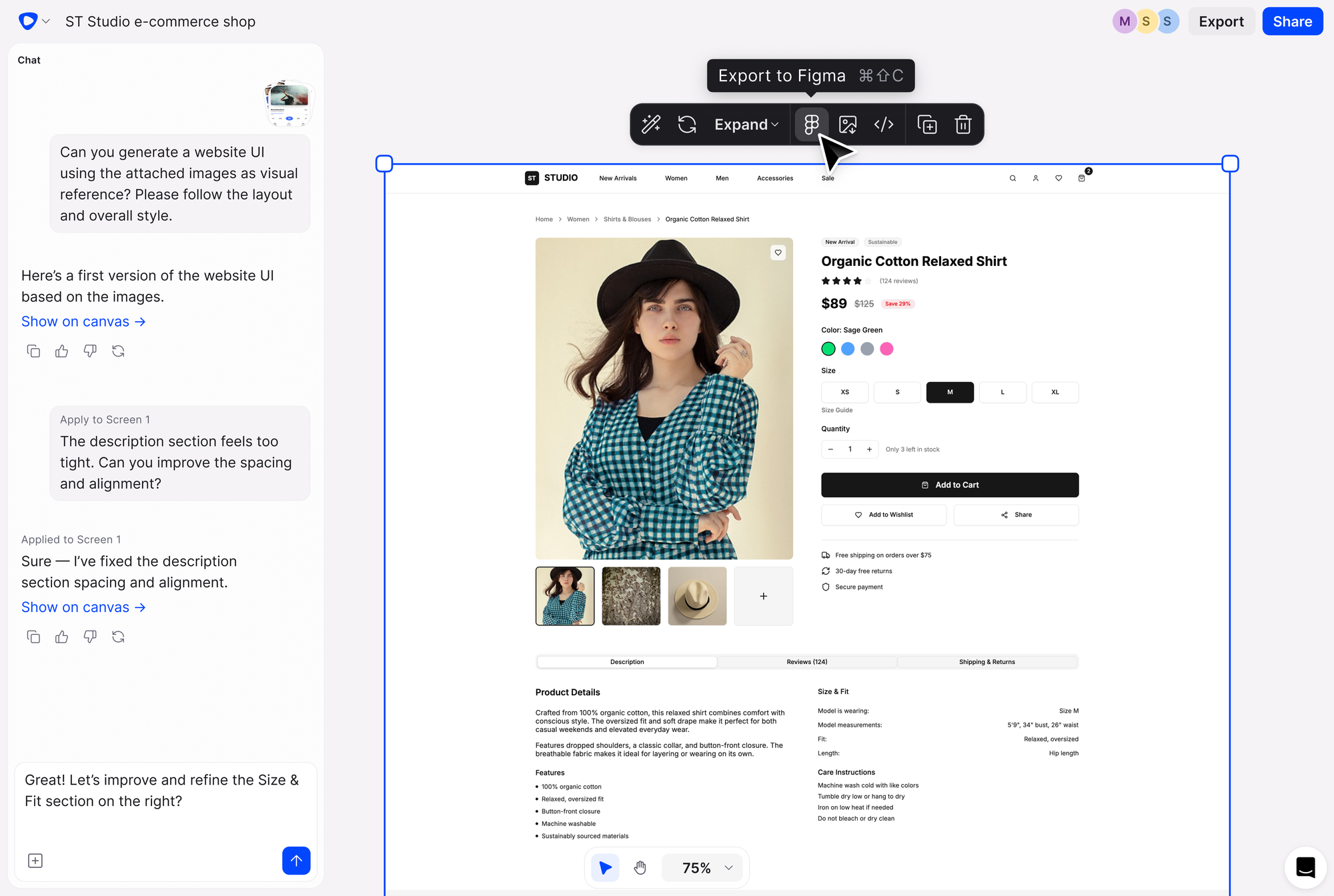
Flowstep AI tool - Relume alternative with simpler pricing

Flowstep is an AI UI design tool that generates real interfaces tailored to your needs directly from a text prompt. Describe what you want, and it will appear on an infinite canvas, fully editable (with AI or manually), immediately useful.

The differences that matter for product teams:

  • You get real UI, not wireframes. This isn't a sitemap or a low-fi sketch. It's an actual, production-quality UI you can show stakeholders, test with users, and hand directly to engineers. When you're trying to validate an idea before you build it, that gap between wireframe and reality costs you iteration cycles. Flowstep closes it.
  • Multiple screens at once. Instead of building pages one at a time, you generate entire flows in one go: login, onboarding, dashboard, settings.
  • Copy to Figma with ⌘C + ⌘V. Select anything on the canvas and paste it straight into your Figma file. No Figma plugin, no Chrome extension, saving you friction.
  • Edit with AI or manually—your choice. You have full control over what gets generated. Change something in plain English or edit elements directly; either works. No design background required. If you want to go deeper on the actual design process side of this, the How to use AI in design post breaks it down.
  • Design using references. Attach a PRD, paste a link, upload an image—Flowstep uses that context to generate more relevant designs. For PMs, this means your spec becomes your design brief. It's one of the features that makes Flowstep a great AI tool for product managers.
  • Real-time collaboration. See teammates' cursors live, sync edits, drop feedback inline. You can edit together with unlimited users on all plans, not just share with comments.
  • Code that engineers can use. When you're ready to build, export clean React, TypeScript and Tailwind CSS.

The free plan includes real-time collaboration with unlimited users. No credit card required to start.

Start for free

Flowstep pricing

While Relume has per-user pricing and feature restrictions on separate tiers, Flowstep gives you unlimited collaborators, even on the free plan. It only has two tiers, with the paid plan starting from $15 or $12 when billed annually. You can pay extra for more AI message usage, but all features are included here, plus unlimited screens and projects. Flowstep also offers custom plans for enterprises.
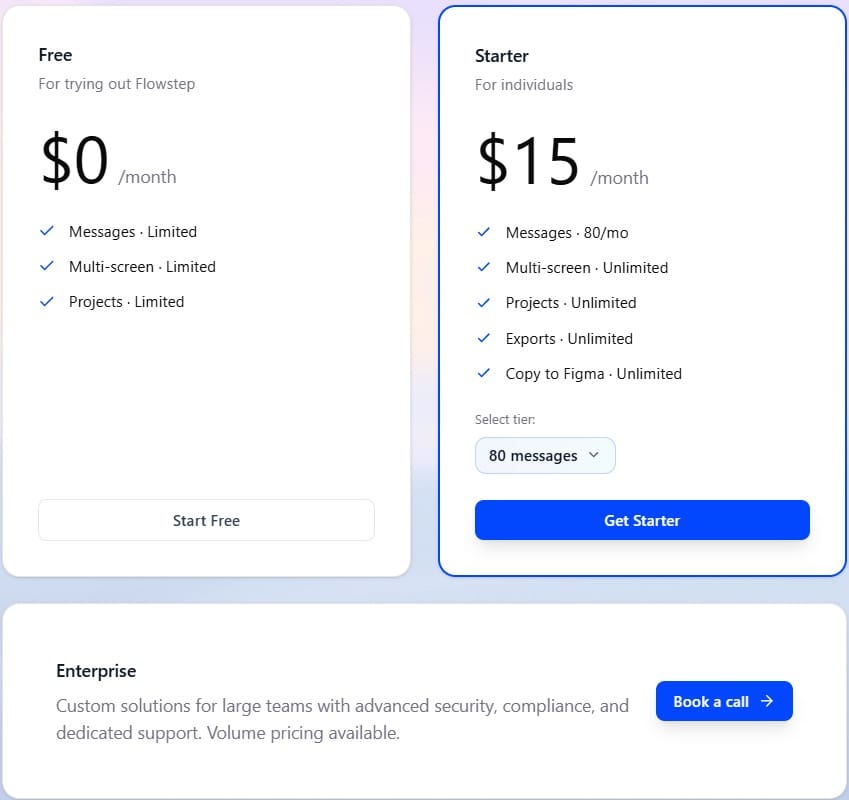
Flowstep - alternative to Relume pricing

Quick comparison: Relume vs Flowstep


Relume

Flowstep

Best for

Web designers and agencies in the Webflow/Figma ecosystem

Product teams, founders and designers who want usable UI fast

Key strengths

AI sitemap + wireframe generation; extensive library of human-built components

Real UI from text prompts; infinite canvas; full multi-screen flows; native Figma clipboard, unlimited screens, projects and collaborators, code export

Price

Free plan available; from $18/user/month

Free plan available; from $12/month

Free trial

7-day free trial (Starter only)

Free plan, no time limit

Free tier

30 Webflow components, one project

Includes unlimited users

Figma integration

Export via Figma library plugin

Native copy-paste ⌘C + ⌘V, no plugin needed

Code export

React

React, TypeScript, Tailwind CSS

The honest verdict: Is Relume worth it?

For Webflow designers and agencies, yes—the component library is worth the subscription. The AI sitemap and wireframe generation is fast, the design system tools are useful, and the easy process from prompt to first draft saves hours.

For product teams? It's not the right fit. You'll get wireframes but not a complete website, and you'll need another tool and another subscription to actually build anything. Collaboration options are limited, and you hit a wall fast with one-project limits and not many customization options. Flowstep gives you real, editable UIs from a single prompt, works as a standalone platform, lets you collaborate and edit freely and doesn't restrict you on user or project count.

Try Flowstep free

FAQs

What is the Relume design system used for?

Relume is an AI-powered site builder and component library used mainly by web designers, developers and agencies who work in Webflow and Figma. It generates website sitemaps and wireframes from text prompts and gives you access to pre-built components. It speeds up the web design process for Webflow projects, but it can't publish a finished website on its own.

How much does Relume cost?

The Starter plan costs $26 per user per month, the Pro plan is $58 per user per month, and the Teams option is $52 per person. There's also a limited Free plan and yearly billing discounts. Keep in mind: you'll still need a separate Webflow or Figma subscription to actually use what you build.

Does Relume have a free plan?

Partially. The Free plan includes 30 Webflow components, one project and limited AI usage. Enough to test the platform, not enough for real work. The 7-day free trial for the Starter plan is better for a proper evaluation, but you have to sign up for that directly, not the Free plan first, or you lose access to the trial. The Pro plan doesn't have a trial.

What are the best free alternatives to Relume AI?

Flowstep has a free plan with fewer AI generation limits and real-time collaboration with other users.