14 Best Mockup Tools in 2026 (Expert-Tested and Compared)
The 14 best mockup tools for designers in 2026, compared by pricing and use case, from Flowstep and Figma to Canva, Placeit, and more.
Honest Lovable reviews and a full Lovable pricing breakdown for 2026. Find out if it's worth it for PMs, founders and builders—and what to use instead, if not.
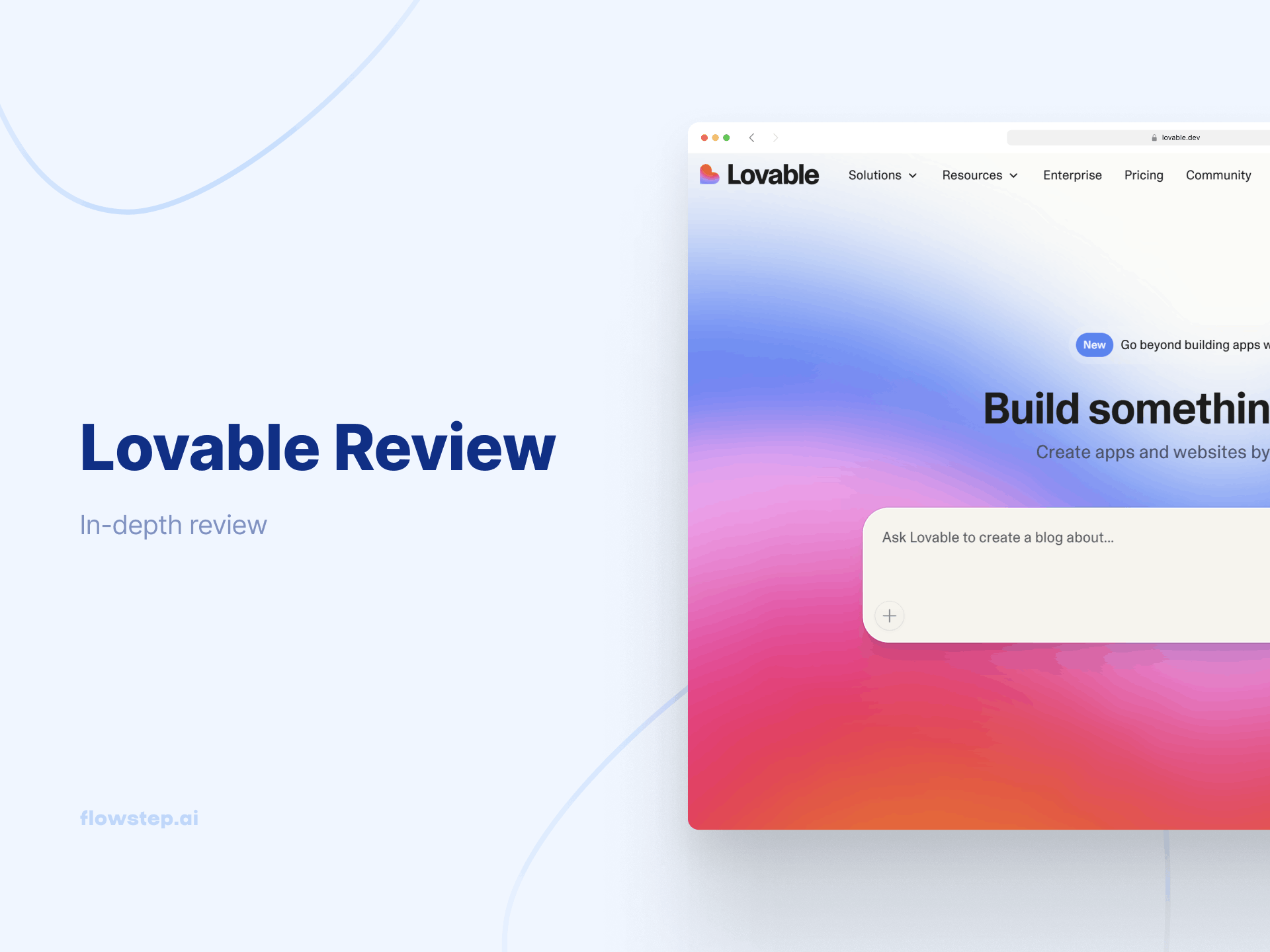
You've seen the demos. Someone types a prompt, hits enter, and a working app materializes, complete with a login page, dashboard and Supabase. Looks effortless. The question you're probably asking yourself: Is that real, or is it just a great demo?
This Lovable AI review answers two things. First, what the tool is actually like when you're past the first screen, and second, whether the Lovable pricing model still makes sense once you're doing real work. TL;DR: it depends on what "real work" means for you. The long version is below.
See also: How to use AI in design properly
Lovable is an AI app builder. You describe an app in plain language—no writing code, no local environment setup—and it generates a full-stack web app using React, TypeScript, Tailwind CSS and Supabase on the backend. That's user authentication, file storage, a database and deployment, all without touching a terminal.
The company started as an open-source project that went viral on GitHub before rebranding to signal a shift from developer tooling toward a broader, more non-technical audience. It worked. Lovable reached a $6.6 billion valuation after its December 2025 Series B, growing to over $200M ARR in under 12 months.
What makes it interesting is the tech underneath. Developers who export Lovable projects to GitHub report that the AI-generated code output is clean and well-structured.
The value proposition is straightforward: get from idea to working app faster than any traditional path. And it works for early-stage validation. But the caveats stack up once projects get complex.
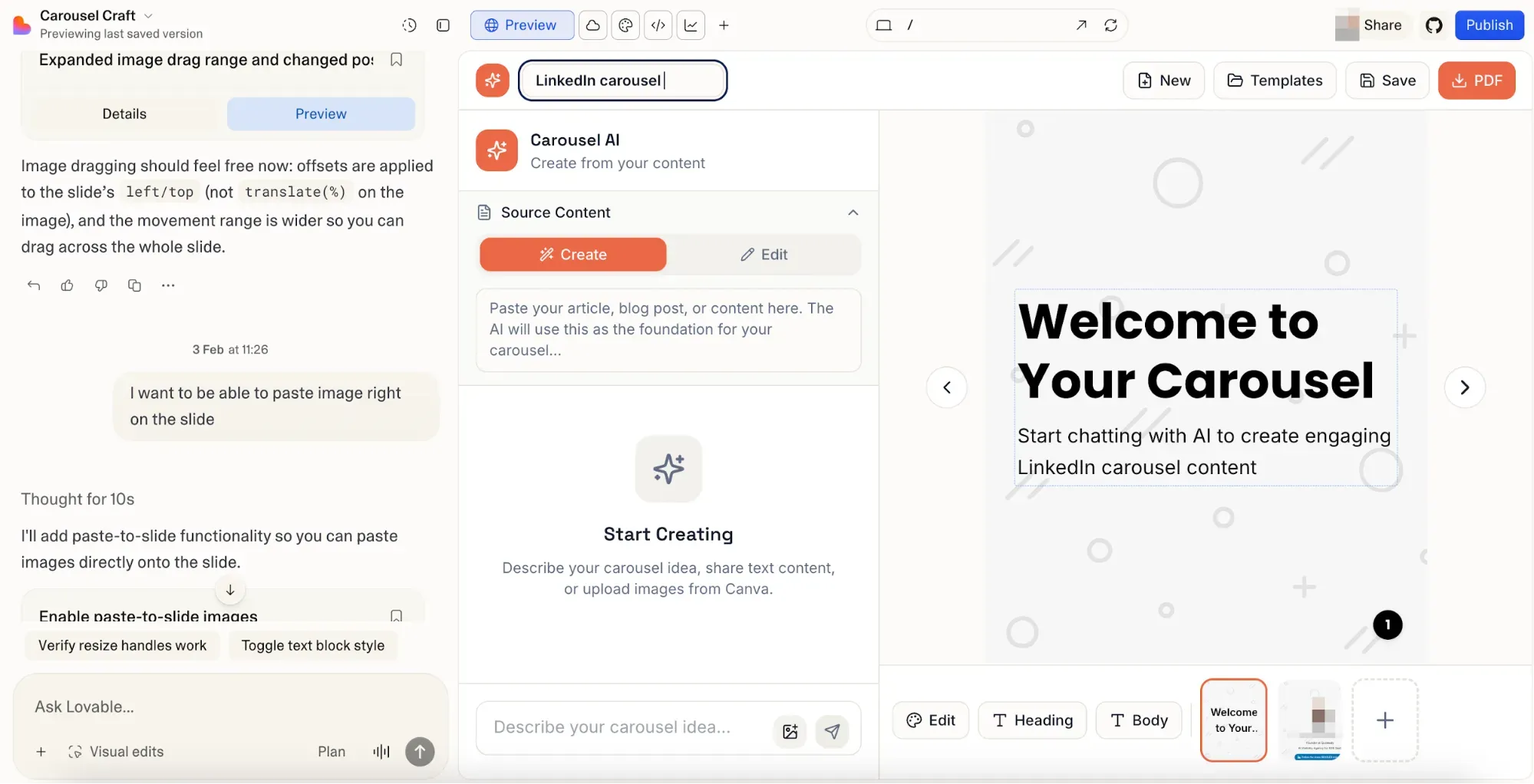
Open a workspace, type what you want and wait a few minutes.
The actual workflow has three layers. Default mode is pure AI prompts—describe a feature, and the AI writes it. The visual editor lets you make CSS-level design changes by clicking on elements directly, without writing a prompt or touching the underlying code. And Code Mode gives you a proper code editor inside the platform for manual code edits when the AI gets something wrong.
The chat mode lets you reason through problems without the AI touching your code at all, and real-time team collaboration updates fixed the earlier "single-player" limitation that frustrated teams. GitHub integration means projects sync to your repository automatically, so you own the code with no proprietary lock-in.
The platform connects to many external tools via n8n, covering everything from email automation to CRM sync and workflow triggers. One-click publish includes SEO optimization and automated security scans before your app goes live.
See also: Best no-code web design platforms
Lovable's pricing plans start at $25 per month for Pro and $50 per month for Business, with enterprise pricing custom and dependent on usage, team size and specific needs. There are annual billing, campus, kids and student discounts available. You can also add additional credit packages. Monthly unused credits on paid plans roll over. Daily ones reset each day.
The credit-based pricing model means simple styling changes cost around 0.5 credits per message. Something like adding user authentication costs closer to 1.2 credits. Building a landing page is more like 2 credits or more. When the AI makes its own mistakes, like introducing a bug while fixing another, you pay credits to fix errors that weren't yours.
Every AI interaction has a price; the complexity of your request determines the credit cost. It's not a flat rate, but at least you can check the cost for each of your prompts by clicking the three dots beneath your message in chat history.
One reviewer described the pattern as something that starts promising, but spirals into non-functional messes. Another noted that the AI got basic math wrong, costing them over $1,000 in underestimated API costs.
Then there's Lovable Cloud—a separate, usage-based fee for backend compute that kicks in once your app needs real database reads, writes and storage at scale. It's not part of the plan price, catching people off guard. Combined with credit top-ups available on Pro and Business plans, the monthly bill can end up looking nothing like what you signed up for.
For personal projects and quick functional prototypes, the Pro plan at $25 makes sense. For anything growing toward production-grade apps with real users and complex tasks, budget carefully or the credit-based system will punish you.
Here's an example of additional credits cost on Pro:
The proportion of cost scaling is similar on the Business plan, e.g., $100 for 200 credits, $200 for 400 credits, and so on.
The praise side is consistent in Lovable reviews. Speed is the most frequently mentioned positive comment in every Lovable AI review across G2, Reddit, Product Hunt and Trustpilot. Users highlight how Lovable reduces the time and complexity of building applications with the AI features. People who've never touched a code editor describe shipping real web apps in one day. The no-code promise holds up in simple scenarios.
The visual editor handles design ideas without burning through AI prompts. The Supabase integration includes user authentication, database and file storage without any manual configuration—a setup that would otherwise eat days.
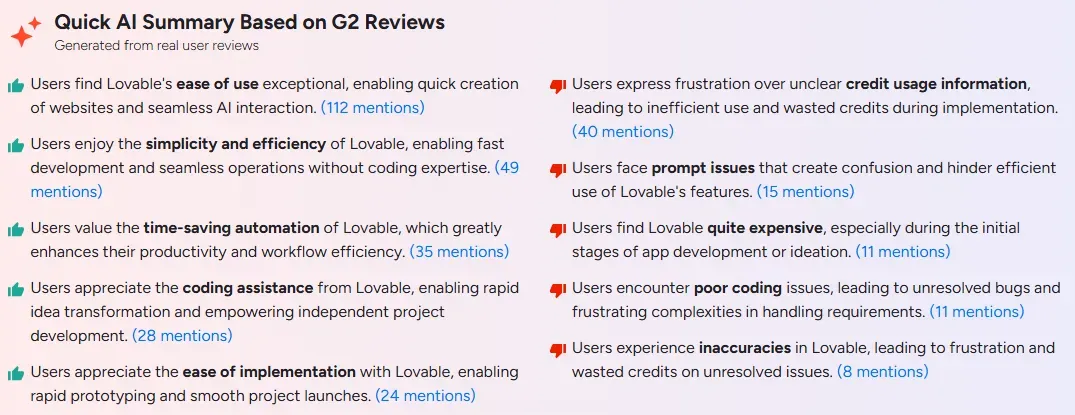
Now the other side. A significant portion of Lovable reviews mention getting stuck in repetitive error loops and burning through more credits than expected. The AI gets partway through a complex feature, breaks something adjacent, and then spends three more prompts trying to reconcile the mess. Each attempt costs. Persistent errors are expensive not just in credits, but in time, too.
Code quality degrades as projects grow longer and more complex. Occasional errors and usability quirks reveal unfinished edges, and the lack of direct code editing in default mode frustrates more technical users. Automated tests aren't built in. The further you push from simple landing pages or straightforward CRUD apps, the more friction accumulates.
The real difference between Lovable advocates and Lovable critics usually comes down to what they were trying to build. Simple landing pages and early-stage MVPs? Great tool. Production-grade apps with serious backend logic and security requirements? Not so much.
Something that surfaces consistently in Lovable reviews (apart from the credit usage frustration) is design quality. The generated code produces functional interfaces, but they're generic. Every app starts to converge on the same visual language. Designers notice the contrast issues, inconsistent spacing and lack of intentional hierarchy. Getting visual details right means burning credits on aesthetics instead of actual features.
Flowstep is a Lovable alternative and an AI UI design tool that handles the visual layer together with site flow logic. Describe your product (the screens you need, the aesthetic direction) and get fully editable UI on an infinite canvas. Not isolated components. Full journeys: login, dashboard, settings, onboarding. Multiple connected screens (and even variations) from a single design prompt. Add your brand files or a URL for inspiration to get outputs aligned with your visual guidelines.
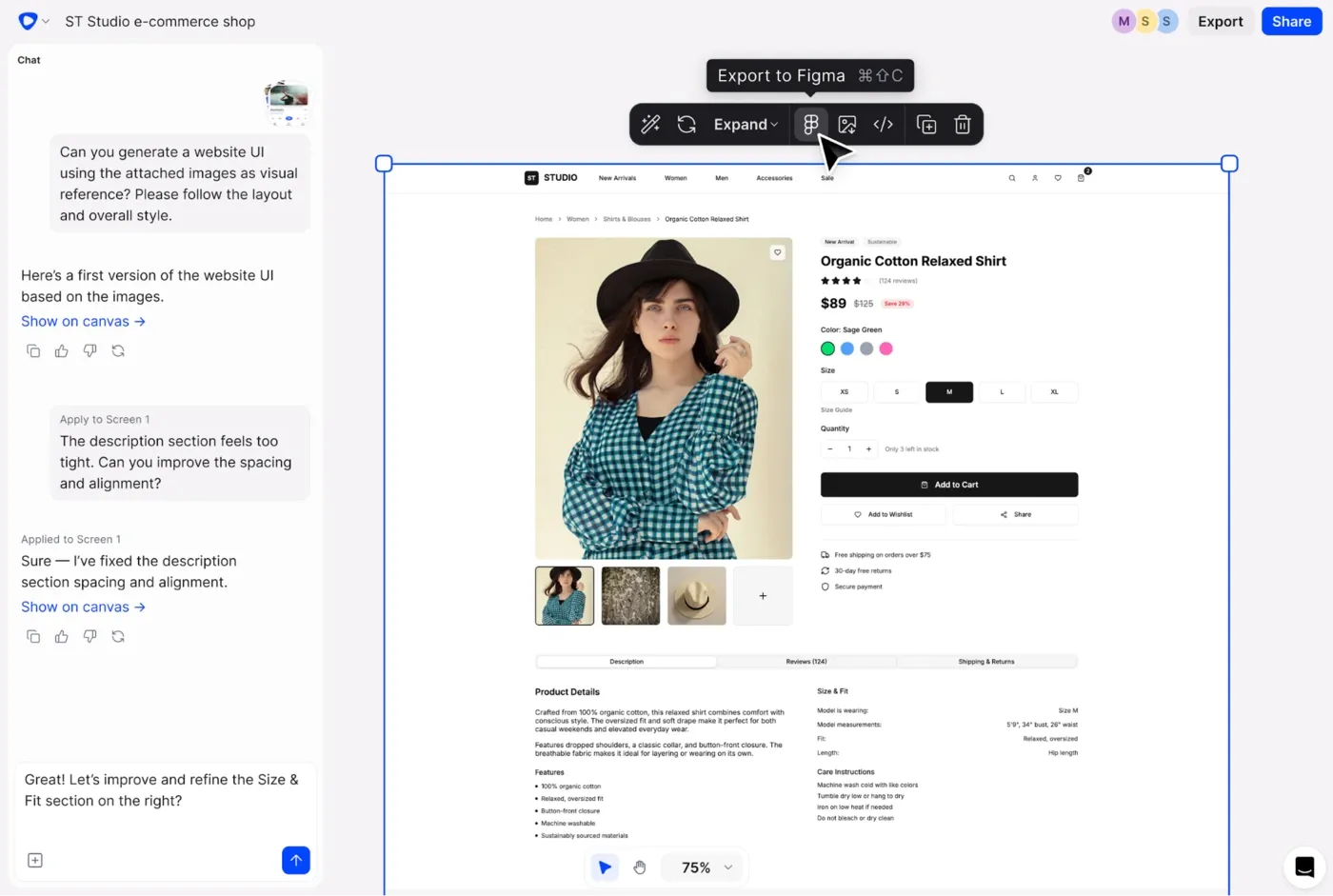
The editing experience is different from prompting an app builder and hoping the layout improves. You can work with AI to change individual aspects or adjust things manually, without triggering a full regeneration or burning AI credits on a spacing fix. When you're done, copy the whole layout into Figma with ⌘C and ⌘V, layers intact. Or export clean React, TypeScript and Tailwind CSS code that developers can take directly into production. What you designed is exactly what they get 1:1.
Flowstep's real-time collaboration feature lets unlimited collaborators work on the same canvas simultaneously, not gated behind a higher payment tier. And because Flowstep works from design toward code rather than from prompt toward deployed app, you can validate with users, align stakeholders, and get genuine feedback before a single line of production code is written.
For teams that want the full workflow, Flowstep pairs naturally with code-first tools. Design in Flowstep, export clean code and add to it in whatever code environment your team already uses. The alternative is to prompt an app builder and iterate on visual issues, using credits you'd rather spend on features.
Flowstep costs are simple and transparent:
There's a 20% annual discount, volume discounts and custom enterprise solutions.
Lovable is worth it if speed matters more than polish, e.g., when you're testing a concept before committing to a full build, and you understand the credit-based system going in. A founder who needs a working minimum viable product to put in front of users this week will do fine with Lovable. The free tier is enough to find out whether the tool suits your workflow. The Pro plan is reasonable for individual developers.
But Lovable AI starts to struggle when you need original UI, predictable monthly costs, production-grade apps or any serious work involving custom API connections, complex backend logic or impactful designs. The free plan keeps projects public and restricts custom domain support. The Pro plan unlocks private projects, custom domains and more credits, but debugging loops can spike your costs without much warning.
Doing the design work before app building starts is the fix. Flowstep is a UI design tool that handles that step: validate the UI, align your team, and hand off a design reference that actually reflects the product before a builder writes a line of code. Try it free.
The plan price starts at $25/month for Pro on monthly billing (annual plans offer a discount). Business is $50/month. Both prices are for unlimited users. The Enterprise plan has custom pricing based on company size. The free tier includes five daily credits, public projects, unlimited collaborators and five lovable.app domains included.
Yes. The free plan is usable for personal projects and simple testing, with five daily credits, no credit card, unlimited collaborators and public projects with up to five lovable.app domains. The real limits are public-only projects and no custom domain support. Private projects and connecting your own domain require a paid plan.
Credits are the cost unit for every AI interaction in Lovable. Each message to the AI consumes credits based on complexity—minor code edits cost around 0.5, while adding user authentication costs closer to 1.2. Monthly credits roll over on paid plans; daily credits reset and don't carry forward. Top-ups are available on Pro and Business plans without changing your subscription level.
For simple use cases—yes. The natural language interface is accessible. The friction comes up on complex tasks, where debugging and persistent errors start requiring judgment that the platform assumes you have. Non-technical users validating an app idea will get real value. Anyone aiming for production-grade apps will likely hit a wall that needs developer involvement to get over.